
Google Ads Transparency MCP for competitor research
Search public Google ad creatives by verified domain or advertiser ID, filter the results, analyze recurring angles, and turn the findings into a brief.


10,000+ marketers scaling with AI.
Trusted by marketing teams at












What you can do with Google Ads Transparency MCP
Turn Google's public advertiser and creative records into focused competitor research without reading every result manually.
Search by domain or advertiser
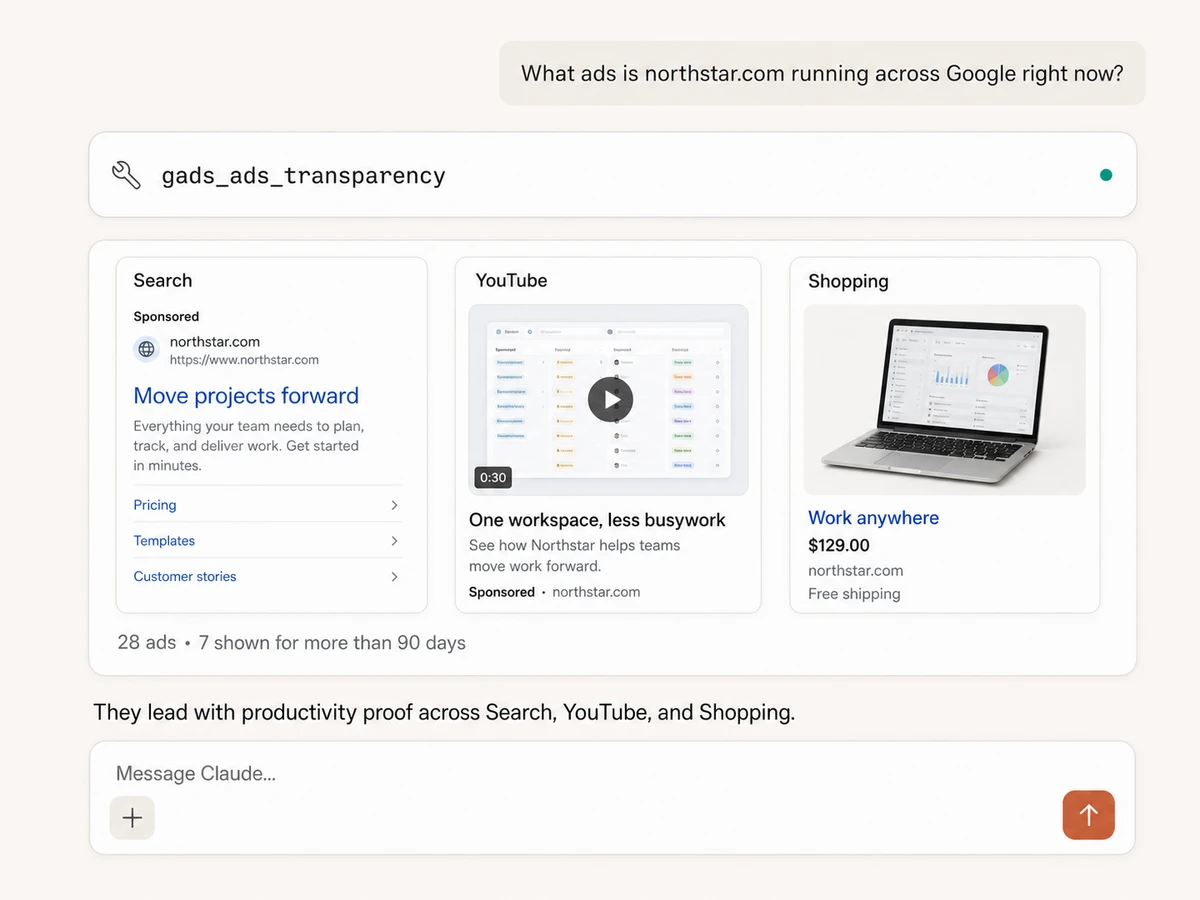
Enter a competitor's verified domain or Google advertiser ID, or paste a configured Ads Transparency Center URL, and retrieve the matching public ad creatives.
Review the creative mix
See advertiser details, target domain, creative format, first and last shown dates, total days shown, and links back to Google's transparency record.
Find long-running creative
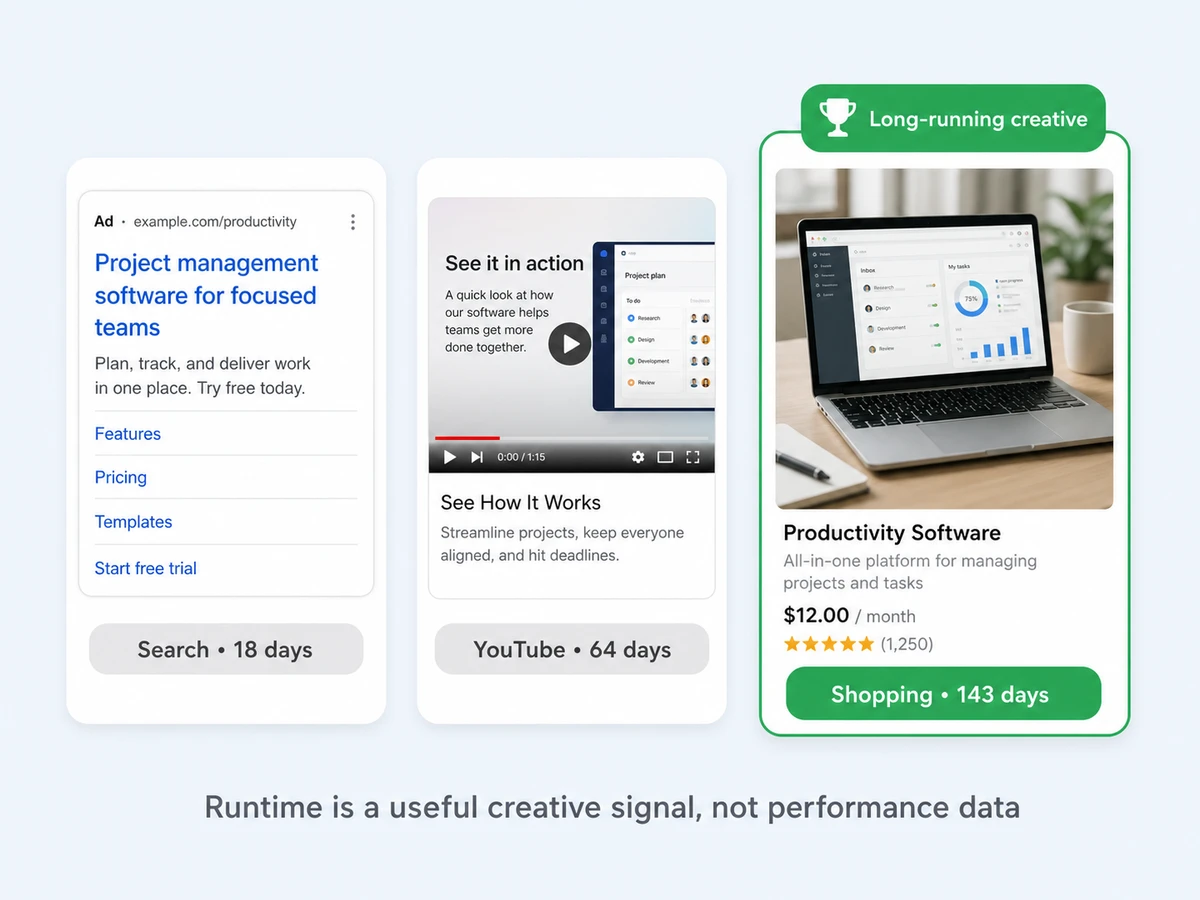
Sort creatives by total days shown to spot messages and formats an advertiser keeps in rotation. Runtime is a research signal, not proof of clicks, conversions, or ROAS.
Filter the comparison
Focus results by region, date range, text, image, or video format, and supported surfaces such as Search, YouTube, Shopping, Maps, and Play.
Analyze angles at scale
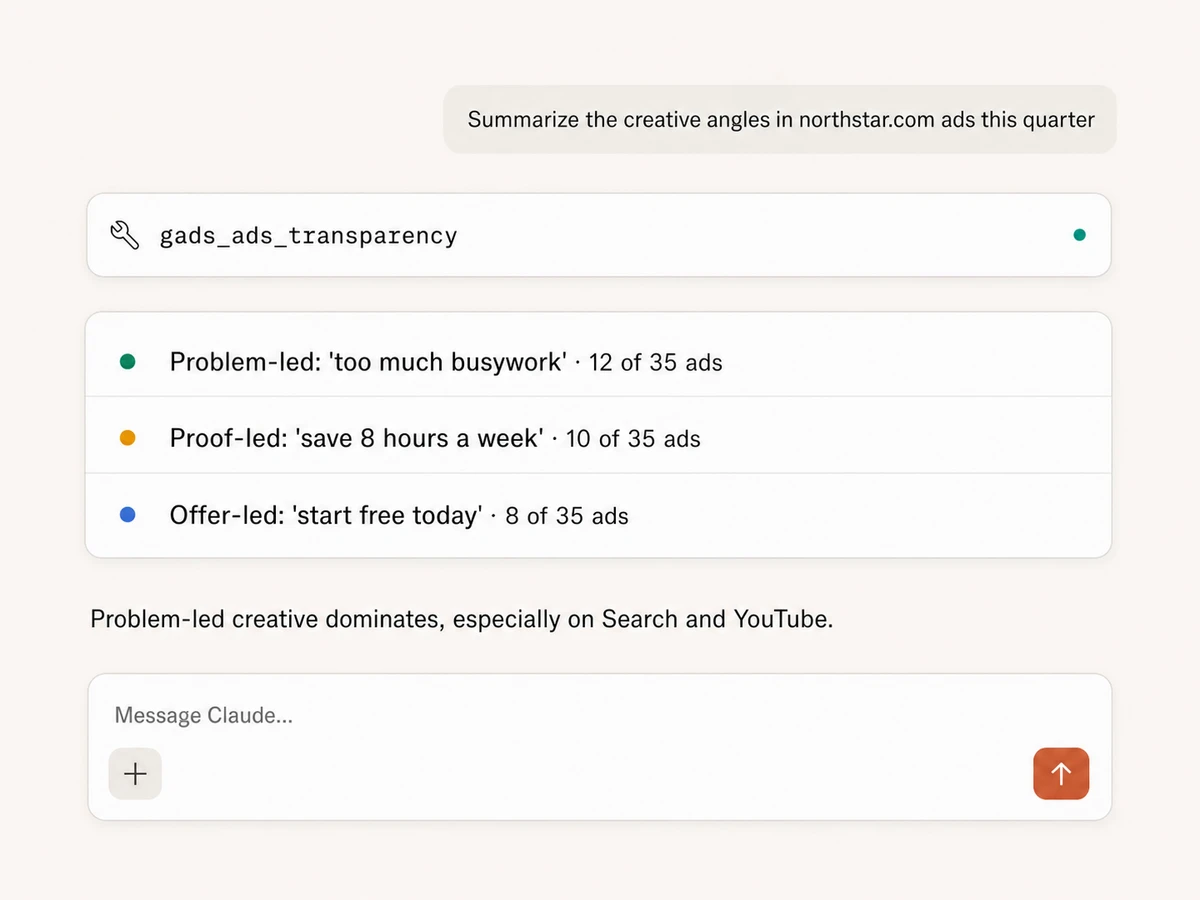
Turn dozens of public creatives into recurring claims, proof points, offers, formats, and platform patterns without reviewing every result manually.
Move from research to a brief
Compare the findings with your own Google Ads account, then draft a Google Docs brief with angles to test and counter-positioning hooks in the same session.
Use Google ad transparency in your favorite AI.
Plus your whole marketing stack
One MCP connection brings public competitor creative, your own accounts, and your preferred AI assistant into the same workflow.





























Set up in minutes
Public transparency research works without a Google Ads connection. Connect your own account only when you also want first-party performance comparisons.
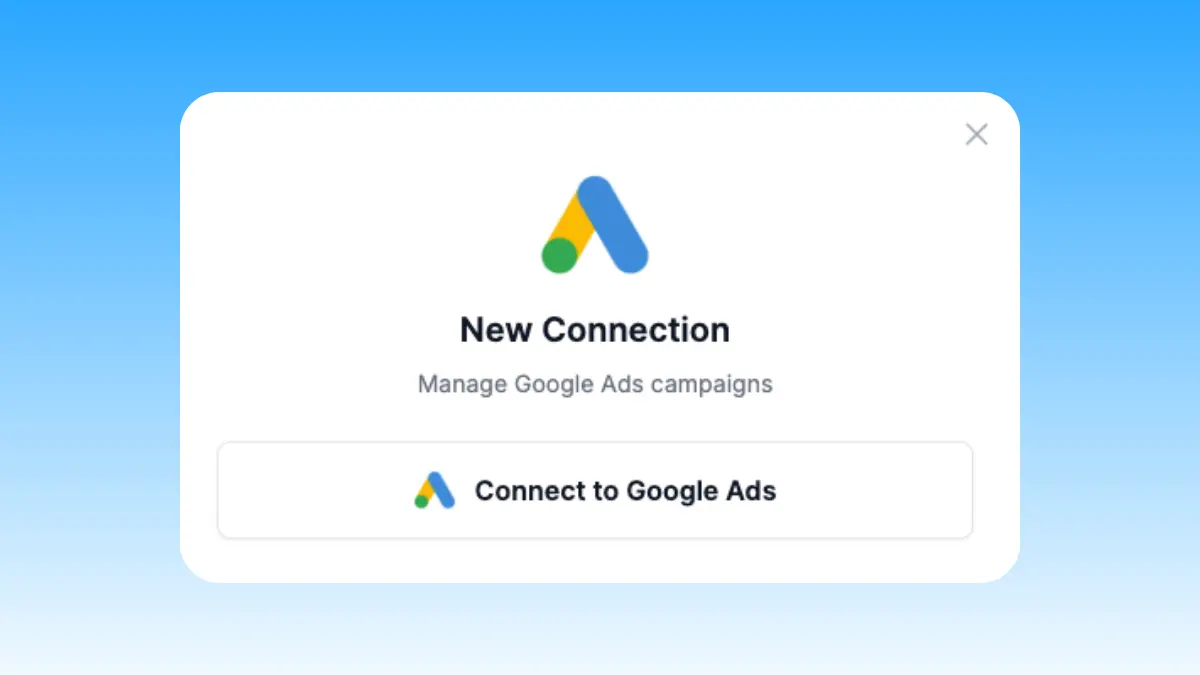
Choose your research scope
Start with a competitor domain, advertiser ID, or Transparency Center URL. Connecting your own Google Ads account is optional and adds first-party comparison.
Markifact is available in the Claude connector directory:
Connect in Claude Open the listing and click Connect to add Markifact to Claude.
Connect your AI assistant
Pick Claude, ChatGPT, Cursor, or another MCP-compatible assistant and copy the setup. One endpoint connects it to Markifact.
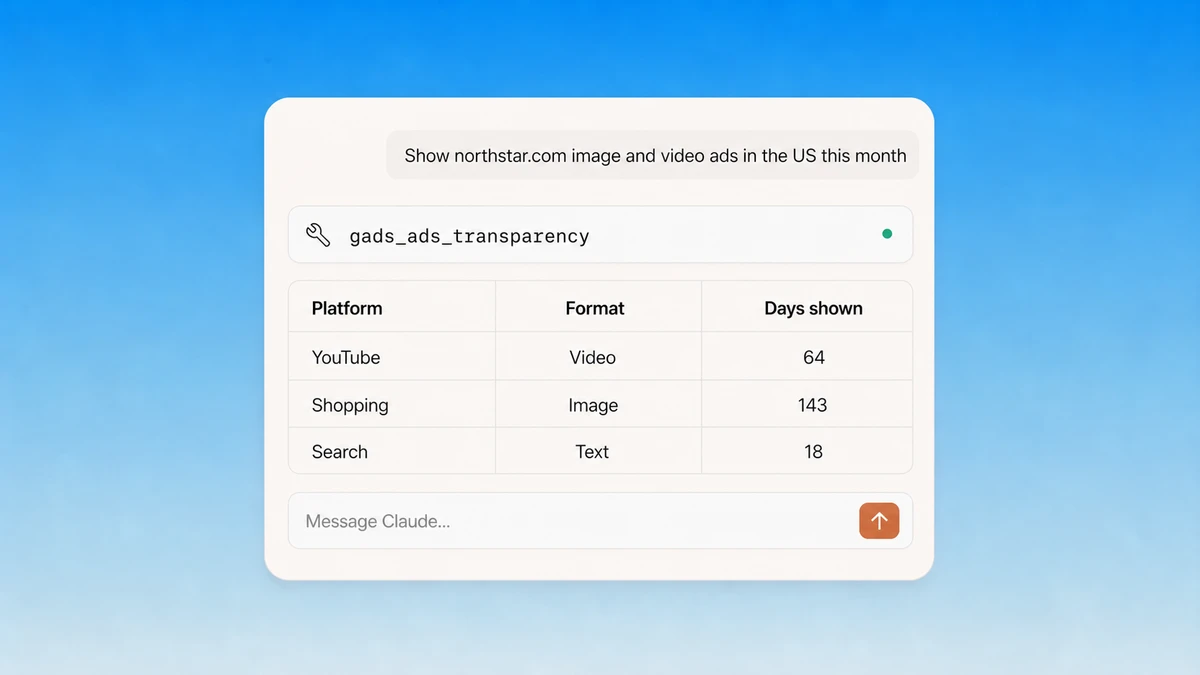
Start researching
Retrieve the creatives, compare formats and runtime, summarize recurring angles, and move the useful findings into a brief or team update.
Google Ads Transparency MCP prompt examples
Start with a known domain, advertiser ID, or Transparency Center URL, then narrow and analyze the returned creatives.
Retrieve public creatives for a known advertiser or domain.
- >
Show every Google ad creative returned for northstar.com in the last 30 days.
- >
Use this Ads Transparency Center URL and summarize the matching creatives.
- >
Retrieve up to 100 ads for advertiser ID AR123456789 across all regions.
- >
Which formats is this competitor currently using most often?
What a session actually looks like
One request can scan a competitor's public Google creatives, summarize the repeated angles, and prepare a creative brief for approval.
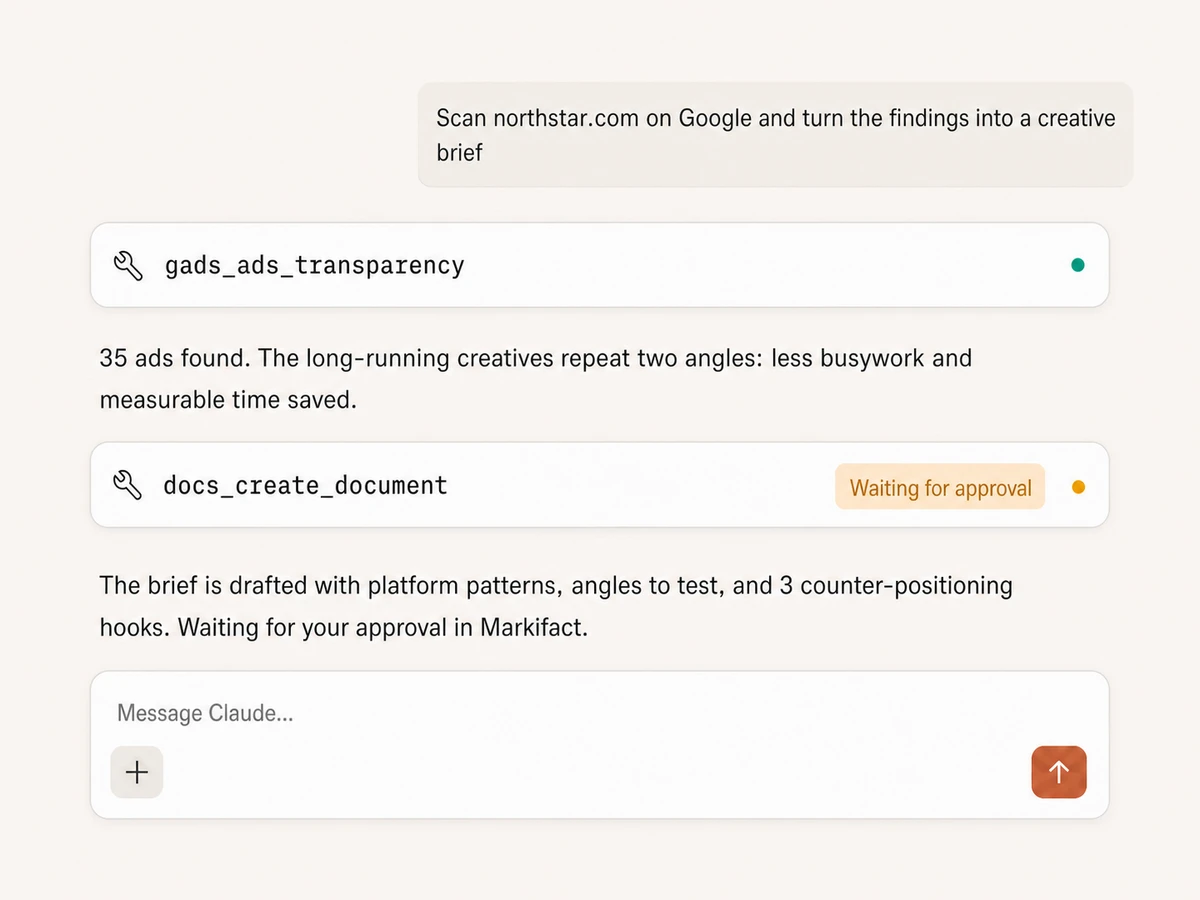
Example session using gads_ads_transparency and docs_create_document. The public-data read runs immediately; the document write waits for approval.
Which way to research Google ads is right for you?
Google's Transparency Center is official and free, dedicated intelligence products go deeper, and Markifact turns a focused public-data search into analysis and action inside your AI client.
Transparency Center
Official, free, manual
Choose it if
- You need an occasional advertiser lookup
- You want to inspect Google's official record directly
Ad intelligence tools
Deep research in a separate product
Choose it if
- Competitor creative research is a dedicated team function
- You need saved boards, monitoring, or vendor-specific datasets
Markifact
Research, analysis, and action in chat
Choose it if
- You want patterns summarized instead of a pile of creatives
- You want competitor findings beside your own Google Ads data
- You want the brief or team update created in the same workflow
| Capability | Markifact | Transparency Center | Ad intelligence tools |
|---|---|---|---|
| Setup | Hosted MCP tool with no transparency API key to manage | Free official website | Paid account and vendor dashboard |
| Search input | Verified domain, advertiser ID, or pasted Transparency Center URL | Advertiser name or website | Varies by provider |
| How you work | Ask in plain English inside Claude, ChatGPT, or another MCP client | Browse and inspect results manually | Search, filters, boards, and alerts in a separate dashboard |
| Filters | Region, supported Google surface, text/image/video format, and date range | Official filters available in the Center | Often broader proprietary filters |
| Returned data | Advertiser, target domain, format, first/last shown dates, days shown, and detail links | Official creative and advertiser records | Depends on captured data and plan |
| Performance data | No spend, clicks, conversions, CPA, or ROAS from commercial transparency records | Not a Google Ads performance report | Estimated signals vary; verify vendor methodology |
| Analysis | AI summarizes claims, angles, offers, format mix, and runtime patterns | You interpret each result yourself | Filtering and categorization vary |
| Your account data | Optional comparison with your connected Google Ads reporting | Not connected | Usually not connected |
| From research to action | Docs, Sheets, Slack, and Google Ads actions in one approval-gated workflow | Copy findings into other tools | Export, then switch tools |
| Best fit | Marketers who want research, analysis, and a usable brief in one conversation | Occasional manual advertiser checks | Dedicated creative intelligence teams |
More MCP servers
All MCP serversGoogle Ads MCP
Use Google Ads inside Claude, ChatGPT, and other MCP clients for audits, reporting, optimization, and campaign actions.
Meta Ads Library MCP
Research competitor ads from MCP clients: search the Ads Library by advertiser or keyword, analyze hooks, and draft creative briefs.
TikTok Ads MCP
Use TikTok Ads inside MCP clients for reporting, Spark Ads from organic posts, Smart+ campaigns, and Ads Library research.
Google Docs MCP
Draft briefs and reports from MCP clients, written from live marketing data, with recurring docs that append instead of rewrite.
Frequently Asked Questions
Have a different question? Reach out to Markifact support team.
Start researching Google ads in Claude
Search public competitor creatives, analyze patterns, and turn the useful findings into an approval-gated brief from any MCP-compatible client.