
The Meta Ads MCP server for Facebook & Instagram
Connect Meta Ads to Claude, ChatGPT, or any AI agent. Analyze performance, create campaigns and creatives, manage ad sets, and approve every change before it touches your Facebook and Instagram ads.


10,000+ marketers scaling with AI.

See Meta Ads MCP in action
Trusted by marketing teams at












What you can do with Meta Ads MCP
From reporting to campaign management, Markifact helps you analyze, create, and manage Meta Ads directly from Claude or ChatGPT.
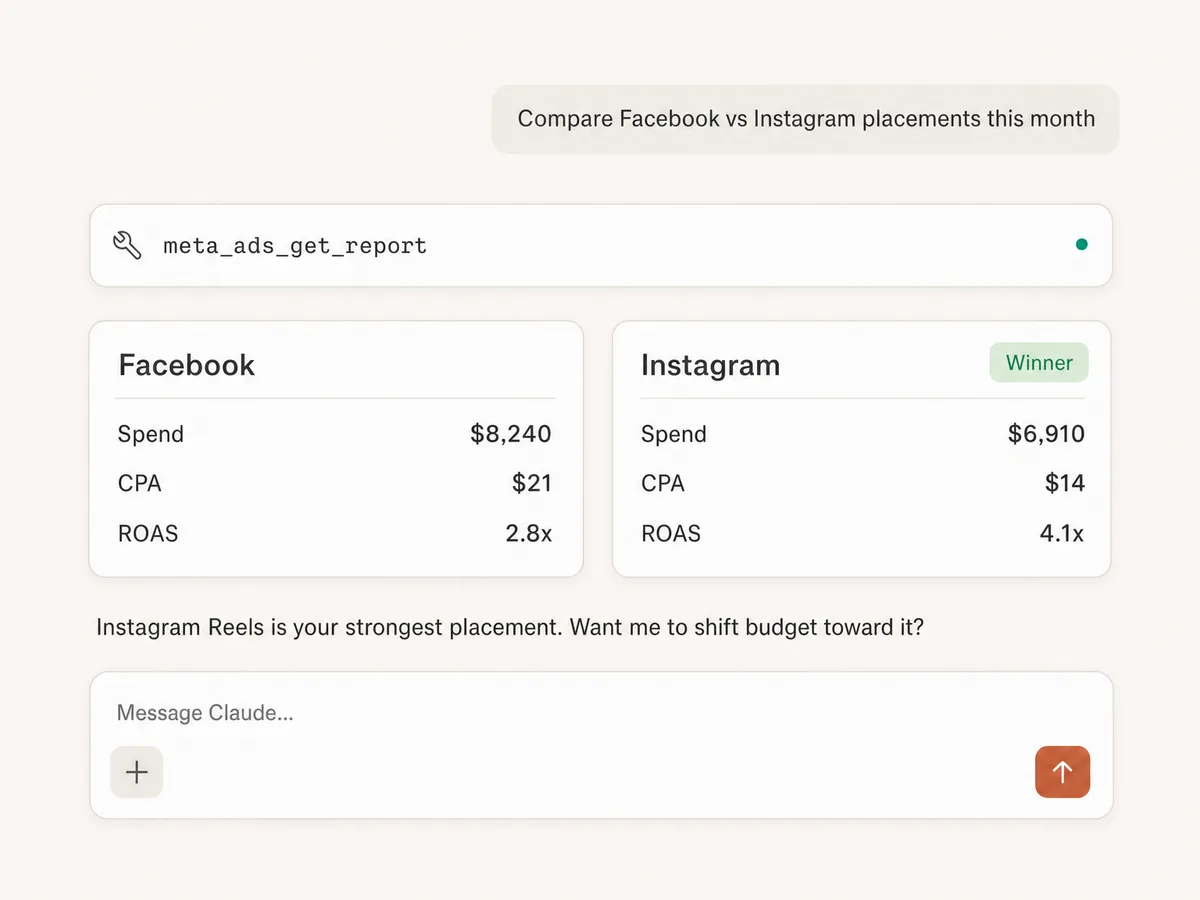
Report across ad accounts
Analyze campaign, ad set, ad, and creative performance across multiple Meta ad accounts with breakdowns for placements, devices, age, gender, and more.
Track pixels and CAPI
Inspect Meta Pixel and Conversions API setup, review event coverage and match quality, and catch tracking issues that hurt attribution.
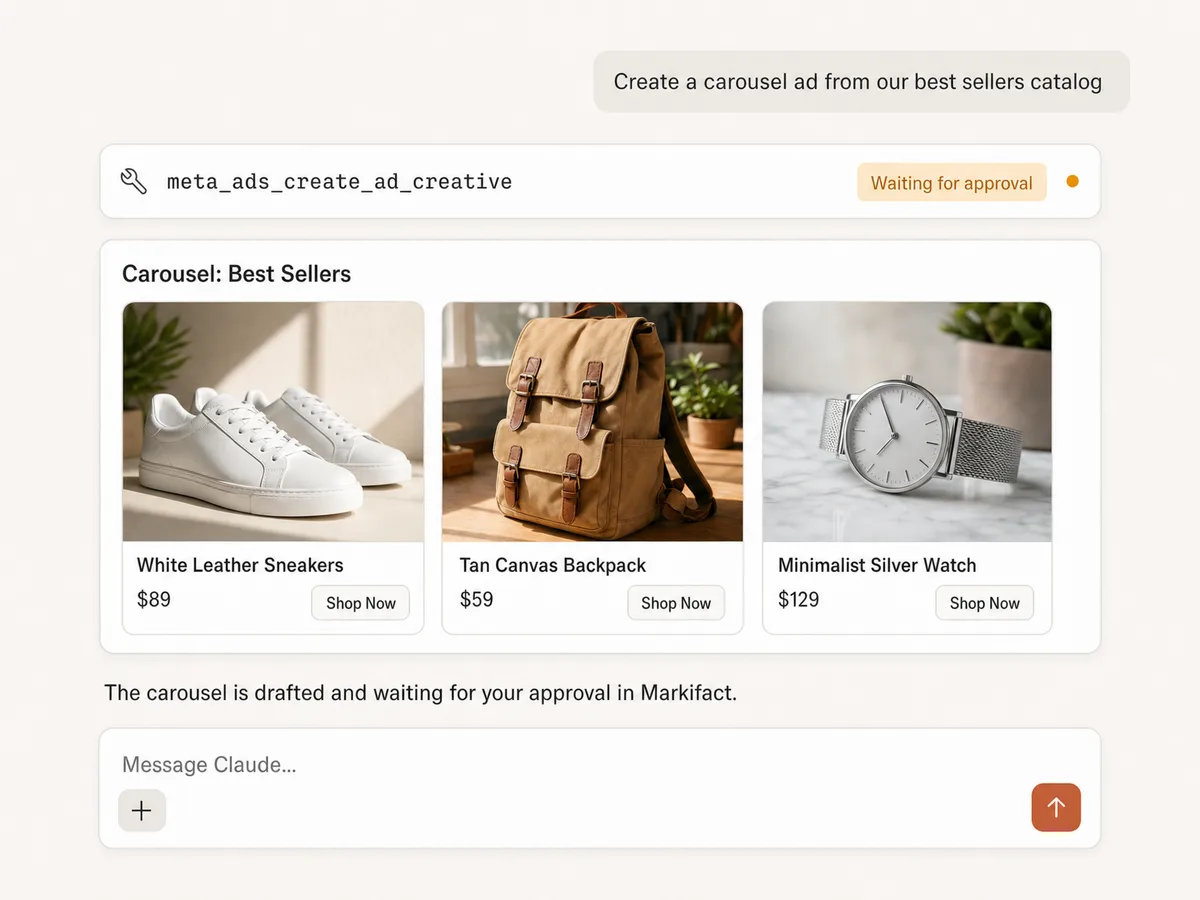
Create ads and creatives
Build image, video, carousel, and catalog ads, then connect creatives to your campaigns and ad sets from one workflow.
Create campaigns and ad sets
Create campaigns and ad sets with budgets, targeting, placements, schedules, and optimization settings using natural language prompts.
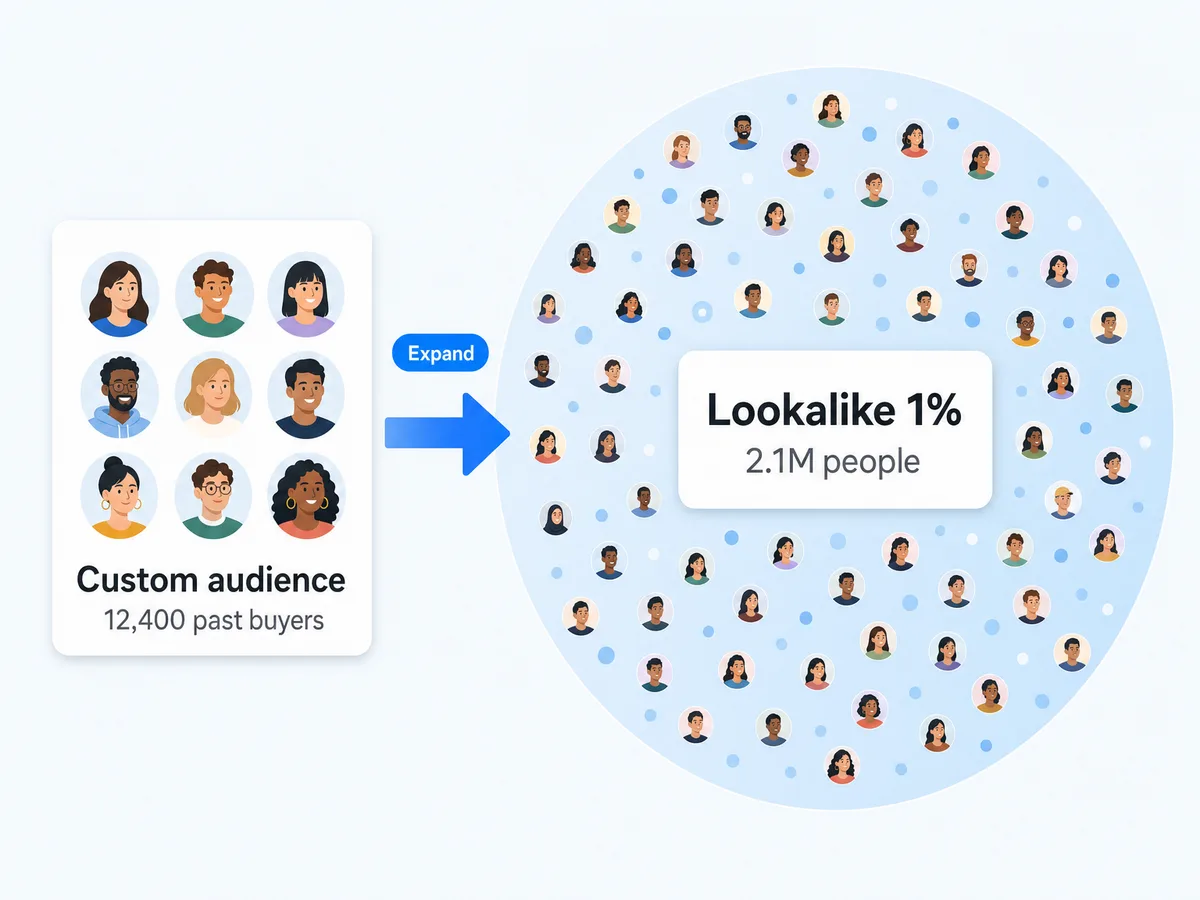
Manage audiences
Work with custom audiences, lookalike audiences, and engagement audiences to support campaign targeting and audience expansion.
Optimize performance
Find high CPA ad sets, detect creative fatigue, shift budgets to winners, and pause underperforming campaigns with approval-based actions.
Use Meta Ads in your favorite AI.
Plus your whole marketing stack
One MCP server. Meta Ads, the rest of your stack, and the AI assistant you already use.

























Set up in minutes
No coding, no server hosting, no API tokens. Three steps and you're managing Meta Ads from your AI assistant.
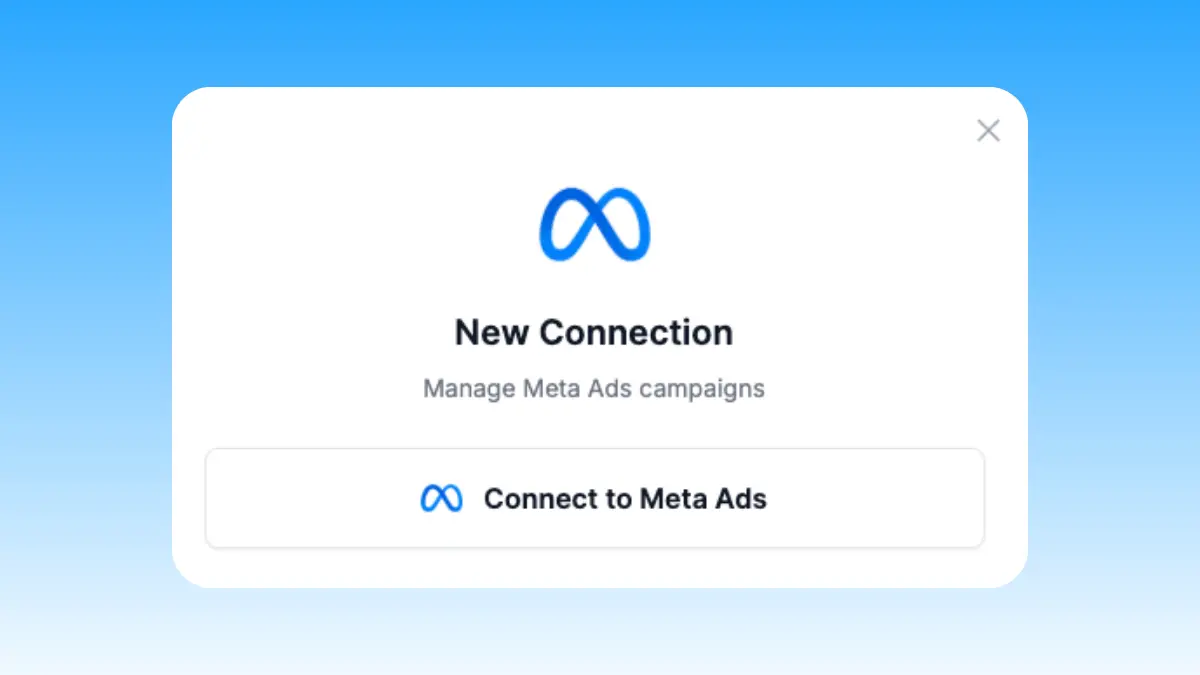
Connect Meta Ads
Sign up for Markifact and connect your Meta Ads account with one-click OAuth. No API tokens, no developer setup.
Markifact is available in the Claude connector directory:
Connect in Claude Open the listing and click Connect to add Markifact to Claude.
Connect your AI assistant
Install Markifact from the Claude directory or ChatGPT marketplace, then sign in. For other clients, use the setup shown in the tabs.
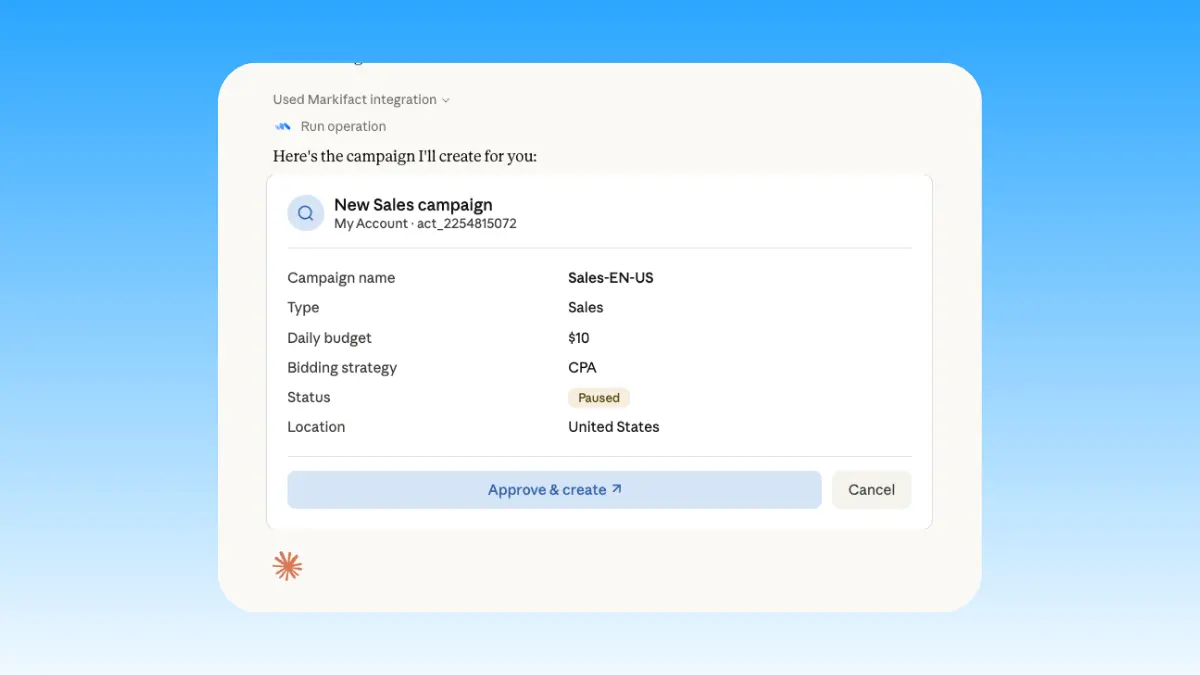
Start managing ads
Create campaigns, build ad creatives, optimize ad sets, and manage Advantage+ in plain English. Full read and write access to your ad account.
Start with your first task
Choose a guide and put your connection to work.
Meta Ads MCP prompt examples
Use Markifact MCP to research, launch, report, and optimize Meta Ads from Claude, ChatGPT, Cursor, or any MCP-compatible client.
Create campaign drafts and prepare them for approval.
Create a paused campaign for this offer with 3 ad sets and 5 image ads.
Build a video ad campaign draft for this landing page.
Create carousel ad ideas for this product and prepare them for review.
Build lookalike audience ideas based on existing customer audiences.
What a session actually looks like
A creative fatigue check in Claude, from prompt to approved change. Your AI pulls the report, finds the tired ads, and waits for your sign-off.
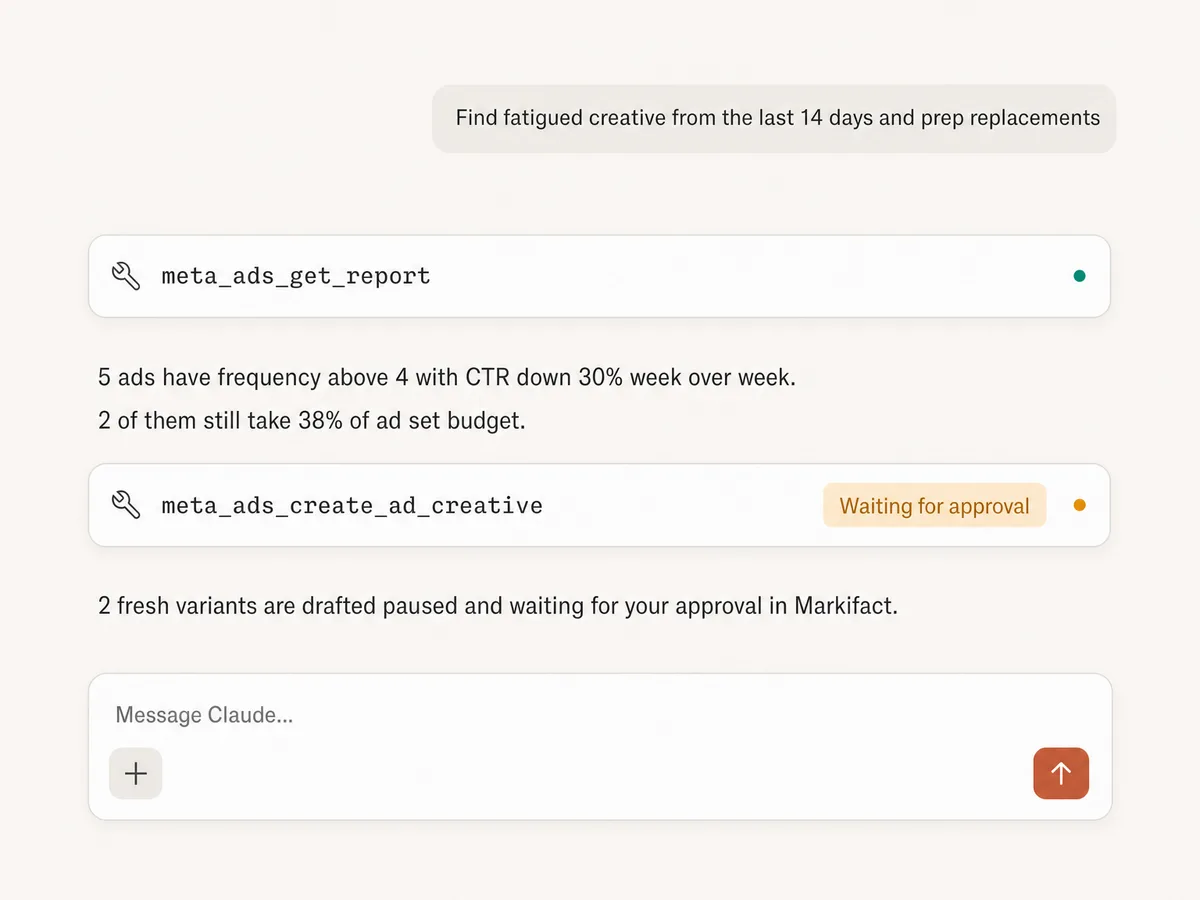
Example session. Claude uses Markifact's real Meta Ads tools (meta_ads_get_report, meta_ads_create_ad_creative); write operations always stop for your approval.
Which Meta Ads MCP option is right for you?
Meta released its official Ads MCP in open beta in April 2026, open-source servers exist on GitHub, and Markifact is the managed MCP layer built for marketers and agencies. Here's how to pick.
Official Meta MCP
First-party, free, in open beta
Choose it if
- You manage one ad account with simple needs
- You want Meta-authenticated tools by adding mcp.facebook.com/ads to Claude or ChatGPT
Open-source MCPs
Free, self-hosted, full control
Choose it if
- You're technical and have an approved Meta developer app
- You want to own the hosting, the code, and the maintenance
Markifact
Managed, multi-platform, approval-based
Choose it if
- You manage multiple ad accounts or clients
- You need image, video, carousel, and catalog creative workflows
- You want Google Ads, TikTok, GA4, and Sheets in the same conversation, with approval before anything goes live
| Capability | Markifact | Official Meta MCP | Open-source MCPs |
|---|---|---|---|
| Setup | Managed setup with OAuth | OAuth-based setup | Requires hosting, credentials, and configuration |
| Security | Safe and secure. Markifact is an approved Meta tech provider | Meta-native and secure | You need to apply to Meta to get approved |
| Best for | Marketers, agencies, and teams managing real ad work | Small advertisers managing one channel with simple needs | Developers who want full control |
| Meta Ads reporting | Campaign, ad set, ad, creative, audience, and account-level reporting | Supports all metrics and dimensions, same as Markifact | Bloated with hardcoded metrics and dimensions |
| Multiple ad accounts | Built for multi-account workflows | One account per tool request | One account per tool request |
| Write actions | Create and update campaigns, ad sets, ads, budgets, audiences, and creatives | Basic write actions | Often missing actions, or expose so many tools they bloat context |
| Approval controls | Approval-based actions before changes go live | Depends on Meta's controls | You need to build this yourself |
| Ad formats | Image, video, carousel, catalog, and dynamic creative where supported | Limited placement customization | Depends on implementation |
| Beyond Meta Ads | Google Ads, TikTok Ads, LinkedIn Ads, GA4, Sheets, Slack, and more | Meta only | Usually Meta only unless extended |
| Maintenance | Handled by Markifact | Handled by Meta | You maintain hosting, auth, API changes, and errors |
| Who should choose it | Teams who want production-ready marketing execution | Teams managing a single account with simple needs | Technical teams who want to build and maintain their own server |
More Meta Ads MCP demos
See how Markifact compares to the official Meta MCP, builds reporting dashboards, and creates Meta campaigns with AI.

Official Meta Ads MCP vs Markifact MCP

Build a Meta Ads dashboard with Claude

Build a Meta Ads campaign with AI
Frequently Asked Questions
Have a different question? Reach out to Markifact support team.
More MCP servers
All MCP serversMeta Ads Library MCP
Research competitor ads from MCP clients: search the Ads Library by advertiser or keyword, analyze hooks, and draft creative briefs.
Facebook Pages MCP
Compare managed Facebook Pages, analyze follower, engagement, media, video, and post performance, and discover current reporting fields.
Google Ads MCP
Use Google Ads inside Claude, ChatGPT, and other MCP clients for audits, reporting, optimization, and campaign actions.
TikTok Ads MCP
Use TikTok Ads inside MCP clients for reporting, Spark Ads from organic posts, Smart+ campaigns, and Ads Library research.
Start using Meta Ads in Claude today
Connect your Meta Ads account and start managing campaigns, ad sets, and creatives from Claude, ChatGPT, or any MCP client.