
Instagram MCP for full organic management
Analyze Instagram Business and Creator accounts, posts, Reels, and audiences, then publish images, carousels, Reels, and Stories—with approval before every write.


10,000+ marketers scaling with AI.

See Instagram MCP in action
Trusted by marketing teams at












What you can do with Instagram MCP
Move from multi-account insight and content analysis to approval-gated Instagram publishing in the same conversation.
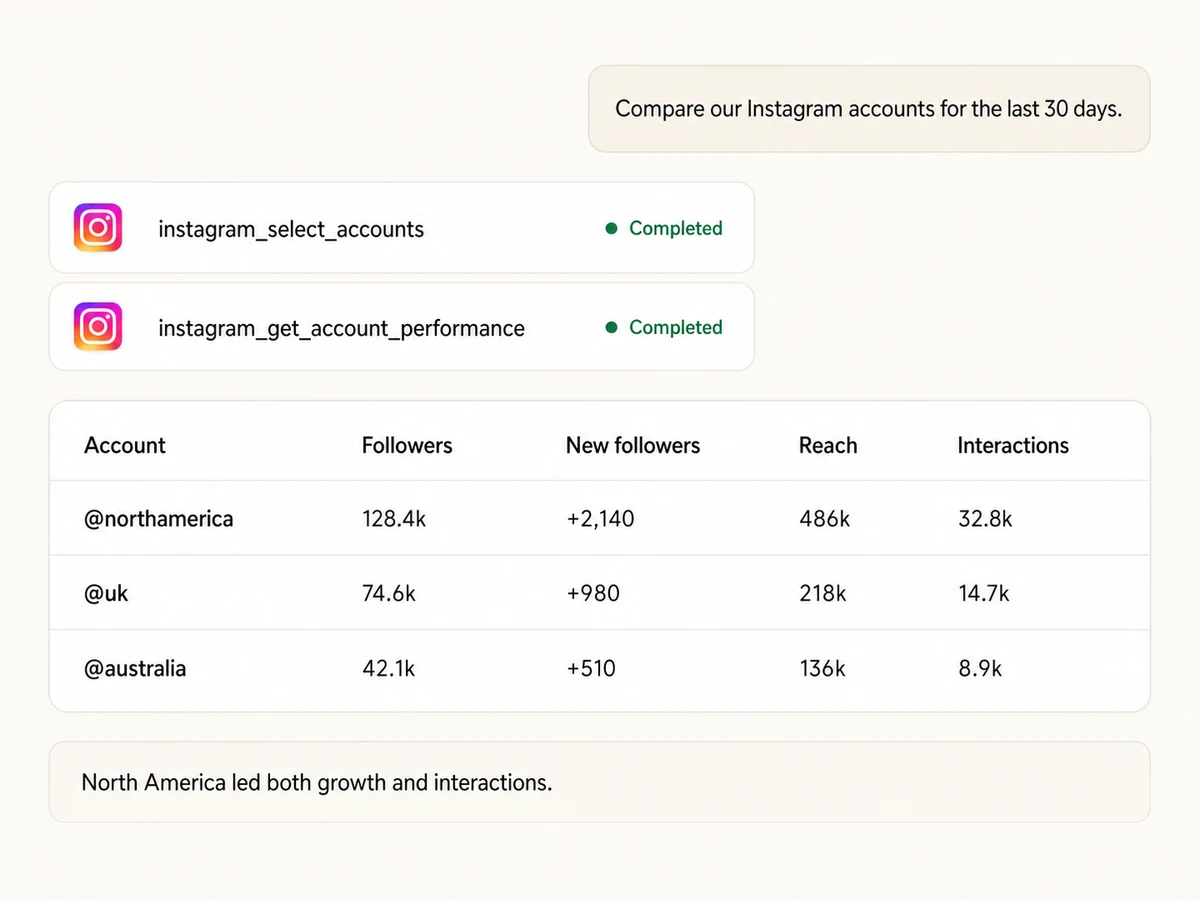
Compare every connected account
Select Instagram Business and Creator accounts manually, include all available accounts, or filter by name or ID, then run one consistent performance report.
Track growth, reach, and interactions
Report followers, new followers, unfollows, views, reach, profile link taps, accounts engaged, and total interactions across the accounts you manage.
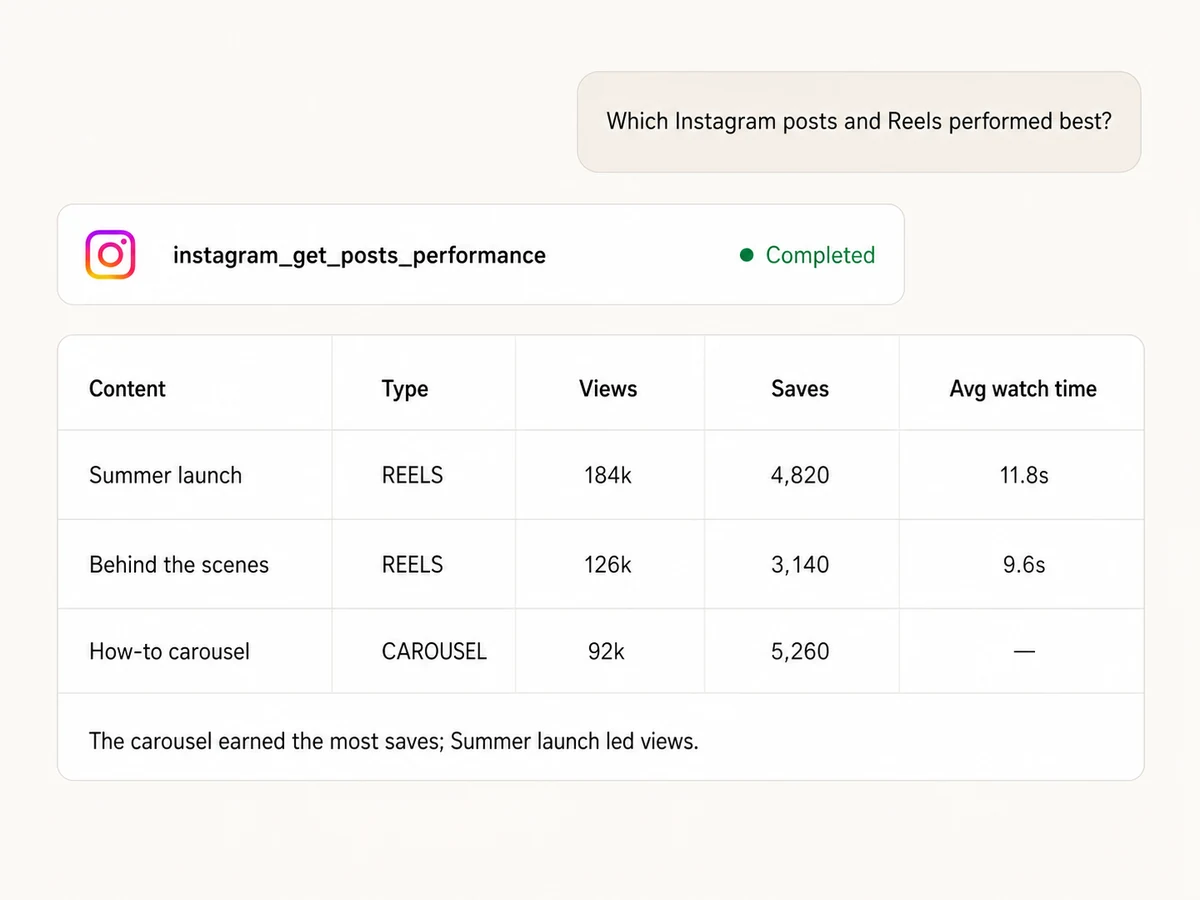
Find the posts and Reels that worked
Rank content by views, reach, saves, shares, replies, likes, comments, profile visits, Reels watch time, replay count, or skip rate.
Keep the content context
Return the caption, permalink, published date, media type, thumbnail, shortcode, owner, and content metrics together so the AI can explain why a post performed.

Publish images and mixed-media carousels
Create a single-image feed post or a carousel with 2 to 10 images and videos, add a caption up to 2,200 characters, and publish from direct or Google Drive media URLs.
Publish Reels and 24-hour Stories safely
Prepare Reels with an optional custom cover and feed sharing, or publish one image or video as a Story. Every publish action waits for your explicit approval in Markifact.
Organic Instagram management,
connected to your whole stack
Bring media in from Drive, publish Instagram content with approval, analyze organic performance, and carry the result into Sheets, Docs, Slack, analytics, or Meta Ads.





























Set up in minutes
No developer app, Graph API setup, or server hosting. Three steps and your AI assistant can analyze and publish Instagram content.

Connect Instagram
Sign up for Markifact and authorize your Instagram Business or Creator accounts with one-click OAuth. No developer app or Graph API integration to maintain.
Markifact is available in the Claude connector directory:
Connect in Claude Open the listing and click Connect to add Markifact to Claude.
Connect your AI assistant
Pick Claude, ChatGPT, Cursor, or any MCP-compatible assistant and copy the setup. One URL or command and you're connected to Markifact.
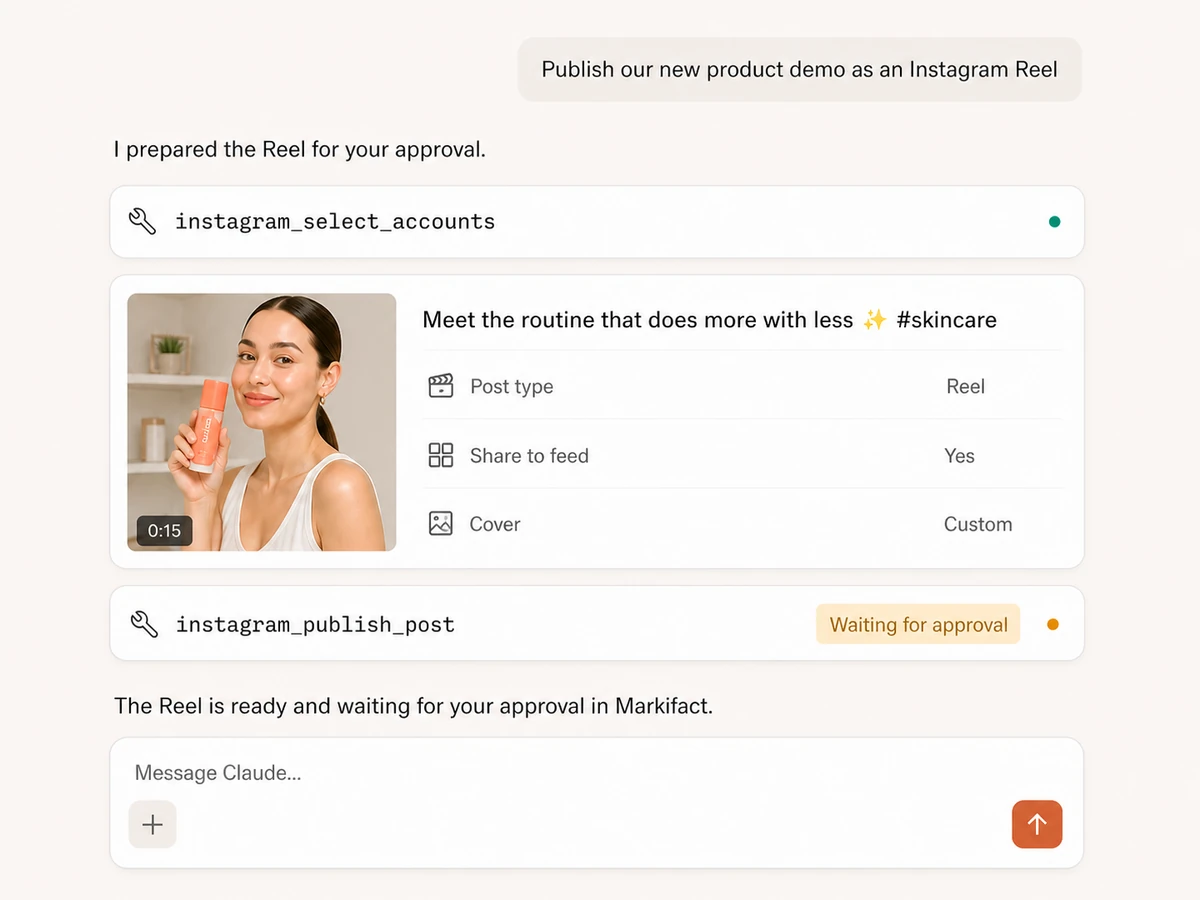
Start managing Instagram
Ask for account or content reports, then prepare an image post, carousel, Reel, or Story. Reads run immediately; publishing waits for your approval.
Instagram MCP prompt examples
Compare accounts, analyze content and Reels, or prepare the next Instagram publish action for approval.
Compare organic account performance
Start with a consistent executive view across the Business and Creator accounts your connection can access.
Select every Instagram account I manage and compare the last 30 days by account. Include followers, new followers, unfollows, views, reach, accounts engaged, and total interactions. Rank the accounts by new followers and explain the two biggest differences.
What a session actually looks like
The AI can read content performance, use the winning pattern to prepare the next Story, and keep the publish action paused until you approve it.
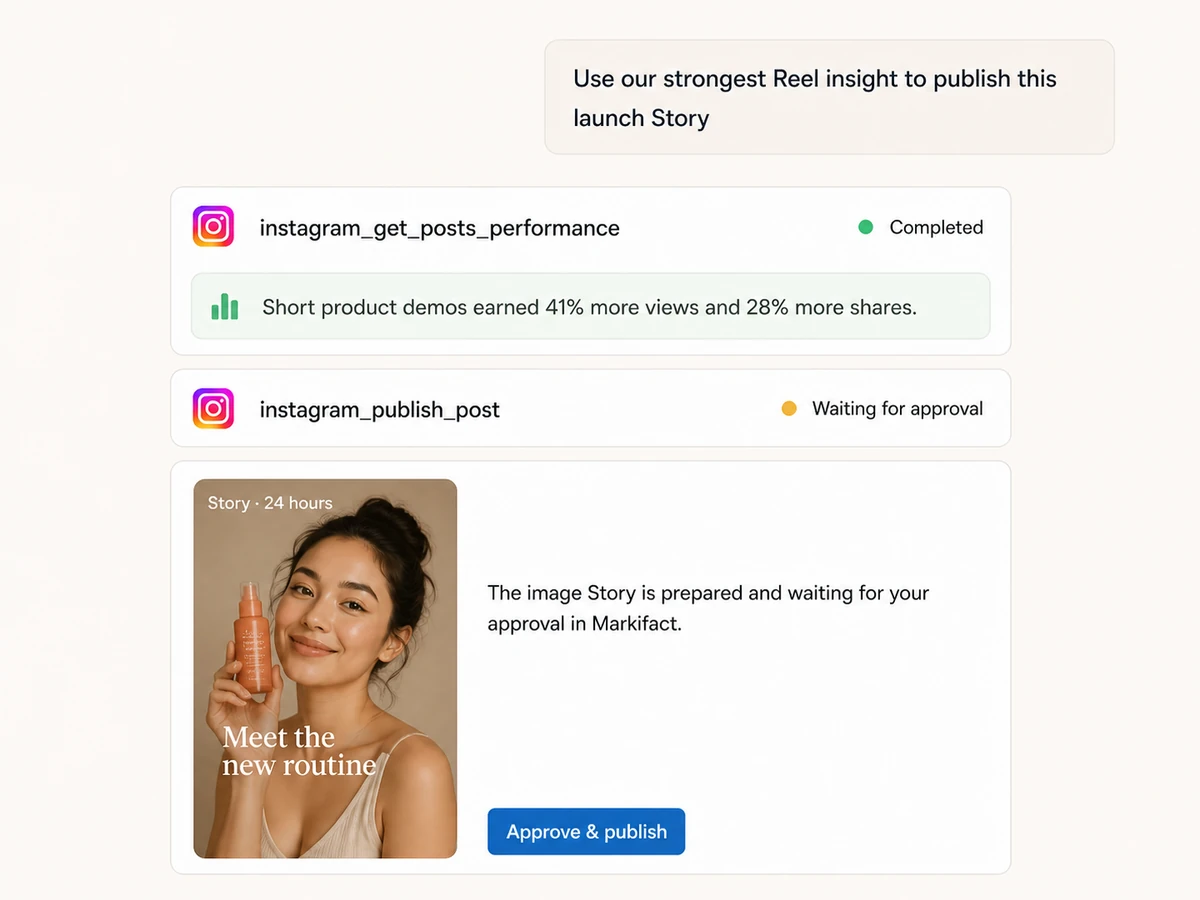
The report runs immediately. The instagram_publish_post write remains queued until you approve it.
Markifact, Meta Business Suite, or the Graph API?
Use Markifact for conversational reporting and approval-gated publishing, Business Suite for hands-on Instagram work, or the Graph API when you want to own the implementation.
| Capability | Markifact MCP | Meta Business Suite | Direct Graph API |
|---|---|---|---|
| Conversational multi-account analysis | Yes, select and compare accounts in one prompt | Manual analysis in the Meta interface | Yes, with custom code |
| Current field discovery | Built-in instagram_list_report_fields tool | Metrics shown in the interface | You maintain API field compatibility |
| Account and content reports | Separate tools with metrics, dimensions, filters, and ordering | Yes | Yes |
| Reels watch and skip metrics | Yes, where Meta returns them for the media | Available in supported insights views | Yes, subject to API availability |
| Cross-platform reports | Combine with Meta Ads, GA4, Sheets, Docs, and Slack | Usually requires exports | Requires integrations and code |
| Instagram publishing | Images, carousels, Reels, and Stories with approval | Yes, based on account permissions | Yes, with content-publishing permissions and implementation |
More MCP servers
All MCP serversFacebook Pages MCP
Compare managed Facebook Pages, analyze follower, engagement, media, video, and post performance, and discover current reporting fields.
TikTok MCP
Analyze organic TikTok accounts, videos, audiences, retention, and traffic sources, then publish videos directly or as drafts with approval.
Meta Ads MCP
Use Meta Ads and Facebook Ads workflows inside MCP clients for ad sets, creatives, reporting, and Advantage+ workflows.

Slack MCP
Send approval-gated channel updates, thread replies, images, and CSV, PDF, TXT, or JSON report attachments from MCP clients.
Frequently Asked Questions
Have a different question? Reach out to Markifact support team.
Manage Instagram from the conversation
Analyze accounts and content, then publish images, carousels, Reels, and Stories with approval—without building against the Graph API.