
One MCP for your Marketing Stack.
Use your connected marketing stack from Claude, ChatGPT, Gemini, or any AI tool. Analyze performance, create campaigns, and manage ads across your tools.


10,000+ marketers scaling with AI.

See Markifact MCP in action
Trusted by marketing teams at












What Markifact MCP gives you
Use one MCP to run reports, analyze performance, and prepare approved actions across your marketing stack.
One MCP for all ad platforms
Access Meta META, Google Ads, TikTok, GA4, and more through one MCP instead of setting up separate tools for every platform.
Works with any AI tool
Connect Claude, ChatGPT, Cursor, Manus, and other MCP-compatible clients to your marketing stack.
Secure and approved access
Connect through official platform APIs, keep credentials protected, and approve actions before anything goes live.
Built for action, not just read-only
Go beyond reporting. Create campaigns, update budgets, generate creatives, and run workflows from your AI client.
Use your marketing stack in your favorite AI.
One MCP for every channel
Google Ads, Meta Ads, LinkedIn, TikTok, Shopify, HubSpot, GA4, Sheets, Slides, and more, available through Markifact across UI, agents, workflows, and MCP.





























Set up in minutes
No coding, no server hosting, no API keys. Three steps and you're using MCP.
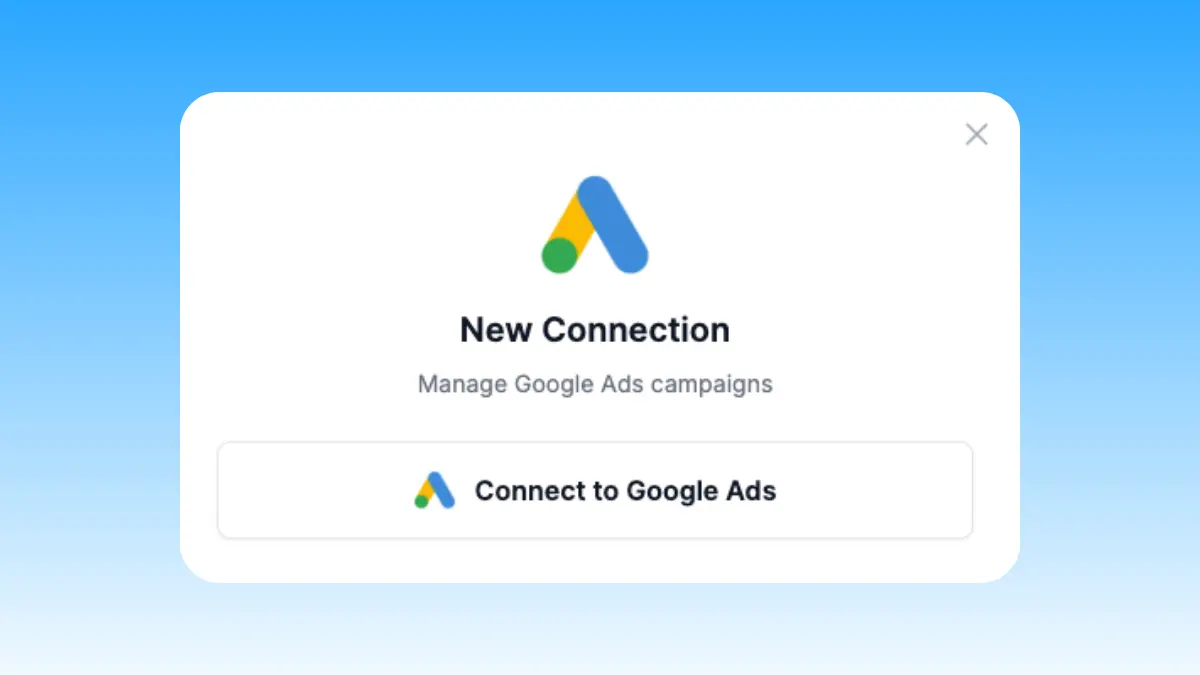
Connect your accounts
Sign up for Markifact and connect Google Ads, Meta Ads, or any platform with one-click OAuth. No API keys to manage.
Markifact is available in the Claude connector directory:
Connect in Claude Open the listing and click Connect to add Markifact to Claude.
Connect your AI client
Pick Claude, ChatGPT, Cursor, or any MCP-compatible assistant and copy the setup. One URL or command and you're connected to Markifact.
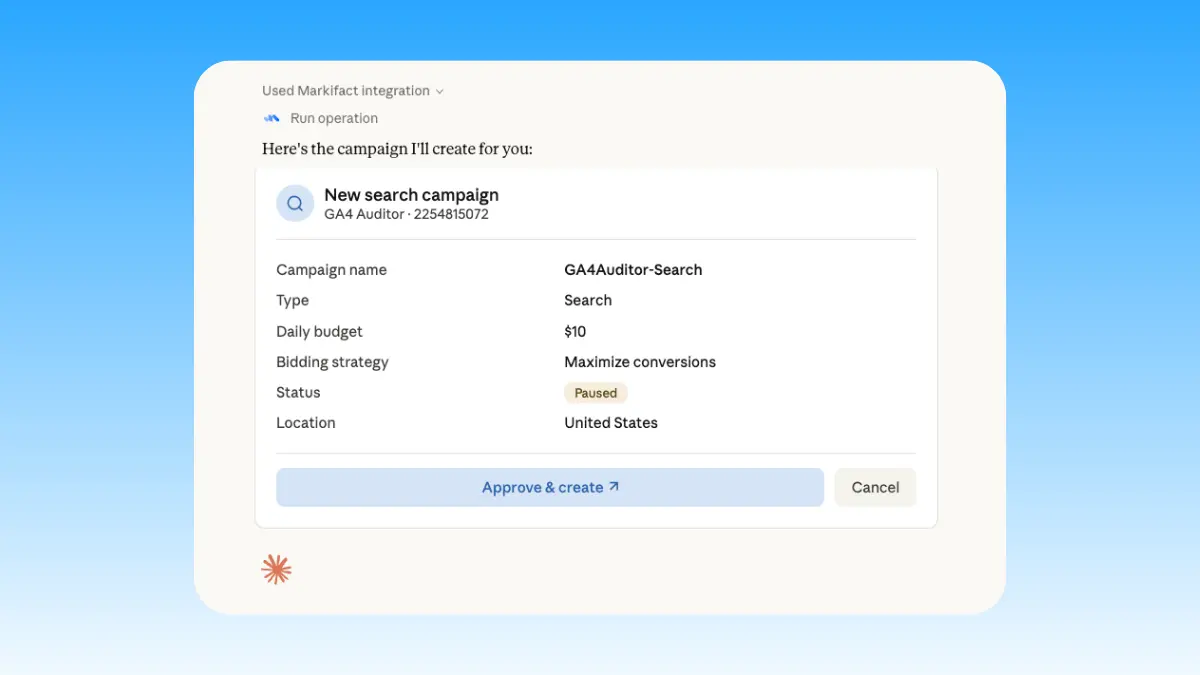
Start working
Create campaigns, pull reports, optimize performance, and automate tasks in plain English. Full read and write access.
Explore MCP use cases
Start with platform-specific pages built around real marketer workflows.
Ad Platforms
Google Ads MCP
Use Google Ads inside Claude, ChatGPT, and other MCP clients for audits, reporting, optimization, and campaign actions.
Meta Ads MCP
Use Meta Ads and Facebook Ads workflows inside MCP clients for ad sets, creatives, reporting, and Advantage+ workflows.
TikTok Ads MCP
Use TikTok Ads inside MCP clients for reporting, Spark Ads from organic posts, Smart+ campaigns, and Ads Library research.
LinkedIn Ads MCP
Use LinkedIn Ads inside MCP clients for B2B reporting, campaign creation, lead-focused creative, targeting, and approval-based optimization.
Microsoft Ads MCP
Use Microsoft Ads inside MCP clients for reporting, Search and Performance Max campaigns, keywords, creative assets, and approval-based changes.

Pinterest Ads MCP
Use Pinterest Ads inside MCP clients for reporting on saves and ROAS, creating Pin ads, budgets, and seasonal planning with approvals.

Reddit Ads MCP
Use Reddit Ads inside MCP clients to report on performance and create or manage campaigns, ad groups, posts, ads, audiences, budgets, targeting, and delivery with approvals.

X Ads MCP
Use X Ads (Twitter Ads) inside MCP clients for reporting, campaigns, ad groups, promoted posts, cards, ads, targeting, audiences, budgets, and approval-gated writes.
Snapchat Ads MCP
Use Snapchat Ads inside MCP clients for reporting, campaign and ad squad management, image, video, Story, Collection, and Lens ads, with approval-gated writes.

Spotify Ads MCP
Use Spotify Ads inside MCP clients for reporting, campaigns, ad sets, listener targeting, budgets, and audio, video, display, or carousel ads with approval-gated writes.

Display & Video 360 MCP
Use DV360 inside MCP clients for reporting, campaigns, insertion orders, line items, creatives, targeting, budgets, and approval-based writes.
OpenAI Ads MCP
Manage ChatGPT ads inside MCP clients: reporting, campaign creation, context hints, bids, and budgets with approval-based changes.

Apple Ads MCP
Use Apple Ads inside MCP clients for campaign and keyword reporting, install cost analysis, and cross-channel UA comparison.

Amazon Ads MCP
Use Amazon Ads inside MCP clients for reporting and full management of campaigns, budgets, ad groups, targets, creative assets, and ads with approvals.
Meta Ads Library MCP
Research competitor ads from MCP clients: search the Ads Library by advertiser or keyword, analyze hooks, and draft creative briefs.
TikTok Ads Library MCP
Search public TikTok ads by keyword, advertiser, country, date, or filtered URL, then analyze hooks and draft creative briefs.
LinkedIn Ads Library MCP
Search public LinkedIn ads by keyword, advertiser, country, date, or filtered URL, then analyze B2B messaging and draft creative briefs.
Google Ads Transparency MCP
Research public Google ad creatives by advertiser or domain, filter by platform and format, analyze angles, and draft creative briefs.
Analytics & Data
Google Analytics MCP
Query GA4 from MCP clients with custom reports, property audits, and traffic diagnosis, then act on findings in your ad platforms.
Google Tag Manager MCP
Manage GTM end to end from MCP clients: containers, workspaces, tags, triggers, variables, preview, versions, publishing, and recovery with approval-gated writes.

Google Data Manager MCP
Use Google Data Manager inside MCP clients to upload offline conversions, ingest events, manage audience members, and monitor destination processing with approval-gated writes.
Google Search Console MCP
Use Search Console inside MCP clients for performance reporting, URL inspection, sitemap status, and approval-gated sitemap submission, reprocessing, or removal.
Bing Webmaster MCP
Use Bing Webmaster inside MCP clients for search reporting, crawl and index diagnostics, URL and link inspection, keyword research, batch URL submission, sitemap management, and approval-gated site controls.

PageSpeed Insights MCP
Run mobile and desktop Lighthouse audits, compare lab metrics with CrUX field data, and prioritize performance, SEO, accessibility, and best-practice findings.

Google Trends MCP
Compare search interest, find seasonality and regional demand, discover related and trending searches, and turn demand signals into marketing plans.

Google Search MCP
Retrieve live organic SERPs, compare markets and devices, query Google AI Mode with references, and turn search research into briefs.
BigQuery MCP
Use BigQuery inside MCP clients to explore schemas, run SQL, create datasets and tables, insert rows, and approve every write.

Adjust MCP
Use Adjust inside MCP clients for mobile acquisition, cohort, revenue, ROAS, SKAdNetwork, subscription, and fraud reporting.

Ahrefs MCP
Use Ahrefs inside MCP clients for domain, keyword, backlink, SERP, Site Audit, and Rank Tracker research, plus approval-gated project and tracking management.

DataForSEO MCP
Use DataForSEO inside MCP clients for keyword, domain, competitor, SERP, backlink, and AI-visibility research with transparent pay-as-you-go costs.
Workspace

Google Maps MCP
Find places, retrieve business details, pull up to 500 reviews, and analyze local-market patterns from any MCP client.

Google Business Profile MCP
Use Business Profile inside MCP clients for multi-location reporting, post publishing, and public review replies with approval controls.
Google Sheets MCP
Use Google Sheets inside MCP clients to read ranges, append or overwrite rows, create spreadsheets and tabs, build charts, and approve writes.
Google Slides MCP
Build and update presentations from MCP clients: client decks, branded templates, and linked Sheets charts that refresh.
Google Docs MCP
Draft briefs and reports from MCP clients, written from live marketing data, with recurring docs that append instead of rewrite.
SharePoint & OneDrive MCP
Search and fetch files across SharePoint and OneDrive, then upload, create folders, move, copy, rename, or delete with approval-gated writes.

Dropbox MCP
Browse, search, and fetch Dropbox files, then upload, create folders, move, copy, rename, or delete files and folders with approval-gated writes.
Messaging & Social
YouTube MCP
Analyze channel growth, video performance, retention, traffic sources, search terms, audience segments, and subscriber changes inside MCP clients.

Slack MCP
Send approval-gated channel updates, thread replies, images, and CSV, PDF, TXT, or JSON report attachments from MCP clients.

WhatsApp MCP
Prepare customer replies, marketing summaries, and alerts in MCP clients, with approval before every WhatsApp message.
Facebook Pages MCP
Compare managed Facebook Pages, analyze follower, engagement, media, video, and post performance, and discover current reporting fields.
Instagram MCP
Analyze Instagram accounts and content, then publish images, carousels, Reels, and Stories with approval-gated writes.
TikTok MCP
Analyze organic TikTok accounts, videos, audiences, retention, and traffic sources, then publish videos directly or as drafts with approval.
Pinterest MCP
Manage organic Pinterest boards and Pins, publish image, carousel, and video content, and report on saves, clicks, and audience performance.
E-commerce & CRM
Google Merchant Center MCP
Use Merchant Center inside MCP clients for product reporting, diagnostics, data sources, catalog updates, inventory, promotions, and approval-based writes.
Shopify MCP
Use Shopify inside MCP clients for sales, order, product, customer, discount, refund, attribution, and fulfillment reporting.
Klaviyo MCP
Use Klaviyo inside MCP clients for flow and campaign reporting, revenue diagnosis, and owned-vs-paid comparison across your funnel.
See it in action
Watch how marketers use Markifact MCP inside Claude and other AI clients to manage ads and reporting.
![How I Use Claude to Automate Meta Ads Reporting [Complete Guide]](https://i.ytimg.com/vi/mAD1zIs18wY/hqdefault.jpg)
How I Use Claude to Automate Meta Ads Reporting [Complete Guide]

How I Use Claude Code to Manage 20 Google Ads Accounts

How to build Live Ads Dashboard with Claude
Frequently Asked Questions
Have a different question? Reach out to Markifact support team.
Use Markifact inside your AI client
Connect your marketing stack to Claude, ChatGPT, Manus, Cursor, and more without building your own MCP setup.