
Google Sheets MCP that reads and writes
Read any range, append or overwrite rows, create spreadsheets, tabs, and charts, with approval before every write.


10,000+ marketers scaling with AI.

Trusted by marketing teams at












What you can do with Google Sheets MCP
Give your AI a clear path from spreadsheet questions to controlled updates, without hiding the source range, destination, or approval decision.
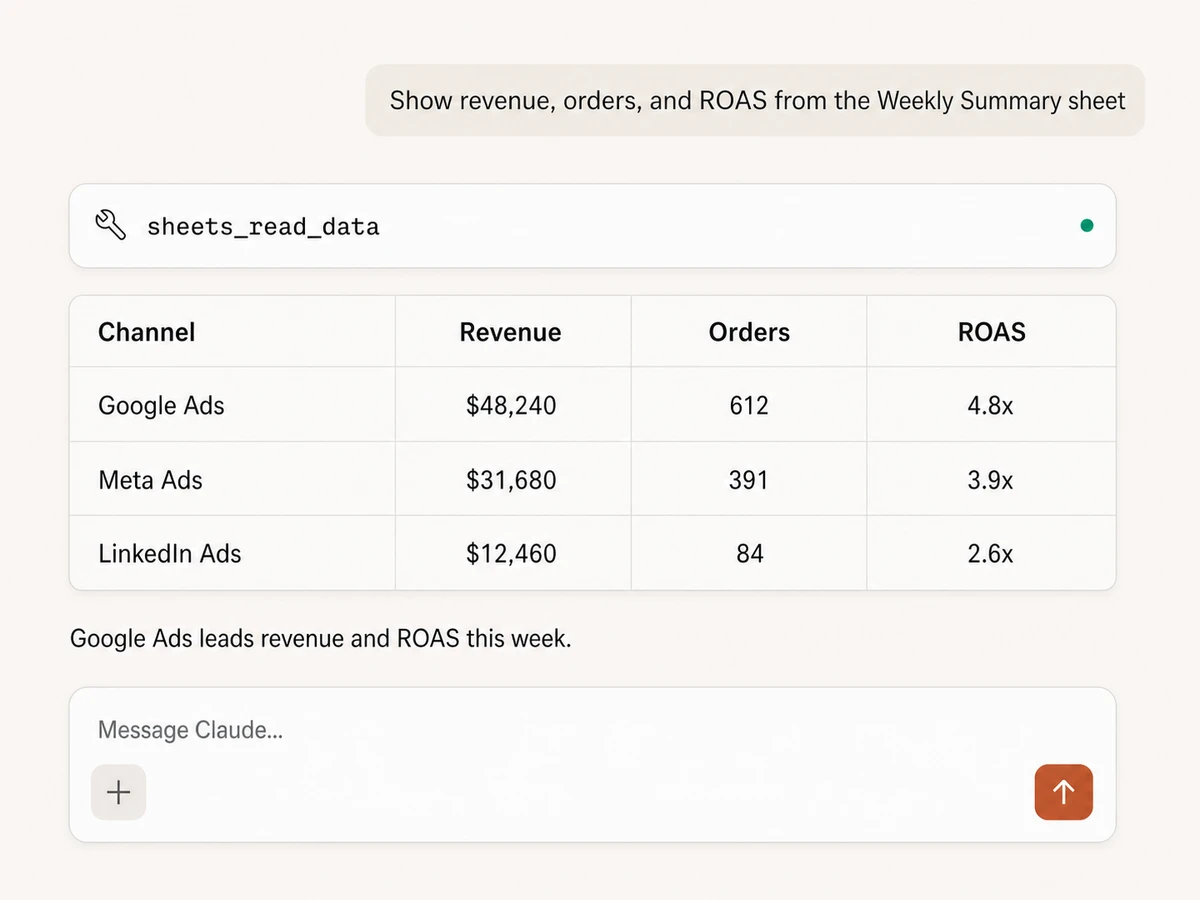
Read exactly the data you need
Load a whole sheet, a single cell, or a precise A1 range, then return formatted or unformatted values in an AI-friendly table.
Turn spreadsheet rows into answers
Filter and compare spreadsheet data in conversation, then connect the result with ads, analytics, CRM, commerce, and other Markifact sources.
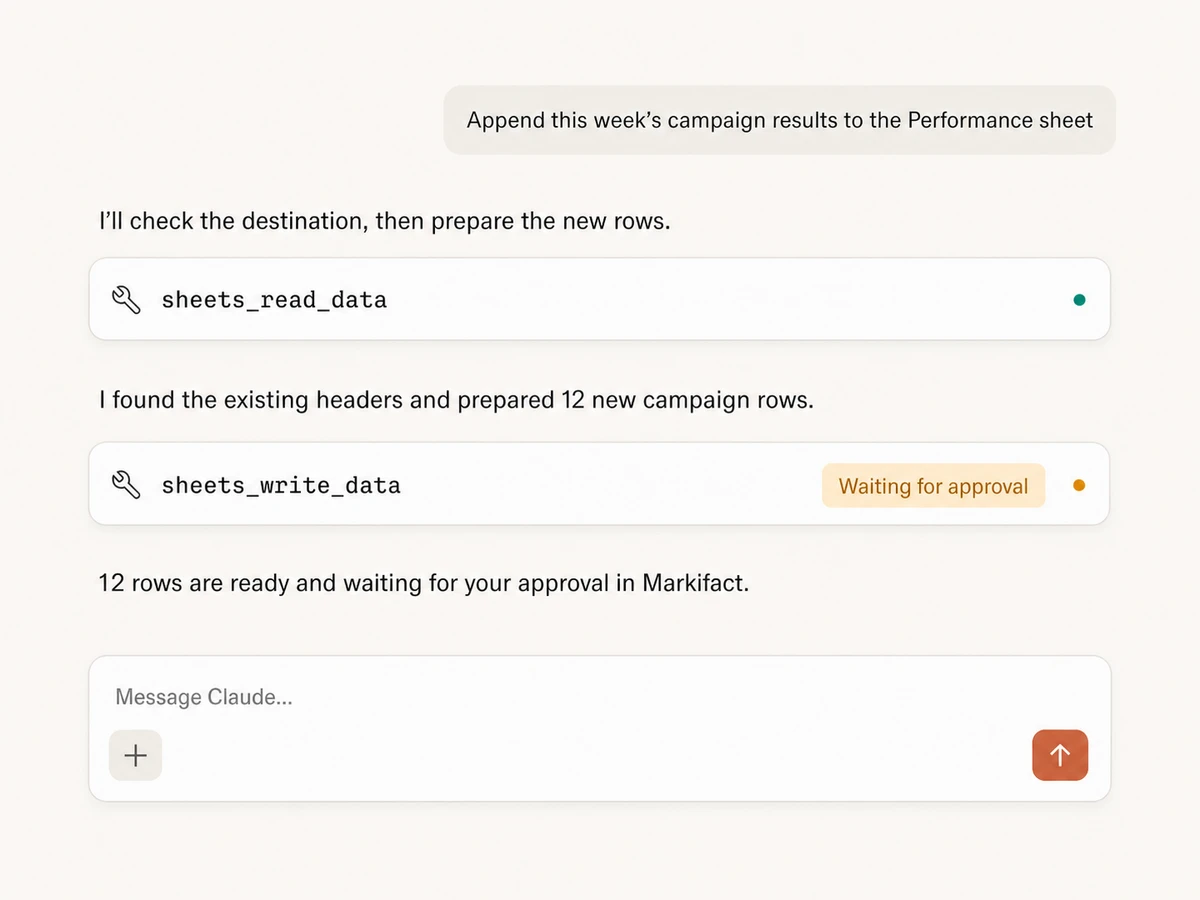
Append, overwrite, or clear data
Add new rows, replace a selected area, or clear data before writing. Markifact supports headers, formulas, and large structured payloads.
Review spreadsheet changes first
See the spreadsheet, sheet, range, write mode, and proposed rows before an update runs, so an AI cannot silently change the destination.
Create spreadsheets and tabs
Create a spreadsheet, add or rename sheets, list their structure, and remove a tab when it is no longer needed.
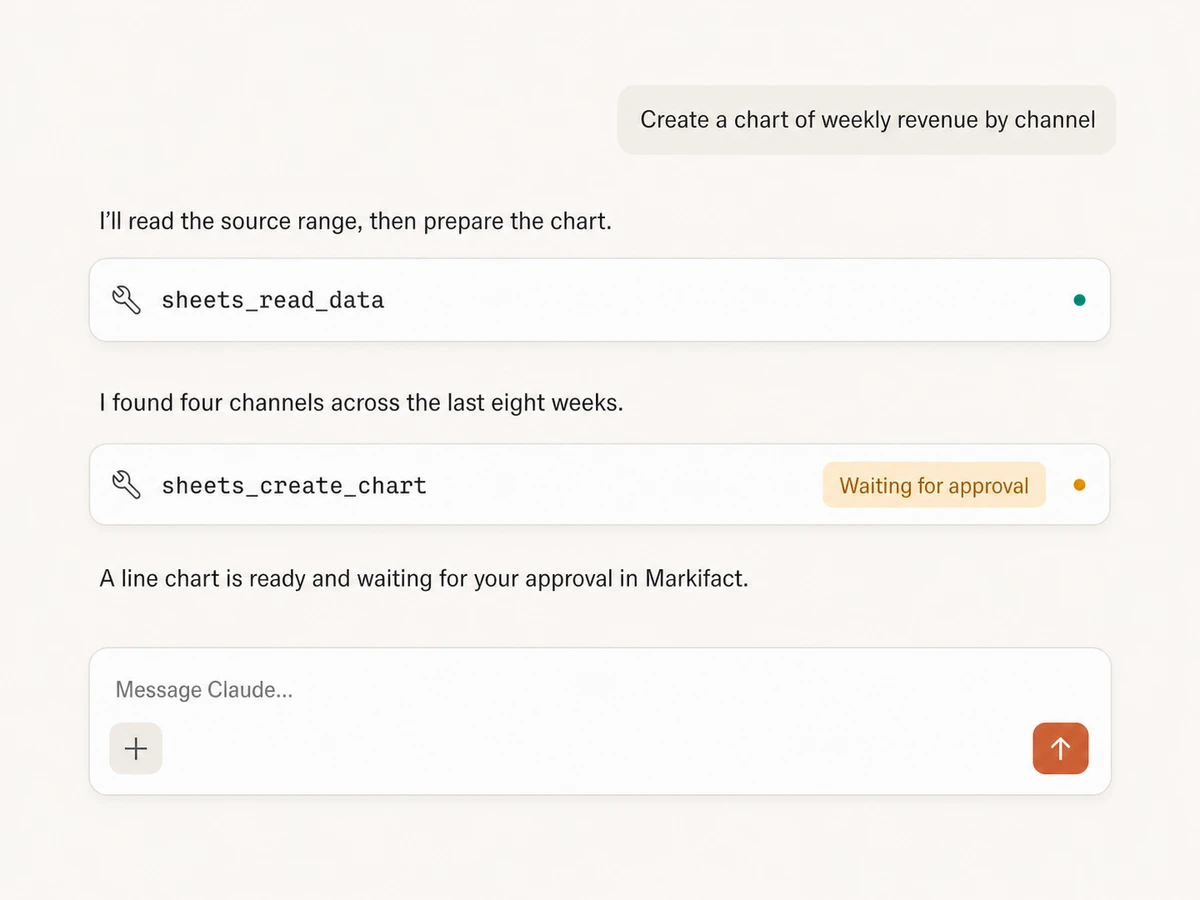
Build charts from source ranges
Create column, line, bar, area, or pie charts from selected ranges, give them useful titles and alt text, and reuse chart metadata later.
Use Google Sheets in your favorite AI.
Plus your whole marketing stack
One MCP connection brings your spreadsheets, marketing tools, and preferred AI assistant into the same workflow.





























Set up in minutes
Connect Google Sheets, add Markifact to your AI client, and move from spreadsheet questions to reviewed updates.
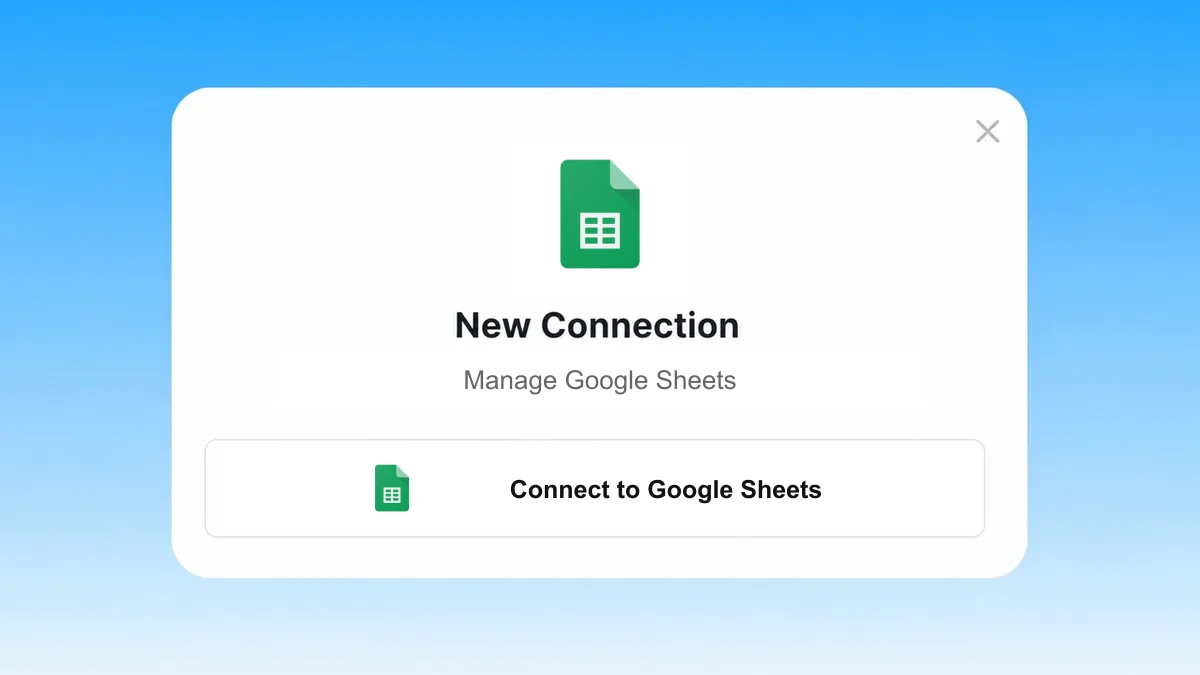
Connect Google Sheets
Authorize Google Sheets and select the spreadsheets you want to use. Markifact requests access only to the files you choose.
Markifact is available in the Claude connector directory:
Connect in Claude Open the listing and click Connect to add Markifact to Claude.
Connect your AI assistant
Pick Claude, ChatGPT, Cursor, or another MCP-compatible assistant and copy the setup. One endpoint connects it to Markifact.
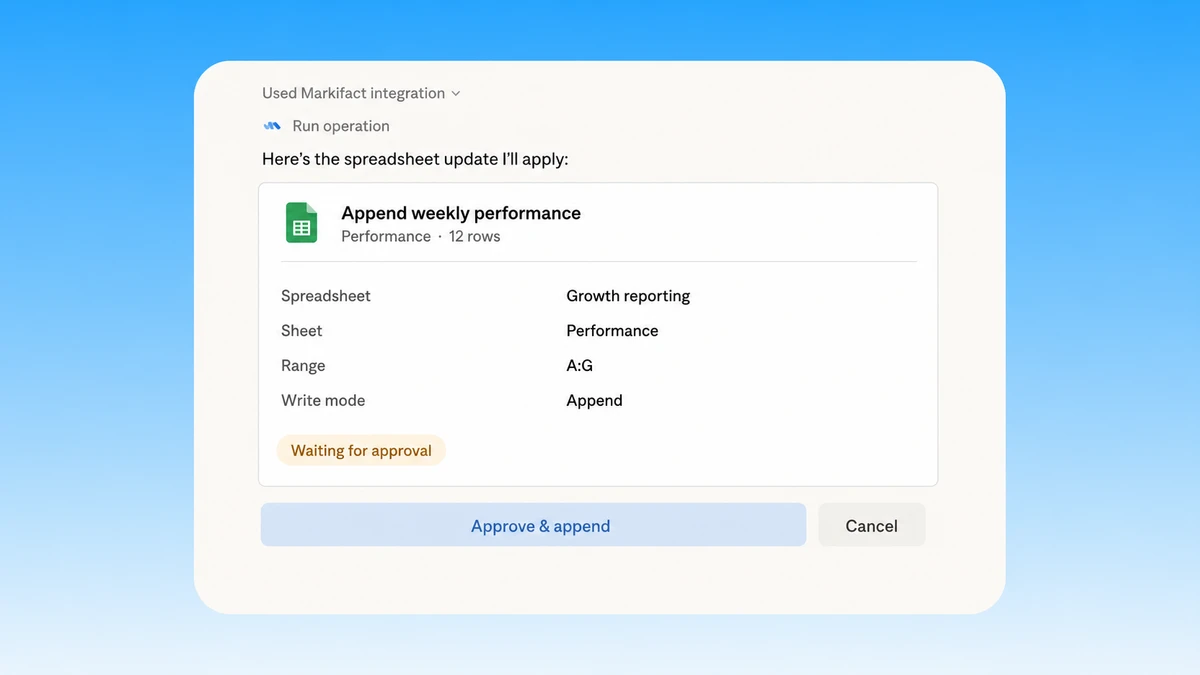
Start working with data
Read a range, append or overwrite rows, create a tab, or build a chart. Markifact shows the exact write and waits for your approval.
Google Sheets MCP prompt examples
Start with the spreadsheet task. Markifact can read ranges, write rows, organize tabs, and prepare charts with controlled writes.
Prepare controlled spreadsheet updates.
- >
Append this week's campaign results to the Performance sheet and wait for approval.
- >
Overwrite Dashboard!B2:F8 with this refreshed summary, preserving formulas as user-entered values.
- >
Clear the Staging sheet before writing the new export.
- >
Validate these 2,400 rows, include the headers, and prepare them for the Raw Data sheet.
What a session actually looks like
One request can combine marketing results, append clean rows, and prepare a chart without skipping the approval decision.
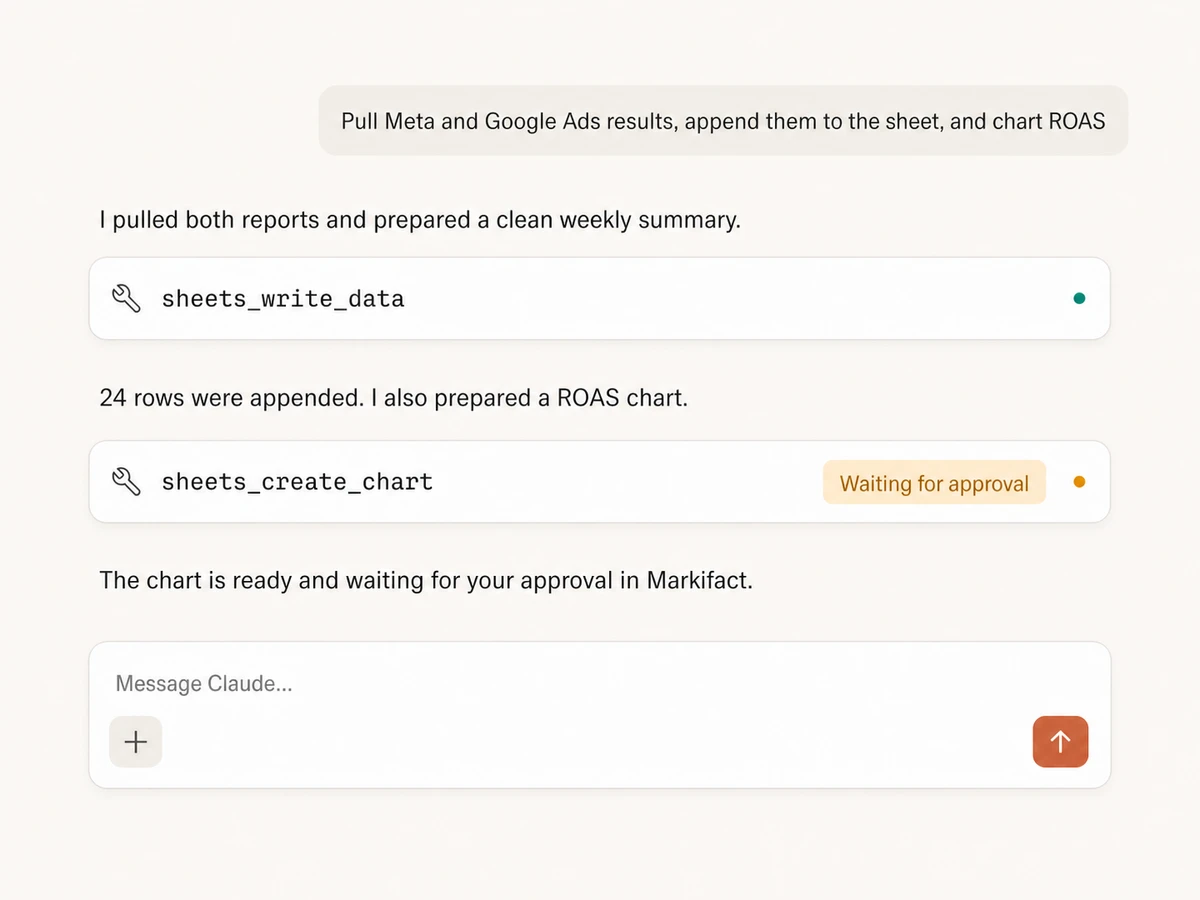
Example session using sheets_write_data and sheets_create_chart. The chart waits for approval.
Which Google Sheets MCP option is right for you?
Google documents the Sheets API rather than a public first-party Sheets MCP server. Compare Markifact's managed tools with direct API development and self-hosted MCP projects.
Direct Sheets API
Maximum control for a custom product
Choose it if
- You need the full Sheets API surface or a custom user experience
- Your engineering team can own OAuth, scopes, schemas, retries, and maintenance
Self-hosted MCPs
Community tools you operate
Choose it if
- You want to customize tool definitions and runtime behavior
- You can audit the server and secure Google credentials in production
Markifact
Managed read and write workflows
Choose it if
- You want ranges, rows, spreadsheets, tabs, and charts without infrastructure
- You need spreadsheet writes to remain visible and controlled
- You want Sheets connected to the rest of your marketing stack
| Capability | Markifact | Direct Sheets API | Self-hosted MCPs |
|---|---|---|---|
| Setup | Hosted Google OAuth connection and MCP endpoint | Google Cloud project, Sheets API, OAuth, and your own client | Install, configure, host, and secure a server |
| Availability | Managed through Markifact | Google documents the Sheets API, not a public first-party Sheets MCP | Community projects vary in scope and maintenance |
| Best fit | Marketing and operations teams that want governed spreadsheet work | Engineering teams building a custom Sheets integration | Technical users comfortable self-hosting |
| Read ranges | Whole sheets, cells, A1 ranges, filters, and render options | Values get and batchGet endpoints | Depends on implemented tools |
| Write data | Append, overwrite, clear, headers, formulas, and large datasets | Values append, update, batchUpdate, and clear endpoints | Coverage and write semantics vary |
| Spreadsheets and tabs | Create spreadsheets; list, create, rename, and delete tabs | Spreadsheet create and batchUpdate requests | Often limited to cell values |
| Charts | Create column, line, bar, area, or pie charts and retrieve metadata | AddChart and chart specification requests | Often unavailable or project-specific |
| Formula handling | Write raw text or user-entered formulas and formatted values | RAW and USER_ENTERED value input options | Depends on the server |
| Approval controls | Write previews and explicit approval before execution | Your application must implement safeguards | Your implementation owns safeguards |
| File access | Choose individual spreadsheets with Google's file picker | You design OAuth scopes and file selection | Credential and scope model varies |
| Cross-stack work | Sheets beside ads, analytics, commerce, CRM, and messaging | Sheets only unless you build integrations | Usually Sheets only |
| Maintenance | Hosting, OAuth, tool schemas, and API changes handled | Your team owns the integration lifecycle | Your team owns deployment, credentials, and upgrades |
More MCP servers
All MCP serversBigQuery MCP
Use BigQuery inside MCP clients to explore schemas, run SQL, create datasets and tables, insert rows, and approve every write.
Google Analytics MCP
Query GA4 from MCP clients with custom reports, property audits, and traffic diagnosis, then configure the property and act on findings in your ad platforms with approval-gated writes.
Google Ads MCP
Use Google Ads inside Claude, ChatGPT, and other MCP clients for audits, reporting, optimization, and campaign actions.

Slack MCP
Send approval-gated channel updates, thread replies, images, and CSV, PDF, TXT, or JSON report attachments from MCP clients.
Frequently Asked Questions
Have a different question? Reach out to Markifact support team.
Turn spreadsheet work into approved action
Connect Google Sheets, read ranges, append or overwrite rows, create tabs and charts, and approve every write from any MCP-compatible client.