
The Google Analytics MCP server that answers, then acts
Connect GA4 to Claude, ChatGPT, or any AI agent. Run custom reports in plain English, audit and configure your property, diagnose traffic drops, and fix the cause in your ad platforms without leaving the chat. Every change waits for your approval.


10,000+ marketers scaling with AI.

Trusted by marketing teams at












What you can do with Google Analytics MCP
Everything GA4 knows, minus the Explorations UI. Ask in plain English, get the report, and keep going until you reach the fix.
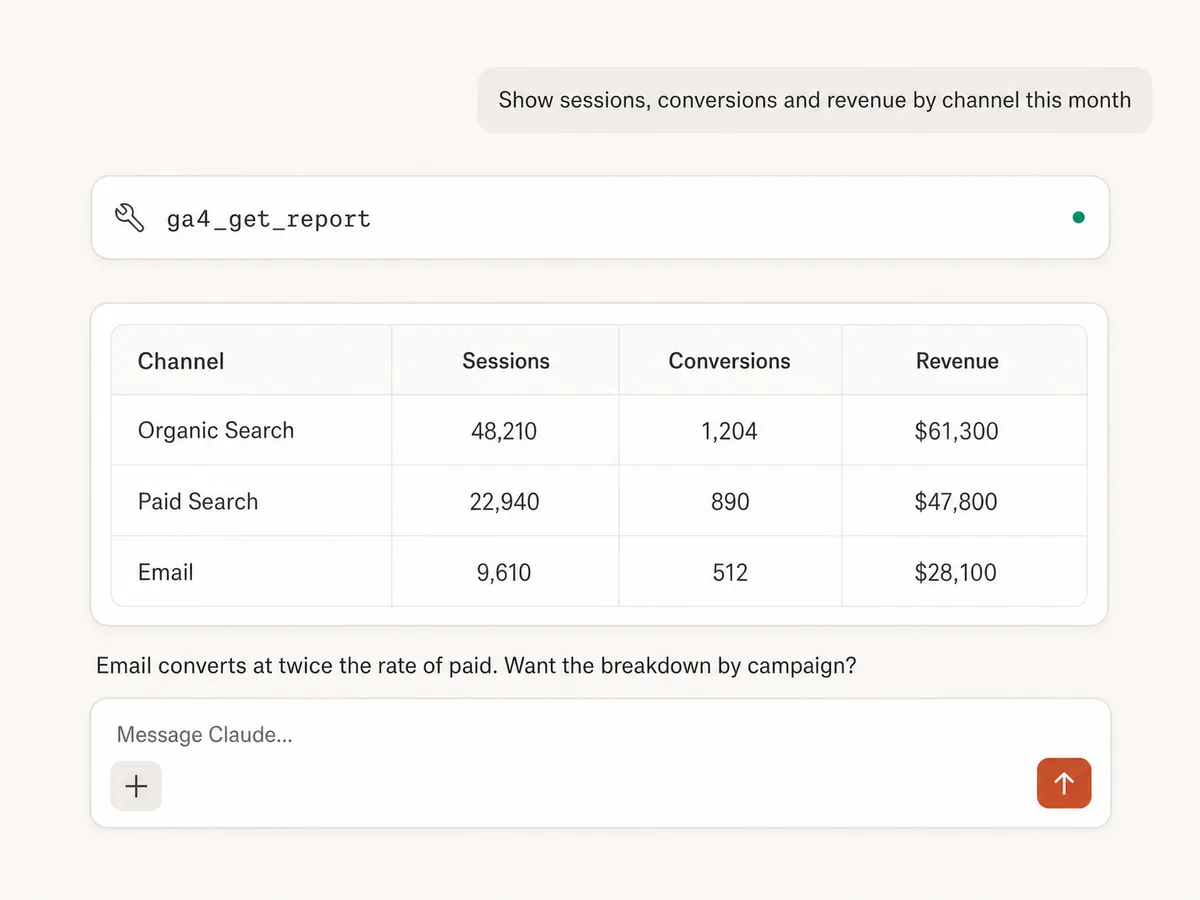
Report on anything in GA4
Run custom reports with any combination of metrics, dimensions, filters, date ranges, and ordering, across sessions, conversions, revenue, engagement, and more.
Query the schema that actually exists
Discover the report fields available in your property, including your custom dimensions and metrics, so the AI asks for data GA4 can really answer.
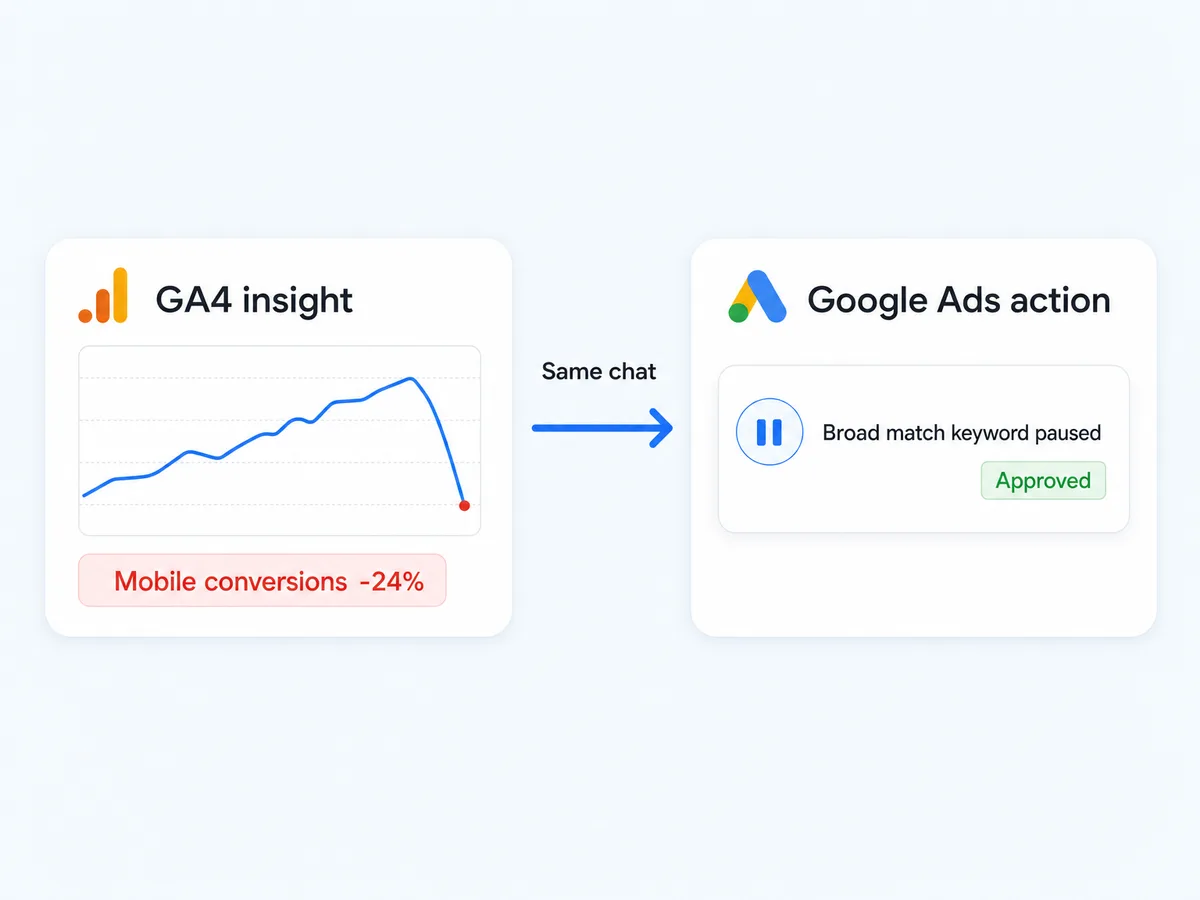
Turn insight into action
GA4 tells you what happened; your ad platforms are where you fix it. Spot the problem in GA4 and pause the keyword or shift the budget in Google Ads, Meta, or TikTok in the same conversation, with approval before anything changes.
Work across properties
Connect several GA4 properties and switch between them mid-conversation, which matters when you report for multiple sites or clients.
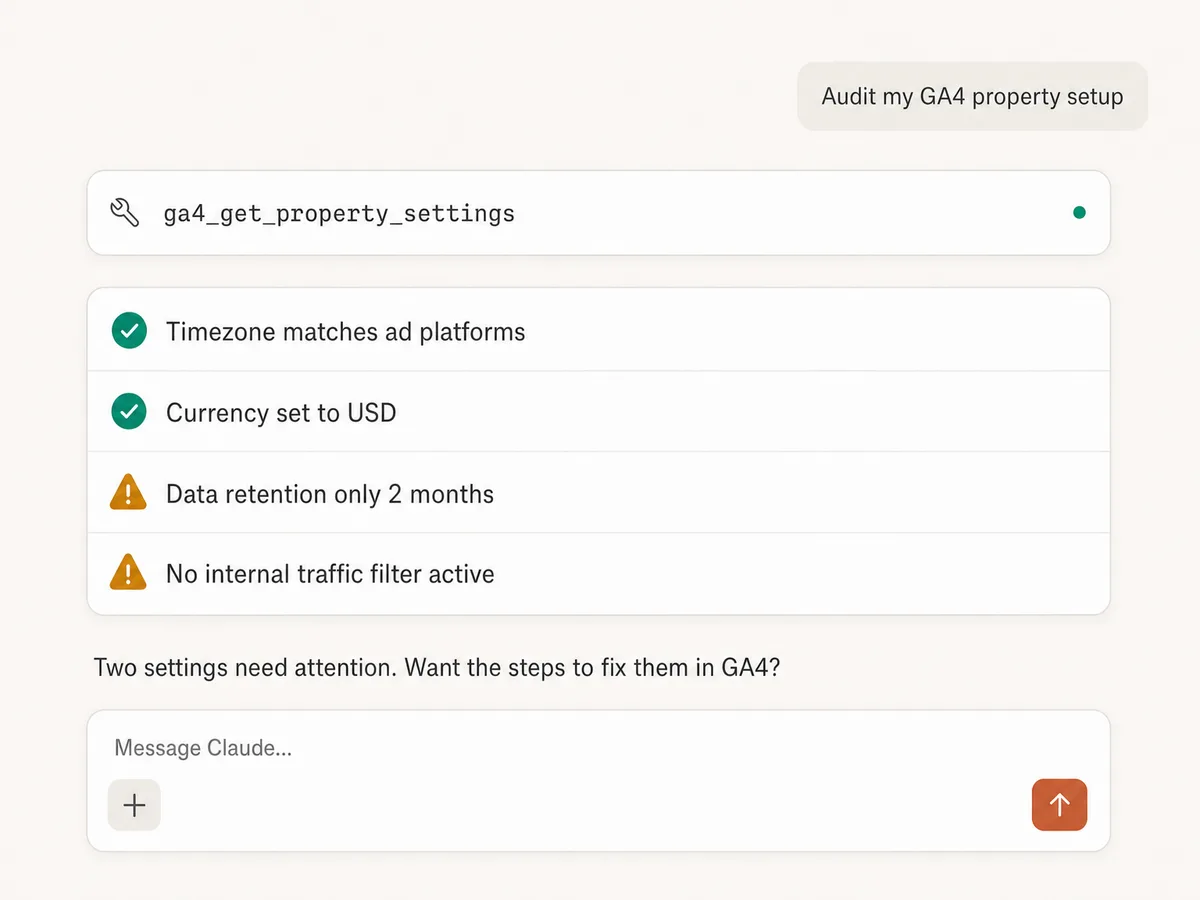
Audit and configure the property
Check timezone, currency, data retention, and streams, then fix them in the same chat: mark key events, register custom dimensions and metrics, build audiences, add event rules, and link Google Ads. Every change waits for your approval.
Build recurring reporting
Pull GA4 numbers into the same conversation as Google Sheets and Slack operations, so weekly summaries and client exports come from one connection.
Use GA4 in your favorite AI.
Plus your whole marketing stack
One MCP server. Google Analytics, your ad platforms, and the AI assistant you already use.





























Set up in minutes
No Google Cloud project, no credentials file, no local server. Three steps and you're querying GA4 from your AI assistant.
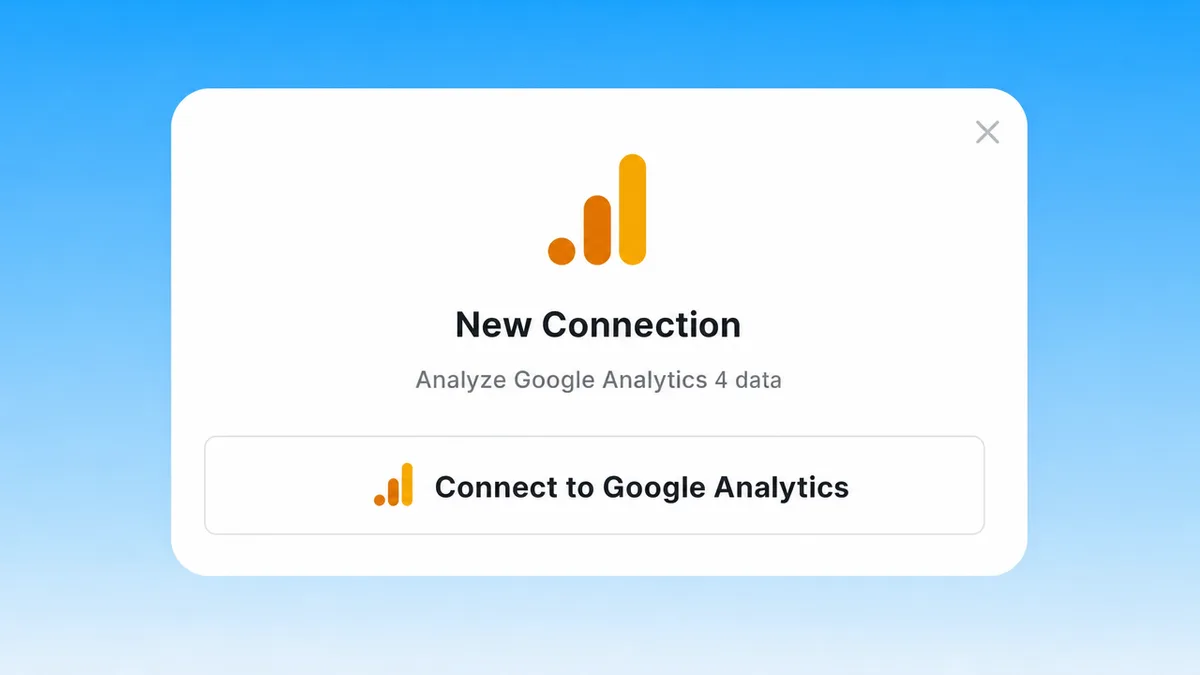
Connect Google Analytics
Sign up for Markifact and connect GA4 with one-click Google OAuth. No Cloud project, no service account keys, no credentials file.
Markifact is available in the Claude connector directory:
Connect in Claude Open the listing and click Connect to add Markifact to Claude.
Connect your AI assistant
Pick Claude, ChatGPT, Cursor, or any MCP-compatible assistant and copy the setup. One URL or command and you're connected to Markifact.
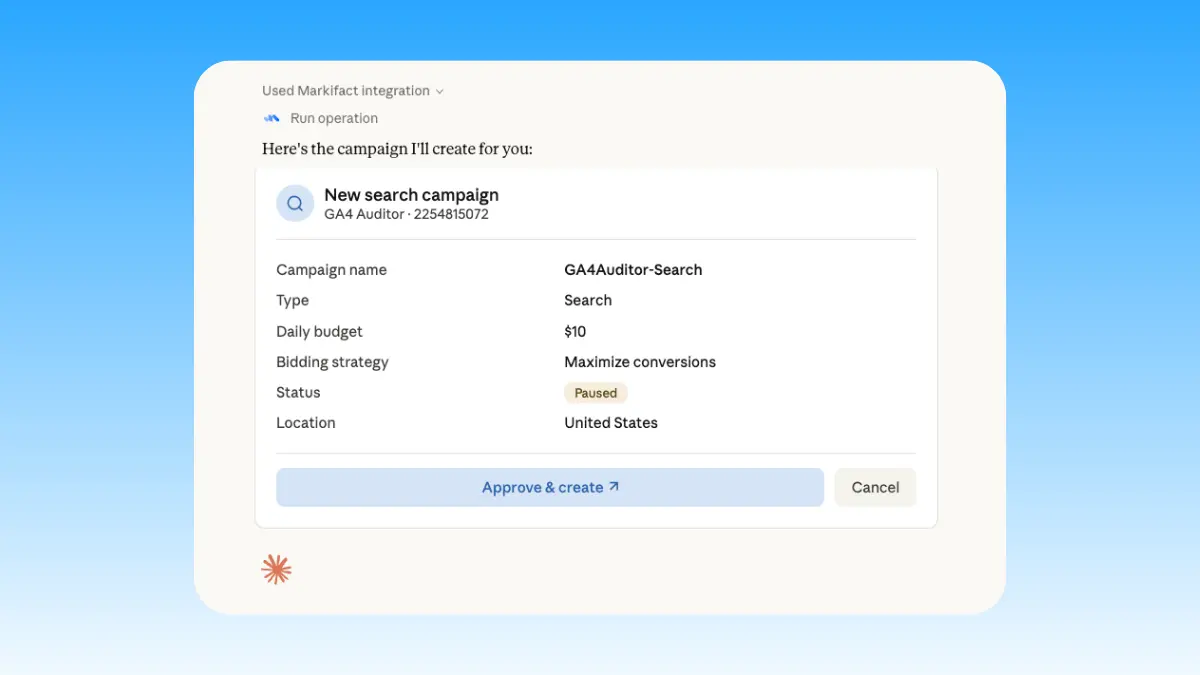
Start asking questions
Query traffic, conversions, and revenue in plain English. When the data points at an ads problem, the fix runs in the same chat and waits for your approval.
Google Analytics MCP prompt examples
Use Markifact MCP to explore, report, diagnose, and act on GA4 data from Claude, ChatGPT, Cursor, or any MCP-compatible client.
Custom reports in plain English, no Explorations UI.
Show sessions, conversions, and revenue by channel for the last 30 days.
Compare this month's organic traffic to the same month last year.
Which landing pages drive the most conversions from paid traffic?
Break down purchases by device category and country.
What a session actually looks like
Diagnosing a conversion drop in Claude: GA4 finds the segment, Google Ads finds the cause, and the fix waits for your approval.
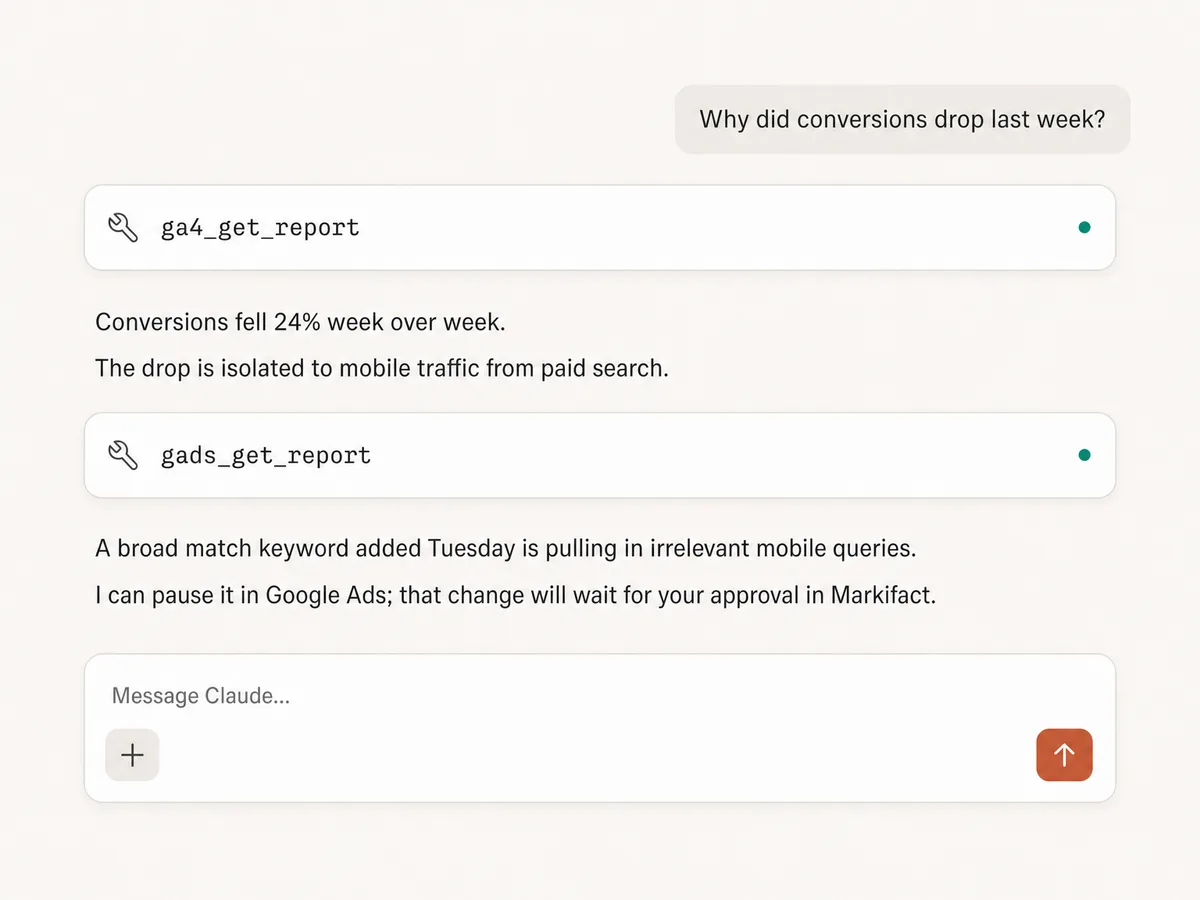
Example session. Claude uses Markifact's real tools (ga4_get_report, gads_get_report); any follow-up write action always stops for your approval.
Which Google Analytics MCP option is right for you?
Google publishes an official Analytics MCP server you run locally, open-source projects live on GitHub, and Markifact is the managed MCP layer built for marketers and agencies. Here's how to pick.
Official Google Analytics MCP
First-party, free, runs locally
Choose it if
- You're comfortable with Python, pipx, and Google Cloud credentials
- You want first-party tools including realtime and funnel reports
Open-source MCPs
Free, self-hosted, full control
Choose it if
- You're technical and want to own the hosting, the code, and the maintenance
- You're comfortable vetting which project is still maintained
Markifact
Managed, multi-platform, approval-based
Choose it if
- You want GA4 answers in Claude without touching pipx, Python, or Cloud credentials
- You report across multiple properties or client accounts
- You want to configure GA4 (key events, audiences, custom definitions) and act on findings in Google Ads, Meta, or TikTok in the same chat, with approval before changes
| Capability | Markifact | Official Analytics MCP | Open-source MCPs |
|---|---|---|---|
| Setup | One OAuth connection, hosted by Markifact | Local install: pipx, Python 3.10+, a Google Cloud project, and Application Default Credentials | Requires hosting, credentials, and configuration |
| Availability | Generally available to any GA4 user | Actively maintained by Google's analytics team, still labeled experimental | Varies by project; many are unmaintained |
| Best for | Marketers, agencies, and teams reporting for real accounts | Developers comfortable running local Python tools | Developers who want full control |
| GA4 reporting | Custom metrics, dimensions, filters, date ranges, and ordering | run_report plus property details and account summaries | Usually a few hardcoded report shapes |
| Realtime and funnel reports | Not yet; standard reports with full customization | Yes, run_realtime_report and run_funnel_report | Rarely supported |
| Schema discovery | List report fields including your custom dimensions and metrics | get_custom_dimensions_and_metrics | Depends on implementation |
| Multiple properties | Built for multi-property and agency workflows | Scoped to your local Google credentials | Usually one property per configuration |
| GA4 configuration | Key events, custom dimensions and metrics, audiences, event rules, data streams, Google Ads links, and property settings, approval-gated | No; GA4 reads only | Rarely; most servers only read |
| Acting on findings | Google Ads, Meta, and TikTok write actions in the same chat, approval-gated | No; GA4 reads only | No; GA4 reads only |
| Beyond Google Analytics | Google Ads, Meta Ads, TikTok Ads, Search Console, Sheets, Slack, and more | GA4 only | GA4 only |
| Maintenance | Handled by Markifact | Google maintains the code; you maintain the local install | You maintain hosting, auth, API changes, and errors |
| Who should choose it | Teams who want GA4 answers next to marketing execution | Developers who want free first-party GA4 access and don't mind local setup | Technical teams who want to build and maintain their own server |
Frequently Asked Questions
Have a different question? Reach out to Markifact support team.
More MCP servers
All MCP serversGoogle Tag Manager MCP
Manage GTM end to end from MCP clients: containers, workspaces, tags, triggers, variables, preview, versions, publishing, and recovery with approval-gated writes.
Google Ads MCP
Use Google Ads inside Claude, ChatGPT, and other MCP clients for audits, reporting, optimization, and campaign actions.
Google Search Console MCP
Use Search Console inside MCP clients for performance reporting, URL inspection, sitemap status, and approval-gated sitemap submission, reprocessing, or removal.

Adjust MCP
Use Adjust inside MCP clients for mobile acquisition, cohort, revenue, ROAS, SKAdNetwork, subscription, and fraud reporting.
Start asking GA4 questions in Claude today
Connect Google Analytics and get custom reports, property audits, and cross-platform fixes from Claude, ChatGPT, or any MCP client.