
The Search Console MCP server with full read and write access
Connect Google Search Console to Claude, ChatGPT, or any AI agent. Report on search performance, inspect URL indexing, manage submitted sitemaps, and approve every change before it runs.


10,000+ marketers scaling with AI.
See Google Search Console MCP in action
Trusted by marketing teams at












What you can do with Search Console MCP
Move from query and page reporting to URL-level indexing diagnostics and controlled sitemap changes without leaving your AI conversation.
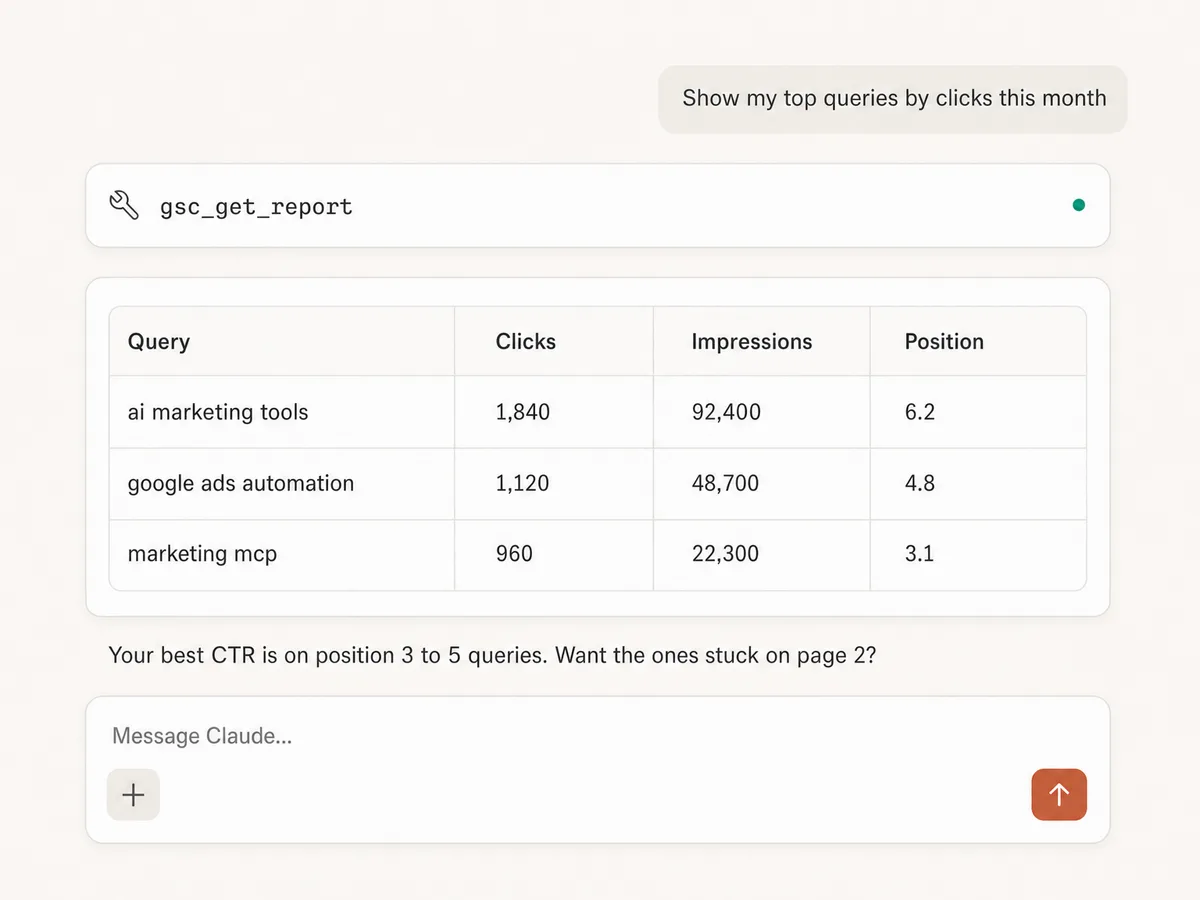
Report on queries, pages, and positions
Pull clicks, impressions, CTR, and average position by query, page, country, or device, with filters and date ranges you describe in plain English.
Query the exact schema
Discover the report fields Search Console supports before asking, so the AI builds requests that return data instead of errors.
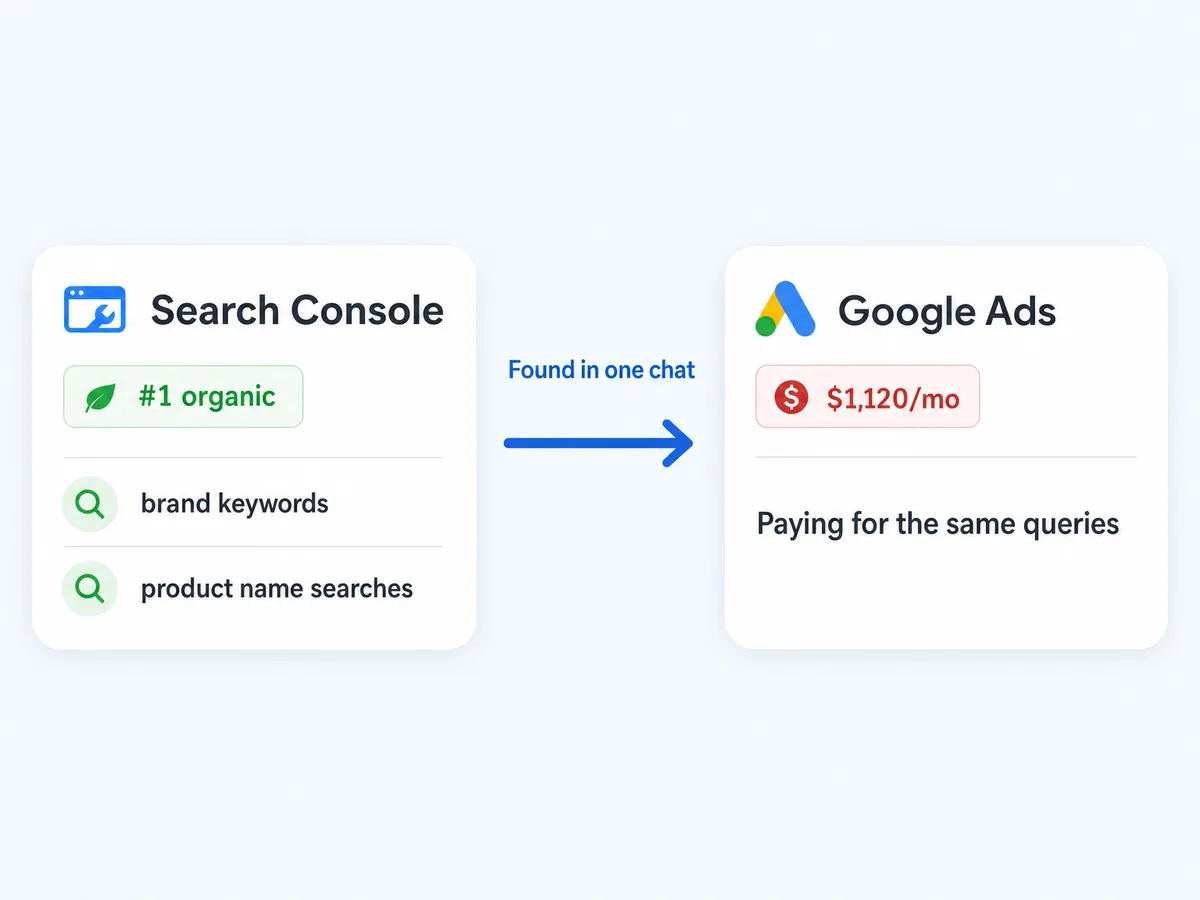
Cross organic with paid
Search Console and Google Ads live in the same conversation, so you can find queries you rank first for organically while still paying for clicks, and queries worth defending with ads because organic slipped.
Find striking-distance wins
Surface queries sitting at position 8 to 15 with real impression volume, the ones where a single position gained means page one traffic.
Inspect indexing for up to 100 URLs
Check Google's verdict, coverage state, crawl details, canonical selection, mobile usability, and rich-result findings for one page or a batch of URLs before deciding what needs attention.
Manage submitted sitemaps
List sitemap indexes and feeds with processing status, errors, warnings, and indexed counts, then submit, reprocess, or remove a sitemap after reviewing the exact change.
Use Search Console in your favorite AI.
Plus your whole marketing stack
One MCP server. Search Console reporting and management, GA4, your ad platforms, and the AI assistant you already use.





























Set up in minutes
No API credentials, no service accounts, no local server. Three steps and you're managing Search Console from your AI assistant.
Connect Search Console
Sign up for Markifact and connect Search Console with one-click Google OAuth. Your verified properties appear automatically.
Markifact is available in the Claude connector directory:
Connect in Claude Open the listing and click Connect to add Markifact to Claude.
Connect your AI assistant
Pick Claude, ChatGPT, Cursor, or any MCP-compatible assistant and copy the setup. One URL or command and you're connected to Markifact.
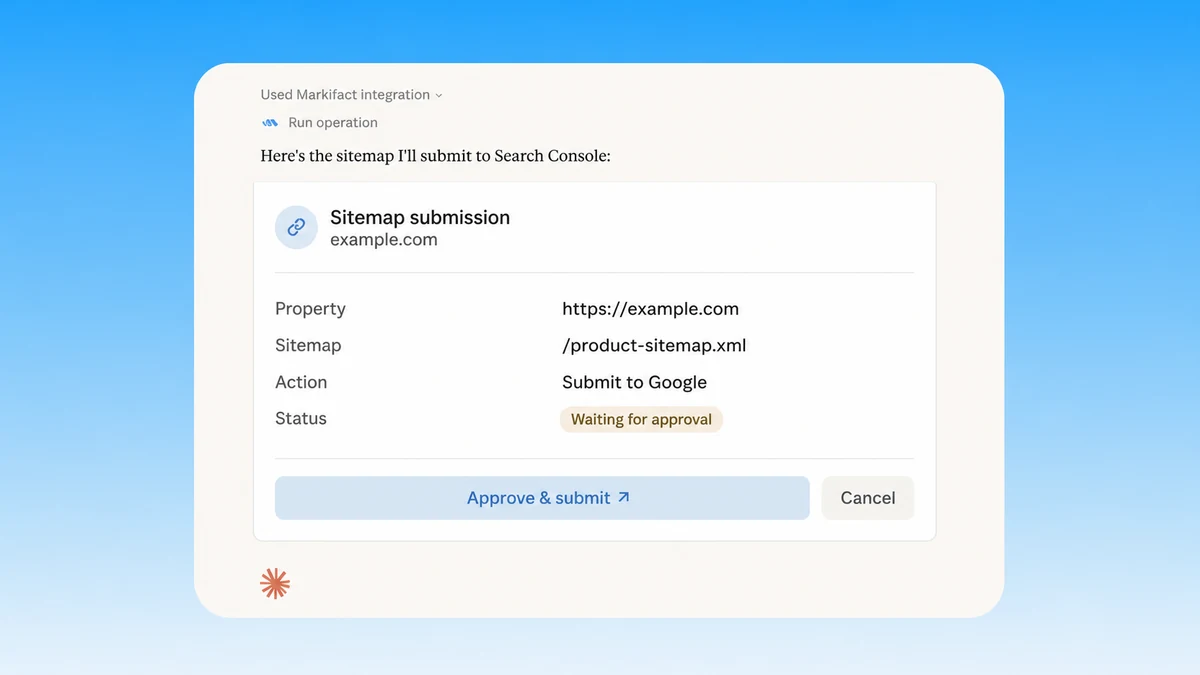
Start managing Search Console
Report on queries and pages, inspect URL indexing, review submitted sitemaps, and prepare sitemap submissions or removals in plain English. Every write waits for approval.
Search Console MCP prompt examples
Use Markifact MCP to explore, report, inspect indexing, and manage Search Console sitemaps from Claude, ChatGPT, Cursor, or any MCP-compatible client.
The queries and pages worth working on next.
Find queries at position 8 to 15 with high impressions and low clicks.
Which pages are losing clicks compared to last quarter, and why?
Find queries where two of my pages compete against each other.
Which high-impression queries have a CTR below 1 percent?
What a session actually looks like
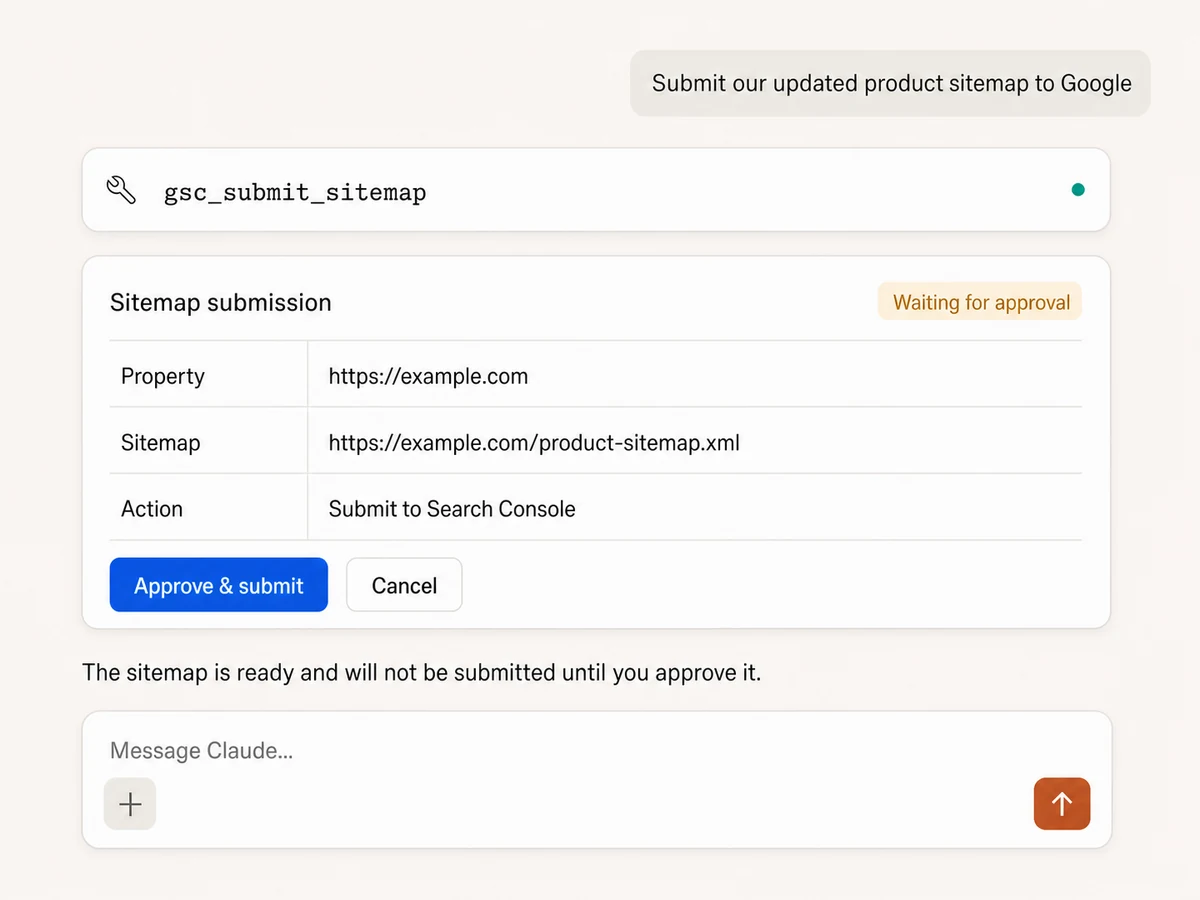
Search Console inspects the new URLs first, then prepares the missing sitemap submission and waits for your approval.
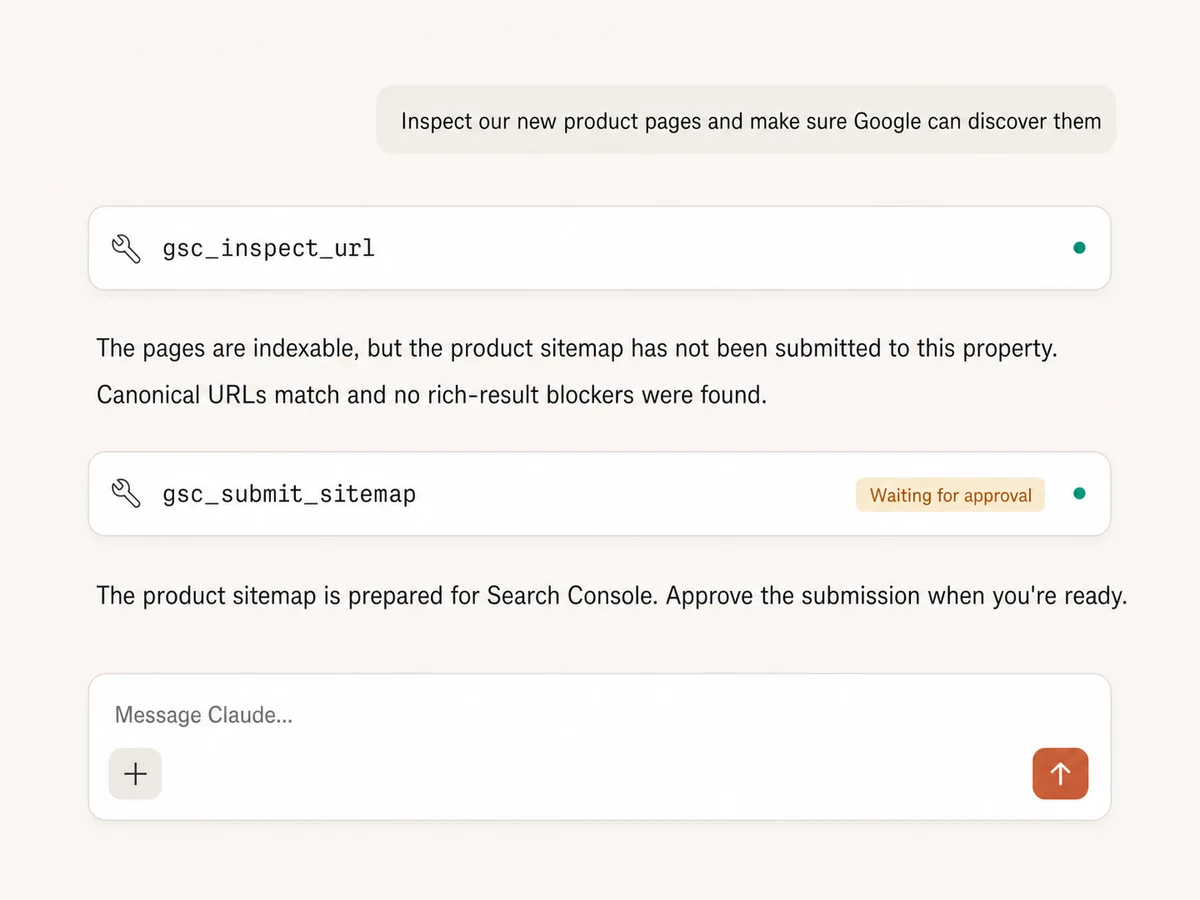
Example session using gsc_inspect_url followed by gsc_submit_sitemap. The sitemap is not submitted until you approve it.
Which Search Console MCP option is right for you?
Google publishes no official Search Console MCP as of August 2026. Open-source projects fill the gap, you can build on the official API yourself, and Markifact adds managed reporting, URL inspection, sitemap writes, and approval controls. Here's how to pick.
Open-source MCPs
Free, community-built, self-hosted
Choose it if
- You're a technical SEO comfortable creating Google API credentials
- Search Console is the only data source you need in your AI client
Build your own
The official API, your server
Choose it if
- You have developers and requirements no existing server covers
- You want to own every tool definition and keep it in-house
Markifact
Full management, multi-platform, one OAuth
Choose it if
- You want Search Console in Claude without touching API credentials
- You handle SEO for multiple sites or clients
- You want URL inspection and approval-gated sitemap management beside reporting
| Capability | Markifact | Open-source MCPs | Build your own |
|---|---|---|---|
| Setup | One OAuth connection, hosted by Markifact | Local or self-hosted install with Google API credentials | You build the server, the auth flow, and the tools |
| Official option | Not applicable; Google publishes no official Search Console MCP | Community projects fill the gap, quality varies | The Search Console API is official; the MCP layer is yours |
| Best for | Marketers, agencies, and SEO teams working in AI clients | Technical SEOs comfortable with local tooling | Teams with developers and very specific needs |
| Search performance reporting | Clicks, impressions, CTR, and position by query, page, country, and device with filters | Varies; often a handful of preset report tools | Whatever you build |
| Schema discovery | List supported report fields before querying | Rarely included | You maintain it against API changes |
| URL inspection | Inspect up to 100 URLs per run with coverage, canonicals, mobile usability, and rich results | Varies; often one URL or read-only inspection | Build batching, quota handling, and result normalization |
| Sitemap management | List, submit, reprocess, and remove sitemaps with approval | Usually read-only or not included | Implement list, submit, and delete methods plus safeguards |
| Write controls | Every sitemap submission or removal waits for explicit approval | Depends on the project | You must design and maintain approval controls |
| Multiple sites | Built for multi-site and agency workflows | Usually one property per configuration | You build the routing |
| Beyond Search Console | Google Ads, GA4, Meta Ads, TikTok Ads, Sheets, Slack, and more in one connection | Search Console only | Each platform is another integration to build |
| Paid and organic together | Yes; GSC and Google Ads data in the same conversation | No | Only if you build both |
| Credentials | Google OAuth, no service accounts or API keys | You create and manage Google API credentials | You create and manage Google API credentials |
| Maintenance | Handled by Markifact | Depends on the maintainer staying active | Yours forever |
| Who should choose it | Teams who want SEO answers next to the rest of their marketing stack | Solo technical SEOs who only need Search Console | Engineering teams with unusual requirements |
Every Search Console write stays behind approval
Performance reports, schema discovery, property selection, URL inspection, and sitemap listing run as reads. Sitemap submissions, reprocessing requests, and removals show the exact property and feed URL, then wait for your approval.
Frequently Asked Questions
Have a different question? Reach out to Markifact support team.
More MCP servers
All MCP serversBing Webmaster MCP
Use Bing Webmaster inside MCP clients for search reporting, crawl and index diagnostics, URL and link inspection, keyword research, batch URL submission, sitemap management, and approval-gated site controls.

PageSpeed Insights MCP
Run mobile and desktop Lighthouse audits, compare lab metrics with CrUX field data, and prioritize performance, SEO, accessibility, and best-practice findings.

Google Search MCP
Retrieve live organic SERPs, compare markets and devices, query Google AI Mode with references, and turn search research into briefs.

Google Trends MCP
Compare search interest, find seasonality and regional demand, discover related and trending searches, and turn demand signals into marketing plans.
Manage Search Console in Claude today
Report on queries and pages, inspect URL indexing, manage sitemaps, and approve every write from Claude, ChatGPT, or any MCP client.