
Google Search MCP for live search research
Retrieve live organic SERPs, query Google AI Mode with references, compare markets and devices, and turn search findings into a brief.


10,000+ marketers scaling with AI.
Trusted by marketing teams at












What you can do with Google Search MCP
Use standard organic results for position-based research and Google AI Mode for generated answers with attached sources.
Retrieve live organic SERPs
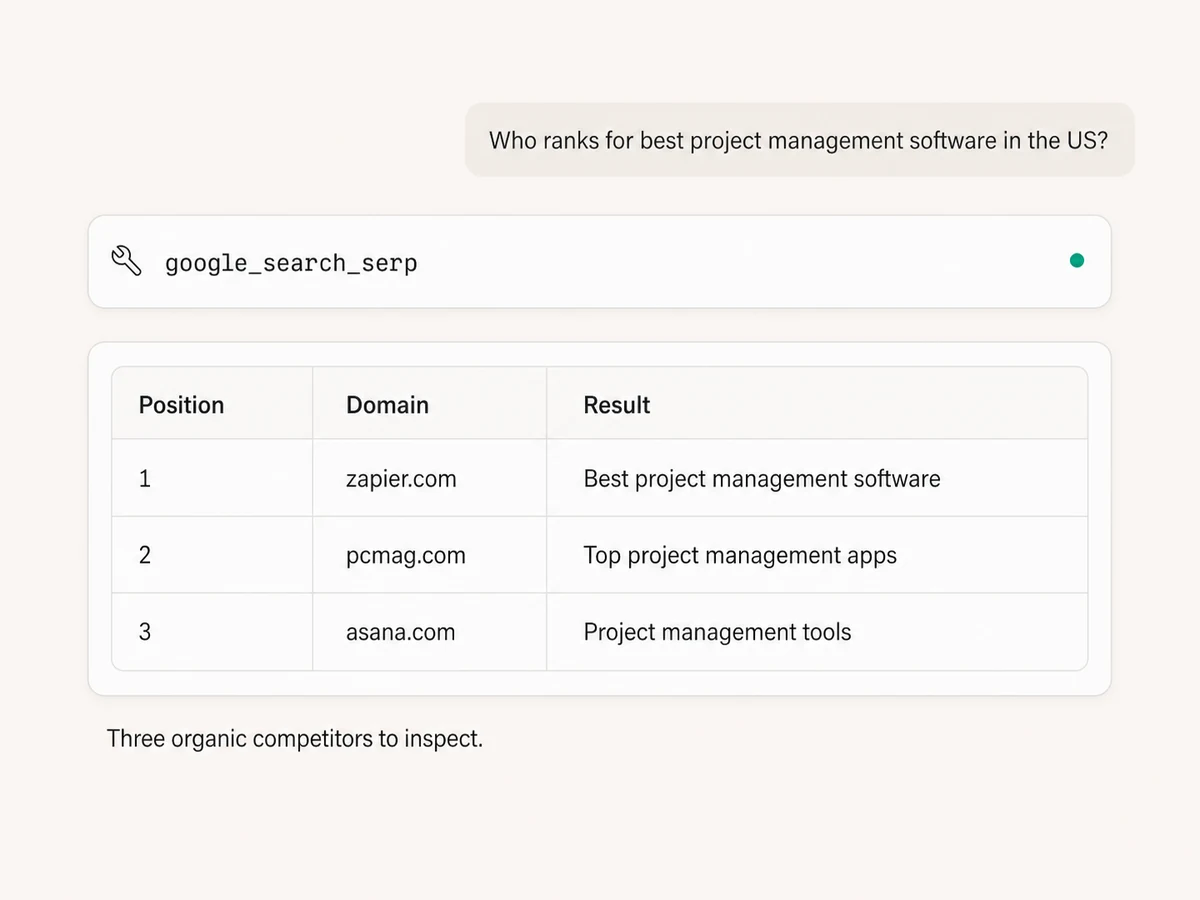
Search any query and return organic positions, page titles, URLs, domains, snippets, highlighted terms, and sitelinks where Google displays them.
Inspect up to 100 results
Pull 10 to 100 organic results in one request, then ask the AI to identify ranking competitors, recurring page types, content patterns, and gaps.
Compare device and market results
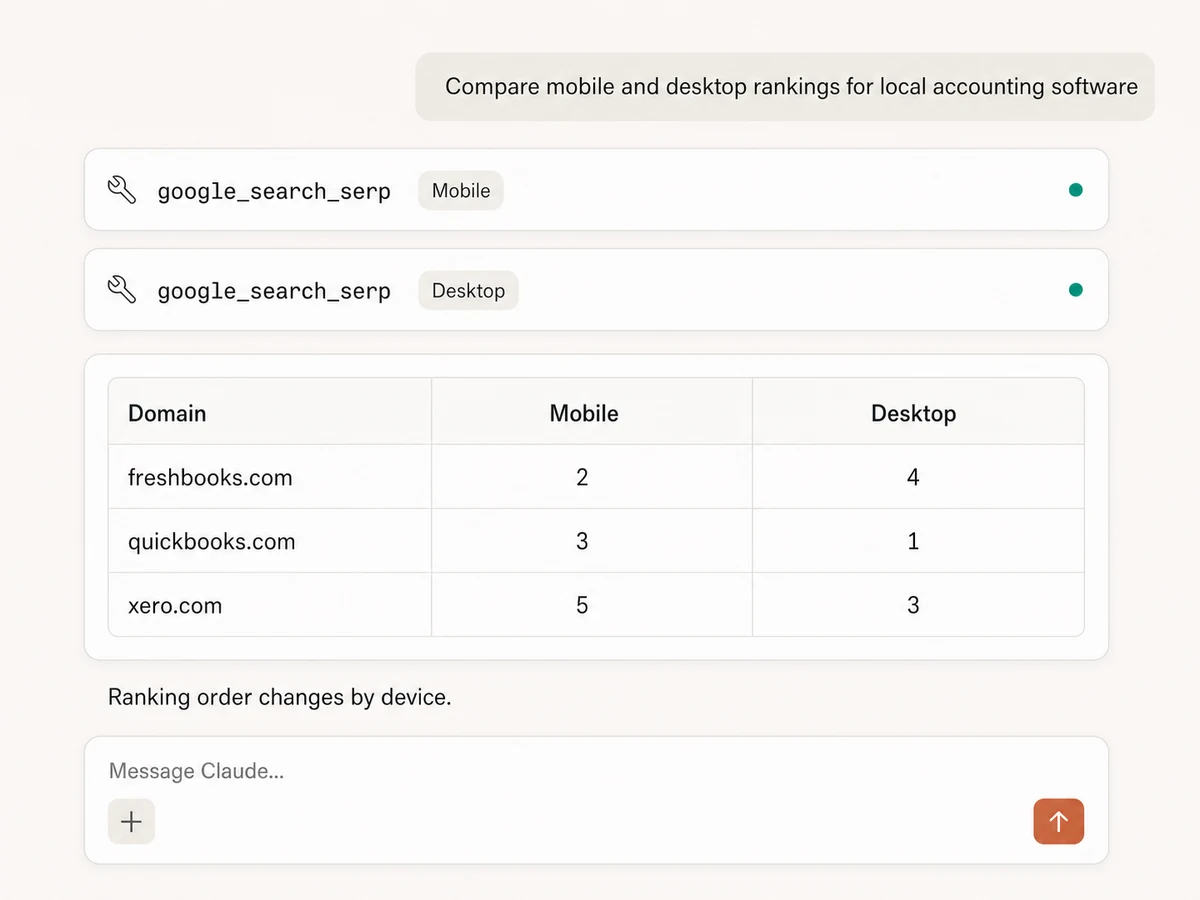
Run the same query on desktop, mobile, or tablet and localize it by country and language to see how the visible competition changes.
Check a domain's current position
Find where a brand or page appears in a live result set and compare it with competitors. Each result is timestamped so the snapshot is clear.
Research with Google AI Mode
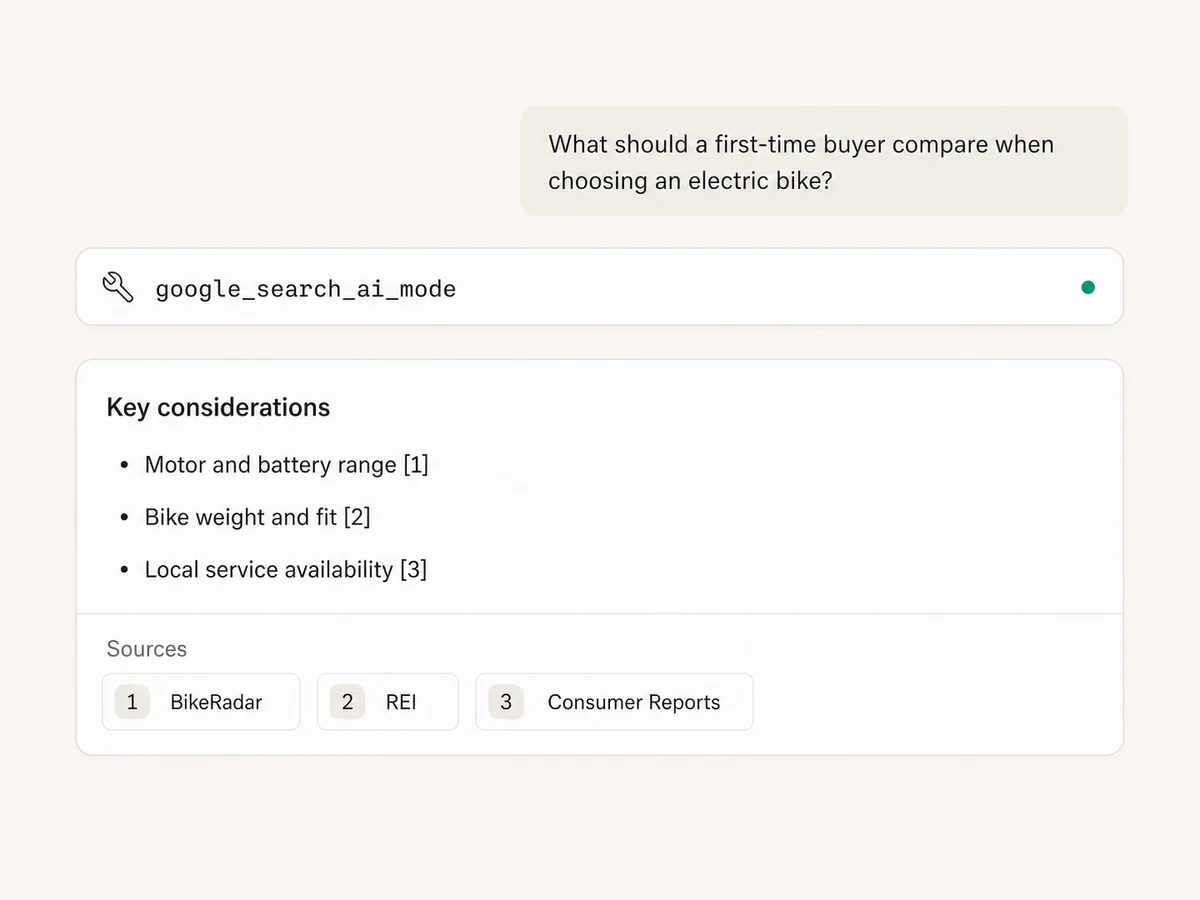
Ask complex questions and retrieve Google's generated response as structured JSON or formatted Markdown, with text blocks, lists, and source references.
Keep the supporting sources
Review reference links and supporting web results, plus local or shopping results when Google returns them, before turning the findings into a brief.
Use Google Search in your favorite AI.
Plus your whole marketing stack
One MCP connection brings live SERPs, Google AI Mode, analytics, reporting tools, and your preferred AI assistant into the same workflow.





























Set up in minutes
Google Search uses public live results, so there is no Google account or Search connection to configure.
Markifact is available in the Claude connector directory:
Connect in Claude Open the listing and click Connect to add Markifact to Claude.
Connect your AI assistant
Pick Claude, ChatGPT, Cursor, or another MCP-compatible assistant and copy the setup. One endpoint connects it to Markifact.
Start searching
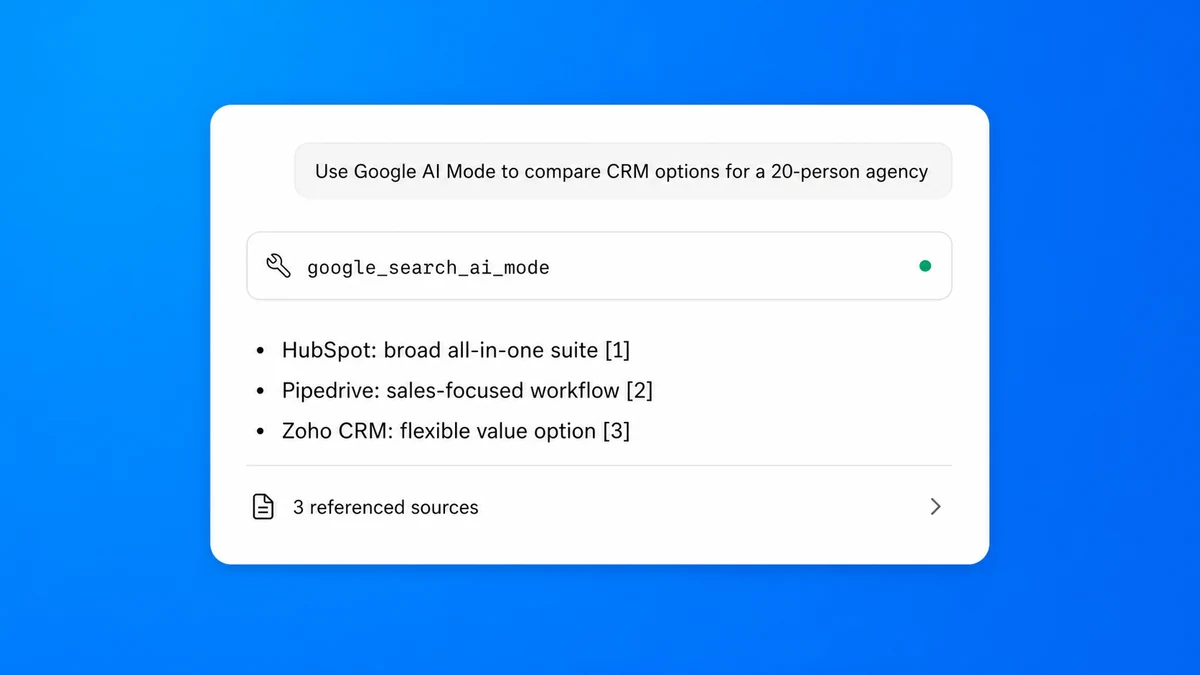
Ask for live organic results or a Google AI Mode response. Add device, country, language, location, result count, or output format when the question needs it.
Google Search MCP prompt examples
Choose a live SERP or AI Mode question, then connect the useful result to the rest of your marketing data.
Inspect live organic rankings and result patterns.
- >
Who ranks in the top 20 for best project management software in the US?
- >
Find our domain's current position for this keyword and show the pages above us.
- >
Summarize the title and snippet patterns across the first 50 organic results.
- >
Which domains appear more than once in the top 100 results for this query?
What a session actually looks like
One request can inspect live rankings, retrieve Google's AI Mode references, and prepare a research brief for approval.
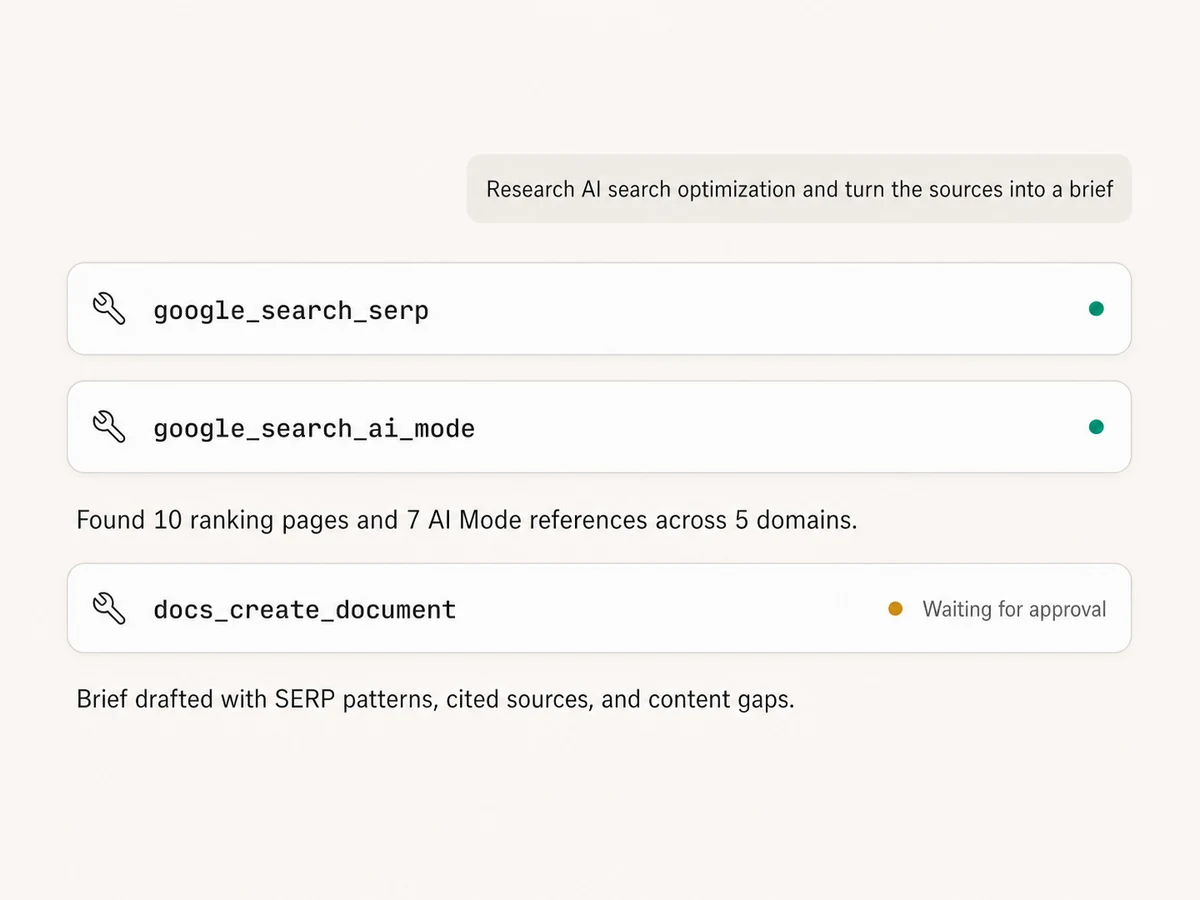
Example session using google_search_serp, google_search_ai_mode, and docs_create_document. Search reads run immediately; the document write waits for approval.
Which Google Search workflow is right for you?
Google Search is best for direct manual exploration, SEO tools add historical rank projects, and Markifact brings live SERPs and AI Mode references into your AI workflow.
Google Search
Official, direct, manual
Choose it if
- You need an occasional search or AI Mode question
- You want to inspect Google's interface directly
SEO and SERP tools
Historical tracking and proprietary metrics
Choose it if
- You need scheduled rank history and alerts
- You want large keyword projects and estimated SEO metrics
Markifact
SERP and AI Mode research in chat
Choose it if
- You want live rankings and AI Mode references in your AI client
- You want Search beside Trends and Search Console data
- You want a brief, sheet, or team update created in the same session
| Capability | Markifact | Google Search | SEO and SERP tools |
|---|---|---|---|
| Setup | Hosted MCP tools with no Google Search account connection required | Use Google Search manually | Create an account and use a separate product |
| How you work | Ask in plain English inside Claude, ChatGPT, or another MCP client | Search and inspect results manually | Run reports in a dedicated interface |
| Organic SERP depth | 10 to 100 organic results with positions and timestamps | Browse the results Google displays | Varies by provider and plan |
| Returned SERP fields | Position, title, URL, domain, snippet, highlights, and sitelinks when present | Visual search result page | Usually rankings plus proprietary metrics |
| Localization | Desktop, mobile, or tablet with country, language, and SafeSearch controls | Affected by search context and settings | Location and device options vary |
| Google AI Mode | Generated answer in JSON or Markdown with references and supporting results | Interactive AI Mode experience | AI-search coverage varies |
| Local and shopping results | Included when Google AI Mode returns them | Displayed when relevant | Varies by provider |
| Historical rank tracking | No; each SERP request is a live snapshot | No historical rank project | Often a core feature |
| Search performance data | Not from Search itself; connect Search Console for clicks, impressions, CTR, and average position | Not a site performance report | Estimated metrics vary |
| From research to action | Combine Search with Trends, Search Console, Docs, Sheets, Ads, and Slack | Copy findings into other tools | Export, then switch products |
More MCP servers
All MCP serversGoogle Search Console MCP
Use Search Console inside MCP clients for performance reporting, URL inspection, sitemap status, and approval-gated sitemap submission, reprocessing, or removal.

Google Trends MCP
Compare search interest, find seasonality and regional demand, discover related and trending searches, and turn demand signals into marketing plans.
Google Ads MCP
Use Google Ads inside Claude, ChatGPT, and other MCP clients for audits, reporting, optimization, and campaign actions.
Google Docs MCP
Draft briefs and reports from MCP clients, written from live marketing data, with recurring docs that append instead of rewrite.
Frequently Asked Questions
Have a different question? Reach out to Markifact support team.
Start researching live Google results in Claude
Retrieve organic rankings, query AI Mode with references, compare markets and devices, and turn the findings into your next search brief.