
The Google Docs MCP server for briefs that write themselves
Connect Google Docs to Claude, ChatGPT, or any AI agent. Draft campaign briefs, write reports from live marketing data, keep standing docs current, and approve every edit before it lands.


10,000+ marketers scaling with AI.
Trusted by marketing teams at












What you can do with Google Docs MCP
Briefs, reports, and planning docs are where marketing thinking lives, and they all quote numbers. Write them from the data, not from memory.
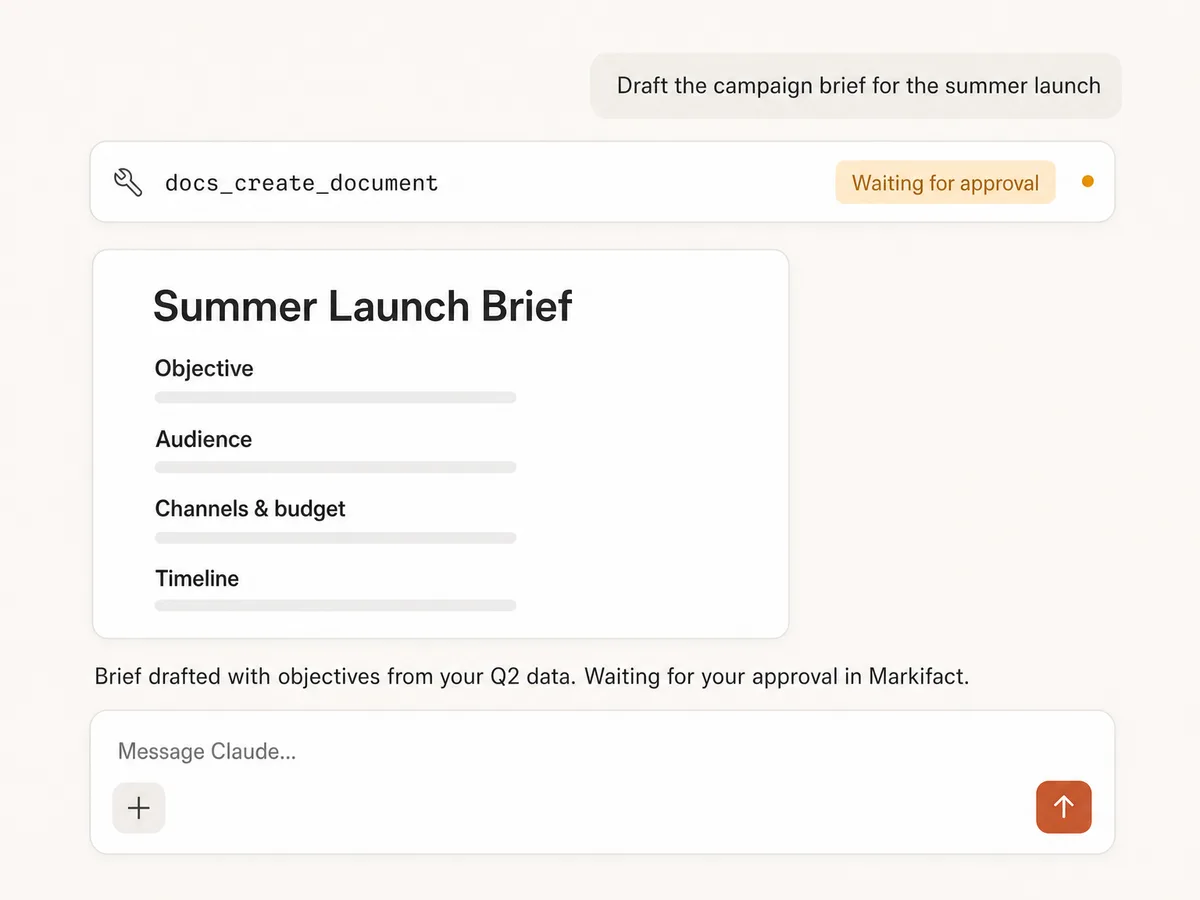
Draft docs from a prompt
Campaign briefs, meeting summaries, and content outlines drafted in one pass: title, structure, and sections, held for your approval before the document exists.
Write from live data
The numbers in your docs come from the same connection: Google Ads spend, GA4 traffic, and Meta results flow straight into the text, no copy-paste and no stale figures.
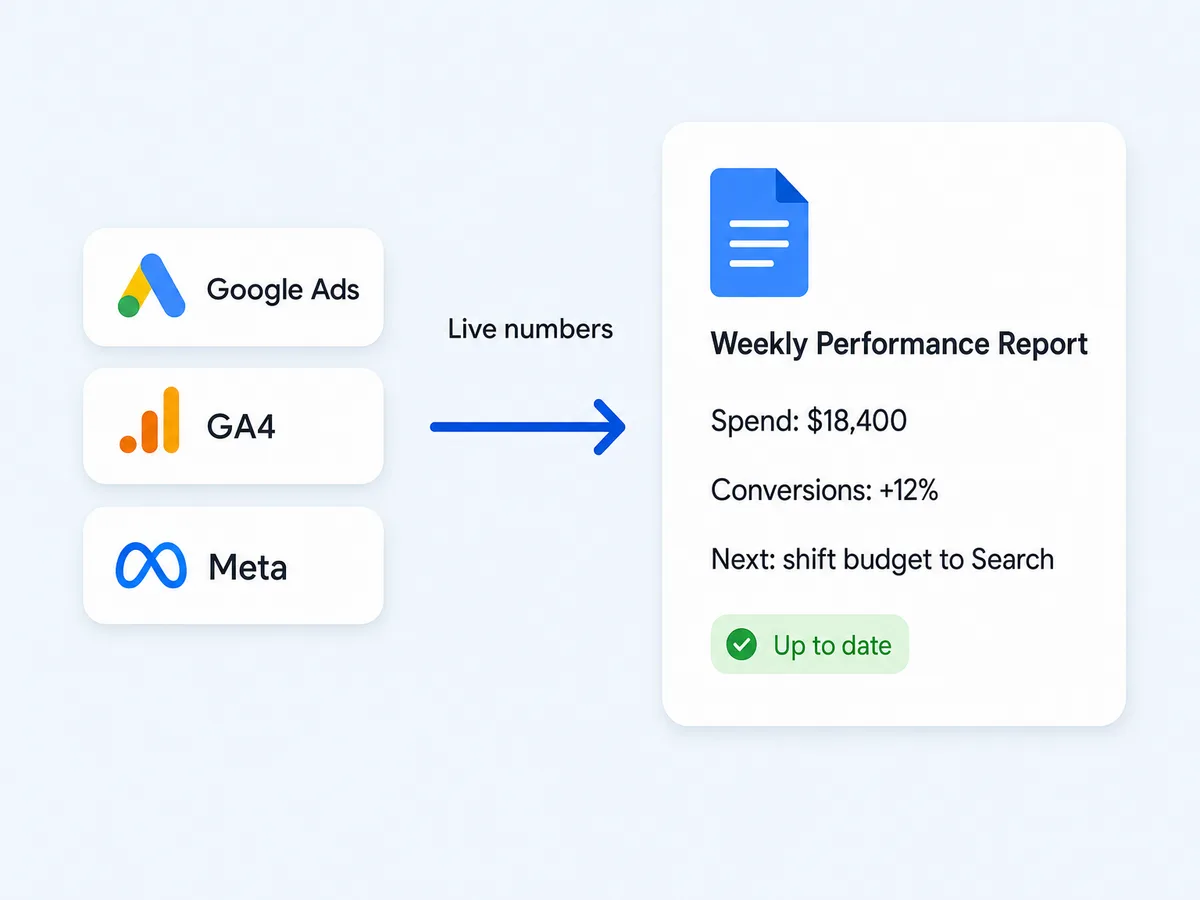
Automate recurring reports
The weekly performance doc appends a fresh dated section each week instead of being rewritten, so the document becomes the log of the account.
Keep templates intact
Replace placeholders in your standing documents without touching the structure around them, so the brief format your team knows stays the brief format your team knows.
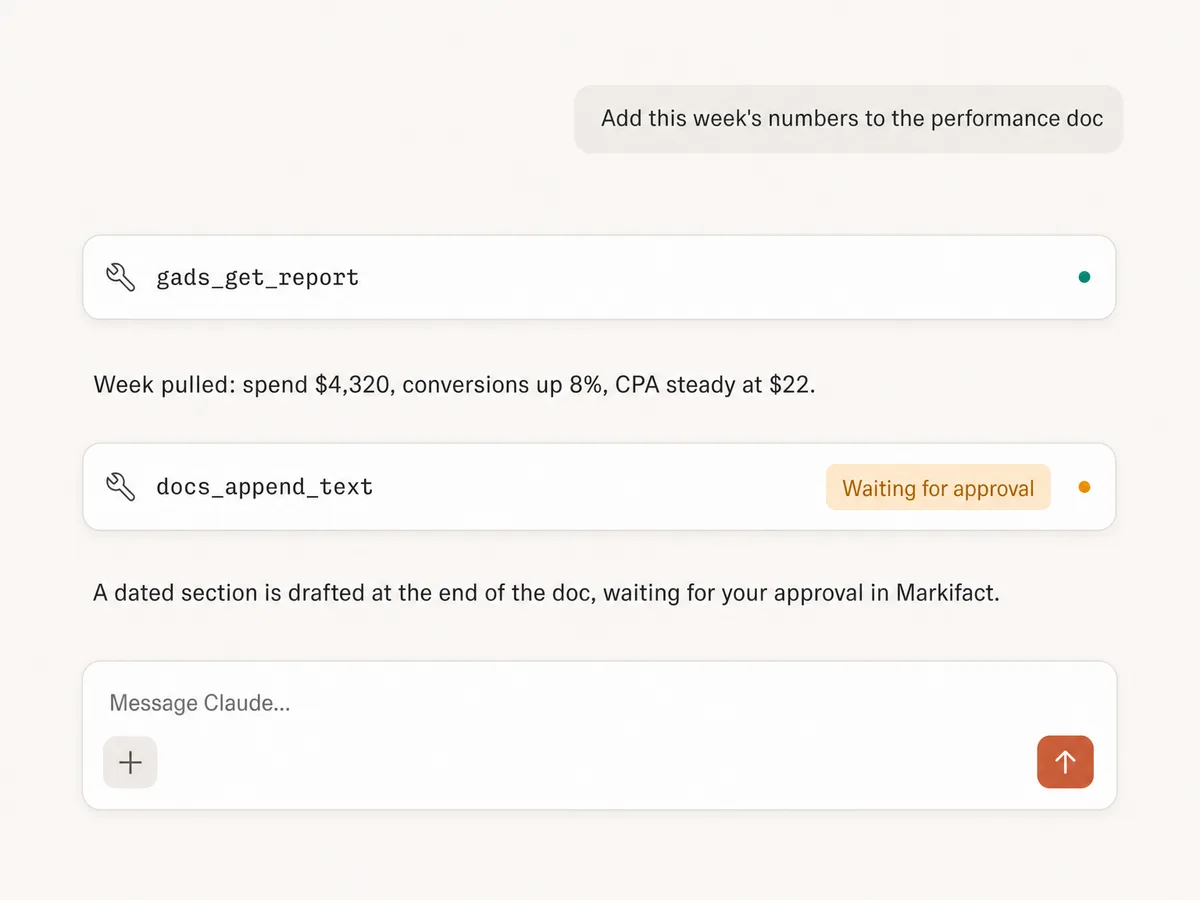
Read before writing
The AI reads document content first, so it can summarize a long doc, answer questions about what a brief says, or check the current state before appending to it.
Approve every edit
Nothing is created, appended, replaced, or cleared without your explicit sign-off in Markifact. Your documents never change behind your back.
Use Google Docs in your favorite AI.
Plus your whole marketing stack
One MCP server. Google Docs, the data your documents quote, and the AI assistant you already use.





























Set up in minutes
No Google Cloud project, no credentials, no server hosting. Three steps and you're drafting documents from your AI assistant.
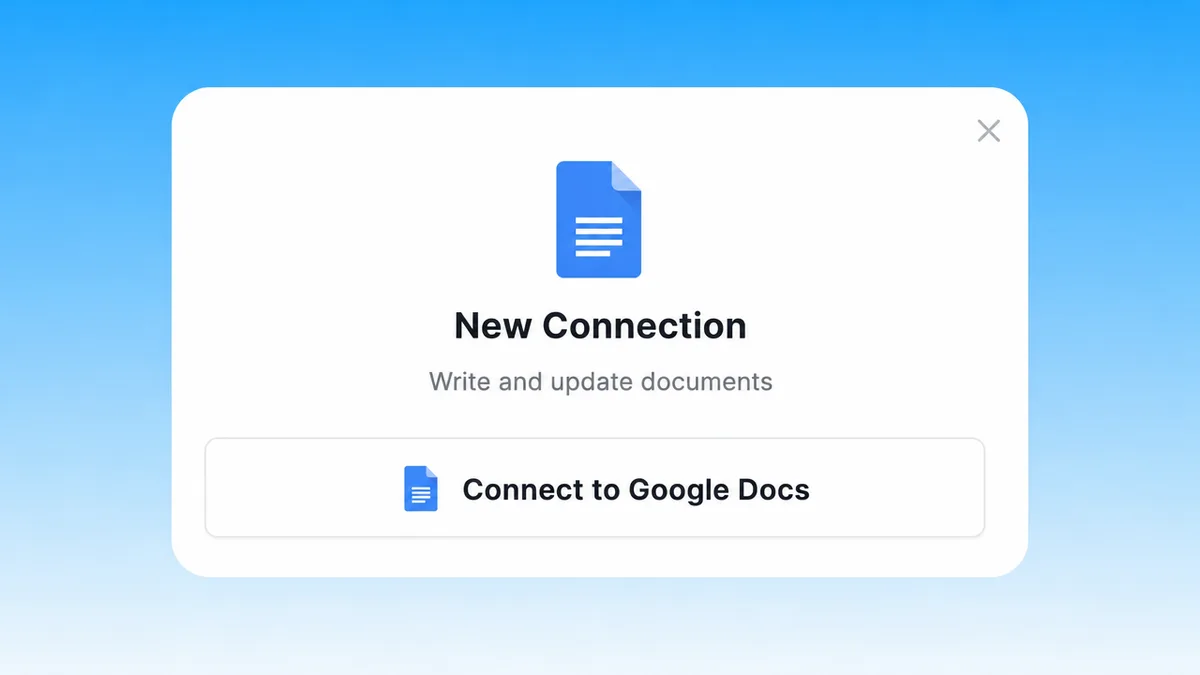
Connect Google Docs
Sign up for Markifact and connect Google Docs with one-click Google OAuth. No Cloud project, no credential files.
Markifact is available in the Claude connector directory:
Connect in Claude Open the listing and click Connect to add Markifact to Claude.
Connect your AI assistant
Pick Claude, ChatGPT, Cursor, or any MCP-compatible assistant and copy the setup. One URL or command and you're connected to Markifact.
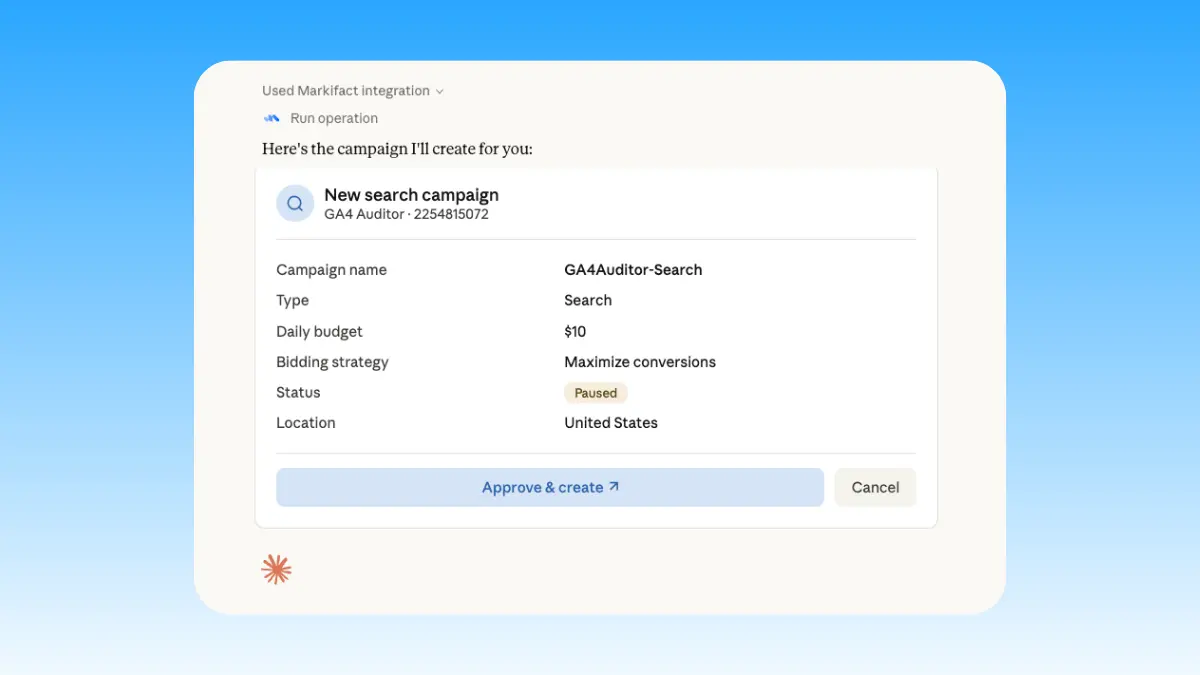
Start writing
Draft briefs, write reports, and update standing docs in plain English. Every edit waits for your approval.
Google Docs MCP prompt examples
Use Markifact MCP to draft, report, maintain, and read documents from Claude, ChatGPT, Cursor, or any MCP-compatible client.
Live numbers, written up.
Write this week's performance summary from Google Ads and GA4.
Add a dated section with this week's numbers to the performance doc.
Draft the monthly client report narrative from live data.
Summarize campaign results in plain English for the exec doc.
What a session actually looks like
From SEO data to content brief in Claude: Search Console finds the opportunity, the brief drafts itself, and the doc waits for approval.
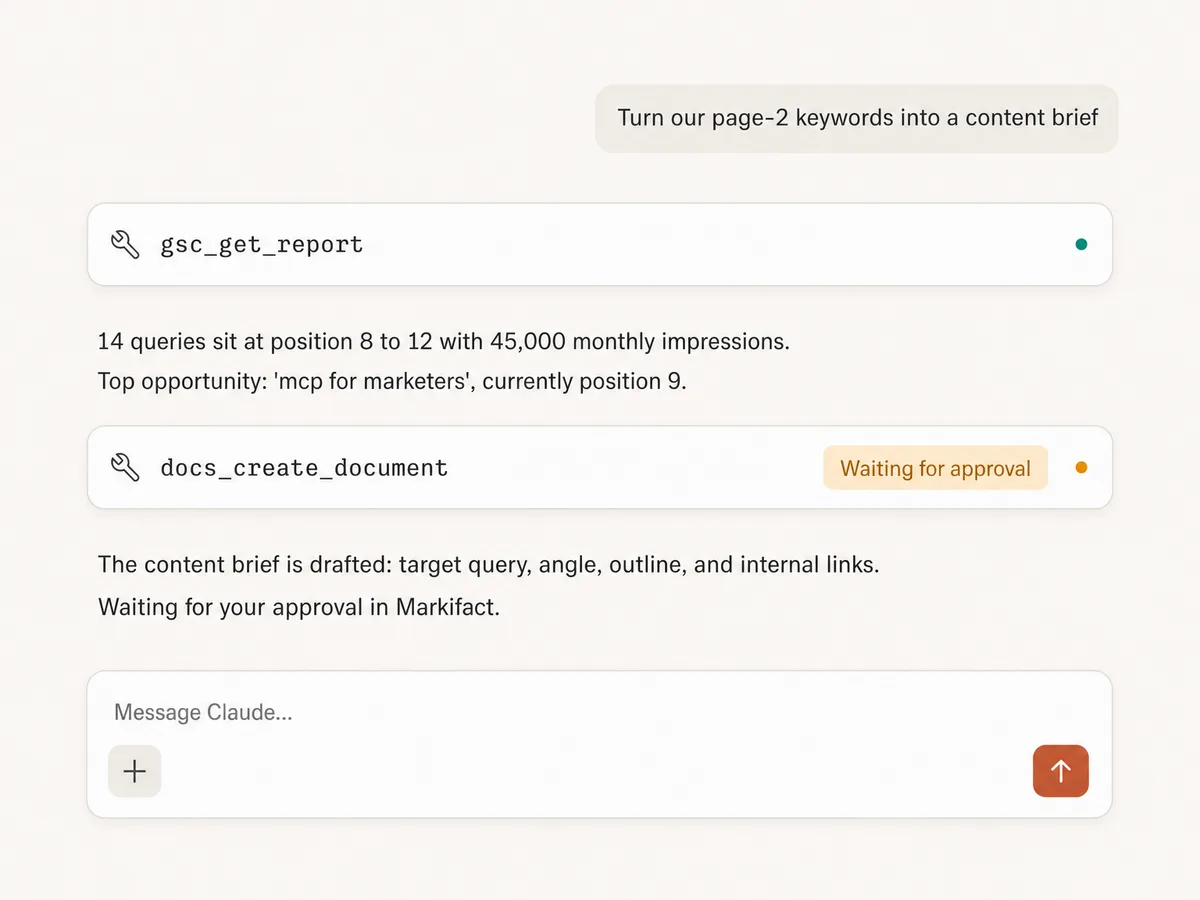
Example session. Claude uses Markifact's real tools (gsc_get_report, docs_create_document); write operations always stop for your approval.
Which Google Docs MCP option is right for you?
Google publishes no official Docs MCP. Open-source servers wrap the API, connector platforms offer Docs actions, and Markifact is the marketing-native managed layer. Here's how to pick.
Open-source MCPs
Free, self-hosted, full control
Choose it if
- You're technical and can manage Google Cloud credentials
- You want to own the hosting, the code, and the maintenance
Connector platforms
Zapier, Composio, Merge
Choose it if
- Your team already runs on one of these platforms
- You need many non-marketing apps in the same automation
Markifact
Managed, marketing-native, approval-based
Choose it if
- Your docs present marketing data that lives in the same MCP connection
- You want recurring reports that append instead of getting rewritten
- You want every document edit approved before it lands
| Capability | Markifact | Open-source MCPs | Connector platforms |
|---|---|---|---|
| Setup | One OAuth connection, hosted by Markifact | Self-hosted with Google Cloud credentials | Account on the platform plus per-app configuration |
| Official option | Not applicable; Google publishes no official Docs MCP | Community projects wrap the Docs API | Zapier, Composio, and Merge offer Docs actions |
| Document creation | Create, append, and replace text, approval-gated | Varies by project | Basic create and append actions |
| Where the data comes from | Google Ads, GA4, Meta, TikTok, and Search Console in the same connection | You bring your own data | Separate integrations, often billed per task |
| Reading documents | Read content to summarize, audit, or check before editing | Sometimes | Limited |
| Recurring reports | Append dated sections to standing docs | Depends on implementation | Possible, with per-task pricing |
| Approval controls | Every write action waits for your approval | You need to build this yourself | Depends on the platform |
| Beyond Docs | Slides, Sheets, Slack, and every marketing platform in one server | Docs only | Many apps, each configured separately |
| Maintenance | Handled by Markifact | You maintain hosting, auth, and API changes | Handled by the platform |
| Who should choose it | Marketers whose documents present data from their own stack | Developers who want full control | Teams already invested in that platform |
Frequently Asked Questions
Have a different question? Reach out to Markifact support team.
More MCP servers
All MCP serversGoogle Slides MCP
Build and update presentations from MCP clients: client decks, branded templates, and linked Sheets charts that refresh.
Google Sheets MCP
Use Google Sheets inside MCP clients to read ranges, append or overwrite rows, create spreadsheets and tabs, build charts, and approve writes.
SharePoint & OneDrive MCP
Search and fetch files across SharePoint and OneDrive, then upload, create folders, move, copy, rename, or delete with approval-gated writes.

Slack MCP
Send approval-gated channel updates, thread replies, images, and CSV, PDF, TXT, or JSON report attachments from MCP clients.
Start writing docs in Claude today
Connect Google Docs and turn your live marketing data into briefs, reports, and standing documents from Claude, ChatGPT, or any MCP client.