
The Google Slides MCP server that builds the client deck
Connect Google Slides to Claude, ChatGPT, or any AI agent. Create presentations, fill your branded templates, insert charts linked to live Sheets, and approve every change before it touches the file.


10,000+ marketers scaling with AI.

Trusted by marketing teams at












What you can do with Google Slides MCP
The client deck is where marketing work becomes visible, and it eats hours every month. Describe it, approve it, present it.
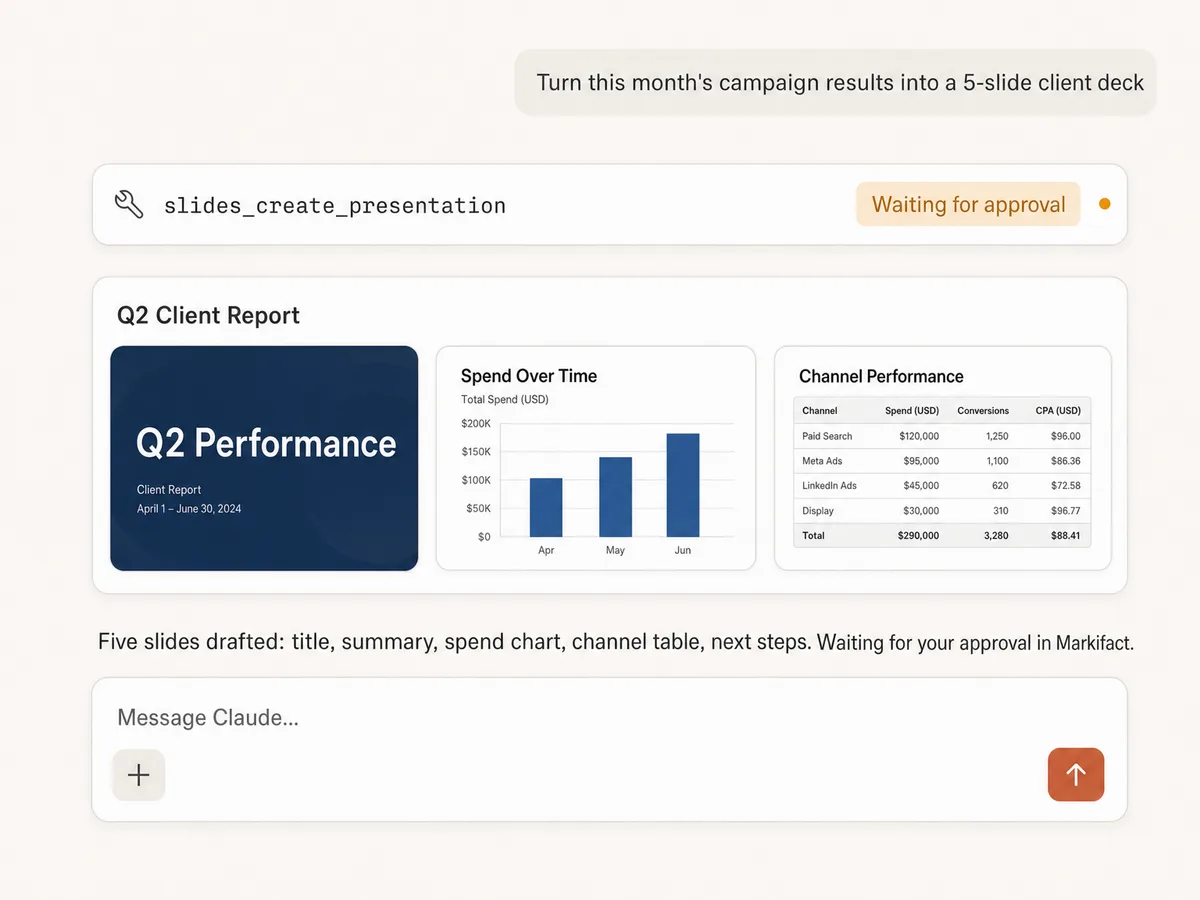
Create decks from a prompt
Turn a campaign summary into a full presentation: title slides, text, images, tables, and charts, drafted in one pass and held for your approval before anything is created.
Fill templates, not blank pages
Duplicate your branded deck, replace the placeholders, and keep every font, color, and layout your designer fought for. The AI fills templates; it doesn't freestyle your brand.
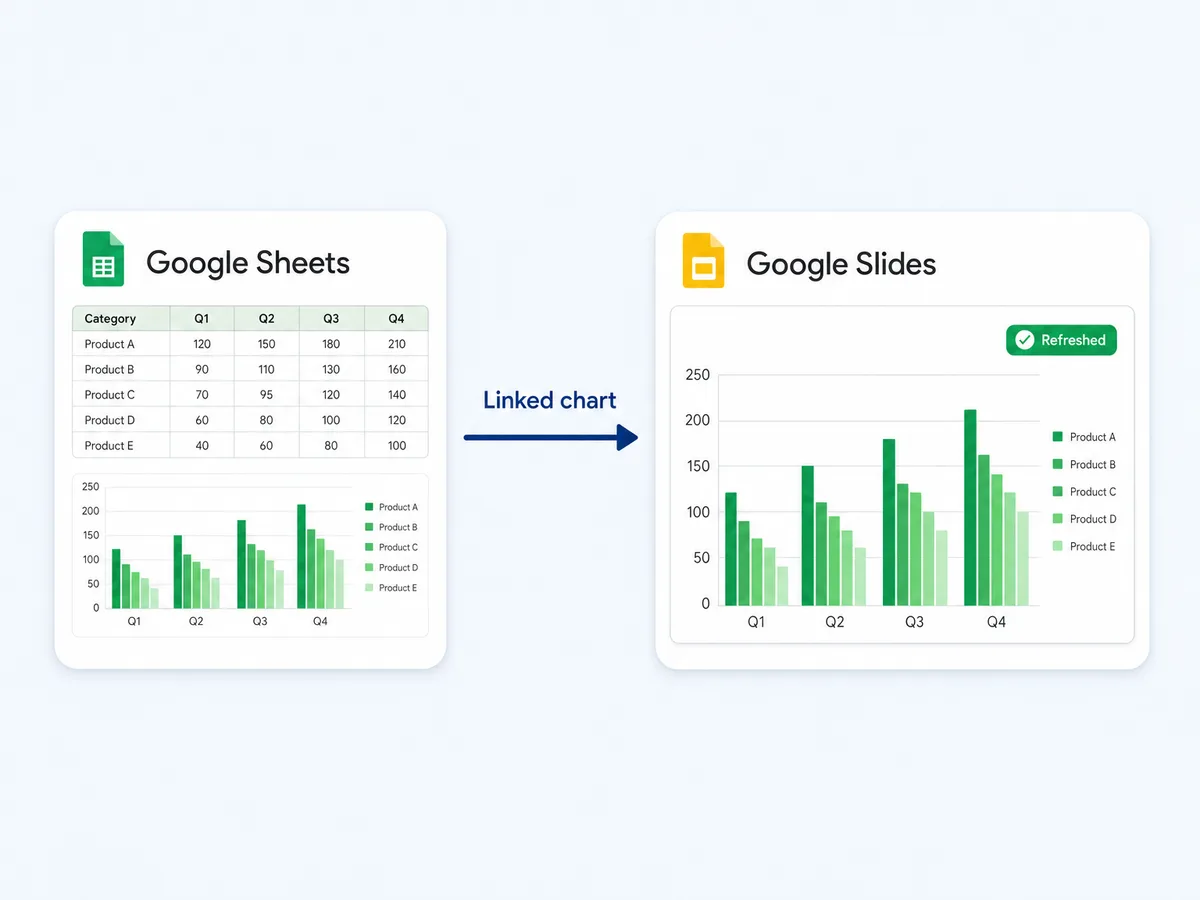
Charts that stay live
Insert charts linked to Google Sheets, and next month they refresh instead of being rebuilt. The monthly deck stops being a rebuild and becomes a refresh.
Report from the same stack
The numbers come from the same connection: Google Ads, GA4, Meta, TikTok, and Search Console feed the deck directly, no copy-paste between tools.
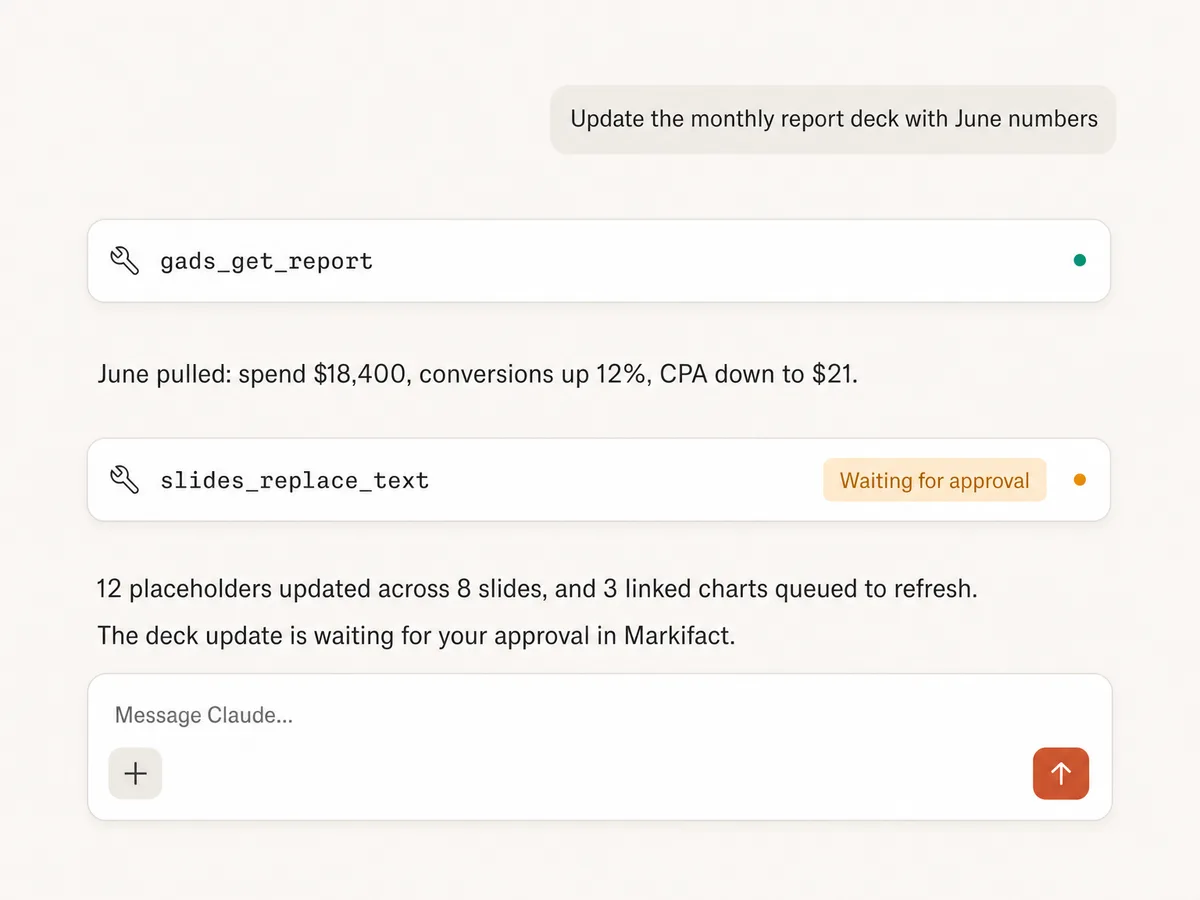
Automate the monthly deck
Pull this month's numbers, update the placeholders, refresh the linked charts, and the client report that used to eat an afternoon is a two-minute review.
Read and audit decks
List elements, read slides, and download presentations, so the AI can check what a deck says before changing it, or summarize a 40-slide deck you didn't write.
Use Google Slides in your favorite AI.
Plus your whole marketing stack
One MCP server. Google Slides, the data it presents, and the AI assistant you already use.





























Set up in minutes
No Google Cloud project, no credentials, no server hosting. Three steps and you're building decks from your AI assistant.
Connect Google Slides
Sign up for Markifact and connect Google Slides with one-click Google OAuth. No Cloud project, no credential files.
Markifact is available in the Claude connector directory:
Connect in Claude Open the listing and click Connect to add Markifact to Claude.
Connect your AI assistant
Pick Claude, ChatGPT, Cursor, or any MCP-compatible assistant and copy the setup. One URL or command and you're connected to Markifact.
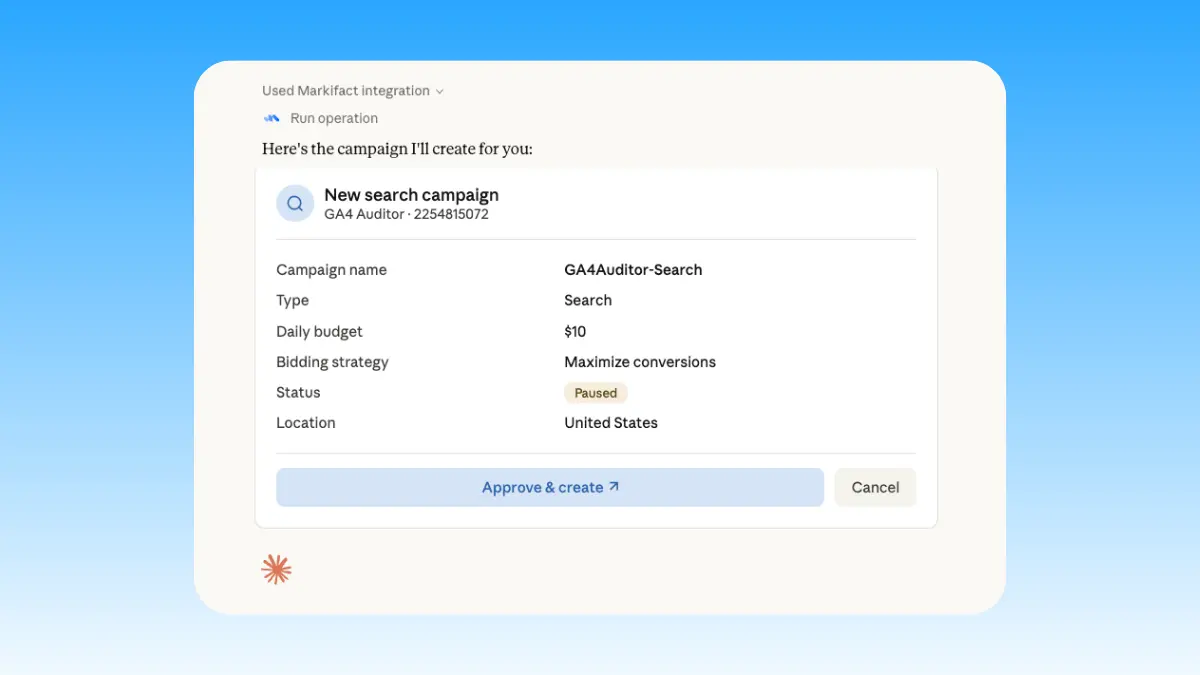
Start building decks
Create presentations, fill templates, and refresh charts in plain English. Every change waits for your approval.
Google Slides MCP prompt examples
Use Markifact MCP to create, fill, refresh, and deliver presentations from Claude, ChatGPT, Cursor, or any MCP-compatible client.
Your template, this month's numbers.
Duplicate the client template and fill it with June data.
Replace every placeholder in the deck with live campaign numbers.
Update the title slide and date for the new reporting period.
Add this quarter's spend table to slide 4.
What a session actually looks like
Building the June client deck in Claude: GA4 provides the numbers, the linked chart makes next month a refresh, and the deck waits for approval.
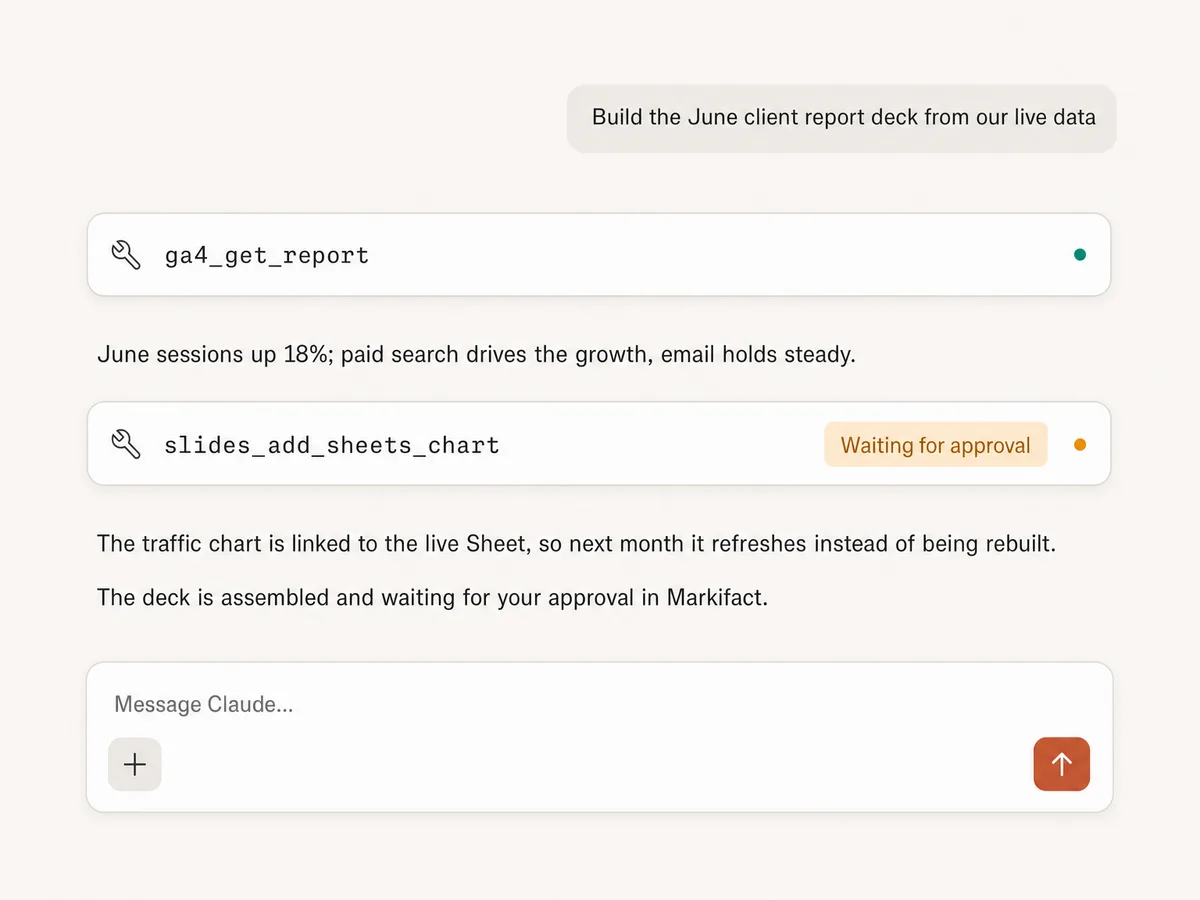
Example session. Claude uses Markifact's real tools (ga4_get_report, slides_add_sheets_chart); write operations always stop for your approval.
Which Google Slides MCP option is right for you?
Google publishes no official Slides MCP. Open-source servers wrap the API, connector platforms offer Slides actions, and Markifact is the marketing-native managed layer. Here's how to pick.
Open-source MCPs
Free, self-hosted, full control
Choose it if
- You're technical and can manage Google Cloud credentials
- You want to own the hosting, the code, and the maintenance
Connector platforms
Zapier, Composio, Merge
Choose it if
- Your team already runs on one of these platforms
- You need many non-marketing apps in the same automation
Markifact
Managed, marketing-native, approval-based
Choose it if
- Your decks present marketing data that lives in the same MCP connection
- You want linked Sheets charts that refresh instead of rebuilt decks
- You want every deck change approved before it touches the file
| Capability | Markifact | Open-source MCPs | Connector platforms |
|---|---|---|---|
| Setup | One OAuth connection, hosted by Markifact | Self-hosted with Google Cloud credentials | Account on the platform plus per-app configuration |
| Official option | Not applicable; Google publishes no official Slides MCP | Community projects wrap the Slides API | Zapier, Composio, and Merge offer Slides actions |
| Deck creation | Presentations, slides, text, images, and tables, approval-gated | Varies by project | Basic create and edit actions |
| Linked Sheets charts | Insert and refresh charts linked to live Sheets | Rarely supported | Rarely exposed |
| Template workflows | Duplicate slides and replace placeholders in branded decks | Depends on implementation | Limited |
| Where the data comes from | Google Ads, GA4, Meta, TikTok, and Search Console in the same connection | You bring your own data | Separate integrations, often billed per task |
| Approval controls | Every write action waits for your approval | You need to build this yourself | Depends on the platform |
| Reading decks | List elements, read slides, download presentations | Sometimes | Limited |
| Maintenance | Handled by Markifact | You maintain hosting, auth, and API changes | Handled by the platform |
| Who should choose it | Marketers who present data they pull in the same conversation | Developers who want full control | Teams already invested in that platform |
Frequently Asked Questions
Have a different question? Reach out to Markifact support team.
More MCP servers
All MCP serversGoogle Analytics MCP
Query GA4 from MCP clients with custom reports, property audits, and traffic diagnosis, then configure the property and act on findings in your ad platforms with approval-gated writes.
Google Ads MCP
Use Google Ads inside Claude, ChatGPT, and other MCP clients for audits, reporting, optimization, and campaign actions.
Google Search Console MCP
Use Search Console inside MCP clients for performance reporting, URL inspection, sitemap status, and approval-gated sitemap submission, reprocessing, or removal.
Meta Ads MCP
Use Meta Ads and Facebook Ads workflows inside MCP clients for ad sets, creatives, reporting, and Advantage+ workflows.
Start building decks in Claude today
Connect Google Slides and turn your live marketing data into client-ready presentations from Claude, ChatGPT, or any MCP client.