
PageSpeed Insights MCP for faster pages
Run mobile or desktop Lighthouse audits, compare lab and real-user Core Web Vitals, and turn PageSpeed findings into a prioritized fix list.


10,000+ marketers scaling with AI.
Trusted by marketing teams at












What you can do with PageSpeed Insights MCP
Get the scores, metrics, field data, and audit evidence behind a slow page without switching between reports or parsing a large API response yourself.
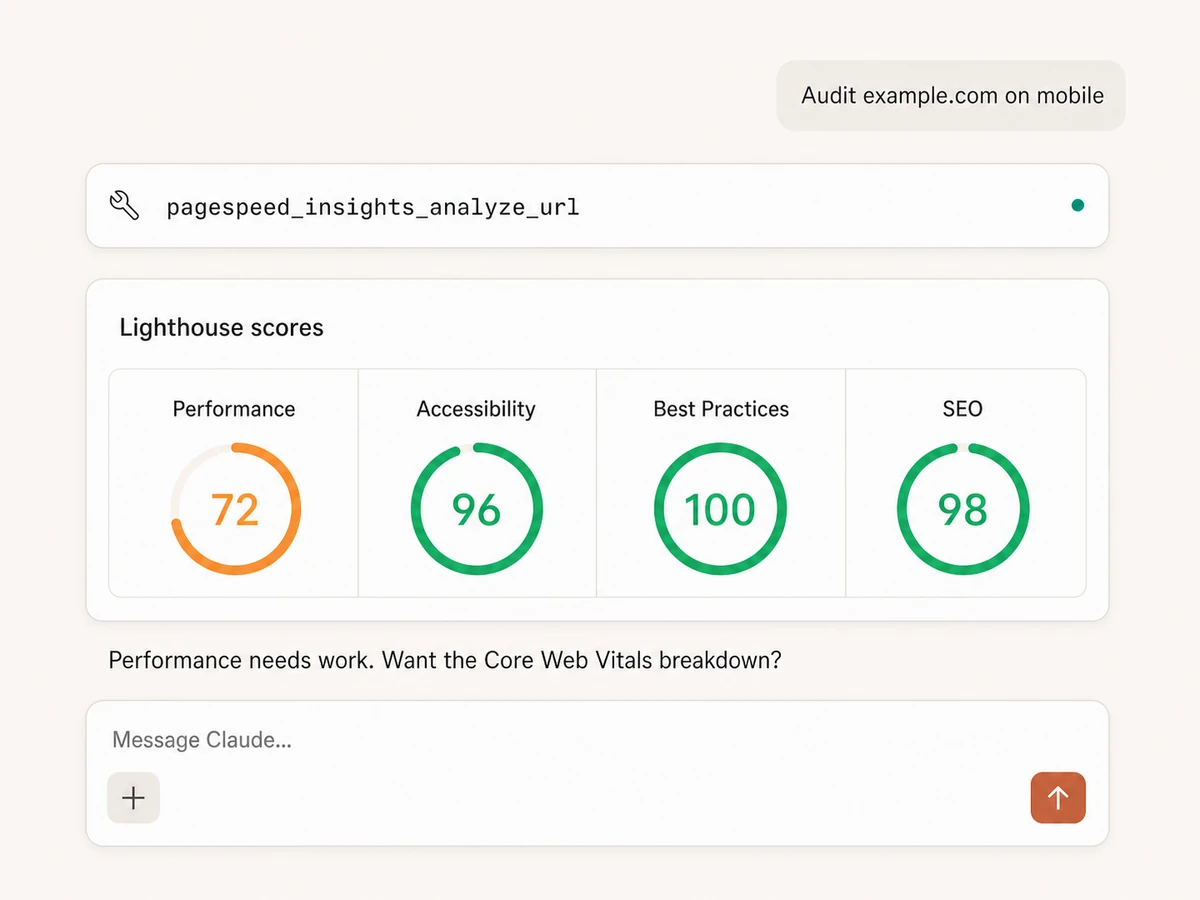
Score the four Lighthouse categories
Run Performance, Accessibility, Best Practices, and SEO together or select only the categories you need. Scores arrive in a compact result the AI can explain.
Audit mobile or desktop
Choose Lighthouse's mobile or desktop strategy for any URL, then compare the results to see whether the experience changes by device.
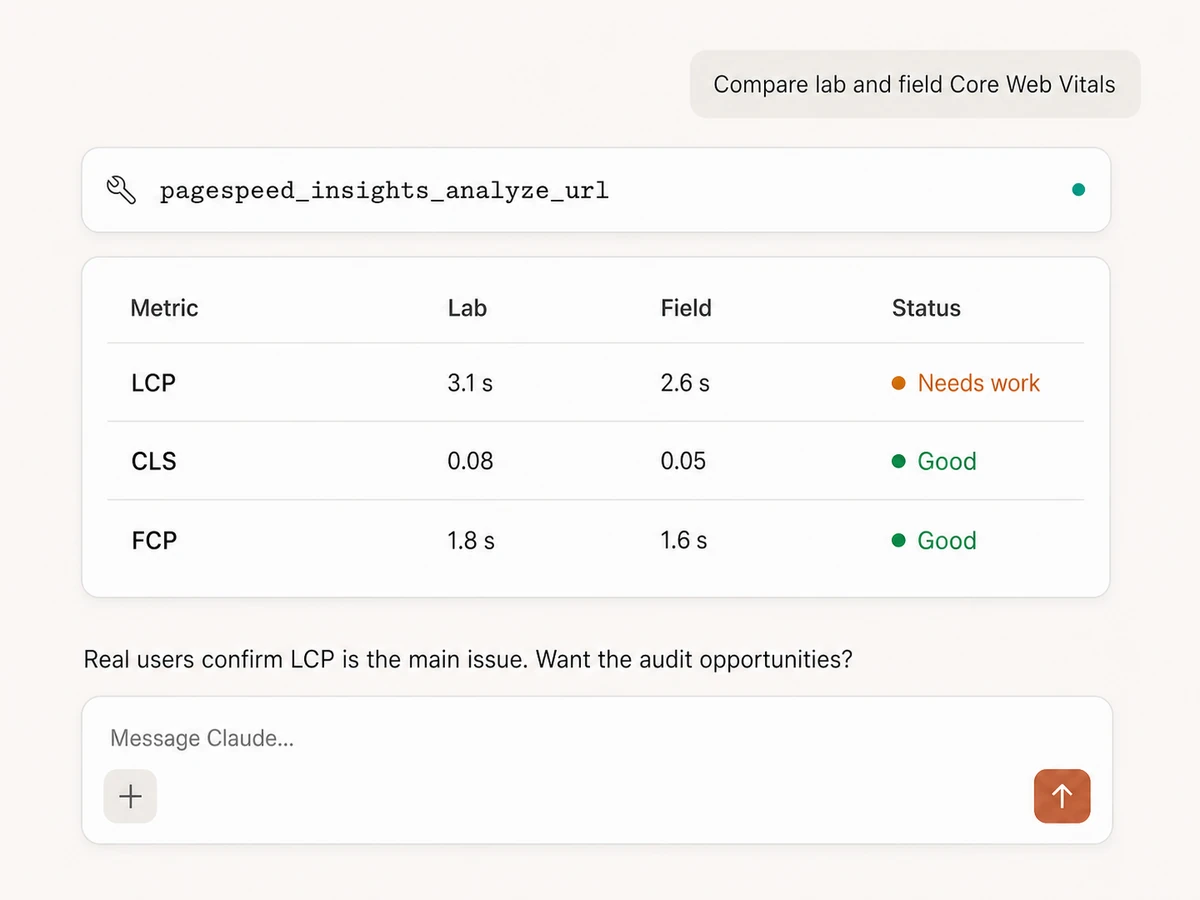
Compare lab and real-user data
Put Lighthouse lab results beside available Chrome UX Report field data for the page and origin, so a single test does not get mistaken for the full user experience.
Inspect Core Web Vitals and speed metrics
Retrieve Largest Contentful Paint, First Contentful Paint, Total Blocking Time, Cumulative Layout Shift, and Speed Index, with the raw PageSpeed field names preserved.
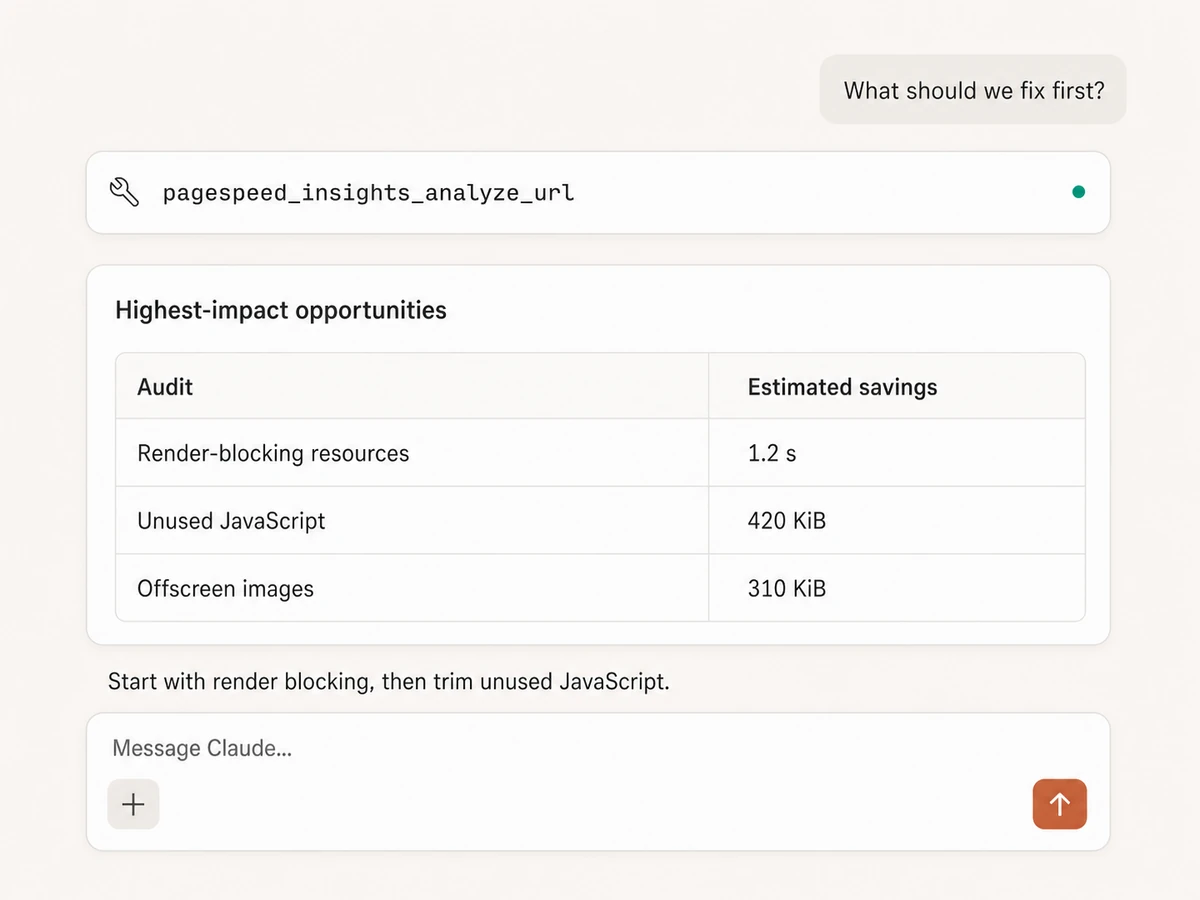
Find what is holding the page back
Use the insights response to inspect every Lighthouse audit without bulky detail tables, then ask the AI to group failures, warnings, and opportunities by likely impact.
Choose the right response depth
Use metrics for a concise scorecard, insights for diagnosis, or the full API response when detailed downstream analysis is explicitly required. Screenshot payloads are removed.
Find the slow page. Understand why. Share the fix.
Connects to every marketing platform
Bring Lighthouse audits into the same MCP connection as your SEO, analytics, tag management, documents, and reporting tools.





























Start using PageSpeed Insights MCP
Create your Markifact account, then add the hosted endpoint to your preferred MCP client. No Google account or PageSpeed API key is required.
Create your Markifact account
PageSpeed Insights is ready immediately. Enter any URL that Google's service can reach and choose mobile or desktop.
Add Markifact to your MCP client
Use one hosted MCP connection for PageSpeed Insights and every other platform in your Markifact stack.
Connect your AI client in seconds
Pick your client and copy the setup. No SDKs, no servers to host.
Markifact is available in the Claude connector directory:
Connect in Claude Open the listing and click Connect to add Markifact to Claude.
PageSpeed Insights MCP prompts
Name the URL, device, categories, and level of detail. The AI runs Lighthouse and turns the result into the comparison or action plan you asked for.
Get a clean PageSpeed scorecard
Choose a URL, device, and the Lighthouse categories that matter. Metrics mode keeps the answer compact.
Audit https://example.com on mobile with PageSpeed Insights. Return Performance, Accessibility, Best Practices, and SEO scores plus the key lab metrics. Keep the response concise.
What a PageSpeed MCP session looks like
Ask for an audit in normal language. The tool returns Lighthouse data; the AI turns it into a short diagnosis and a useful next question.
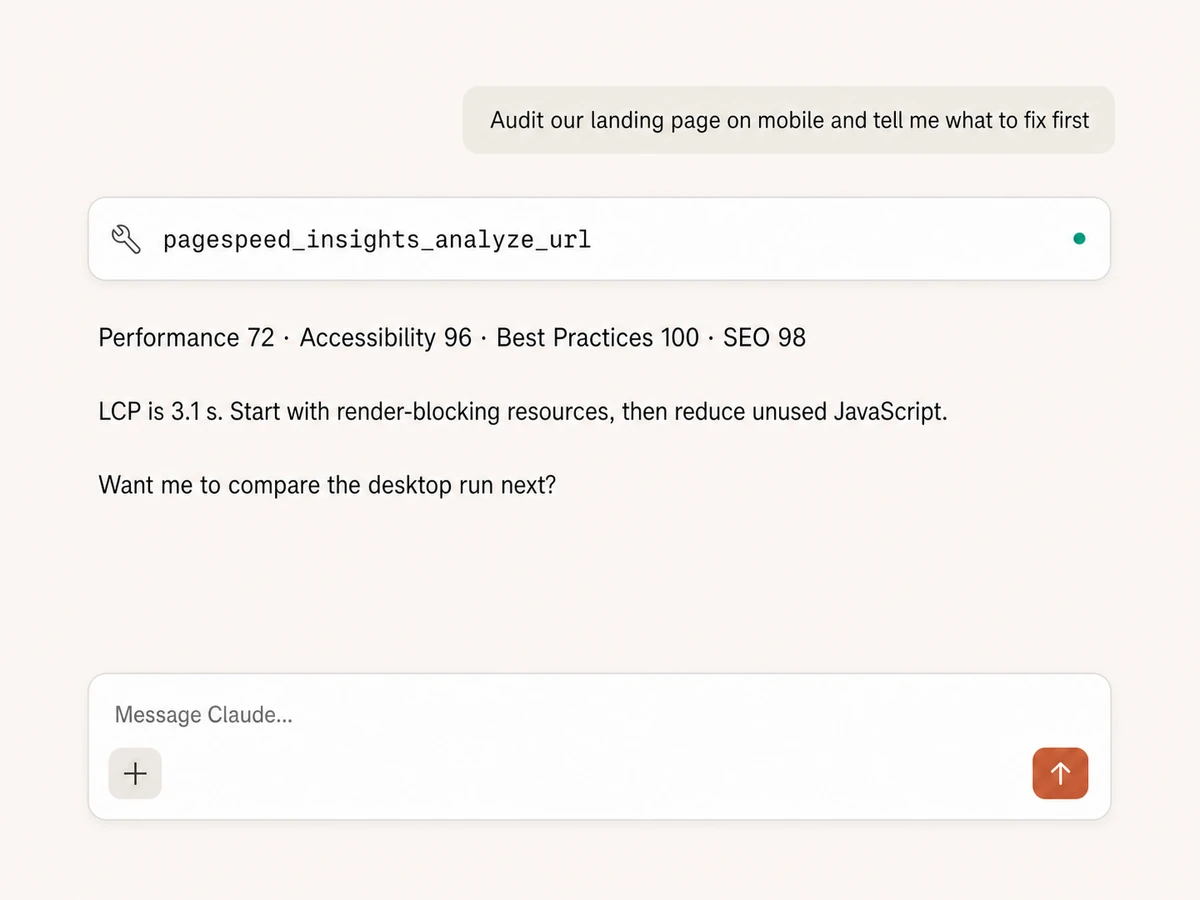
Example read-only session using pagespeed_insights_analyze_url with the mobile strategy.
Markifact vs PageSpeed Insights website vs API
Use Google's website for occasional manual checks, the API for custom software, or Markifact when you want Lighthouse inside an AI conversation with the rest of your stack.
Markifact
Lighthouse inside your AI client
Choose it if
- You want PageSpeed answers in the same conversation as SEO and analytics data
- You want the AI to compare runs and prioritize audits
- You do not want to build or host an MCP integration
PageSpeed website
Official, free, and manual
Choose it if
- You need an occasional visual audit for one URL
- You want to inspect Google's report interface directly
PageSpeed API
Official data for custom software
Choose it if
- You are building a product with its own user experience
- Your engineering team can own requests, response parsing, quotas, and maintenance
| Capability | Markifact | PageSpeed website | PageSpeed API |
|---|---|---|---|
| Setup | Hosted MCP endpoint; no Google account or PageSpeed API key required | Open the public PageSpeed Insights website | Build and maintain your own API integration and MCP tools |
| AI clients | Claude, ChatGPT, Cursor, Codex, VS Code, and other MCP clients | Manual browser interface | Only the clients and interfaces you build |
| Devices | Mobile and desktop runs in plain English | Mobile and desktop tabs | Mobile and desktop parameters |
| Audit categories | Performance, SEO, Accessibility, and Best Practices together or selected | Visual category reports | Category parameters and raw response parsing |
| Lab metrics | LCP, FCP, TBT, CLS, and Speed Index ready for AI analysis | Displayed visually in the report | Returned in Lighthouse audit objects |
| Field data | Available page and origin CrUX data beside the lab run | Displayed when sufficient field data exists | Returned in loading-experience objects |
| Response depth | Metrics, insights, or full response without screenshot payloads | One interactive report view | You decide how to prune and store large responses |
| Cross-platform work | Combine PageSpeed with Search Console, GA4, GTM, Docs, Sheets, and Slack | Export or copy findings manually | Every additional platform is another integration |
| Maintenance | Hosting, schemas, tool definitions, and API changes handled | Google maintains the website | Your team owns the integration lifecycle |
The PageSpeed tool is read-only
It can test a reachable URL and explain the results, but it cannot change your code, server configuration, tags, or content. Any follow-up action must use an appropriate connected tool or be implemented by your team.
More MCP servers
All MCP serversGoogle Search Console MCP
Use Search Console inside MCP clients for performance reporting, URL inspection, sitemap status, and approval-gated sitemap submission, reprocessing, or removal.
Google Tag Manager MCP
Manage GTM end to end from MCP clients: containers, workspaces, tags, triggers, variables, preview, versions, publishing, and recovery with approval-gated writes.
Google Analytics MCP
Query GA4 from MCP clients with custom reports, property audits, and traffic diagnosis, then act on findings in your ad platforms.

Google Search MCP
Retrieve live organic SERPs, compare markets and devices, query Google AI Mode with references, and turn search research into briefs.
Frequently Asked Questions
Have a different question? Reach out to Markifact support team.
Run Lighthouse from your AI client
Audit mobile and desktop pages, compare lab and field data, and turn PageSpeed findings into a prioritized fix list.