
BigQuery MCP for answers and action
Query warehouse data, inspect schemas, and create datasets, tables, or rows with approval before every write.


10,000+ marketers scaling with AI.
Trusted by marketing teams at












What you can do with BigQuery MCP
Give your AI a governed path from warehouse discovery to SQL analysis and structured writes, without hiding the query, destination, or approval decision.
Answer warehouse questions with SQL
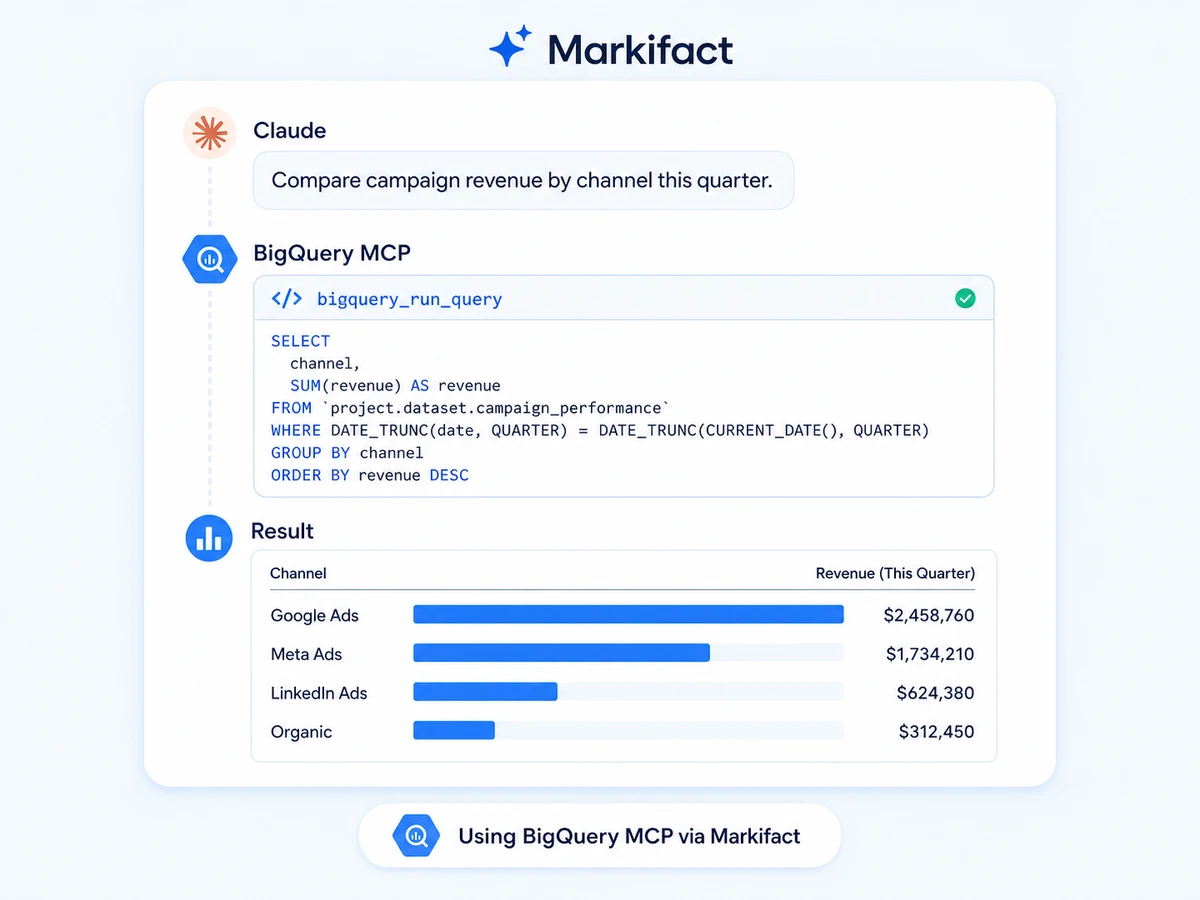
Turn plain-language questions into BigQuery SQL, join large datasets, and return compact tables or trends your AI can explain and reuse.
Analyze marketing data together
Compare paid media, analytics, CRM, product, and revenue data in one warehouse view, then carry the result into the rest of your Markifact stack.
Explore projects and datasets
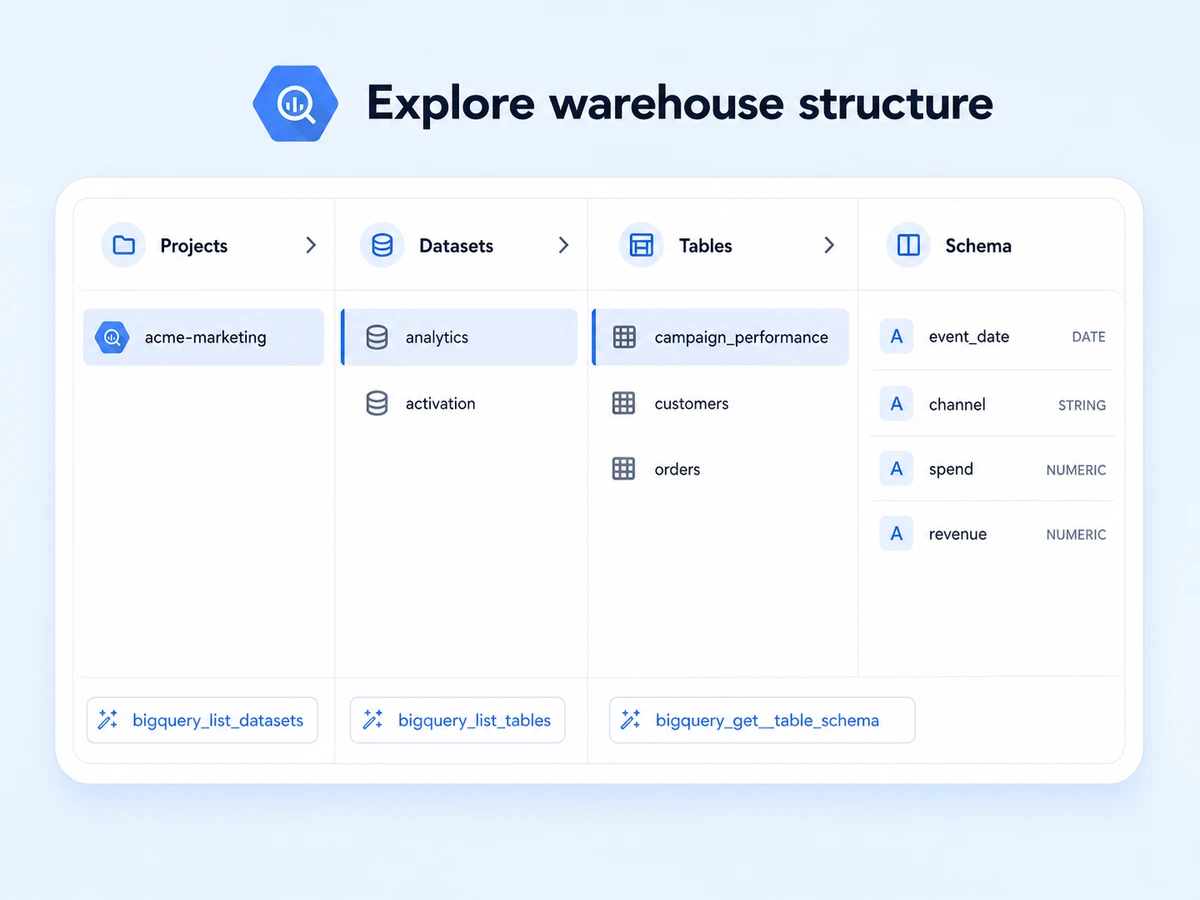
List connected projects, inspect datasets, and find the right source before a query runs without making users memorize warehouse paths.
Understand tables and schemas
Review table metadata, field names, types, and modes so generated queries use the right columns and write payloads match the destination schema.
Create datasets, tables, and rows
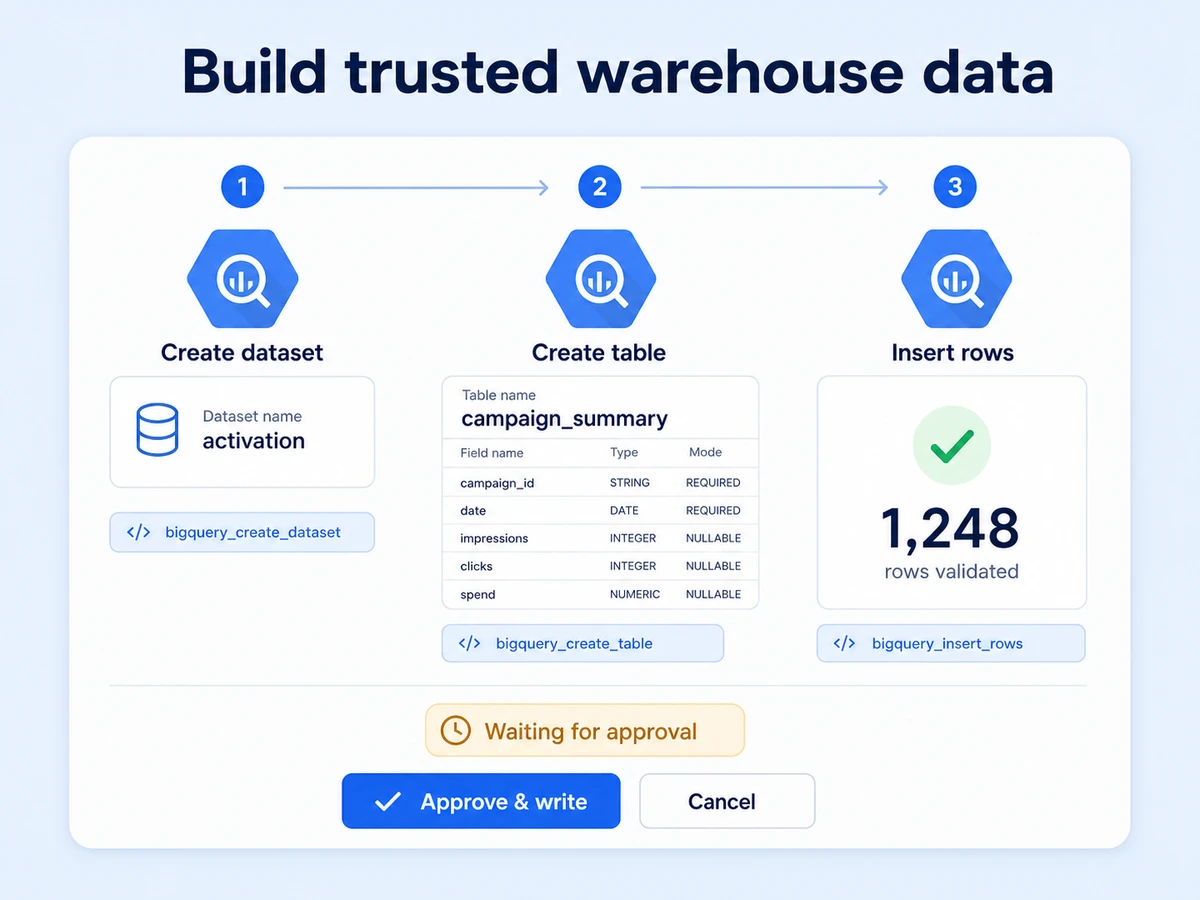
Build a dataset, define a table schema, and insert validated rows with structured operations instead of asking an agent to assemble every mutation as raw SQL.
Keep writes under human control
Markifact pauses each create or insert operation for approval, showing the project, dataset, table, schema, and row payload before execution.
Use BigQuery in your favorite AI.
Plus your whole marketing stack
One MCP connection brings warehouse data, your marketing tools, and your preferred AI assistant into the same workflow.





























Set up in minutes
Connect BigQuery, add Markifact to your AI client, and move from warehouse questions to reviewed data operations.
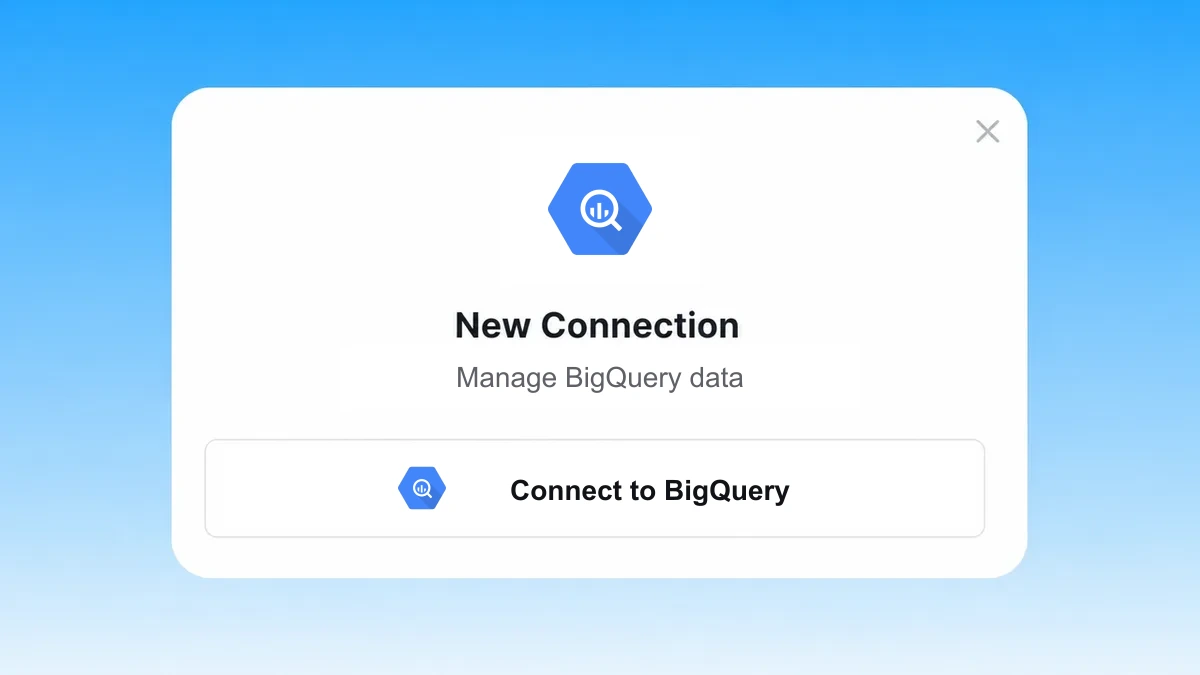
Connect BigQuery
Authorize the Google Cloud projects you want to use. Markifact keeps selected BigQuery projects ready for later MCP sessions.
Markifact is available in the Claude connector directory:
Connect in Claude Open the listing and click Connect to add Markifact to Claude.
Connect your AI assistant
Pick Claude, ChatGPT, Cursor, or another MCP-compatible assistant and copy the setup. One endpoint connects it to Markifact.
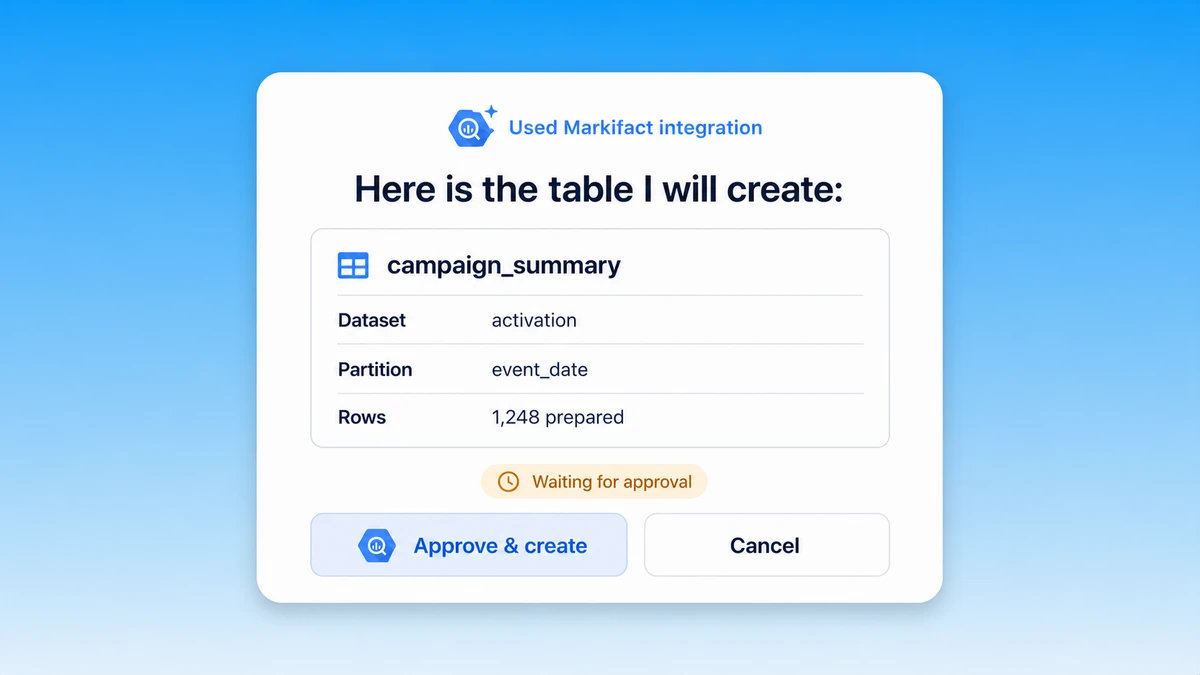
Start working with data
Explore a schema, run SQL, create a destination, or load validated rows. Markifact shows the exact write and waits for your approval.
BigQuery MCP prompt examples
Start with the warehouse task. Markifact can discover structure, analyze data, prepare destinations, and queue controlled writes.
Turn warehouse data into decisions.
- >
Compare spend, revenue, and ROAS by acquisition channel for this quarter.
- >
Build a weekly cohort report for first-time customers and show 30-day repeat purchase rate.
- >
Find campaigns whose spend increased while attributed revenue fell week over week.
- >
Join ad cost with order data and rank products by contribution margin after media spend.
What a session actually looks like
One request can inspect the destination schema, run the analysis, and prepare summary rows without skipping the write decision.
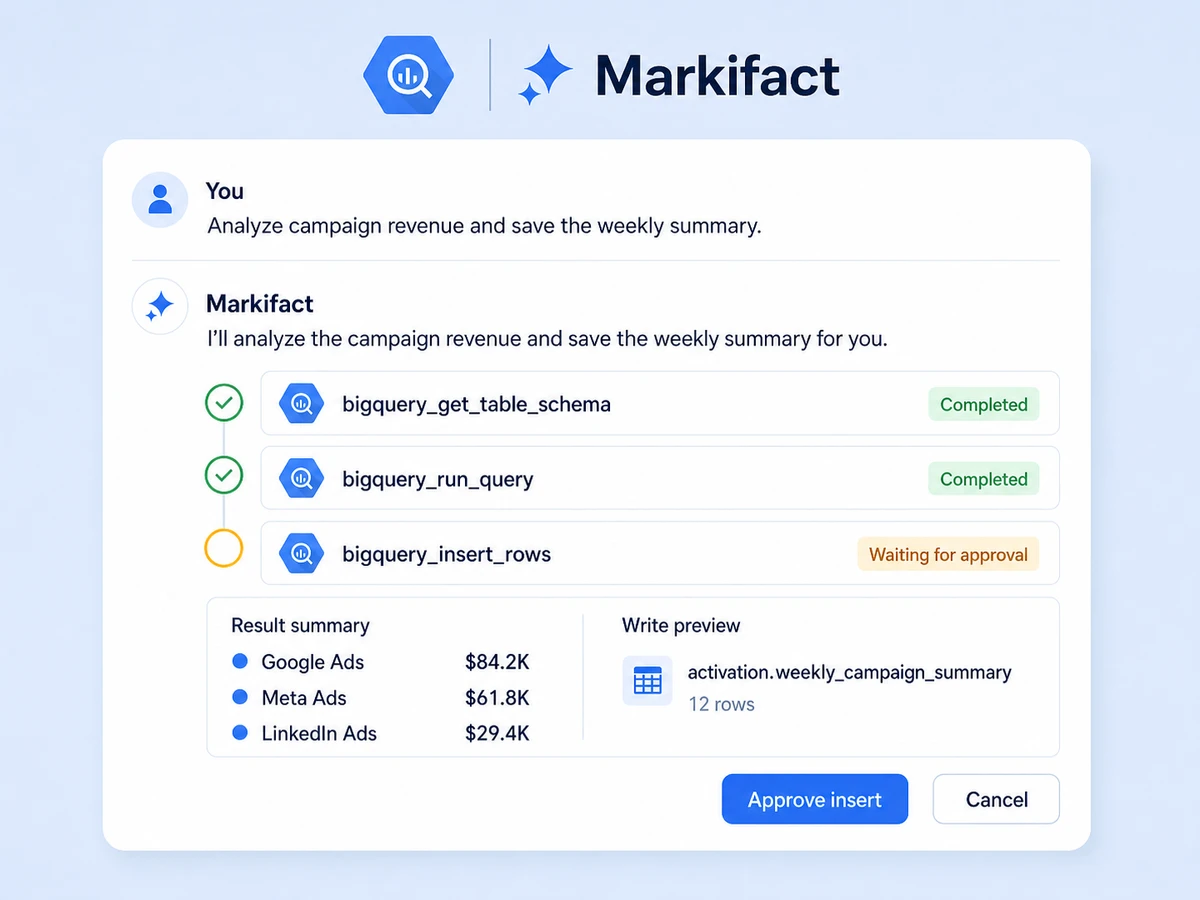
Example session using bigquery_get_table_schema, bigquery_run_query, and bigquery_insert_rows. The insert waits for approval.
Which BigQuery MCP option is right for you?
Google's managed server supports metadata, read-only SQL, and general SQL writes. MCP Toolbox offers self-hosted flexibility. Markifact focuses on structured operations, human approvals, and cross-stack workflows.
Official BigQuery MCP
Google-managed remote access
Choose it if
- You want Google's first-party metadata and SQL tools
- Your team is comfortable managing Cloud IAM and OAuth configuration
MCP Toolbox
Open-source and customizable
Choose it if
- You want to self-host or define custom BigQuery tools
- Your engineering team can own deployment, credentials, and safeguards
Markifact
Managed read and approval-gated write workflows
Choose it if
- You want structured dataset, table, and row operations
- You need every write to pause for human approval
- You want BigQuery connected to the rest of your marketing stack
| Capability | Markifact | Official BigQuery MCP | MCP Toolbox / open source |
|---|---|---|---|
| Setup | Hosted connection and MCP endpoint | Google Cloud project, API, IAM, OAuth, and remote endpoint | Install, configure, host, and secure it yourself |
| Availability | Managed through Markifact | Fully managed remote BigQuery MCP server | MCP Toolbox and community servers |
| Best fit | Teams that want analysis plus controlled execution | Google Cloud teams that prefer the first-party remote server | Developers who need deep customization |
| Metadata | Projects, datasets, tables, and schemas | Dataset and table listing and metadata tools | Depends on configured tools |
| Queries | Natural language to SQL with reusable results | Read-only SQL and general execute_sql tools | Built-in or custom SQL tools |
| Writes | Structured dataset, table, and row operations | Writes supported through general SQL execution | Custom write tools or SQL, depending on setup |
| Structured writes | Purpose-built create dataset, create table, and insert rows tools | General SQL is the primary mutation path | You design or configure each tool |
| Approval controls | Every write waits for explicit approval | Governed by Google Cloud access and client behavior | Your implementation owns safeguards |
| Multi-project | Select and reuse connected projects | Uses Google Cloud authorization and project context | Possible with custom configuration |
| Beyond BigQuery | Ads, analytics, commerce, CRM, and messaging integrations | BigQuery only | Usually database-focused |
| Maintenance | Hosting, auth, tool schemas, and upgrades handled | Server infrastructure handled by Google | Your team owns deployment and security |
More MCP servers
All MCP serversGoogle Analytics MCP
Query GA4 from MCP clients with custom reports, property audits, and traffic diagnosis, then configure the property and act on findings in your ad platforms with approval-gated writes.
Google Ads MCP
Use Google Ads inside Claude, ChatGPT, and other MCP clients for audits, reporting, optimization, and campaign actions.
Google Search Console MCP
Use Search Console inside MCP clients for performance reporting, URL inspection, sitemap status, and approval-gated sitemap submission, reprocessing, or removal.
Meta Ads MCP
Use Meta Ads and Facebook Ads workflows inside MCP clients for ad sets, creatives, reporting, and Advantage+ workflows.
Frequently Asked Questions
Have a different question? Reach out to Markifact support team.
Turn warehouse questions into approved data action
Connect BigQuery, explore schemas, run analysis, and prepare structured dataset, table, and row operations from any MCP-compatible client.