
Dropbox MCP that reads and writes
Browse, search, and fetch Dropbox files, then upload, create folders, move, copy, rename, or delete files and folders, with approval before every write.


10,000+ marketers scaling with AI.
Trusted by marketing teams at












What you can do with Dropbox MCP
Use one Dropbox connection to find and retrieve files, then organize approved output without hiding the path or the write decision.
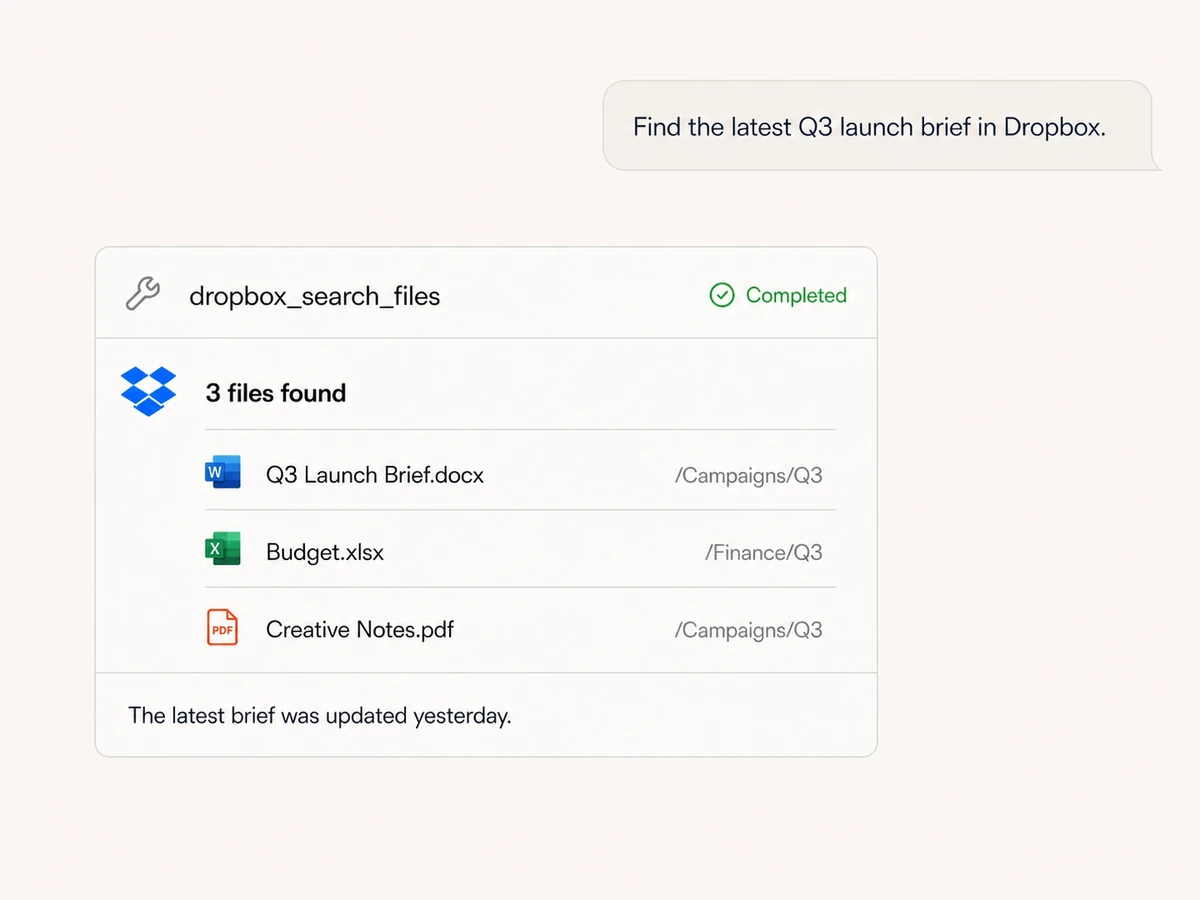
Browse and search Dropbox
List any Dropbox folder or search file and folder names across the account, optionally restricting the search to a specific path.
Fetch the exact files you need
Retrieve up to 50 files by Dropbox path or file ID and return fresh temporary download URLs for the next step in the conversation.
Create folders where work belongs
Create a folder at the Dropbox root or inside an existing path. If the same folder already exists, Markifact returns it instead of creating a duplicate.
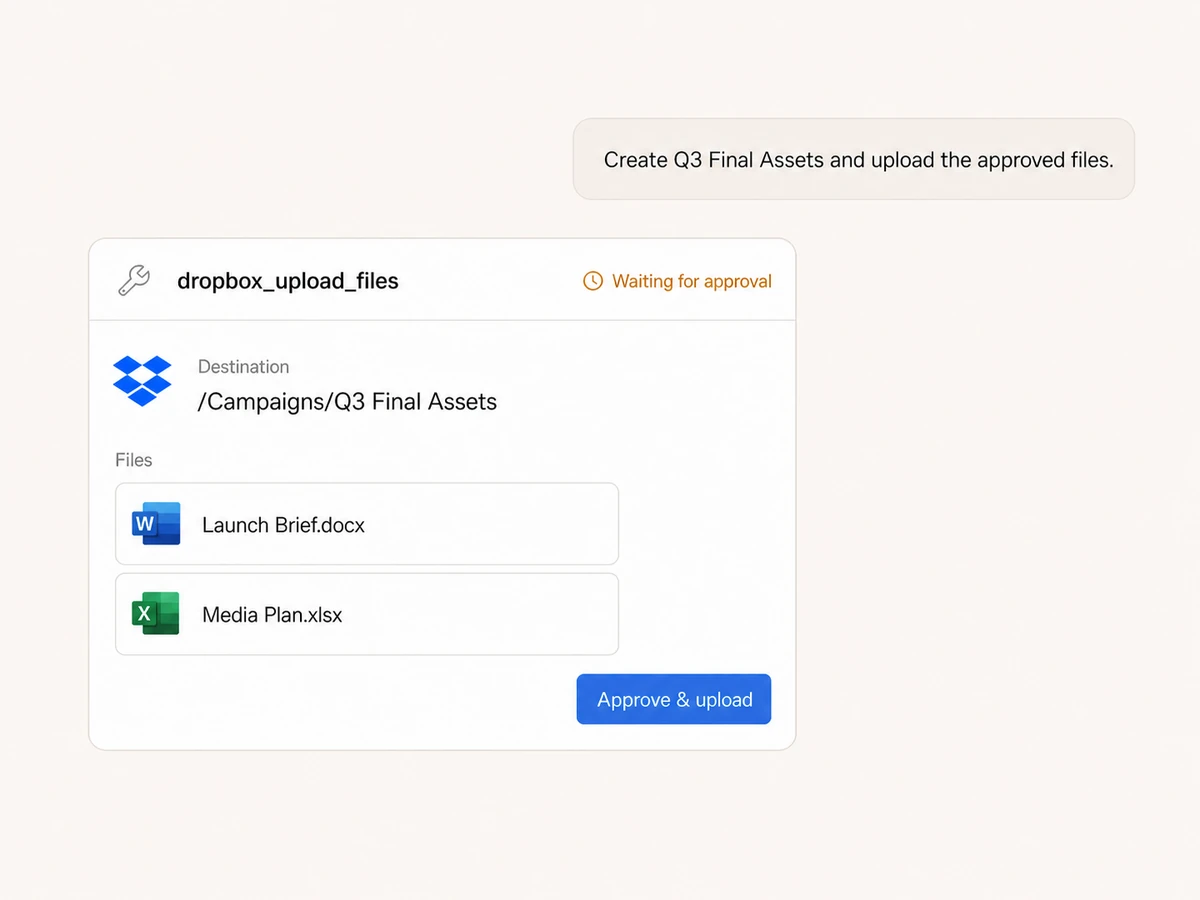
Upload files into the right destination
Upload one file or as many as 50 file URLs into a chosen Dropbox folder, with the destination and file list visible before the write runs.
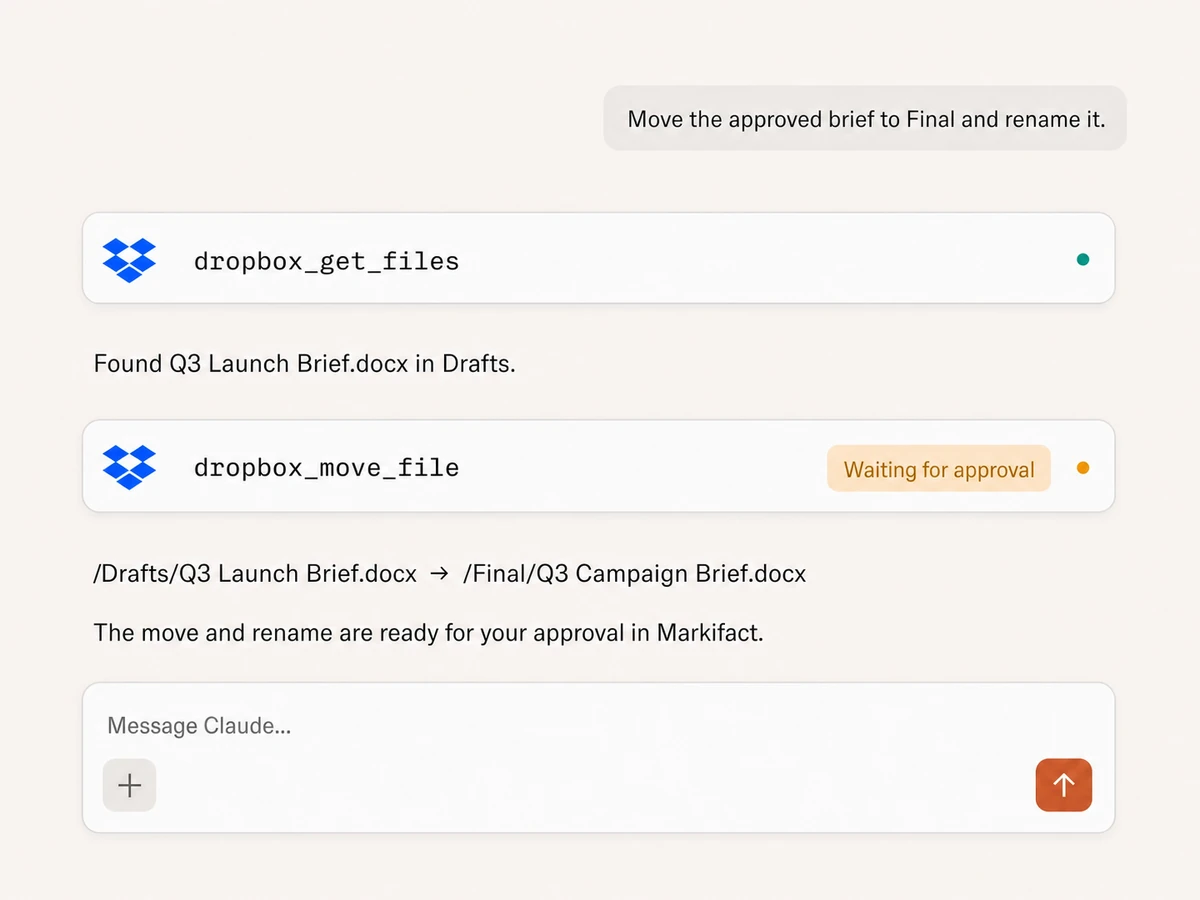
Move and copy files or folders
Move an item to another Dropbox folder or create a copy with an optional new name. Folder operations include everything inside the folder.
Rename or delete with approval
Prepare a precise rename or delete a file or folder. Every change shows the affected path and waits for approval; deleted items remain restorable in Dropbox for a limited time.
Find the file. Use it. Put the result back.
Connects to every marketing platform
Bring Dropbox into the same MCP connection as your reporting, documents, messaging, and marketing platforms.





























Start using Dropbox MCP
Authorize your Dropbox account, then add Markifact's hosted endpoint to your preferred MCP client.
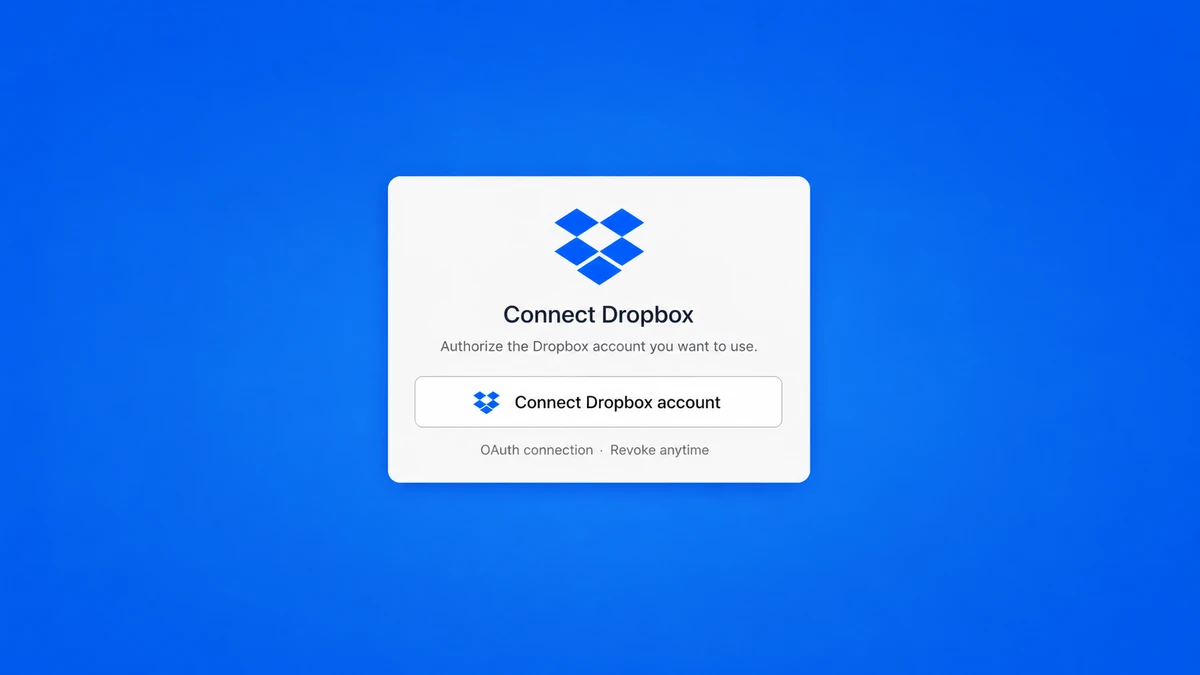
Connect your Dropbox account
Authorize the Dropbox account whose files and folders you want your AI client to use.
Add Markifact to your MCP client
Use the same hosted MCP connection for Dropbox and every other platform in your Markifact stack.
Connect your AI client in seconds
Pick your client and copy the setup. No SDKs, no servers to host.
Markifact is available in the Claude connector directory:
Connect in Claude Open the listing and click Connect to add Markifact to Claude.
Dropbox MCP prompt examples
Describe the filename, path, or outcome. The AI can search or fetch the source, then stop before any Dropbox change is applied.
Locate the right file or folder by name
Start with the filename or a likely parent folder. The AI can search the whole account or narrow the request to one path.
Search Dropbox for files named Q3 launch brief. Return each matching path, modified date, size, and file ID, then tell me which copy is newest.
What a session actually looks like
The AI can find a file in Dropbox, prepare a copy into another folder, and pause before the file-changing operation.
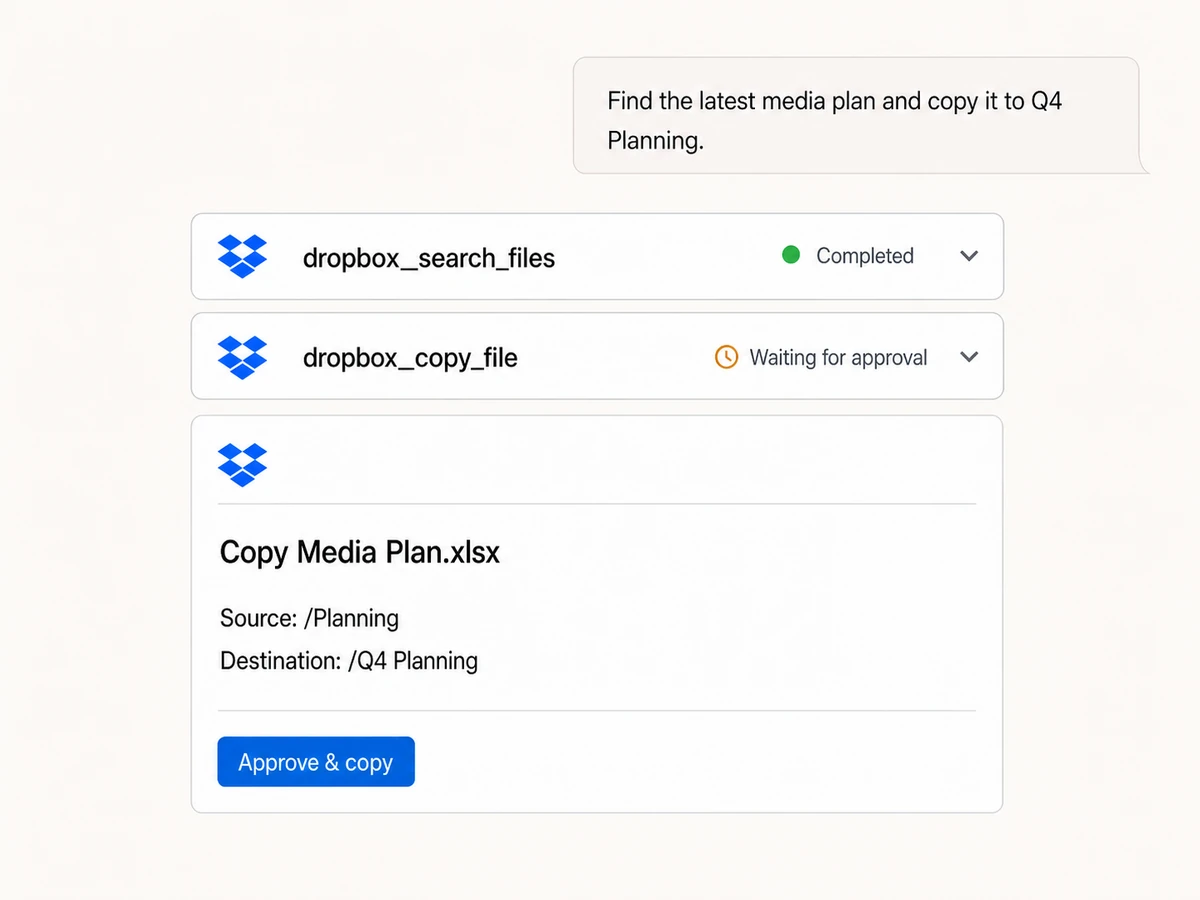
Example session using dropbox_search_files followed by dropbox_copy_file. The copy does not run until it is approved.
How should you connect AI to Dropbox?
Choose Markifact for a managed, approval-based connection; the Dropbox API for a fully custom product; or a self-hosted MCP when your team wants to operate the server.
Markifact
Managed read and write MCP
Choose it if
- You want Dropbox in the same MCP as your marketing stack
- You need every file change to remain visible and approval-gated
- You do not want to operate Dropbox API infrastructure
Dropbox API
Maximum control for custom software
Choose it if
- You need Dropbox capabilities beyond Markifact's current tools
- Your engineering team can own OAuth, schemas, retries, permissions, and maintenance
Self-hosted MCP
Community tools you operate
Choose it if
- You want to customize tool definitions and runtime behavior
- You can audit, host, update, and secure the implementation
| Capability | Markifact | Dropbox API | Self-hosted MCP |
|---|---|---|---|
| Setup | Hosted Dropbox OAuth connection and one MCP endpoint | Build a Dropbox app, OAuth flow, API requests, and tool layer | Install, configure, secure, and maintain a server |
| Browse and search | List folders and search file or folder names with path filters | Full API primitives that your application must orchestrate | Coverage varies by project |
| File retrieval | Fetch by path or ID with fresh temporary download URLs | Use Dropbox metadata and temporary-link endpoints directly | Depends on implemented tools |
| File writes | Upload, create folders, move, copy, rename, and delete | Broad API surface with safeguards left to your app | Often partial or project-specific |
| Folder operations | Move, copy, rename, or delete folders with their contents | Available through Dropbox file endpoints | Implementation varies |
| Approval controls | Every file-changing operation waits for explicit approval | Your application must build the approval layer | You own policy and enforcement |
| Cross-platform work | Use Dropbox files beside ads, analytics, Docs, Sheets, Slack, and commerce tools | Dropbox only unless you build more integrations | Usually focused on file storage |
| Maintenance | Hosting, OAuth, schemas, and API changes handled | Your team owns the integration lifecycle | Your team owns deployment and upgrades |
Writes stay behind an approval boundary
Search, browse, and fetch without interruption. When a request would upload, create, move, copy, rename, or delete, Markifact shows the operation and waits for your approval.
More MCP servers
All MCP serversSharePoint & OneDrive MCP
Search and fetch files across SharePoint and OneDrive, then upload, create folders, move, copy, rename, or delete with approval-gated writes.
Google Docs MCP
Draft briefs and reports from MCP clients, written from live marketing data, with recurring docs that append instead of rewrite.
Google Sheets MCP
Use Google Sheets inside MCP clients to read ranges, append or overwrite rows, create spreadsheets and tabs, build charts, and approve writes.

Slack MCP
Send approval-gated channel updates, thread replies, images, and CSV, PDF, TXT, or JSON report attachments from MCP clients.
Frequently Asked Questions
Have a different question? Reach out to Markifact support team.
Bring Dropbox into your AI workflow
Search and retrieve files, prepare uploads and folder changes, and approve every write from one hosted MCP connection.