
The OpenAI Ads MCP server for the newest ad channel
Connect OpenAI Ads to Claude, ChatGPT, or any AI agent. Report on ChatGPT ad performance, launch campaigns, tune context hints, and approve every change before it touches your account.


10,000+ marketers scaling with AI.
Trusted by marketing teams at












What you can do with OpenAI Ads MCP
ChatGPT advertising is brand new, with its own rules: conversations instead of keywords, context hints instead of match types. Markifact makes it a full read and write channel in your AI client.
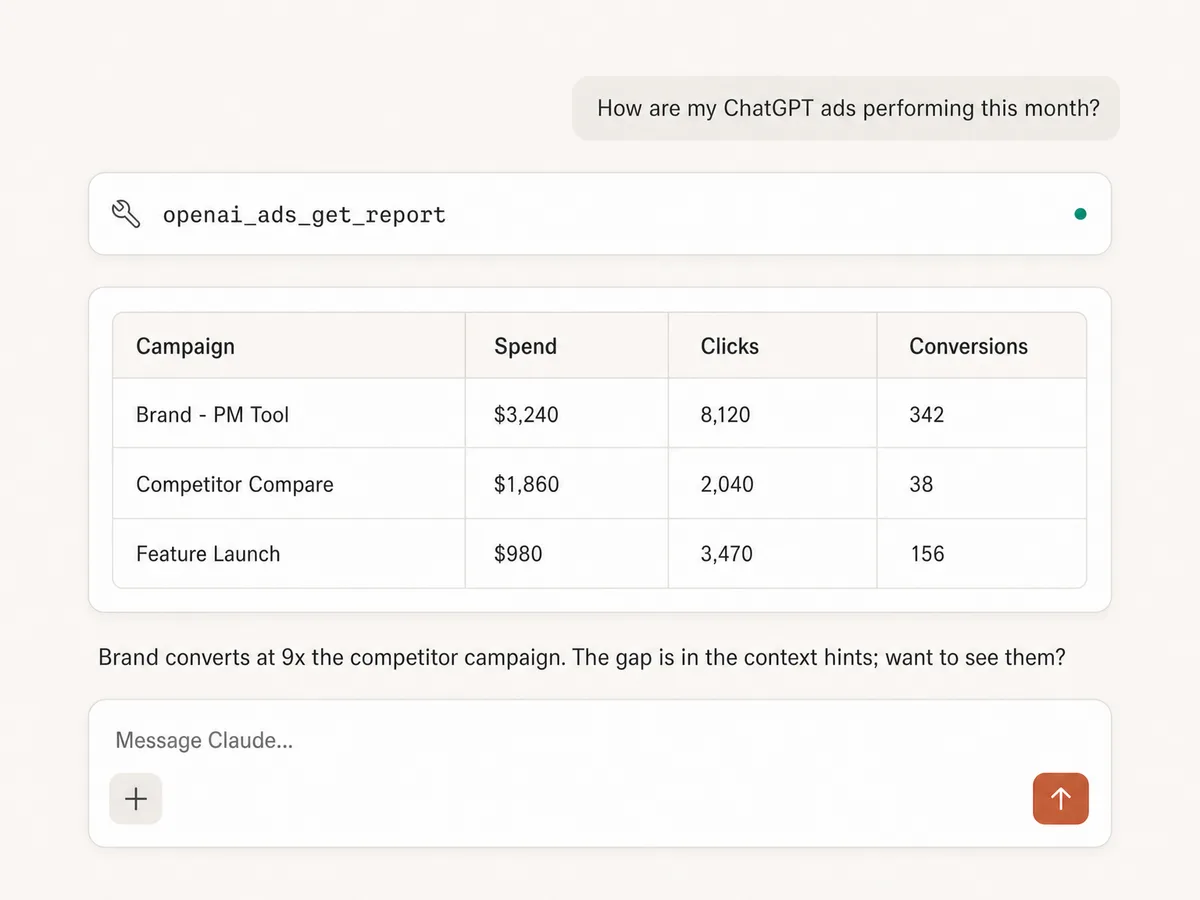
Report on the newest channel
Pull campaign, ad group, and ad performance from OpenAI Ads with custom metrics, dimensions, filters, and date ranges, the same way you already report on Google or Meta.
See everything in the account
List campaigns, ad groups, ads, and conversion events, and discover the report fields the Advertiser API supports before querying.
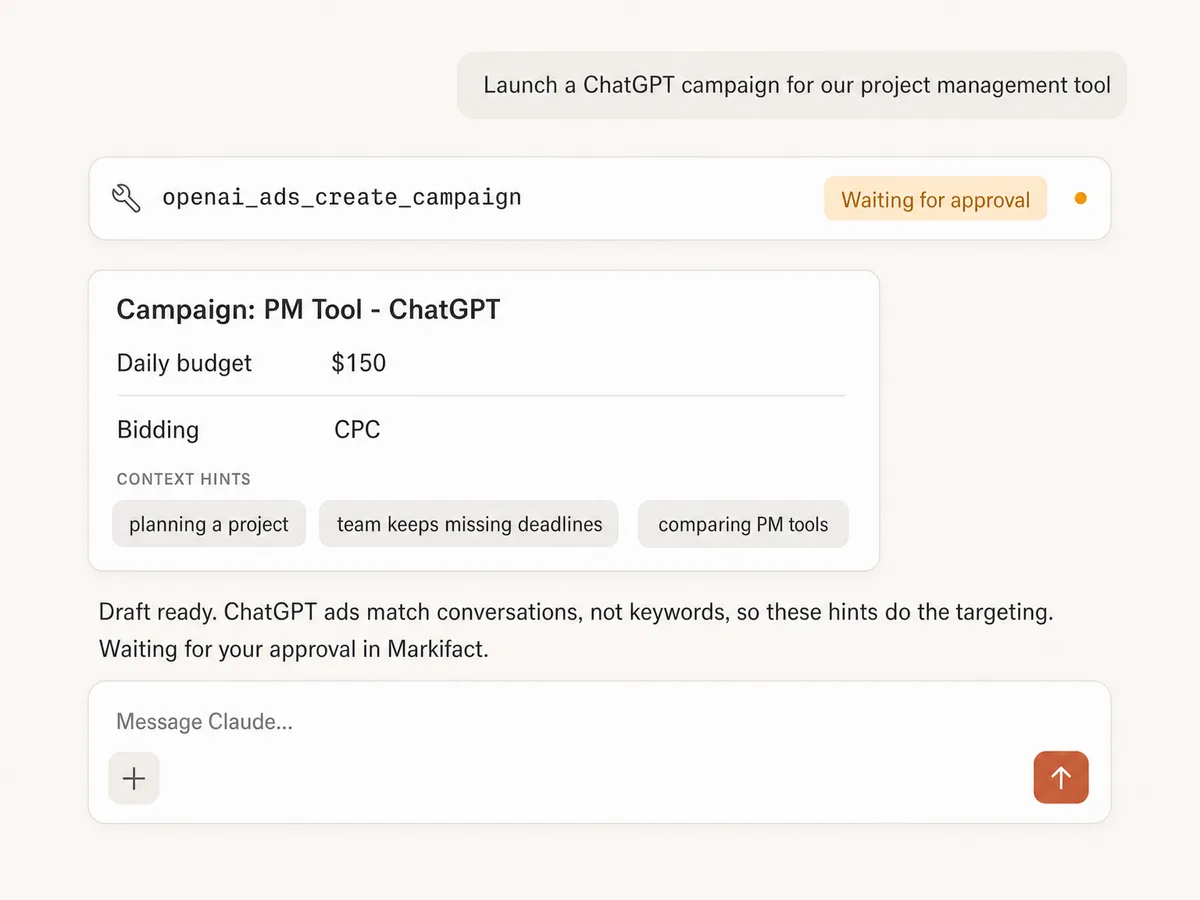
Launch campaigns end to end
Create campaigns, ad groups, and ads with budgets, CPC or CPM bidding, and geo targeting, all drafted in chat and held for your approval before anything spends a cent.
Tune context hints
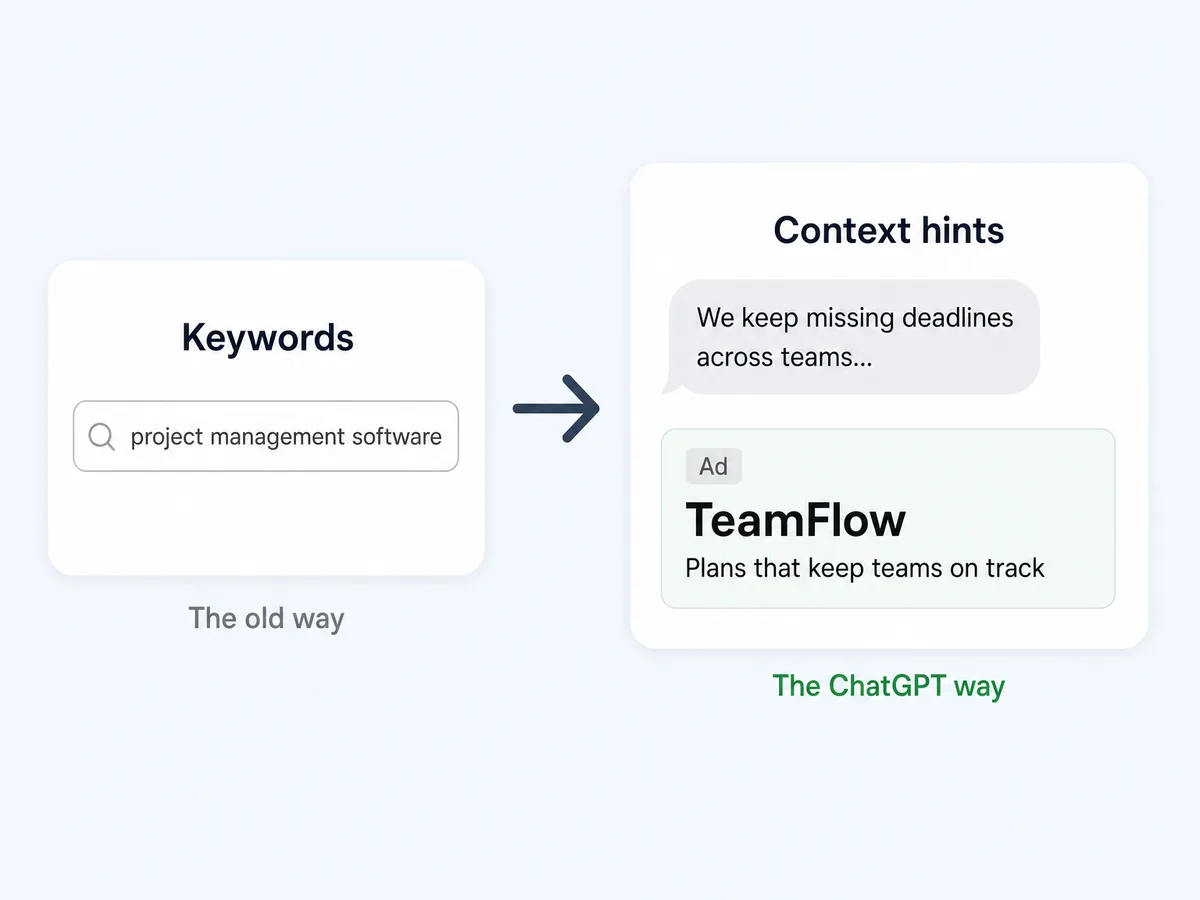
ChatGPT ads match conversations, not keywords. Context hints describe the moments your ad belongs in, and updating them is a first-class operation, not a dashboard hunt.
Optimize bids and budgets
Adjust ad group bids, shift campaign budgets, and pause or enable anything, with every change stopping for your explicit approval first.
Compare against every other channel
OpenAI Ads sits next to Google, Meta, TikTok, and GA4 in one connection, so the question of whether ChatGPT traffic actually converts gets answered with data, not vibes.
Use OpenAI Ads in your favorite AI.
Plus your whole marketing stack
One MCP server. OpenAI Ads, the rest of your stack, and the AI assistant you already use.





























Set up in minutes
No Advertiser API integration, no developer work, no server hosting. Three steps and you're managing ChatGPT ads from your AI assistant.
Connect OpenAI Ads
Sign up for Markifact and connect your OpenAI Ads account with one-click OAuth. No Advertiser API integration to build.
Markifact is available in the Claude connector directory:
Connect in Claude Open the listing and click Connect to add Markifact to Claude.
Connect your AI assistant
Pick Claude, ChatGPT, Cursor, or any MCP-compatible assistant and copy the setup. One URL or command and you're connected to Markifact.
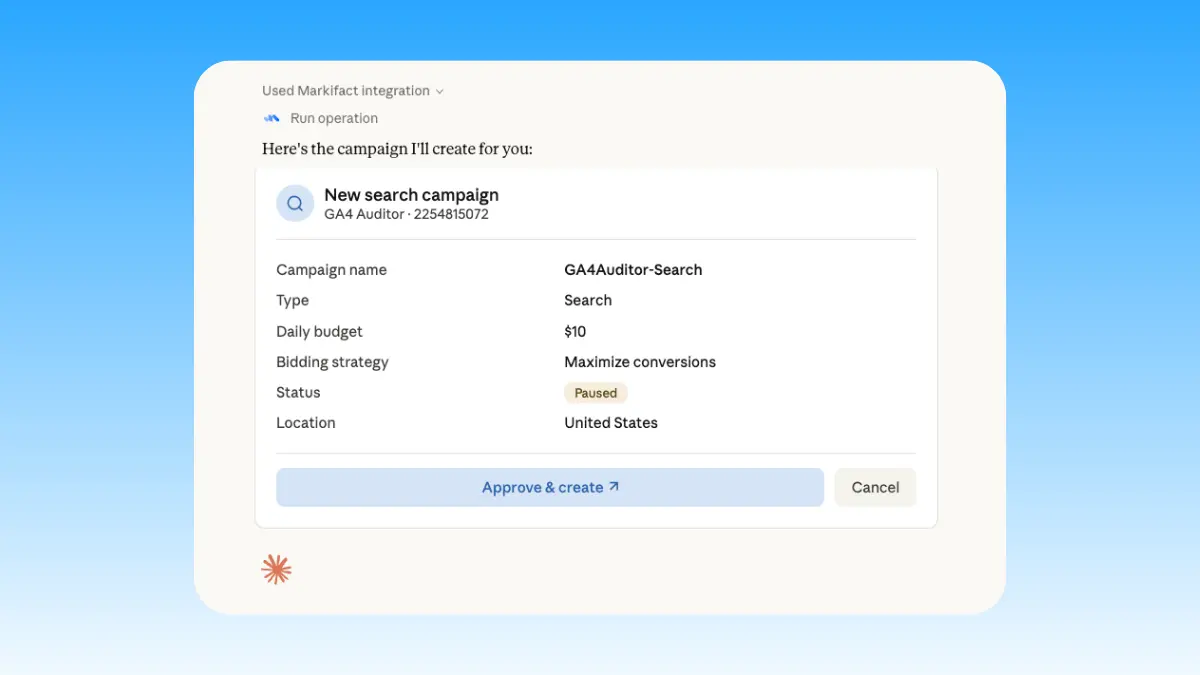
Start managing ads
Pull reports, launch campaigns, and tune context hints in plain English. Every write waits for your approval.
OpenAI Ads MCP prompt examples
Use Markifact MCP to explore, launch, report, and optimize ChatGPT ads from Claude, ChatGPT, Cursor, or any MCP-compatible client.
Draft campaigns and ads, then approve them.
Create a ChatGPT campaign for this product with a $100 daily budget.
Draft context hints for people planning a home renovation.
Set up an ad group targeting the US and UK with CPC bidding.
Write the ad copy and create the ad, paused for my review.
What a session actually looks like
A budget decision on the newest channel: the report finds the winner, the budget shift gets drafted, and the change waits for your sign-off.
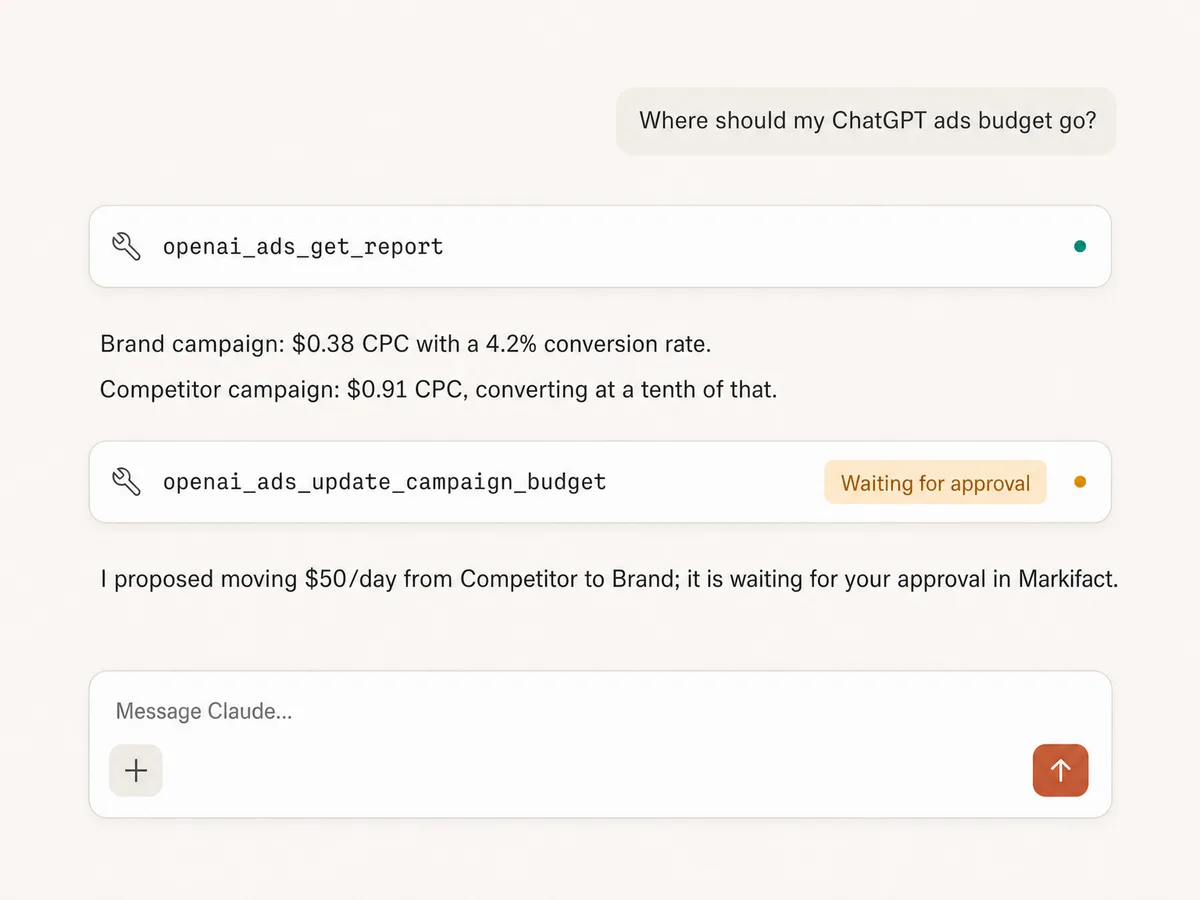
Example session. Claude uses Markifact's real OpenAI Ads tools (openai_ads_get_report, openai_ads_update_campaign_budget); write operations always stop for your approval.
Which way to run ChatGPT ads is right for you?
OpenAI's self-serve Ads Manager opened in May 2026, ad tech partners like Adobe, Criteo, and Pacvue plug into it, and Markifact turns it all into MCP operations for your AI client. Here's how to pick.
OpenAI Ads Manager & API
First-party dashboard and Advertiser API
Choose it if
- You prefer managing ChatGPT ads hands-on in OpenAI's own interface
- You have developers to build against the Advertiser API directly
Ad tech partners
Adobe, Criteo, Pacvue, StackAdapt
Choose it if
- Your ChatGPT ads budget already flows through one of these platforms
- You want OpenAI Ads inside an enterprise buying workflow
Markifact
Managed, multi-platform, approval-based
Choose it if
- You want to manage ChatGPT ads from Claude, or from ChatGPT itself
- You want context hints, bids, and budgets as chat operations with approvals
- You want the newest channel next to Google, Meta, and TikTok in one connection
| Capability | Markifact | OpenAI Ads Manager & API | Ad tech partners |
|---|---|---|---|
| Setup | Managed setup with OAuth, live today | OpenAI Ads Manager (self-serve since May 2026) and the Advertiser API | Through agency and ad tech platforms like Adobe, Criteo, and Pacvue |
| Best for | Marketers and agencies working in AI clients | Hands-on management inside OpenAI's own dashboard | Teams already committed to those platforms |
| Reporting | Campaign, ad group, and ad level with custom metrics, dimensions, and filters | Ads Manager dashboards and API reporting | Depends on the platform's integration depth |
| Campaign creation | Campaigns, ad groups, and ads drafted in chat, approval-gated | Manual creation in Ads Manager or custom API work | Within each platform's workflow |
| Context hints | First-class operation to update ad group context hints | Edited manually in Ads Manager | Varies; often not exposed |
| Bids and budgets | Update bids, budgets, and statuses with approval before changes | Manual changes in Ads Manager | Platform-dependent |
| Approval controls | Every write action waits for your approval | You are the one clicking, so not applicable | Depends on the platform |
| Beyond OpenAI Ads | Google Ads, Meta Ads, TikTok Ads, GA4, Search Console, Sheets, Slack, and more | OpenAI Ads only | Varies; usually a closed ecosystem |
| Works inside AI clients | Claude, ChatGPT, Cursor, and any MCP client | No; it is a dashboard and an API | Rarely |
| Maintenance | Handled by Markifact | Handled by OpenAI | Handled by the platform |
| Who should choose it | Teams who want ChatGPT ads managed from chat, next to every other channel | Advertisers comfortable living in another dashboard | Enterprises with existing ad tech contracts |
Frequently Asked Questions
Have a different question? Reach out to Markifact support team.
More MCP servers
All MCP serversGoogle Ads MCP
Use Google Ads inside Claude, ChatGPT, and other MCP clients for audits, reporting, optimization, and campaign actions.
Meta Ads MCP
Use Meta Ads and Facebook Ads workflows inside MCP clients for ad sets, creatives, reporting, and Advantage+ workflows.
TikTok Ads MCP
Use TikTok Ads inside MCP clients for reporting, Spark Ads from organic posts, Smart+ campaigns, and Ads Library research.
Google Analytics MCP
Query GA4 from MCP clients with custom reports, property audits, and traffic diagnosis, then configure the property and act on findings in your ad platforms with approval-gated writes.
Start managing ChatGPT ads in Claude today
Connect your OpenAI Ads account and start reporting, launching campaigns, and tuning context hints from Claude, ChatGPT, or any MCP client.