
Ahrefs MCP for full SEO research and rank tracking
Research domains, keywords, backlinks, SERPs, and Site Audit data from any AI client—then manage projects, tracked keywords, and competitors with approval before every change.


10,000+ marketers scaling with AI.

Trusted by marketing teams at












What Ahrefs MCP can do
Move from competitive research to technical diagnosis and Rank Tracker management without exporting SEO data between tools.
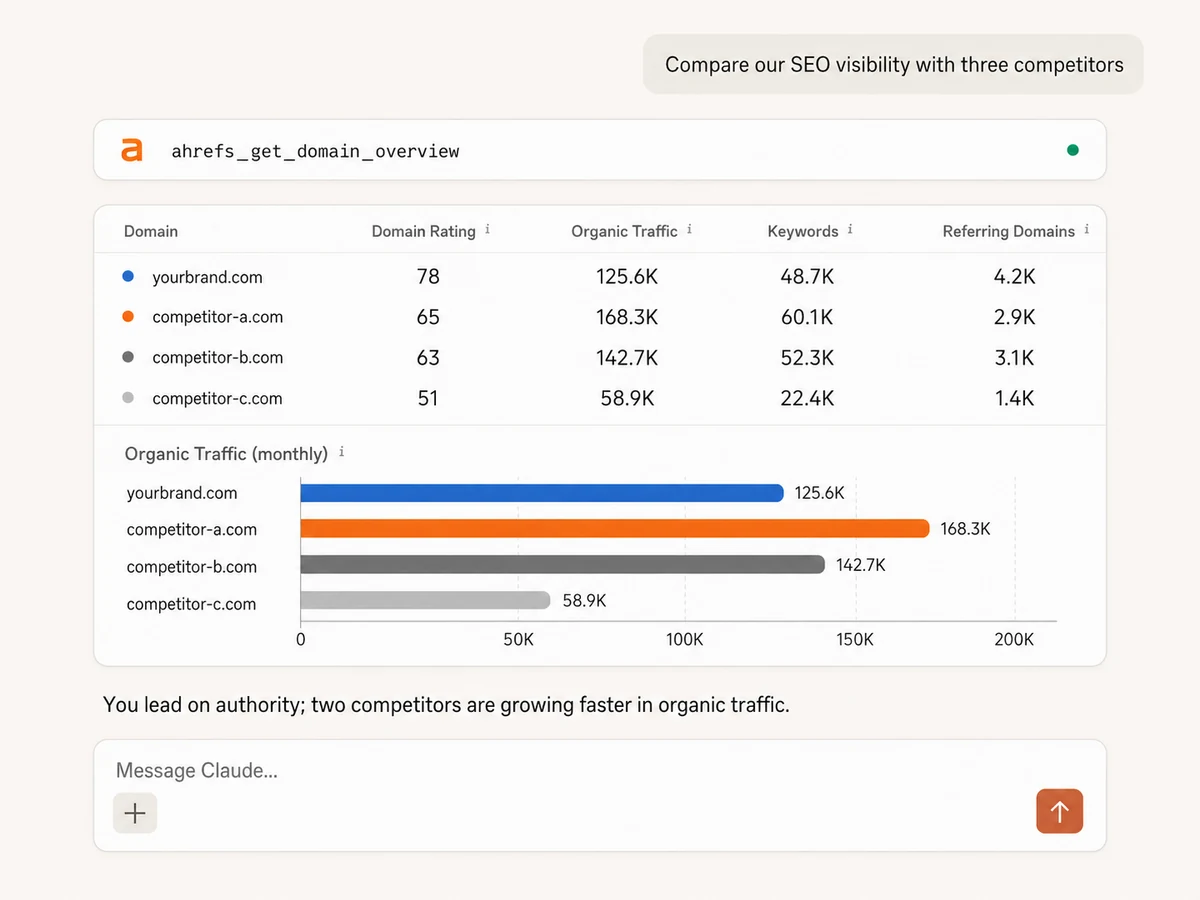
Benchmark domains and search visibility
Compare up to hundreds of domains or URLs by Domain Rating, Ahrefs Rank, backlinks, referring domains, organic keywords, traffic, paid search, and country-level metrics.
Find the pages and competitors driving growth
Pull organic competitors, top pages, paid pages, metric history, and AI citations, then have your assistant explain where competitors are gaining ground.
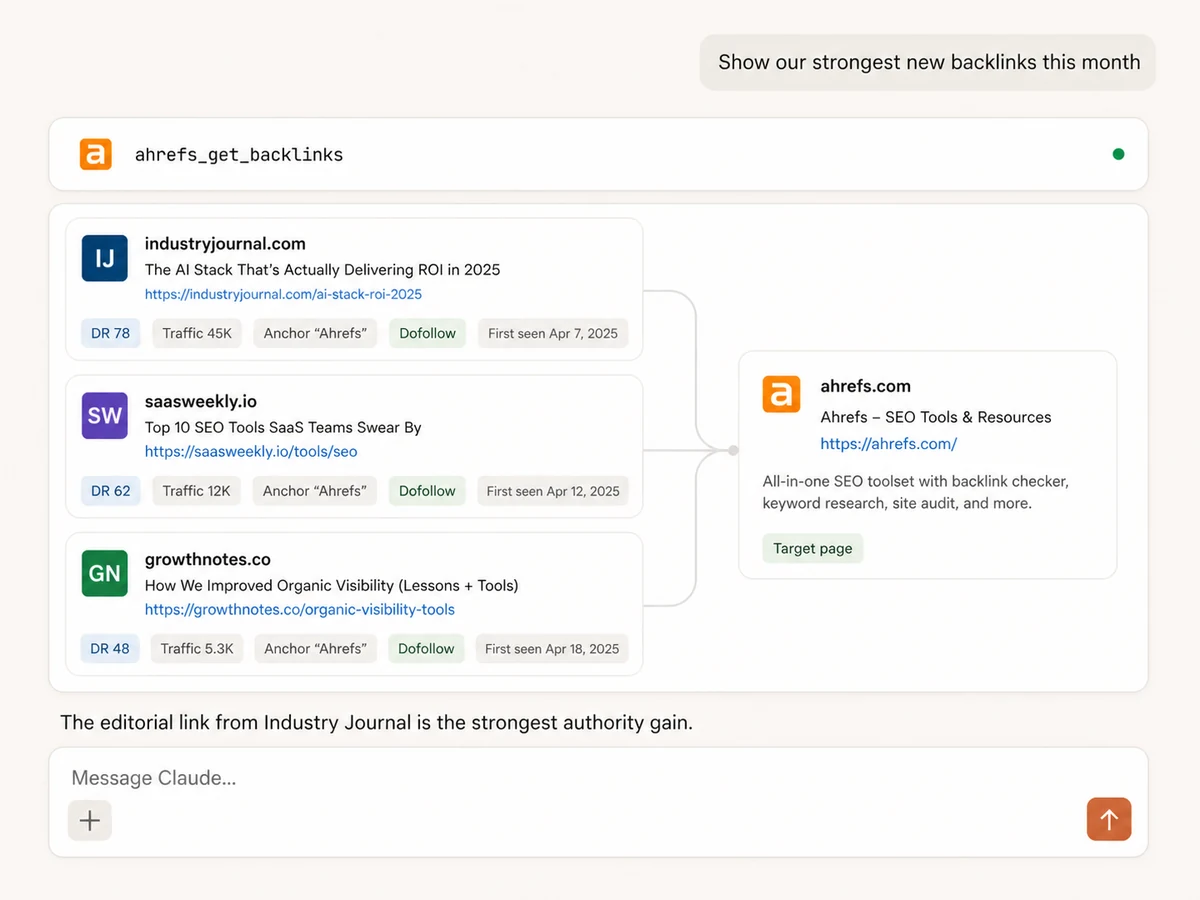
Inspect backlinks, referring domains, and anchors
Find new, lost, live, dofollow, redirect, and other backlink types with source authority, traffic, anchors, first-seen dates, and destination URLs.
Trace link equity page by page
Review pages by links, outgoing links, and page content to understand which assets earn authority, where links point, and which opportunities deserve follow-up.
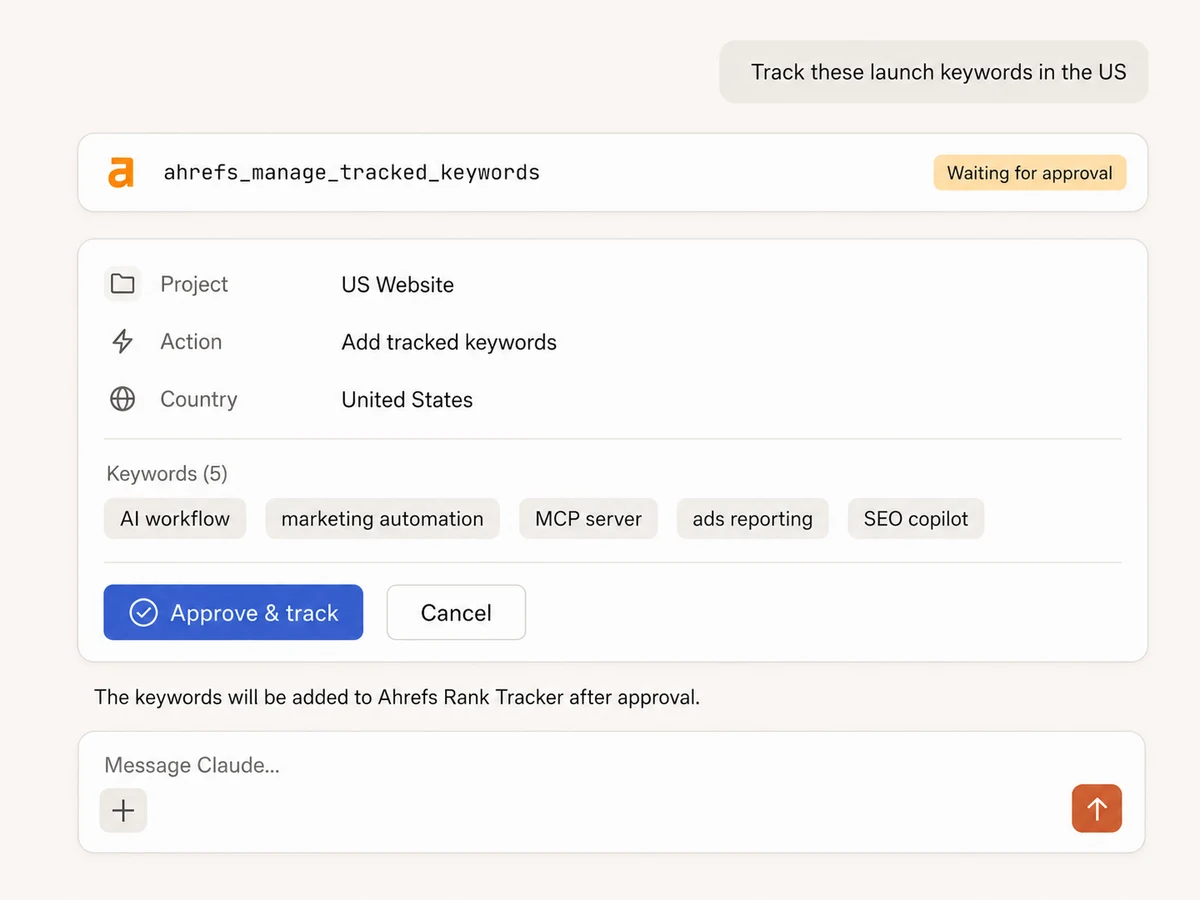
Manage projects and Rank Tracker
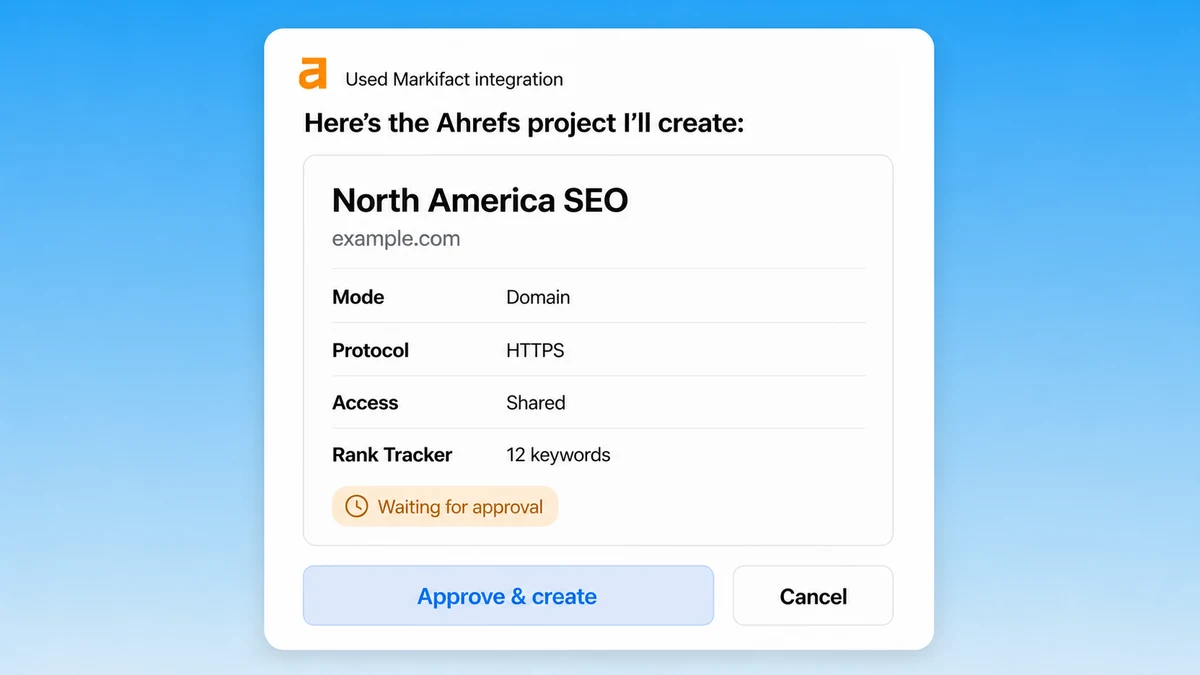
Create, update, or delete Ahrefs projects, then add or remove tracked keywords and competitors, apply tags, and choose country, location, and language after reviewing the change.
Turn Site Audit findings into a clear queue
Read project health, crawl-to-crawl issue changes, and affected pages. Pair technical SEO findings with current rankings and SERPs before deciding what to fix first.
SEO evidence in,
clear priorities and approved action out
Connect Ahrefs research with Search Console, Analytics, Ads, Sheets, Docs, Slack, and the rest of your marketing stack through one hosted MCP endpoint.





























Start managing Ahrefs
Connect your Ahrefs workspace, add Markifact to your AI assistant, and run your first SEO workflow in three steps.
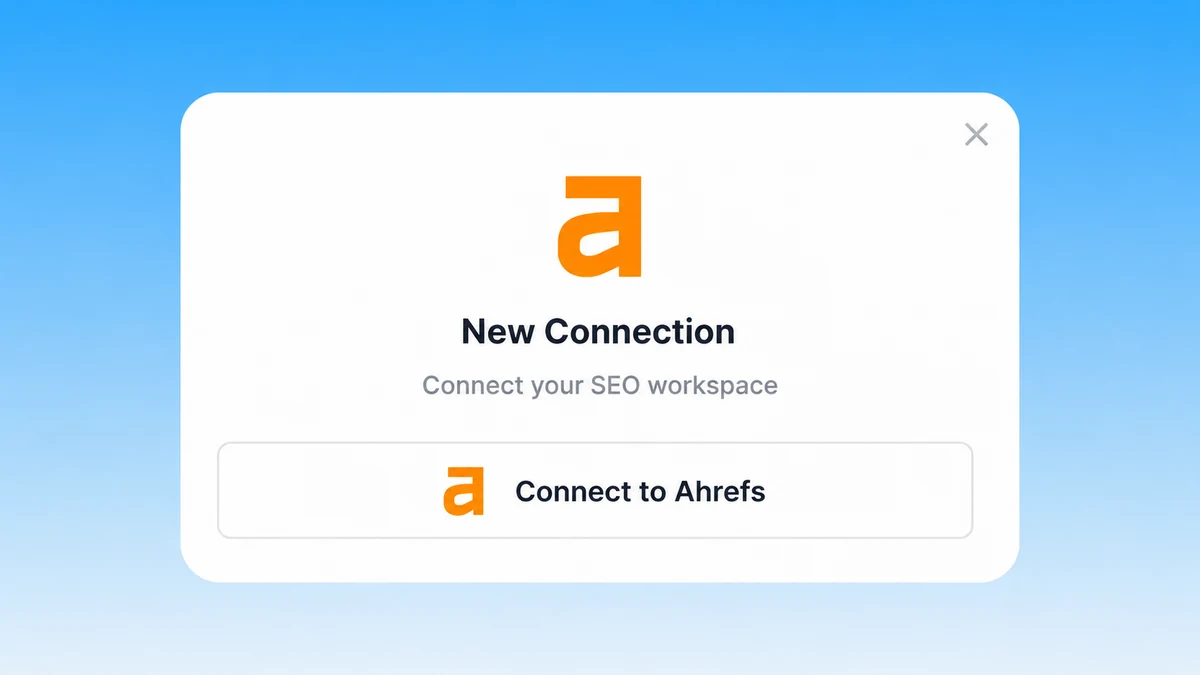
Connect Ahrefs
Sign up for Markifact and connect your Ahrefs workspace. Markifact handles the hosted MCP server and exposes the operations your workspace authorizes.
Markifact is available in the Claude connector directory:
Connect in Claude Open the listing and click Connect to add Markifact to Claude.
Connect your AI assistant
Choose Claude, ChatGPT, Cursor, VS Code, or another MCP-compatible client and add Markifact with one hosted endpoint.
Research or manage in plain English
Ask for an SEO analysis or project change. Reads run directly; writes show the exact project, keywords, competitors, and settings before you approve them.
Ahrefs MCP prompts
Use complete requests for competitive research, keyword discovery, backlink review, technical SEO, and rank tracking.
See the market before choosing a tactic
Compare authority, visibility, traffic, and keyword coverage across domains.
Compare our domain with these four competitors in Ahrefs. Include Domain Rating, referring domains, organic keywords, estimated organic traffic, traffic value, paid traffic, and the last 12 months of metric history. Show the biggest gap and the fastest-moving competitor.
Markifact, the Ahrefs UI, or the API?
Use Markifact when SEO needs to happen inside an AI workflow, the Ahrefs UI for direct hands-on analysis, or the API when your team wants to own the complete implementation.
| Capability | Markifact MCP | Ahrefs UI | Direct Ahrefs API |
|---|---|---|---|
| AI workflow | Research, compare, summarize, and manage from Claude or ChatGPT | Work through separate Ahrefs reports | Build your own tools and interface |
| Domain research | Batch domain metrics, history, countries, competitors, and AI citations | Run reports and export results | Implement endpoints, fields, and batching |
| Keyword research | Ideas, overviews, volume history, SERPs, and tracked rankings | Filter and review inside Ahrefs | Build request and result handling |
| Link research | Backlinks, referring domains, anchors, pages by links, and outgoing links | Move between Site Explorer reports | Own pagination and normalization |
| Site Audit | Health, issues, affected pages, and crawl comparisons in conversation | Inspect crawls in the Ahrefs UI | Build reporting around project crawls |
| Project management | Create, update, or delete projects with approval | Edit projects directly in Ahrefs | Implement and secure write calls |
| Rank Tracker changes | Manage tracked keywords, tags, locations, and competitors with approval | Maintain tracking lists manually | Build validation and safeguards |
| Cross-platform work | Use findings with Search Console, Ads, Sheets, Docs, and Slack | Export and move data yourself | Integrate every destination separately |
Research freely. Approve every Ahrefs change.
Domain, keyword, backlink, SERP, Site Audit, and Rank Tracker reporting are read-only. Creating, updating, or deleting a project—and changing tracked keywords or competitors—shows the exact action and waits for approval.
More MCP servers
All MCP serversGoogle Search Console MCP
Use Search Console inside MCP clients for performance reporting, URL inspection, sitemap status, and approval-gated sitemap submission, reprocessing, or removal.
Bing Webmaster MCP
Use Bing Webmaster inside MCP clients for search reporting, crawl and index diagnostics, URL and link inspection, keyword research, batch URL submission, sitemap management, and approval-gated site controls.

PageSpeed Insights MCP
Run mobile and desktop Lighthouse audits, compare lab metrics with CrUX field data, and prioritize performance, SEO, accessibility, and best-practice findings.

Google Search MCP
Retrieve live organic SERPs, compare markets and devices, query Google AI Mode with references, and turn search research into briefs.
Frequently Asked Questions
Have a different question? Reach out to Markifact support team.
Bring Ahrefs into your AI workflow
Research rankings, backlinks, competitors, keywords, and Site Audit findings, then manage Rank Tracker with approval controls.