
Google Data Manager MCP for full first-party data activation
Upload offline conversions, activate events and audience members across Google products, and track every request from Claude, ChatGPT, or any AI agent—with approval before each write.


10,000+ marketers scaling with AI.

See Google Data Manager MCP in action
Trusted by marketing teams at












What Google Data Manager MCP can do
Move conversions, event data, and audience membership from your first-party sources into Google destinations, then confirm exactly what processed.
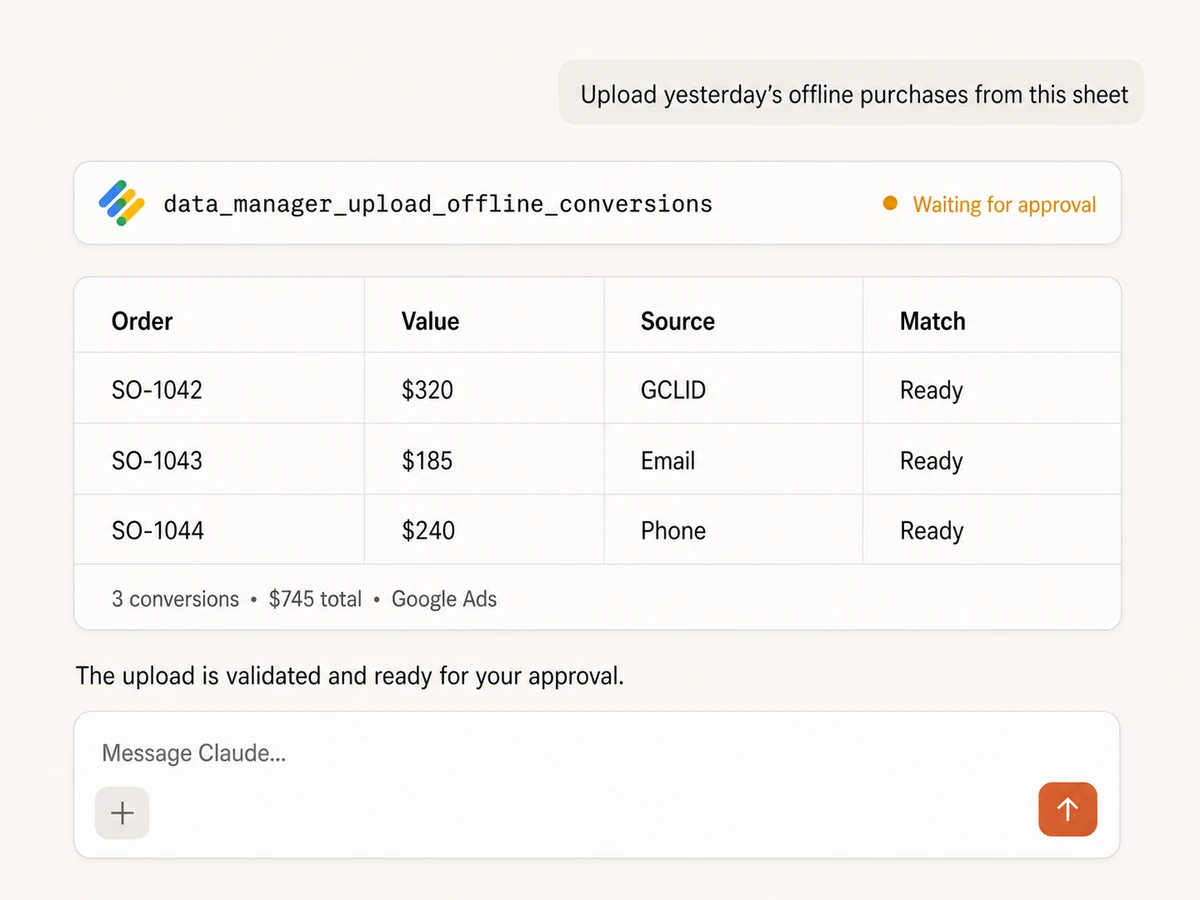
Upload offline conversions
Send one conversion or bulk rows from Sheets and other workflow sources into Google Ads. Include value, currency, order ID, event source, conversion time, and the destination conversion action.
Match, normalize, and validate first
Match with GCLID, email, or phone; normalize timestamps and account IDs; hash raw customer identifiers; deduplicate with transaction IDs; and run validation-only checks before approval.
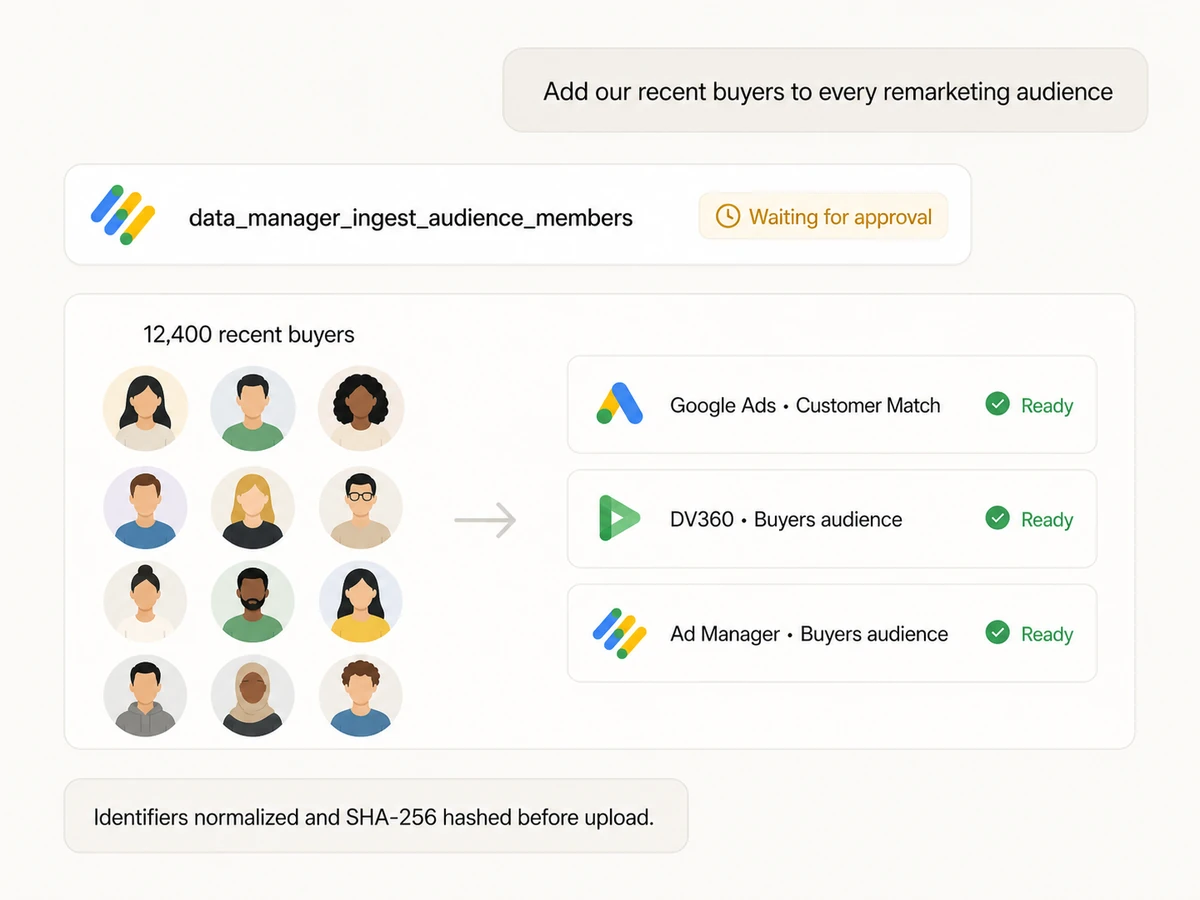
Add members to activation audiences
Send first-party audience members to Google Ads Customer Match lists, DV360 advertiser or partner audiences, Google Ad Manager audience links, and eligible data-partner destinations.
Remove members and keep lists current
Remove the same hashed identifiers from one or several destinations for suppression, opt-outs, churn, or lifecycle changes. Large batches are split automatically.
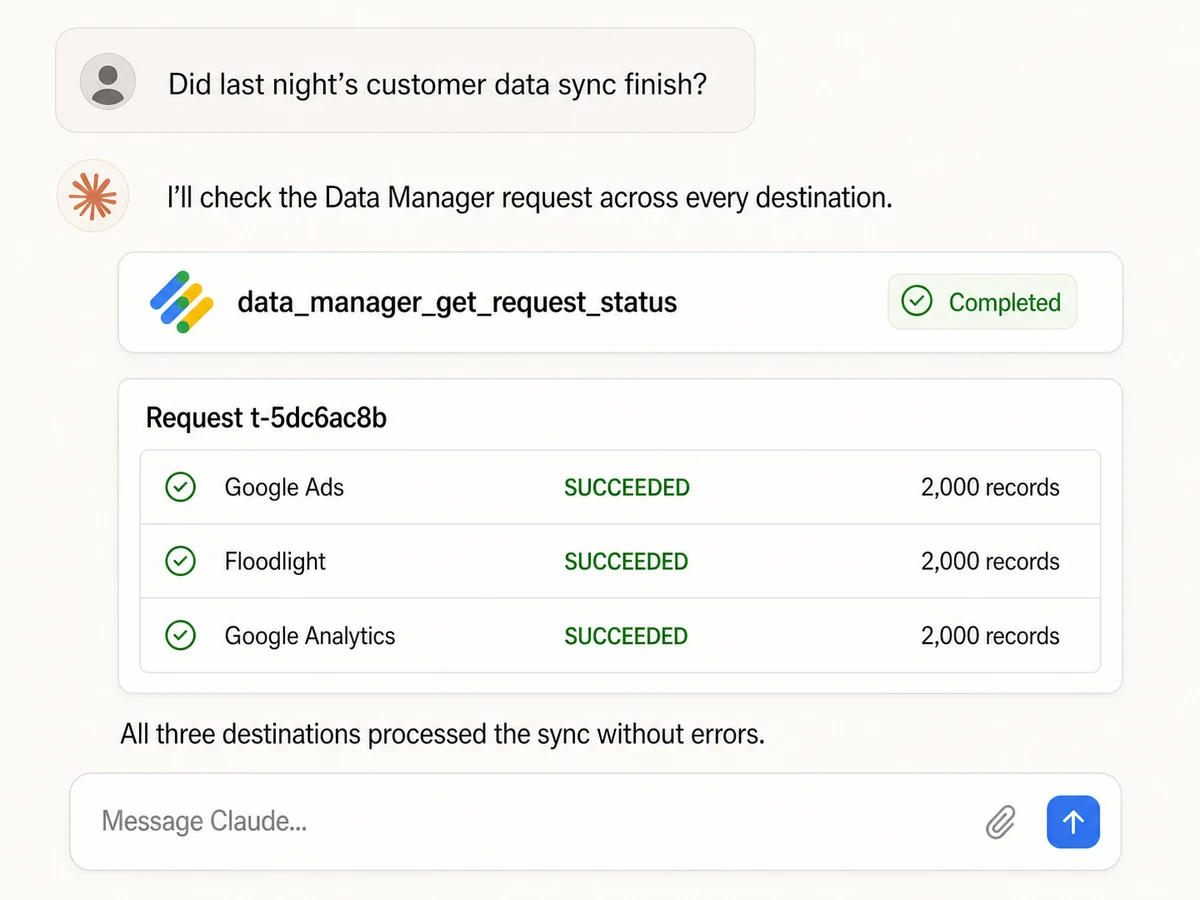
Activate events across Google products
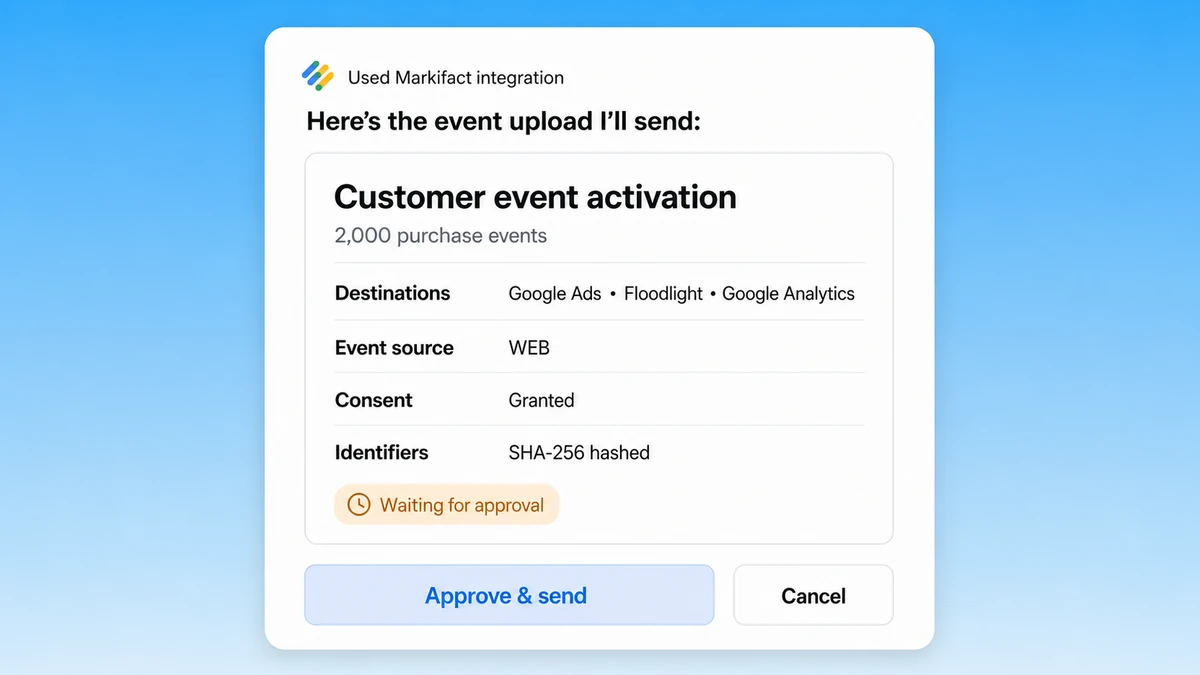
Send offline and enhanced-conversion events to Google Ads, Campaign Manager 360 or DV360 Floodlight, and Google Analytics with destination references, consent, cart data, custom variables, and user properties.
Track every asynchronous request
Retrieve the request status returned by an ingest or removal action, then inspect success, warning, and error counts separately for every destination instead of assuming the upload finished.
First-party data,
activated across your Google stack
Move approved conversion and audience data from Sheets, BigQuery, CRM, and commerce sources into Google Ads, Floodlight, Analytics, DV360, and Ad Manager.





























Start managing Google Data Manager
Connect Google Data Manager, add Markifact to your AI assistant, and prepare a validated first-party data upload in three steps.
Connect Google Data Manager
Sign up for Markifact and authorize Data Manager with secure Google OAuth. No custom API client or MCP hosting is required.
Markifact is available in the Claude connector directory:
Connect in Claude Open the listing and click Connect to add Markifact to Claude.
Connect your AI assistant
Pick Claude, ChatGPT, Cursor, or any MCP-compatible assistant and copy the setup. One URL or command connects it to Markifact.
Activate first-party data
Ask for a conversion, event, or audience upload in plain English. Review the destinations, record counts, consent, and validation result before approving the write.
Google Data Manager MCP prompts
Upload conversions, activate events, synchronize audiences, and monitor request processing.
Send conversions that happened away from the click
Turn CRM, call-center, and in-store outcomes into approval-ready uploads.
Take yesterday's completed orders from this Google Sheet and prepare a bulk offline-conversion upload to our Google Ads purchase action. Use GCLID where available, otherwise match on normalized email or phone. Include order ID, conversion time, value, currency, and consent. Validate the batch and wait for my approval.
Markifact, manual uploads, or the API?
Use Markifact for governed activation from your AI workflow, manual uploads for occasional destination-specific jobs, or the API when you want to own the implementation.
| Capability | Markifact MCP | Manual uploads | Direct Data Manager API |
|---|---|---|---|
| AI workflow | Prepare, validate, approve, and monitor uploads inside Claude or ChatGPT | Move between product-specific upload screens | Build your own interface and orchestration |
| Offline conversions | Single or bulk Google Ads uploads from workflow data | Import files into the destination product | Build events:ingest payloads and batching |
| Event destinations | Google Ads, Floodlight, and Google Analytics in one request | Configure each destination separately | Implement destination objects and references |
| Audience membership | Add or remove members across Customer Match, DV360, and Ad Manager | Maintain each audience separately | Implement audience ingest and removal |
| Identifier handling | Normalize and SHA-256 hash raw identifiers automatically | Prepare compatible upload data yourself | Own normalization, hashing, and encoding |
| Safety | Validate-only checks plus approval-gated writes | Operator reviews the upload manually | Your team must build validation and governance |
| Processing status | Per-destination status, warning, and error summaries | Review results inside each product | Poll requestStatus:retrieve and parse issues |
Validate, review, then activate
Markifact can validate conversion, event, audience-add, and audience-remove requests without applying them. The real write shows its destinations and record counts, then waits for approval before sending first-party data to Google.
More MCP servers
All MCP serversGoogle Ads MCP
Use Google Ads inside Claude, ChatGPT, and other MCP clients for audits, reporting, optimization, and campaign actions.
Google Analytics MCP
Query GA4 from MCP clients with custom reports, property audits, and traffic diagnosis, then configure the property and act on findings in your ad platforms with approval-gated writes.

Display & Video 360 MCP
Use DV360 inside MCP clients for reporting, campaigns, insertion orders, line items, creatives, targeting, budgets, and approval-based writes.
Google Sheets MCP
Use Google Sheets inside MCP clients to read ranges, append or overwrite rows, create spreadsheets and tabs, build charts, and approve writes.
Frequently Asked Questions
Have a different question? Reach out to Markifact support team.
Activate first-party data from your AI client
Upload offline conversions, synchronize audiences, route events across Google products, and verify every destination without building the API integration.