
Display & Video 360 MCP for reporting and execution
Report on performance, then create and manage campaigns, insertion orders, line items, creatives, targeting, budgets, and statuses with approval before every write.


10,000+ marketers scaling with AI.

Trusted by marketing teams at












What you can do with Display & Video 360 MCP
Move from reporting to execution in the same conversation. Markifact gives your AI governed access to DV360 performance, campaign structure, creatives, targeting, budgets, and status changes.
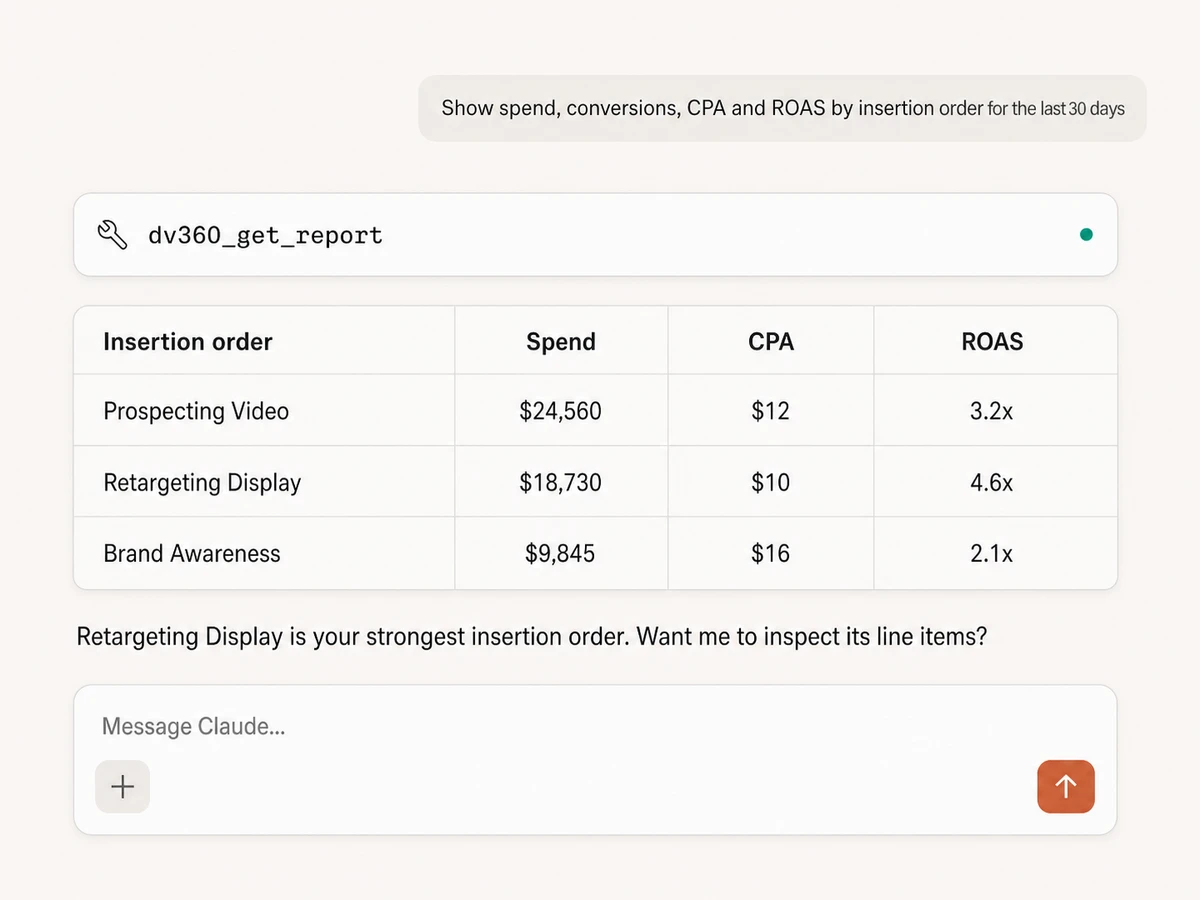
Report across the full media hierarchy
Pull performance by advertiser, campaign, insertion order, line item, or creative with the metrics, filters, date ranges, and breakdowns your question needs.
Turn pacing and performance into action
Compare spend, impressions, CPM, clicks, conversions, CPA, ROAS, viewability, and video completion, then ask your AI where budget or bids should change.
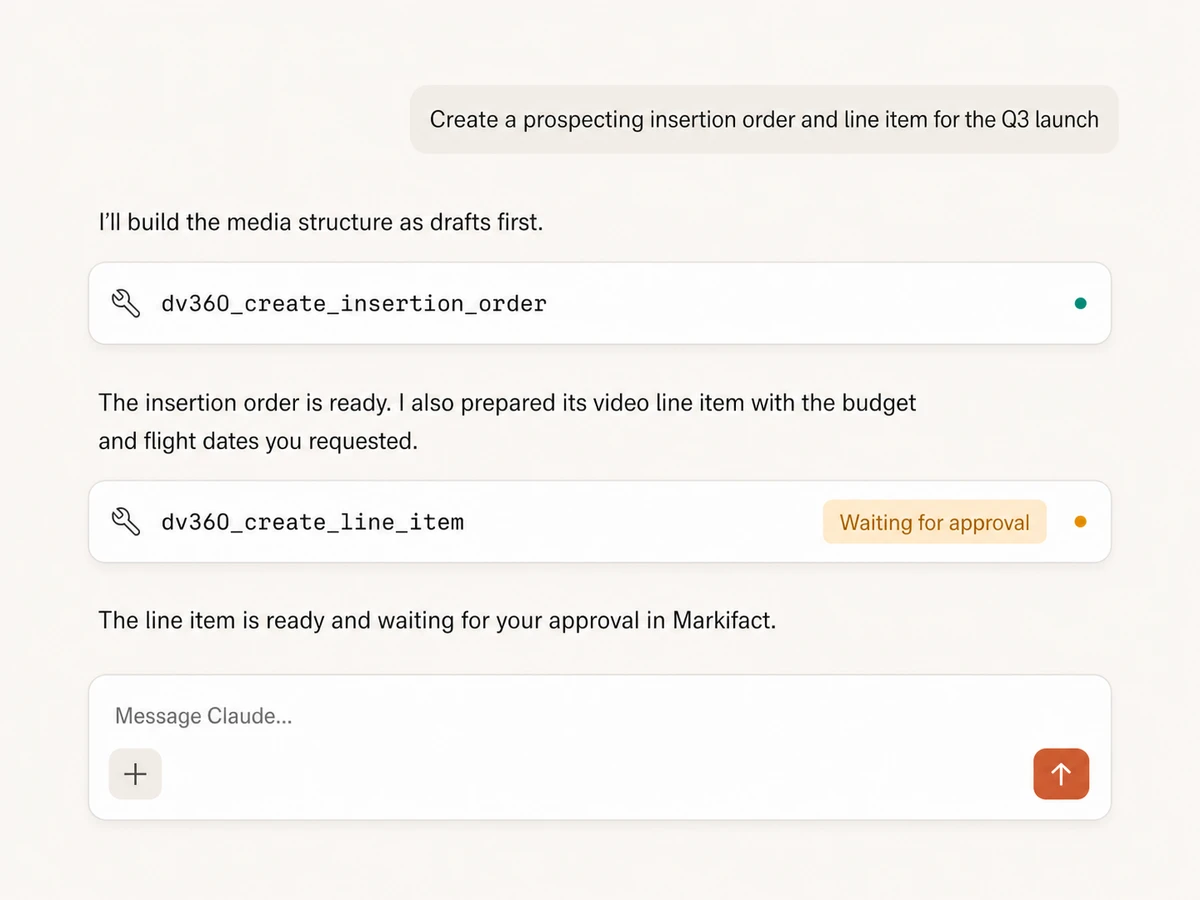
Build campaigns, insertion orders, and line items
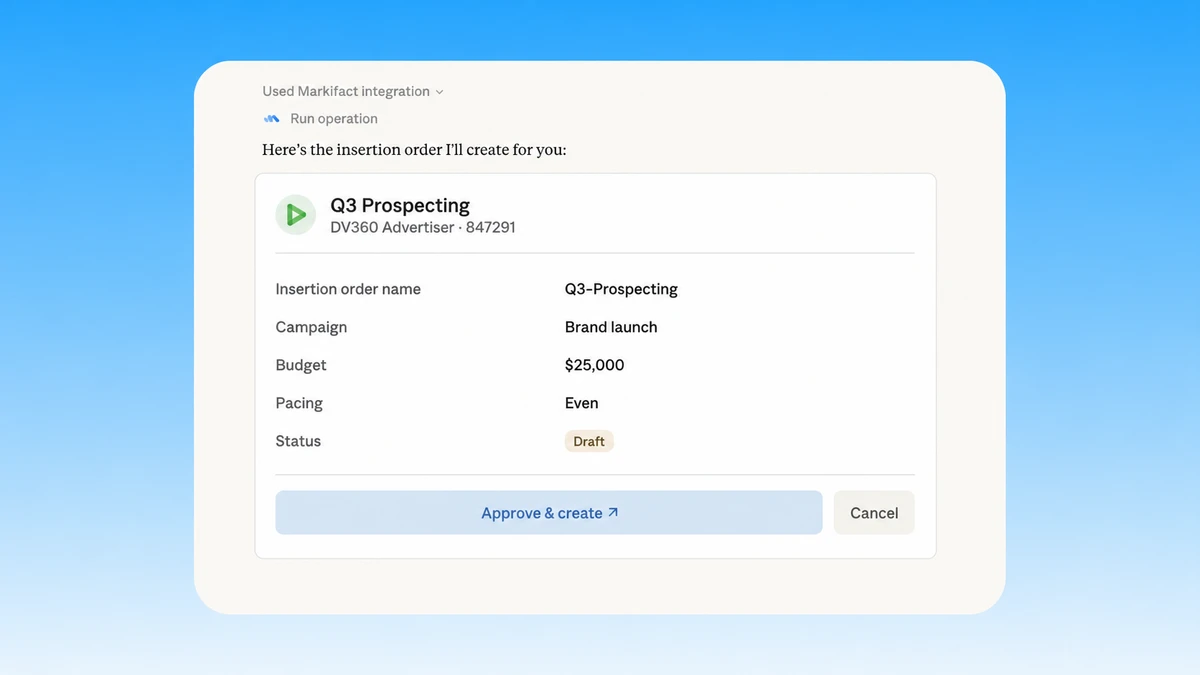
Create the media structure from a plain-English brief, including names, budgets, pacing, flight dates, bid settings, and draft statuses.
Manage media at advertiser scale
Review and update campaigns, insertion orders, and line items across connected advertisers without switching between accounts or rebuilding the workflow.
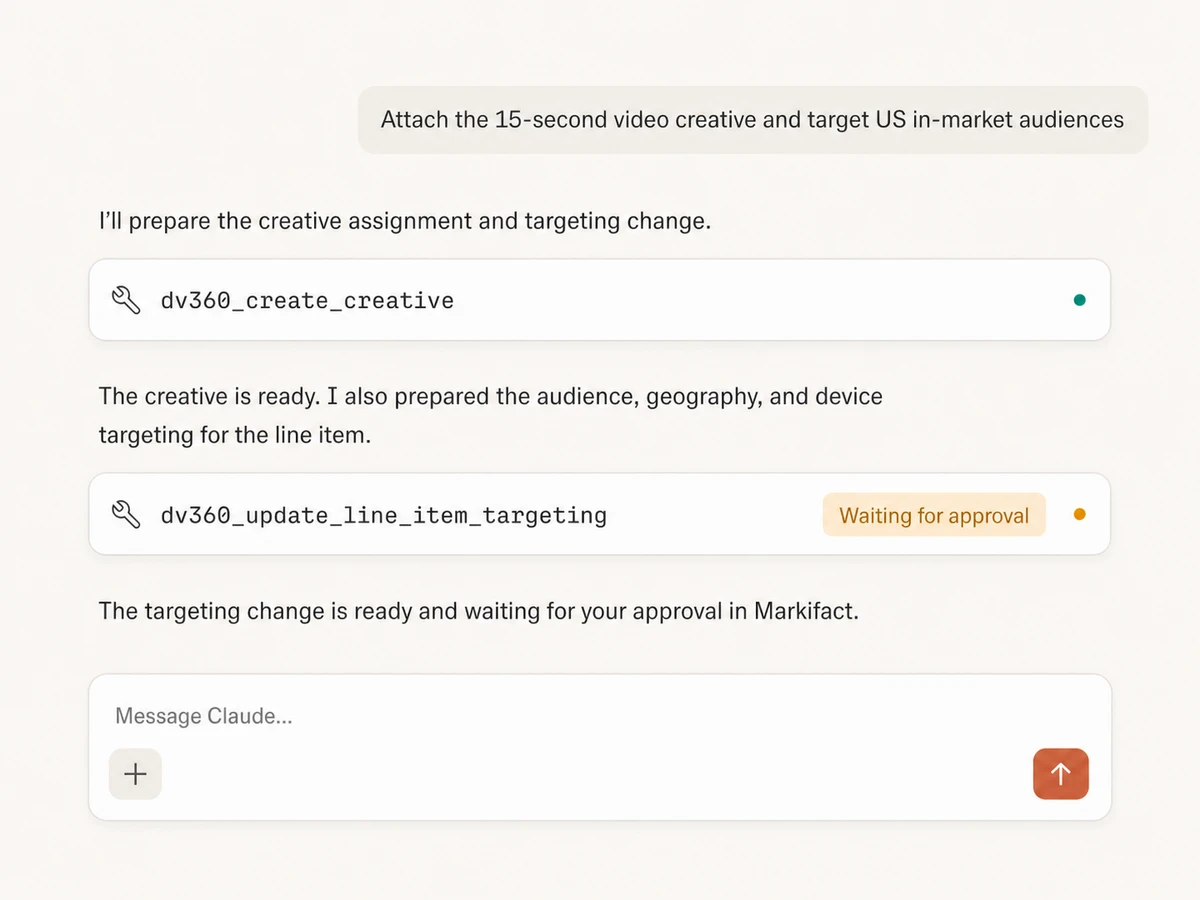
Create creatives and assign ad assets
Create supported creative resources, upload ad assets, assign creative IDs to line items, and review serving or approval status from the same conversation.
Set targeting with control
Prepare supported audience, geography, device, inventory, and contextual targeting updates, then inspect the exact change before it reaches DV360.
Use Display & Video 360 in your favorite AI.
Plus your whole marketing stack
One MCP server. DV360 reporting and execution, your wider marketing data, and the AI assistant you already use.





























Set up in minutes
Skip the local server and credential plumbing. Three steps and your AI can report on and manage Display & Video 360.
Connect Display & Video 360
Sign in to Markifact and authorize the DV360 advertisers you want to report on and manage. Markifact handles the hosted Google OAuth connection.
Markifact is available in the Claude connector directory:
Connect in Claude Open the listing and click Connect to add Markifact to Claude.
Connect your AI assistant
Pick Claude, ChatGPT, Cursor, or any MCP-compatible assistant and copy the setup. One URL or command and you're connected to Markifact.
Start reporting and managing
Ask for reports, media plans, new insertion orders, line items, creative assignments, targeting, or budget changes in plain English.
Display & Video 360 MCP prompt examples
Use Markifact MCP to audit performance, plan media, build DV360 structure, and optimize delivery from any MCP-compatible client.
Understand delivery, efficiency, pacing, and creative performance.
Show spend, impressions, CPA, and ROAS by insertion order for the last 30 days.
Find line items that are underpacing or overspending against their current flight.
Compare viewability and video completion rate by creative and flag weak performers.
Which advertisers had the largest week-over-week change in conversion efficiency?
What a session actually looks like
A single request can run a DV360 report, identify the strongest performer, prepare a budget update, and wait for your approval.
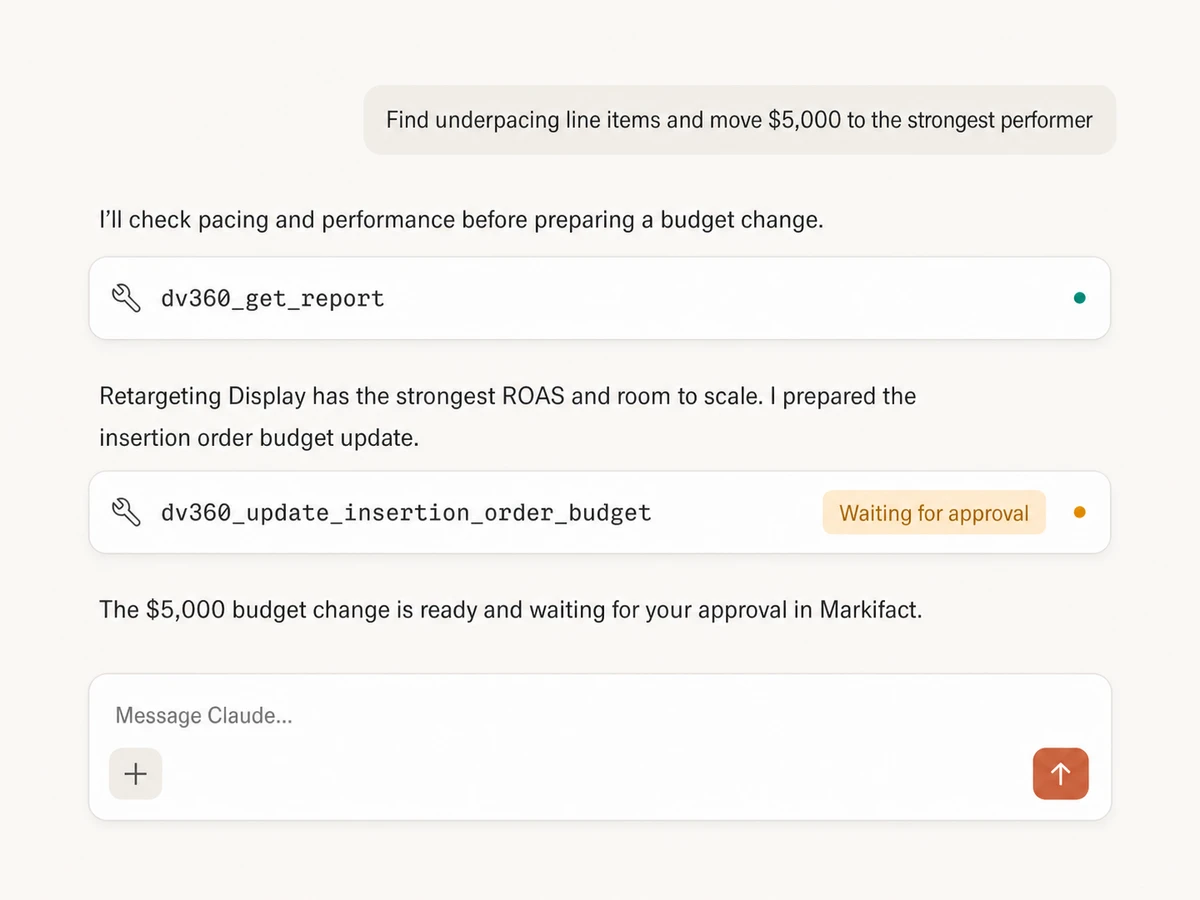
Example session using dv360_get_report and dv360_update_insertion_order_budget with approval before the write.
Which Display & Video 360 integration is right for you?
Google documents the DV360 API, but not an official Display & Video 360 MCP server. Compare Markifact's managed read and write layer with direct API development and self-hosted projects.
Direct DV360 API
Maximum control for a custom product
Choose it if
- You need custom infrastructure around every DV360 resource
- Your engineering team can own OAuth, quotas, retries, and maintenance
Self-hosted MCPs
Community tools you run yourself
Choose it if
- You are comfortable auditing and extending an open-source server
- You can secure Google credentials and maintain API version changes
Markifact
Managed reporting and approval-gated execution
Choose it if
- You want read and write workflows without operating infrastructure
- You need campaign, insertion order, line item, creative, and targeting tools
- You want every DV360 write reviewed before it runs
| Capability | Markifact | Direct DV360 API | Self-hosted MCPs |
|---|---|---|---|
| Setup | Hosted OAuth connection and MCP endpoint | Enable the API, configure OAuth, and build the client | Install a project and provide your own Google credentials |
| Availability | Managed through Markifact | Google documents the DV360 API, not an official DV360 MCP server | Coverage varies by project and API version |
| Best fit | Marketing teams and agencies that want governed AI workflows | Engineering teams building a custom media platform | Technical teams comfortable self-hosting |
| Reporting | Flexible reports across advertisers, campaigns, insertion orders, line items, and creatives | Full reporting access through Google APIs | Depends on the server's implemented tools |
| Campaign structure | Create and manage campaigns, insertion orders, and line items | Supported through resource create, get, list, patch, and delete methods | Often partial or read-focused |
| Creatives and ad assets | Create supported creatives, upload assets, and assign them to line items | Creative and ad asset resources are available in API v4 | Coverage varies |
| Targeting | Prepare supported line item targeting changes in conversation | Fine-grained assigned targeting option methods with platform limits | Usually requires custom implementation |
| Budgets and pacing | Inspect and update insertion order or line item budgets | Direct field and resource updates | Depends on the project |
| Approvals | Every write pauses for human review | Build your own approval and audit layer | Usually not included |
| Cross-channel context | DV360 beside Google Ads, GA4, BigQuery, CRM, and commerce data | DV360 only unless you build integrations | Usually DV360 only |
| Maintenance | Hosting, OAuth, schemas, retries, and API changes handled | Your team owns the integration lifecycle | Your team owns credentials, runtime, updates, and security |
Frequently Asked Questions
Have a different question? Reach out to Markifact support team.
More MCP servers
All MCP serversGoogle Ads MCP
Use Google Ads inside Claude, ChatGPT, and other MCP clients for audits, reporting, optimization, and campaign actions.
BigQuery MCP
Use BigQuery inside MCP clients to explore schemas, run SQL, create datasets and tables, insert rows, and approve every write.
Google Analytics MCP
Query GA4 from MCP clients with custom reports, property audits, and traffic diagnosis, then configure the property and act on findings in your ad platforms with approval-gated writes.
Meta Ads MCP
Use Meta Ads and Facebook Ads workflows inside MCP clients for ad sets, creatives, reporting, and Advantage+ workflows.
Turn DV360 insight into approved action
Connect DV360 to your AI, report across the media hierarchy, and create or optimize campaigns with approval before every write.