
LinkedIn MCP for profiles and Pages
Analyze performance, publish content, and reply to comments from Claude or ChatGPT. Full read and write, with approval before every change.


10,000+ marketers scaling with AI.

Trusted by marketing teams at












What LinkedIn MCP can do
Go from understanding your audience to publishing your next post and keeping the conversation going.
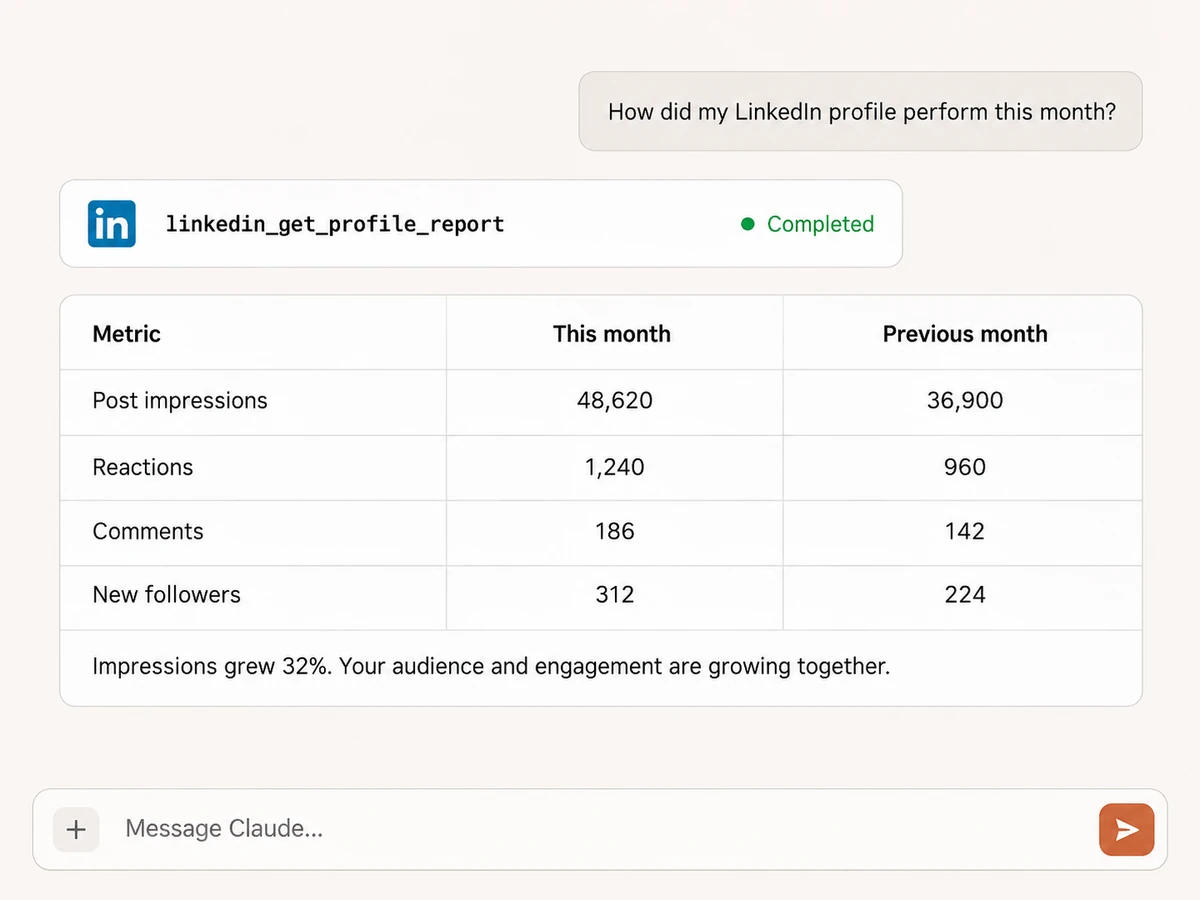
Understand your profile performance
Report on your own post impressions, reach, reactions, comments, reposts, saves, link clicks, and follower growth. Compare periods and ask your AI assistant to explain what changed.
Compare Company Pages and audiences
Analyze Page views, followers, organic post performance, and available audience breakdowns. Compare multiple Pages and turn the results into a clear content brief.

Publish as your profile or Company Page
Create text, single-image, multi-image, video, and article-link posts. Choose the publishing identity, review the caption and media, and approve the post before it goes live.
Share documents and repost with context
Publish PDFs, presentations, and documents as swipeable posts, or repost an existing LinkedIn post with your own commentary. Control visibility and resharing where supported.
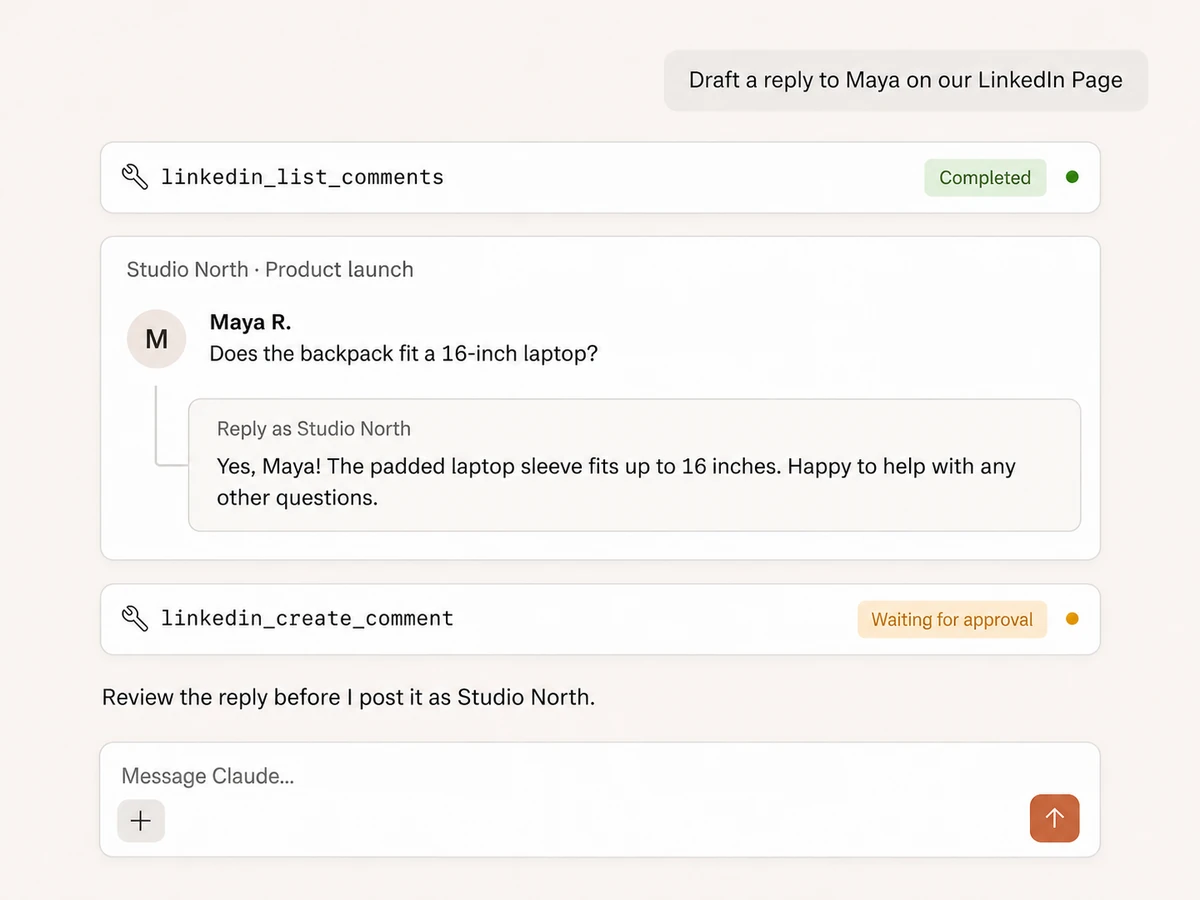
Keep the conversation moving
Read comments and reply threads on Company Page posts, then draft a response in context. Publish comments or replies as your connected profile or an authorized Page after approval.
Stay in control of published content
Browse Company Page posts, inspect their content, and delete a post when needed. Every publishing, commenting, or deletion action requires approval, with the intended identity and target made clear.
Your LinkedIn presence,
connected to your whole marketing stack
Bring organic LinkedIn together with Google Ads, Meta Ads, Sheets, Docs, and Slack in one AI workflow.





























Start managing LinkedIn
Connect LinkedIn, add your AI assistant, and run your first organic workflow in three steps.
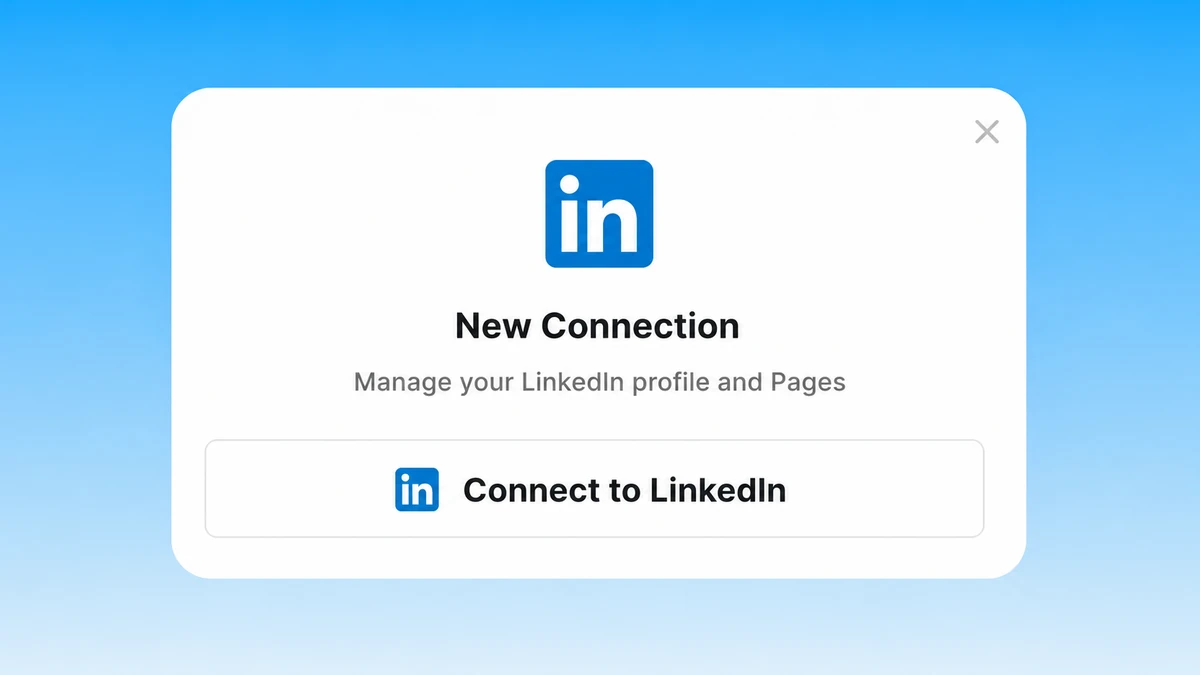
Connect LinkedIn
Sign up for Markifact, choose LinkedIn Organic, and authorize your profile and Company Pages. Your organic connection is separate from LinkedIn Ads.
Markifact is available in the Claude connector directory:
Connect in Claude Open the listing and click Connect to add Markifact to Claude.
Connect your AI assistant
Choose Claude, ChatGPT, Cursor, VS Code, or another MCP-compatible client and connect it to Markifact. No server to install or maintain.
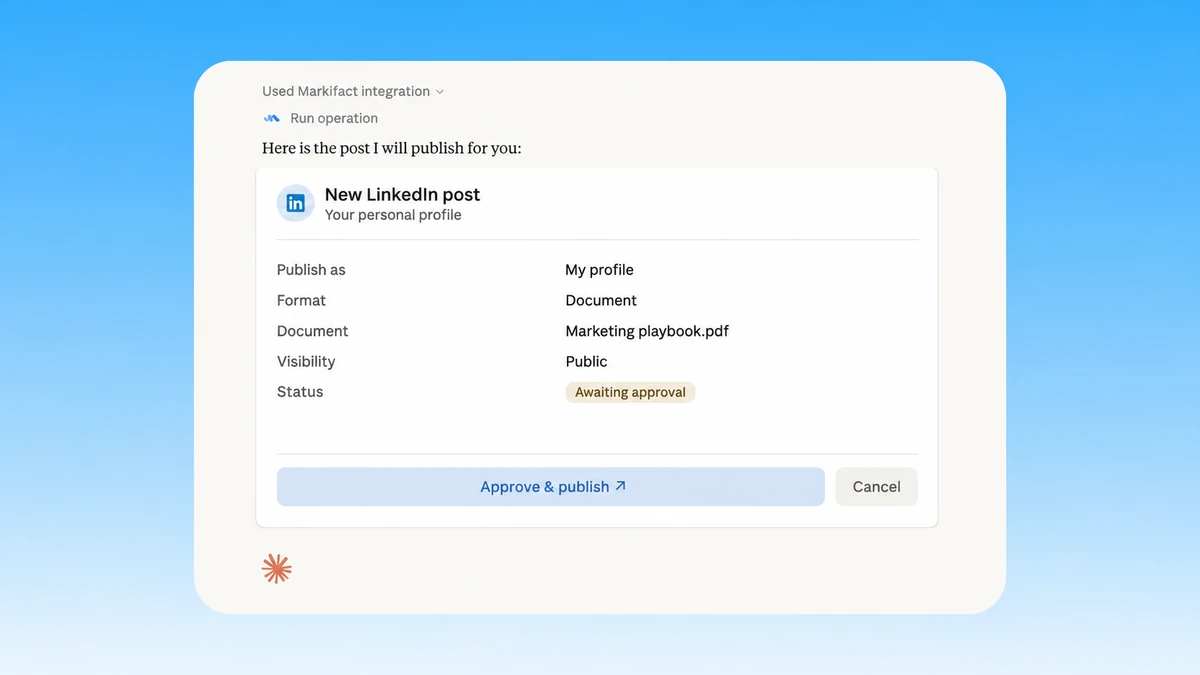
Ask, review, and approve
Ask for a performance report, a new post, or a reply. Your assistant prepares the work and asks for approval before publishing, commenting, or deleting.
LinkedIn MCP prompts
Start with a profile report, a visual post, a document, or a helpful reply.
Find out what is growing your audience
Connect content performance with follower growth.
Compare my LinkedIn profile performance over the last 30 days with the previous period. Include impressions, reach, reactions, comments, reposts, saves, and new followers. Summarize the biggest changes and suggest three content experiments.
Markifact, LinkedIn, or the API?
Choose an AI workflow, work directly in LinkedIn, or build your own integration.
| Capability | Markifact MCP | LinkedIn UI | Direct API |
|---|---|---|---|
| Profile analytics | Ask for trends, comparisons, and a written summary | Review analytics and prepare your own summary | Implement member analytics endpoints |
| Page reporting | Compare Pages, posts, followers, and available audience metrics | Switch between Page reports | Build queries, pagination, and report handling |
| Publishing | Prepare text, images, video, documents, links, and reposts in chat | Compose and upload inside LinkedIn | Build media upload and publishing flows |
| Comments | Read Page threads and approve contextual replies | Find comments and respond manually | Integrate social actions and author selection |
| Write control | Review the identity, content, and action before approval | Publish or delete directly | Build your own approval interface |
| Cross-platform work | Combine organic LinkedIn with Ads, Sheets, Docs, and Slack | Copy reports and content between tools | Connect and maintain each integration |
Your voice. Your profile. Your approval.
Read reports without changing anything. Review the author, content, and target before publishing a post, adding a comment, or deleting content. Personal-profile analytics cover the connected member; comment-thread reading is limited to Company Page posts.
More MCP servers
All MCP serversLinkedIn Ads MCP
Use LinkedIn Ads inside MCP clients for B2B reporting, campaign creation, lead-focused creative, targeting, and approval-based optimization.
Instagram MCP
Analyze Instagram accounts and content, then publish images, carousels, Reels, and Stories with approval-gated writes.
Facebook Pages MCP
Compare managed Facebook Pages, analyze follower, engagement, media, video, and post performance, and discover current reporting fields.
TikTok MCP
Analyze organic TikTok accounts, videos, audiences, retention, and traffic sources, then publish videos directly or as drafts with approval.
Frequently Asked Questions
Have a different question? Reach out to Markifact support team.
Bring LinkedIn into your AI workflow
Analyze your profile and Pages, publish visual content, and reply with approval before every change.