
The LinkedIn Ads MCP server that moves B2B revenue forward
Give Claude, ChatGPT, or any AI agent a working connection to LinkedIn Ads. Explore B2B performance, shape precise audiences, build campaigns and creative, and review each account change before it runs.


10,000+ marketers scaling with AI.

See LinkedIn Ads MCP in action
Trusted by marketing teams at












What you can do with LinkedIn Ads MCP
B2B advertising asks harder questions than a dashboard can answer. Markifact gives your AI the reporting, targeting, campaign, and creative tools to carry the work from account plan to approved action.
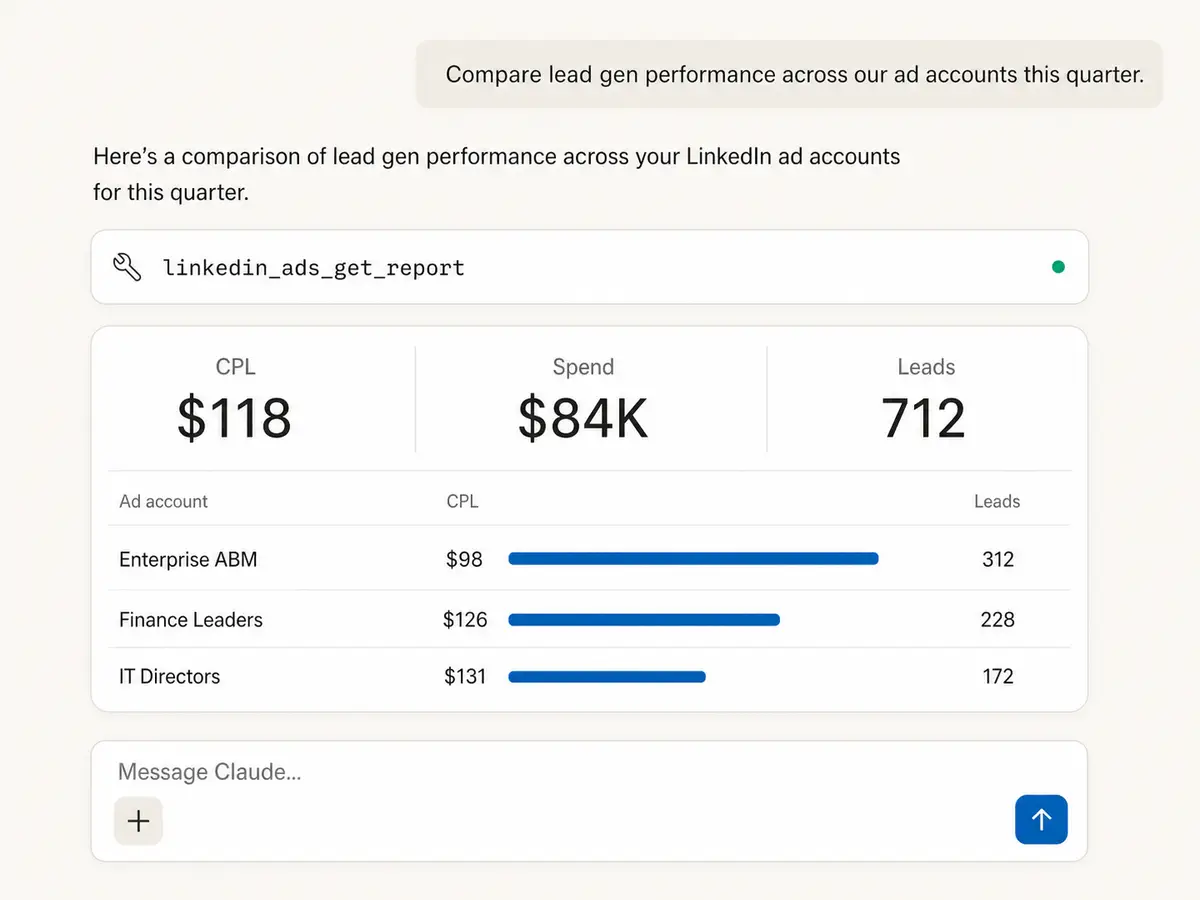
See every account in one answer
Compare campaigns, ad sets, and ads across LinkedIn ad accounts with the metrics, pivots, date windows, and filters your question actually needs.
Find the story behind CPL
Break spend and leads down by campaign, audience, or creative, then surface the B2B programs gaining efficiency before the trend disappears in a spreadsheet.
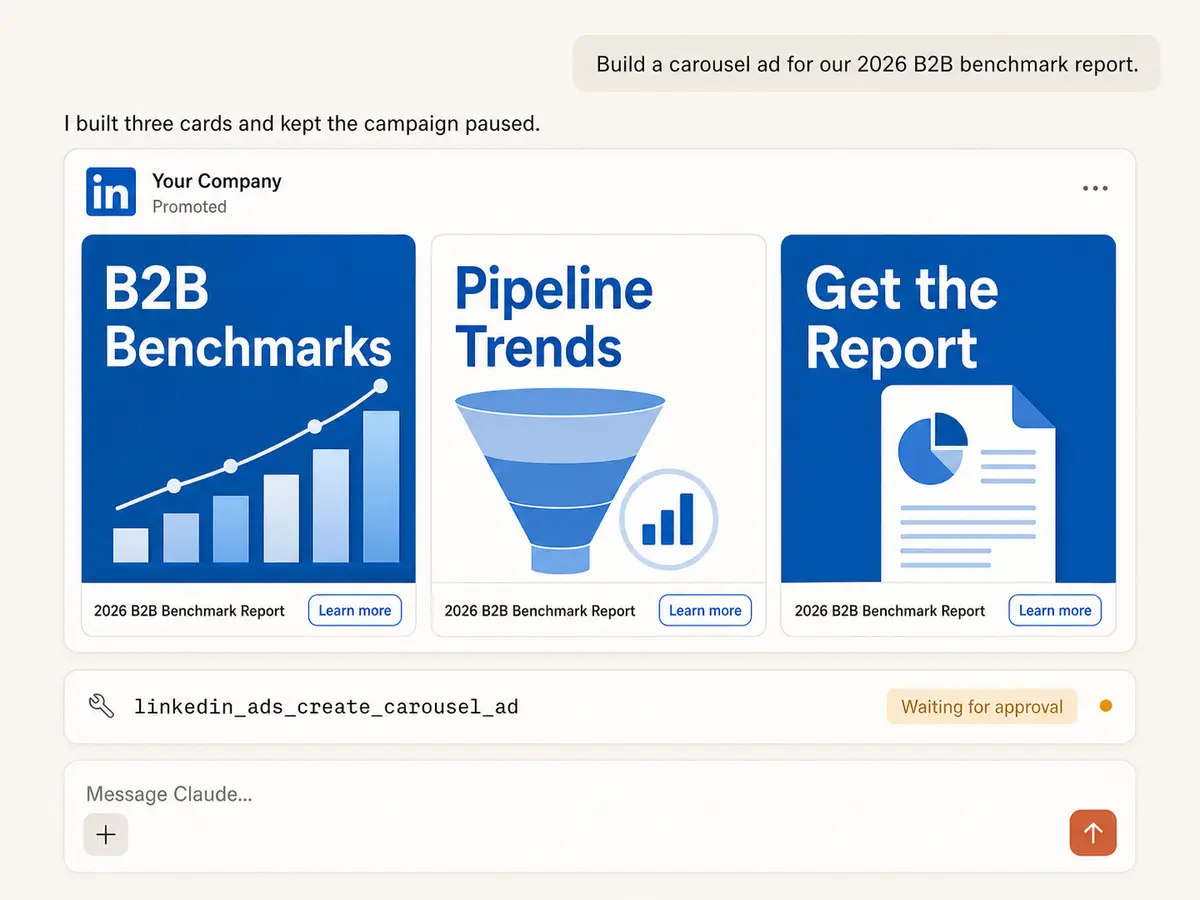
Build lead-focused creative
Create single image, video, carousel, text, and Spotlight ads, or sponsor an existing Company Page post. Attach an existing Lead Gen Form where LinkedIn supports it.
Launch a complete campaign structure
Create campaign groups and campaigns with objectives, schedules, budgets, bidding, conversions, and audience settings, while keeping new work paused until review.
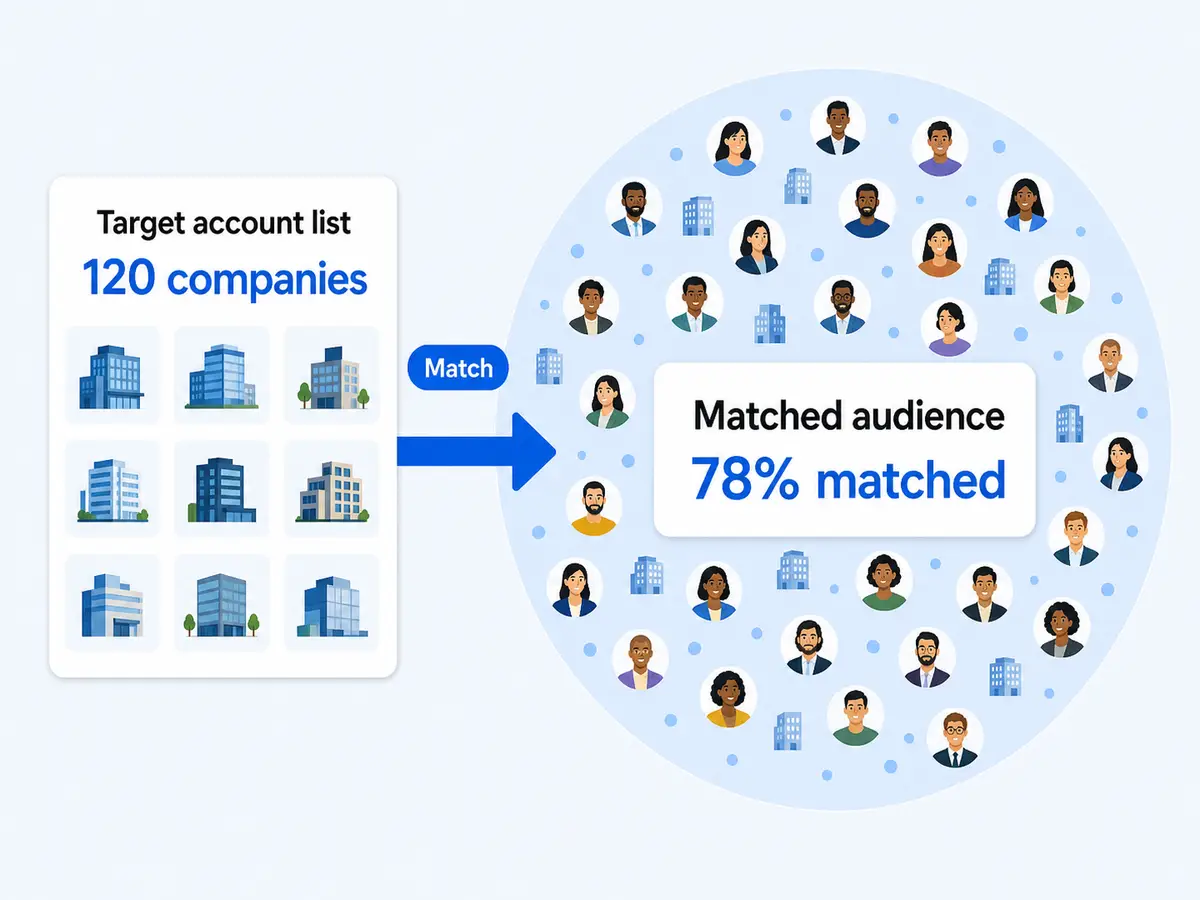
Turn an ICP into targeting
Resolve real LinkedIn targeting values for companies, job titles, seniority, industry, skills, company size, and location, then combine them into an ABM-ready audience.
Protect budgets with a review stop
Raise or lower budgets, pause weak campaigns, activate approved work, and standardize names. Markifact holds every account change until someone approves it.
Use LinkedIn Ads in your favorite AI.
Plus your whole marketing stack
One MCP connection brings LinkedIn Ads, your wider marketing stack, and your preferred AI assistant into the same workflow.





























Set up in minutes
Skip the developer application and infrastructure work. Connect your account, add Markifact to your AI client, and start asking LinkedIn Ads questions.
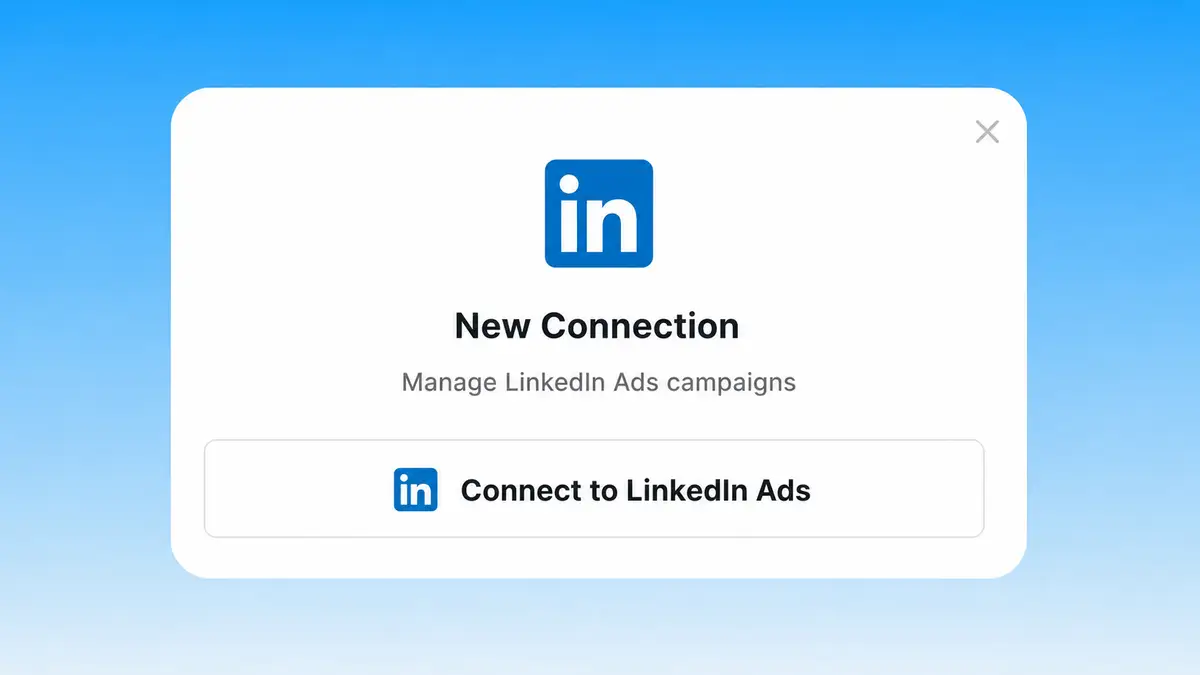
Connect LinkedIn Ads
Sign in to Markifact and authorize the LinkedIn ad accounts you manage. Your team can get started without creating its own developer app or hosting an API integration.
Markifact is available in the Claude connector directory:
Connect in Claude Open the listing and click Connect to add Markifact to Claude.
Connect your AI assistant
Pick Claude, ChatGPT, Cursor, or any MCP-compatible assistant and copy the setup. One URL or command and you're connected to Markifact.
Start managing ads
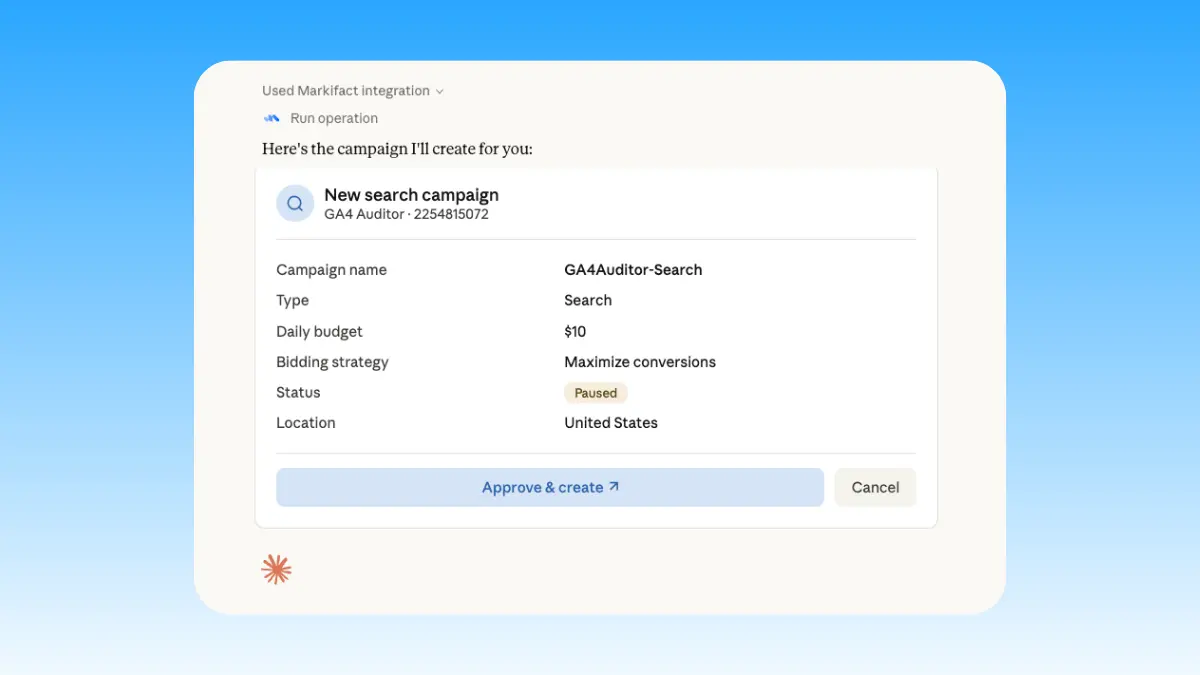
Ask for a cross-account report, prepare a new ABM campaign, sponsor a Company Page post, or adjust a budget. Markifact pauses every write for your decision.
LinkedIn Ads MCP prompt examples
Start with a real B2B question. These prompts show how Markifact can investigate the market, prepare campaigns, explain results, and queue controlled optimizations.
Assemble the B2B campaign, creative, and targeting for review.
Create a paused lead generation campaign for our CFO benchmark with a $250 daily budget.
Build an ad set for IT directors at companies with more than 1,000 employees in the United States.
Create three single image ads, attach our existing Lead Gen Form, and leave every ad paused.
Sponsor our latest Company Page post in the enterprise ABM ad set and wait for approval.
What a session actually looks like
A single request can move from diagnosis to a prepared account change without hiding the decision. Here, Claude finds rising CPL, identifies the stronger campaign, and stops at approval.
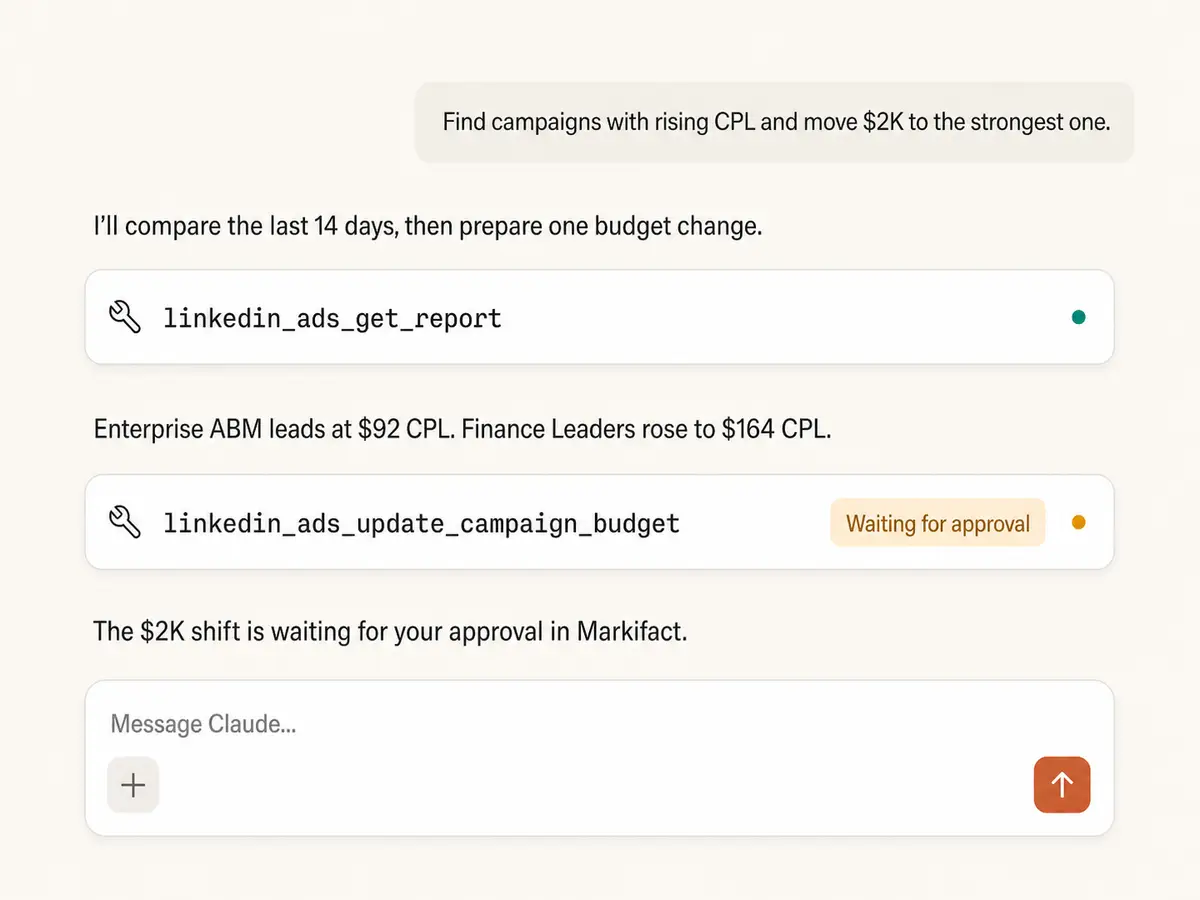
Example session. Claude uses Markifact's real LinkedIn Ads operations (linkedin_ads_get_report, linkedin_ads_update_campaign_budget); the budget change stops before execution and waits for your approval.
Which LinkedIn Ads MCP path fits your team?
As of July 13, 2026, LinkedIn has not published an official Ads MCP server. It provides Marketing APIs and an official client library, while community projects and managed services translate those APIs into MCP tools. The right choice depends on who will own access, safeguards, and maintenance.
LinkedIn Marketing APIs
First-party building blocks, no official MCP
Choose it if
- You have engineers, an approved LinkedIn app, and a narrow custom use case
- You want to control each API request and maintain the agent layer yourself
Open-source MCPs
Community code with hands-on ownership
Choose it if
- You can evaluate project security, tool coverage, and maintenance activity
- You are prepared to host it and manage LinkedIn authentication
Markifact
Hosted execution with approval controls
Choose it if
- You manage B2B programs across several accounts or clients
- You need reporting and campaign actions in the same conversation
- You want LinkedIn Ads beside the rest of your marketing stack
| Capability | Markifact | LinkedIn (no official MCP) | Open-source MCPs |
|---|---|---|---|
| Setup | Hosted OAuth connection, ready without your own app | Marketing APIs require an approved LinkedIn developer app | Usually needs local hosting, credentials, and API access |
| MCP availability | Managed remote MCP available now | No official LinkedIn Ads MCP published as of July 13, 2026 | Several community projects are available |
| Best fit | B2B marketers, agencies, and multi-channel teams | Developers building directly on LinkedIn's Marketing APIs | Technical teams comfortable owning the integration |
| Reporting depth | Custom metrics, pivots, filters, sorting, and date comparisons | Full API surface, with implementation left to your team | Ranges from read-only queries to broader analytics |
| Multiple ad accounts | Account selection and cross-account agency workflows | Available through API permissions you implement | Support depends on the project and its auth design |
| Campaign changes | Create and update campaigns, ad sets, ads, budgets, and statuses | Possible through Marketing APIs with approved write access | Some are read-only; writable projects vary in coverage |
| Approval controls | Every write waits for explicit approval | No MCP approval layer because no Ads MCP is published | Must be designed, added, and maintained by your team |
| Creative and lead gen | Image, video, carousel, text, Spotlight, sponsored posts, and Lead Gen Form attachments | Available through separate Marketing API resources | Coverage differs widely between servers |
| B2B targeting | Company, title, seniority, industry, skill, size, and location lookup | Native targeting APIs and Campaign Manager workflows | Often limited to common targeting facets |
| Other marketing systems | Google Ads, Meta Ads, TikTok Ads, GA4, Sheets, Slack, and more | LinkedIn only | Usually LinkedIn only, with a few multi-platform exceptions |
| Ongoing maintenance | Auth, hosting, API version changes, and errors handled for you | Your team owns the application and API integration | Your team owns deployment, security, and upgrades |
More MCP servers
All MCP serversLinkedIn Ads Library MCP
Search public LinkedIn ads by keyword, advertiser, country, date, or filtered URL, then analyze B2B messaging and draft creative briefs.
Meta Ads MCP
Use Meta Ads and Facebook Ads workflows inside MCP clients for ad sets, creatives, reporting, and Advantage+ workflows.
Microsoft Ads MCP
Use Microsoft Ads inside MCP clients for reporting, Search and Performance Max campaigns, keywords, creative assets, and approval-based changes.
Google Ads MCP
Use Google Ads inside Claude, ChatGPT, and other MCP clients for audits, reporting, optimization, and campaign actions.
Frequently Asked Questions
Have a different question? Reach out to Markifact support team.
Bring LinkedIn Ads into your AI workflow
Connect your ad accounts, ask sharper B2B questions, and prepare campaign changes from Claude, ChatGPT, or any MCP-compatible client.