
Spotify Ads MCP for full management
Report on Spotify Ads, create campaigns and targeted ad sets, build audio, video, display, and carousel ads, and approve every change before it runs.


10,000+ marketers scaling with AI.
Trusted by marketing teams at












What you can do with Spotify Ads MCP
Move from account-wide reporting to a ready-to-review Spotify campaign without hiding the audience, budget, creative, or approval decision.
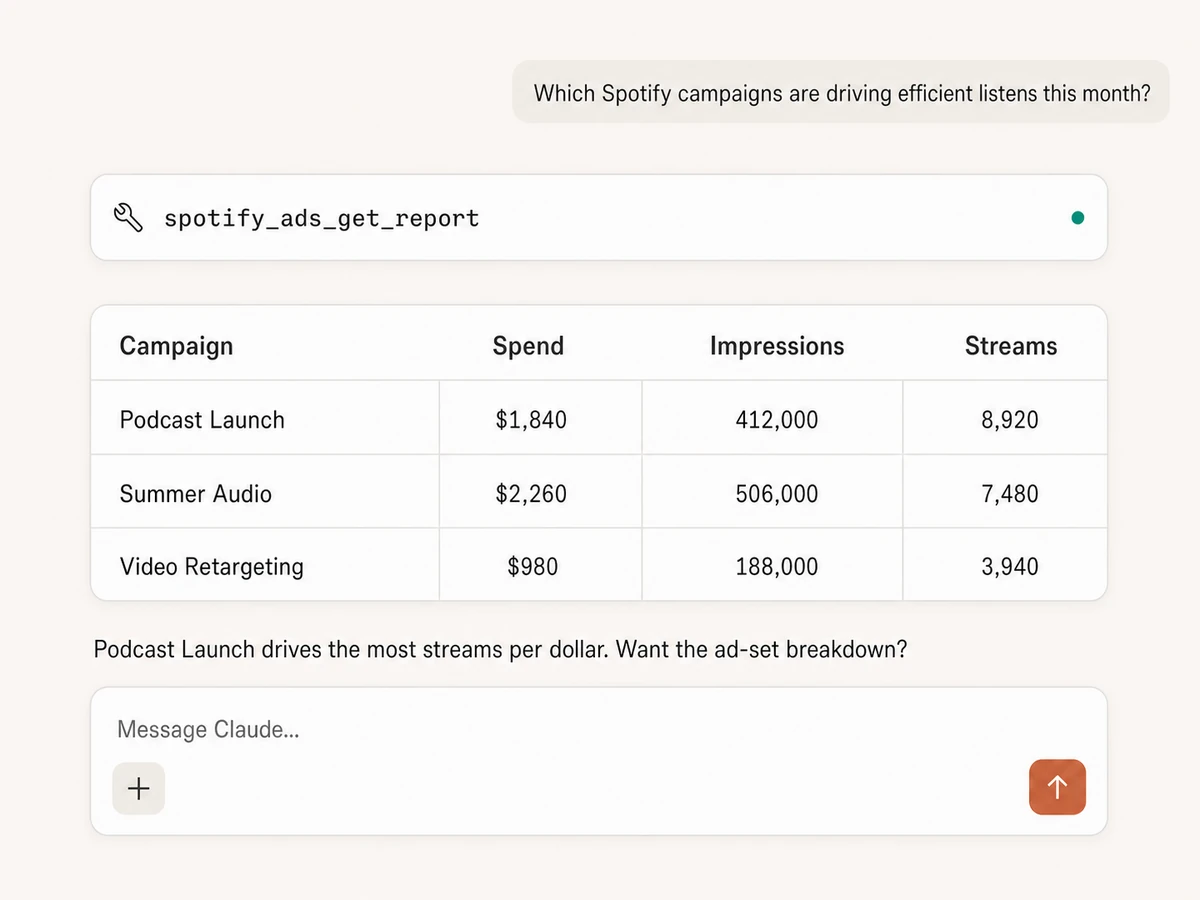
Report from campaign to ad level
Build custom reports across campaigns, ad sets, and ads with selectable metrics, dimensions, filters, date ranges, and sorting. Browse the reporting schema before querying when you need an exact field.
Audit performance and delivery
Compare spend, impressions, clicks, streams, reach, frequency, and other available outcomes, then inspect campaigns, ad sets, ads, assets, audiences, pixels, and 180 days of account changes.
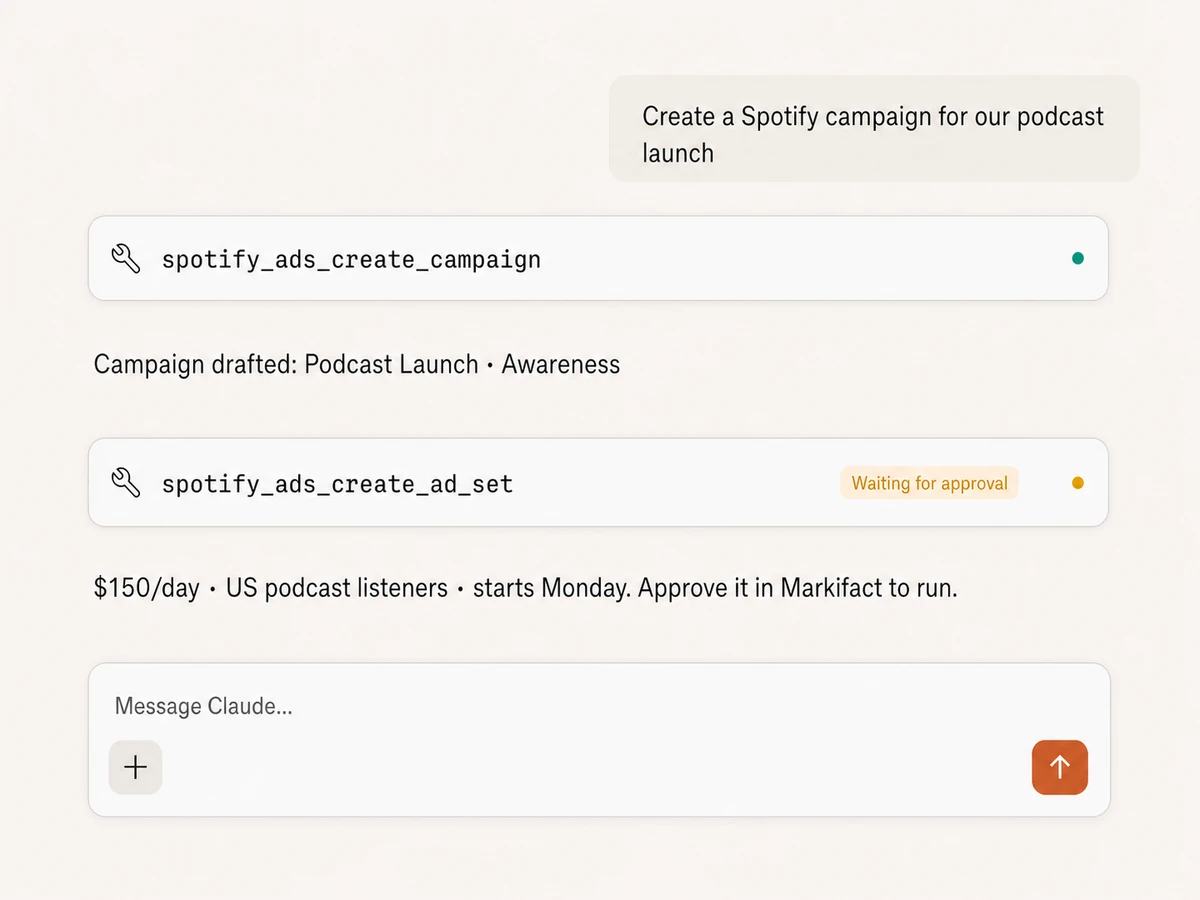
Create campaigns and ad sets
Build the campaign, then configure the ad set's daily or lifetime budget, schedule, bidding, pacing, delivery goal, music or podcast placement, creative format, and conversion dataset.
Target listeners precisely
Resolve Spotify targeting IDs for artists, genres, geographies, interests, languages, playlists, podcast topics, and sensitive-topic exclusions, then add demographics, platforms, dayparts, or custom and lookalike audiences.
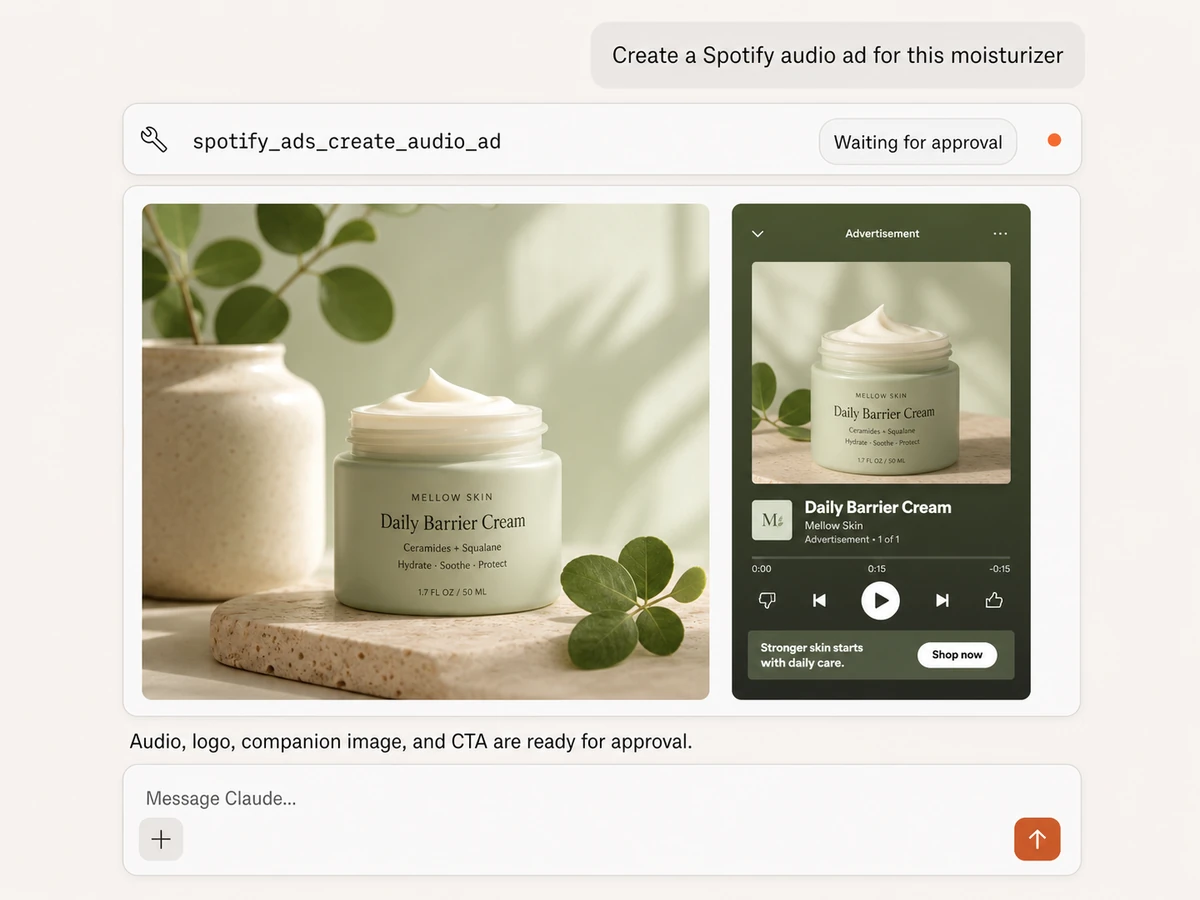
Create audio, display, and carousel ads
Build audio ads from an audio clip, logo, and companion image; in-feed display ads from an image and logo; or swipeable carousel ads with 2 to 6 product cards, individual URLs, and optional prices.
Launch video with companion creative
Create video ads from MP4 or MOV media, a logo, and optional companion and vertical 9:16 canvas assets. Markifact uploads supplied media URLs and waits for Spotify processing before creating the ad.
Hear the signal. Build the campaign. Approve the change.
Connects to every marketing platform
Bring Spotify Ads into the same MCP connection as your paid media, analytics, reporting, documents, and team communication.





























Set up in minutes
No coding, no local server, no API integration to maintain. Three steps and you're managing Spotify Ads from your AI assistant.
Connect Spotify Ads
Sign up for Markifact, authorize Spotify with OAuth, and choose the ad accounts you want available. No API credentials or local service to maintain.
Markifact is available in the Claude connector directory:
Connect in Claude Open the listing and click Connect to add Markifact to Claude.
Connect your AI assistant
Pick Claude, ChatGPT, Cursor, or any MCP-compatible assistant and copy the setup. One URL or command connects your AI to Markifact.
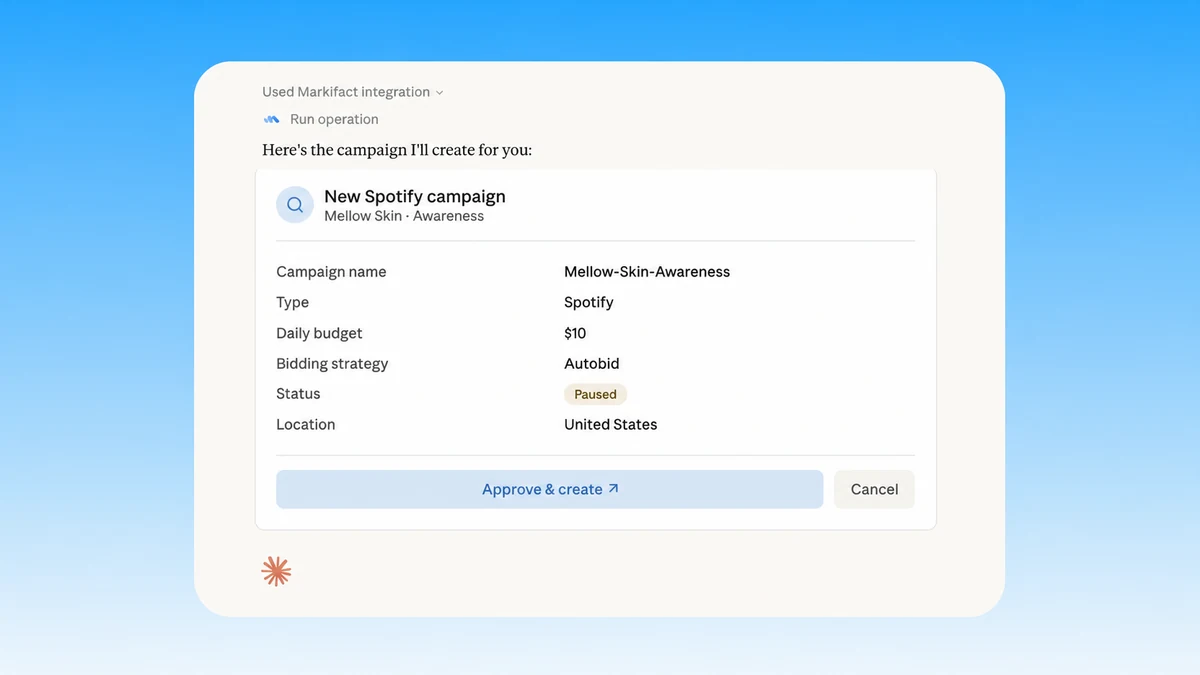
Start managing ads
Pull reports, create campaigns and ad sets, target listeners, manage budgets, and build audio, video, display, or carousel ads in plain English. Every write waits for approval.
Spotify Ads MCP prompts
Start with the outcome. The AI can inspect the account, resolve targeting, prepare the structure and creative, and pause before every Spotify write.
Find the campaigns driving efficient outcomes
Ask for the result you care about and let the AI select the relevant report fields, filters, and breakdown.
Report Spotify Ads performance for the last 30 days by campaign and ad set. Include spend, impressions, reach, clicks, streams, and cost per stream. Flag overspending ad sets and the strongest creative.
What a Spotify Ads MCP session looks like
The AI reads performance first, explains the recommendation, prepares the exact budget change, and stops until you approve it.
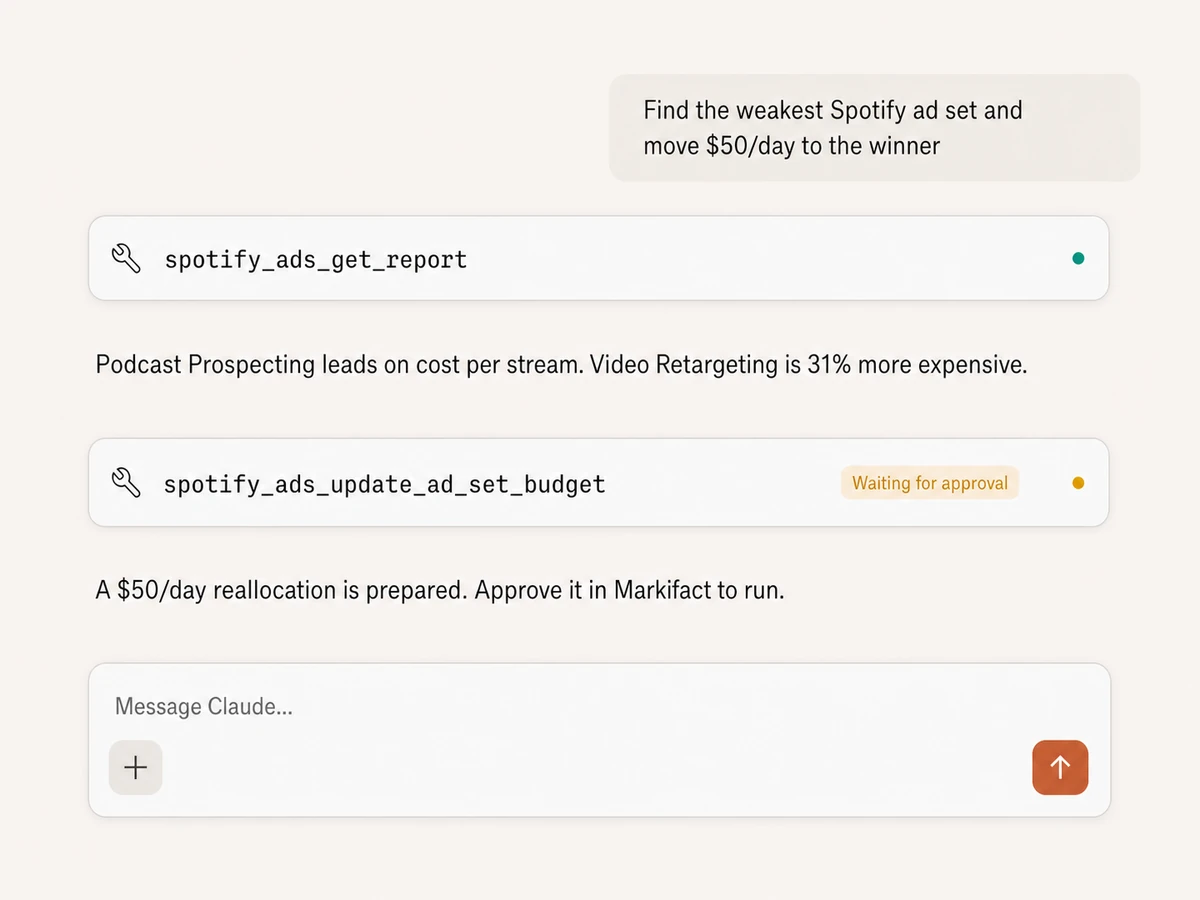
Example session using spotify_ads_get_report followed by spotify_ads_update_ad_set_budget. The write does not run until approved.
Markifact vs Spotify Ads Manager vs API
Choose Markifact for managed AI workflows with approvals, Ads Manager for hands-on manual work, or the API when your engineers are building a custom advertising product.
Markifact
Full Spotify Ads MCP management
Choose it if
- You want reporting and campaign actions in the same AI conversation
- You need audio, video, display, and carousel creation
- You want every change visible and approval-gated
Spotify Ads Manager
Official manual interface
Choose it if
- You prefer configuring each campaign directly in Spotify
- You only need occasional manual changes
Spotify Ads API
Maximum control for custom software
Choose it if
- You are building your own advertising product
- Your team can own OAuth, media uploads, schemas, safeguards, and maintenance
| Capability | Markifact | Ads Manager | Spotify Ads API |
|---|---|---|---|
| Setup | Hosted Spotify OAuth and one MCP endpoint | Spotify Ads Manager account and manual interface | Partner API access, OAuth, requests, schemas, and tool layer |
| Reporting | Custom campaign, ad-set, and ad reports in plain English | Build and inspect reports manually | Create report requests and parse dynamic fields |
| Campaign structure | Create and inspect campaigns, ad sets, ads, and drafts | Create each entity in the interface | Call and coordinate entity endpoints yourself |
| Targeting | Search artists, genres, geos, interests, languages, playlists, podcast topics, and more | Select targeting in Spotify's UI | Resolve IDs and build the targeting object |
| Budgets and bidding | Daily or lifetime budgets, bids, pacing, delivery goals, and controlled updates | Edit settings manually | Handle currency conversion and update payloads |
| Creative formats | Audio, video, display, and 2–6-card carousel creation from media URLs | Upload and assemble creatives manually | Upload, poll processing, and create each format |
| Account visibility | Campaigns, ad sets, ads, assets, audiences, pixels, podcast inventory, and 180-day history | Available across separate Ads Manager views | Multiple endpoints and pagination |
| Approval controls | Every upload, creation, budget, status, rename, and partial update waits for approval | The signed-in operator applies changes directly | Your application must build safeguards |
| Cross-platform work | Spotify beside Google, Meta, TikTok, GA4, Sheets, Docs, and Slack | Spotify Ads only | Each extra platform is another integration |
| Maintenance | Hosting, OAuth, tool schemas, media handling, and API changes managed | Spotify maintains Ads Manager | Your engineering team owns everything |
Every Spotify write stays behind approval
Reporting, listing, targeting research, and account inspection run as reads. Uploads, creations, status changes, budgets, renames, and partial updates show the exact operation and wait for your approval.
More MCP servers
All MCP serversSnapchat Ads MCP
Use Snapchat Ads inside MCP clients for reporting, campaign and ad squad management, image, video, Story, Collection, and Lens ads, with approval-gated writes.
TikTok Ads MCP
Use TikTok Ads inside MCP clients for reporting, Spark Ads from organic posts, Smart+ campaigns, and Ads Library research.
Meta Ads MCP
Use Meta Ads and Facebook Ads workflows inside MCP clients for ad sets, creatives, reporting, and Advantage+ workflows.

Reddit Ads MCP
Use Reddit Ads inside MCP clients to report on performance and create or manage campaigns, ad groups, posts, ads, audiences, budgets, targeting, and delivery with approvals.
Frequently Asked Questions
Have a different question? Reach out to Markifact support team.
Manage Spotify Ads from your AI client
Report, build campaigns and ad sets, create every supported ad format, and approve every change from one hosted MCP connection.