
Pinterest MCP for full organic management
Create and organize boards, publish image, carousel, and video Pins, update content, and analyze organic saves, clicks, and audience performance—with approval before every write.


10,000+ marketers scaling with AI.

Trusted by marketing teams at












What you can do with Pinterest MCP
Move from organic insight to board organization and approval-gated Pin publishing in the same conversation.
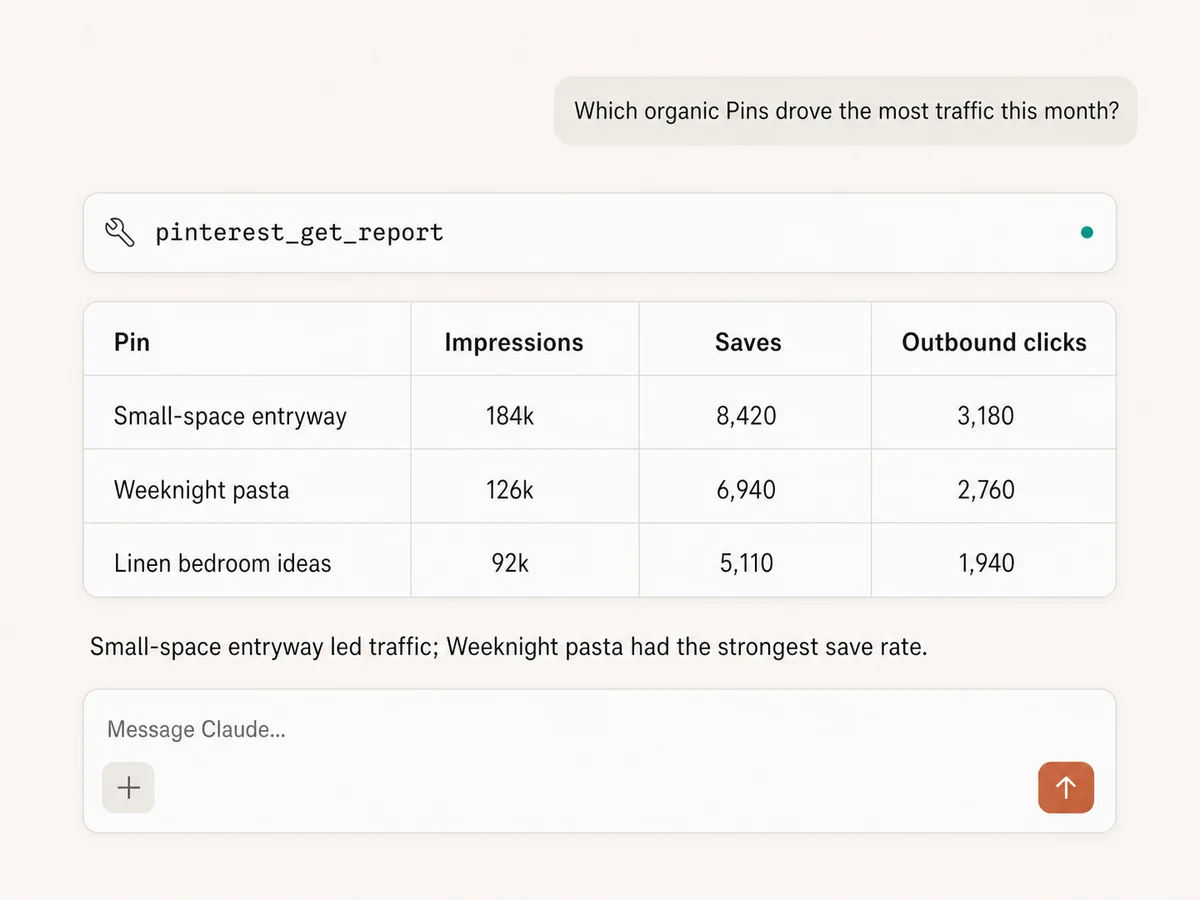
Report on organic Pinterest performance
Track impressions, saves, Pin clicks, outbound clicks, engagement, audience, rates, and video viewing metrics across the account or individual Pins.
Find the Pins that drive action
Keep Pin titles, descriptions, links, URLs, and publish dates beside performance, then rank the content that earns saves and sends people to your site.
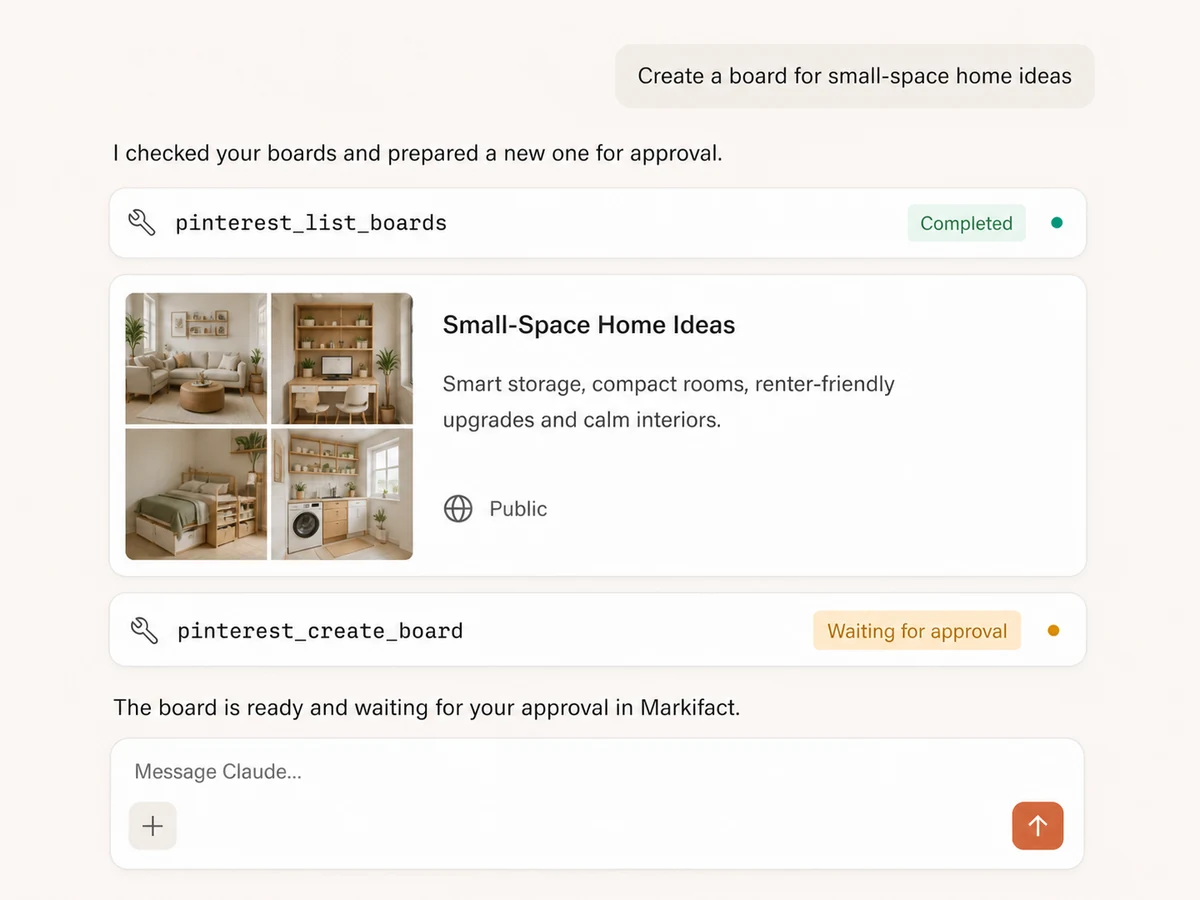
Create and organize boards
List boards and sections, create public or secret boards, update names and descriptions, and organize the structure your publishing plan needs.
Update, save, move, or remove content
Edit Pin copy and links, move Pins between boards or sections, save Pins to another board, and queue permanent Pin or board deletion for approval.
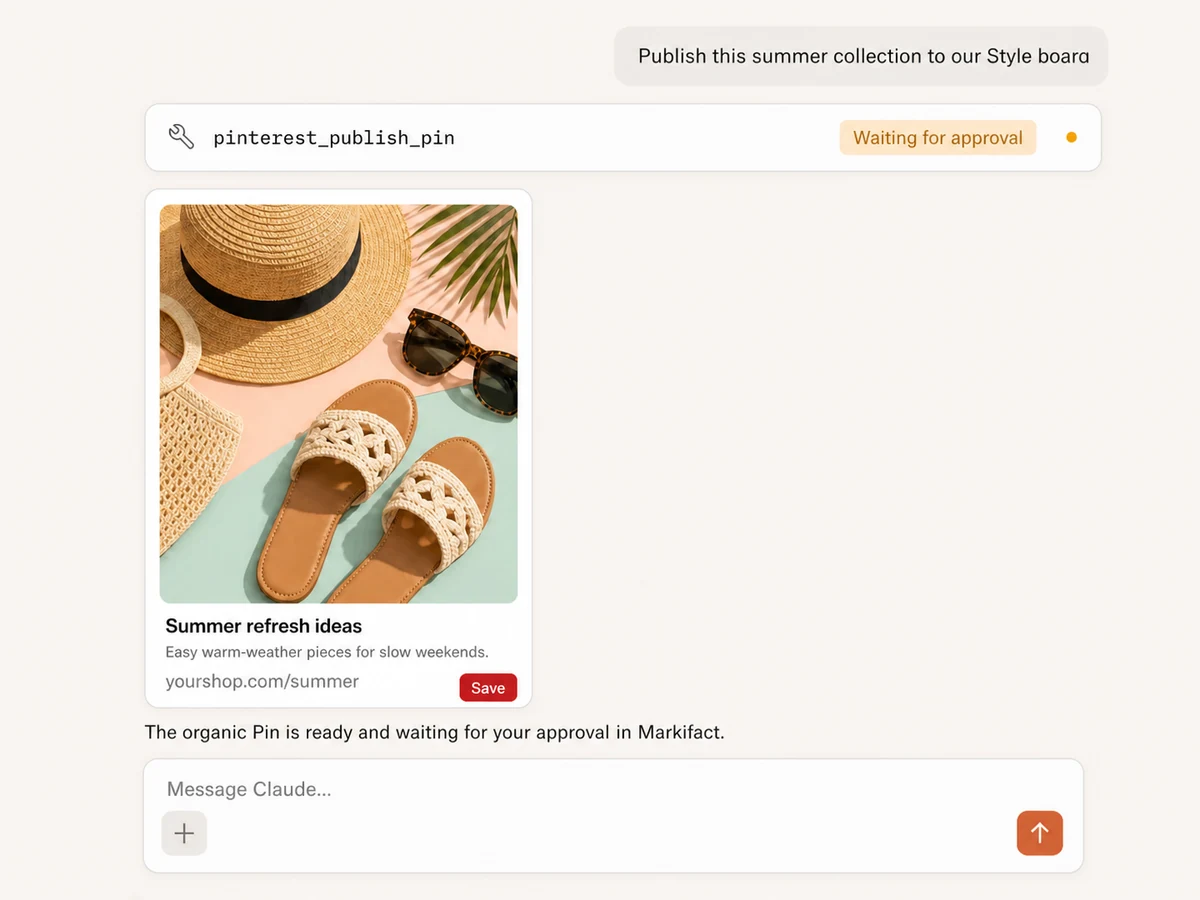
Publish image, carousel, and video Pins
Publish from direct or Google Drive media URLs, choose the board and section, and set the title, description, alt text, destination link, and video cover.
Approve every organic write
The AI can prepare the complete Pin or board change, but creating, editing, saving, moving, publishing, and deleting wait for your explicit approval in Markifact.
Organic Pinterest management,
connected to your whole stack
Bring media in from Drive, publish and organize Pins with approval, analyze organic performance, and carry the result into Sheets, Slack, analytics, or Pinterest Ads.





























Set up in minutes
No Pinterest developer app, API integration, or server hosting. Three steps and your AI assistant can report on and manage organic Pinterest.
Connect Pinterest
Sign up for Markifact and authorize your organic Pinterest account with OAuth. Markifact handles board, Pin, publishing, and reporting access.
Markifact is available in the Claude connector directory:
Connect in Claude Open the listing and click Connect to add Markifact to Claude.
Connect your AI assistant
Pick Claude, ChatGPT, Cursor, or another MCP-compatible client and copy the setup. One hosted connection gives the assistant your authorized Markifact tools.
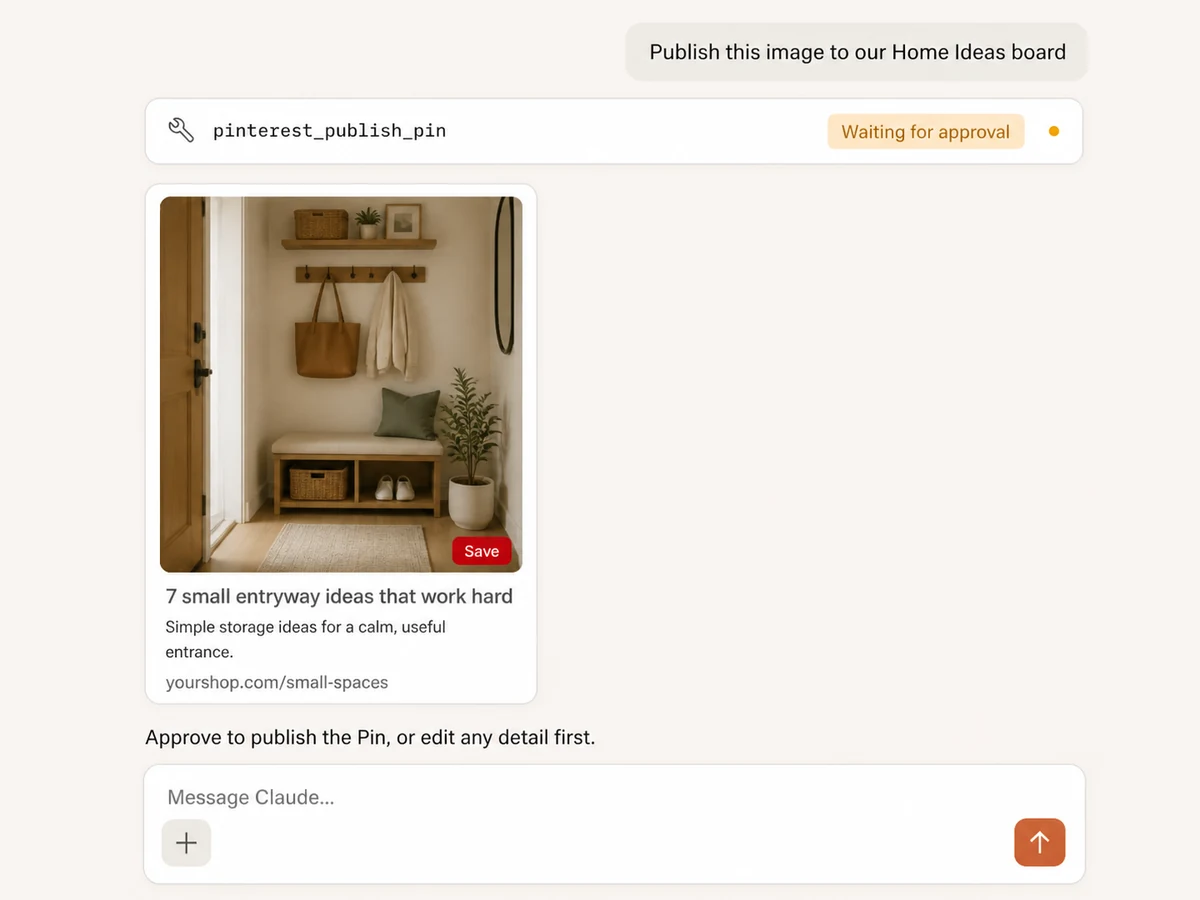
Start managing Pinterest
Ask for reports, board organization, content updates, or a new Pin. Reads run immediately; every organic write waits for your approval.
Pinterest MCP prompt examples
Report, rank content, organize boards, and prepare the next organic Pin without switching tools.
See what is earning saves and traffic
Ask for account or Pin-level metrics with the date range and ranking you need.
Report on our organic Pinterest performance for the last 90 days. Include impressions, saves, Pin clicks, outbound clicks, engagement rate, save rate, and outbound click rate. Compare with the previous 90 days and explain the three biggest changes.
What a session actually looks like
The AI can read organic performance, turn the result into a new Pin, and prepare the publish action without skipping your approval.
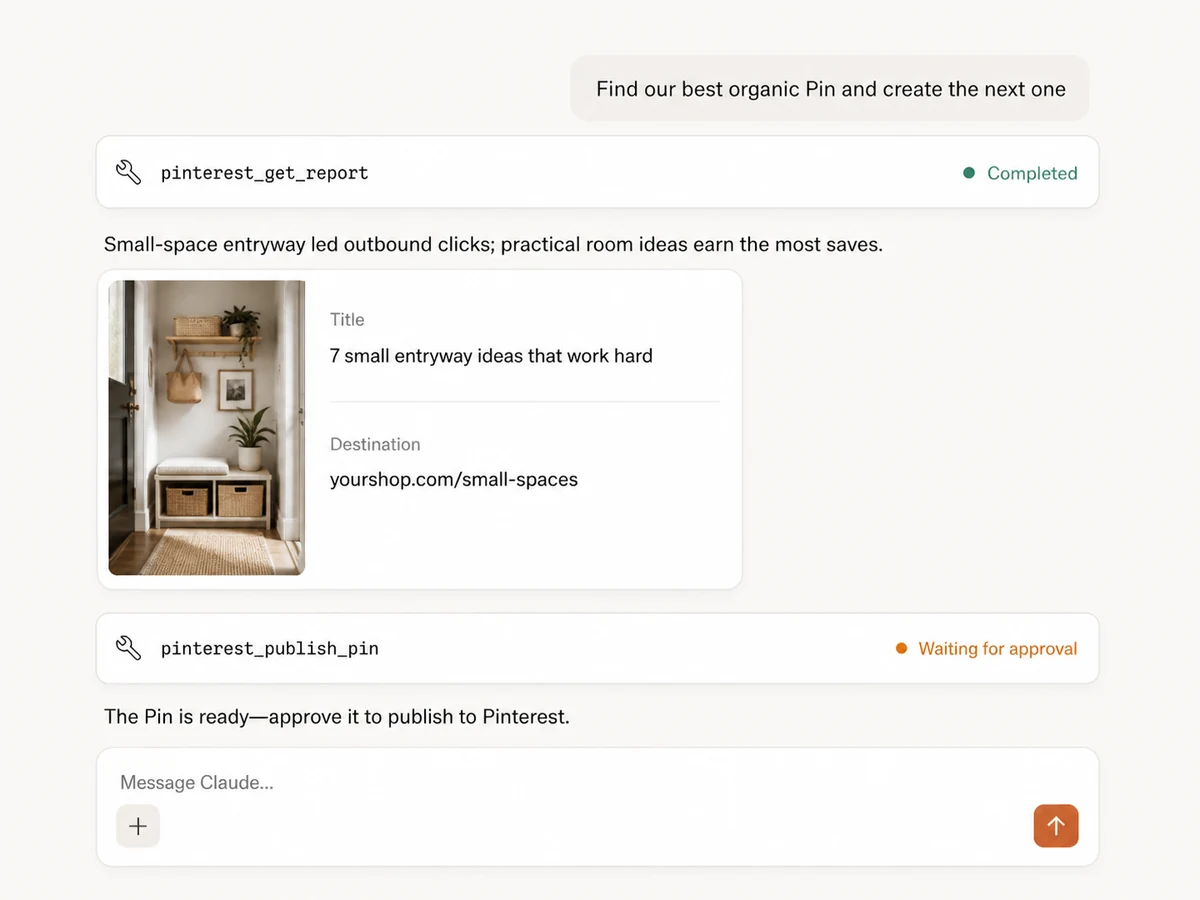
The report runs immediately. The pinterest_publish_pin write remains queued until you approve it.
Markifact, Pinterest, or the API?
Use Markifact for conversational, cross-platform workflows with approval; Pinterest for hands-on work; or the API when you want to own the entire implementation.
| Capability | Markifact MCP | Direct Pinterest API | |
|---|---|---|---|
| Conversational organic reporting | Account and Pin metrics with flexible dates, filters, and comparisons | Manual analysis in Pinterest | Yes, with custom code |
| Board management | Create, list, rename, describe, and delete with approval | Yes, manually | Yes, with your own integration |
| Image, carousel, and video publishing | Yes, from direct or Google Drive media URLs | Yes, manually | Yes, with media handling |
| Pin updates and organization | Edit copy and links; save or move Pins between boards | Yes, manually | You implement each flow |
| Cross-platform workflows | Combine Drive, Sheets, Slack, analytics, and Ads in one session | Pinterest only | Requires separate integrations |
| Approval layer for AI writes | Every create, update, publish, save, move, or delete waits for approval | Manual actions | You build it |
More MCP servers
All MCP servers
Pinterest Ads MCP
Use Pinterest Ads inside MCP clients for reporting on saves and ROAS, creating Pin ads, budgets, and seasonal planning with approvals.
TikTok MCP
Analyze organic TikTok accounts, videos, audiences, retention, and traffic sources, then publish videos directly or as drafts with approval.
Instagram MCP
Analyze Instagram accounts and content, then publish images, carousels, Reels, and Stories with approval-gated writes.
Google Sheets MCP
Use Google Sheets inside MCP clients to read ranges, append or overwrite rows, create spreadsheets and tabs, build charts, and approve writes.
Frequently Asked Questions
Have a different question? Reach out to Markifact support team.
Manage organic Pinterest from the conversation
Organize boards, publish Pins, and analyze organic performance with approval—without building or hosting a Pinterest API integration.