
Google Maps MCP for local research
Find places, compare business details, and analyze hundreds of public reviews from Claude, ChatGPT, Cursor, or any MCP-compatible AI assistant.


10,000+ marketers scaling with AI.

Trusted by marketing teams at












What you can do with Google Maps MCP
Move from place discovery to detailed comparison and review analysis without opening dozens of listings.
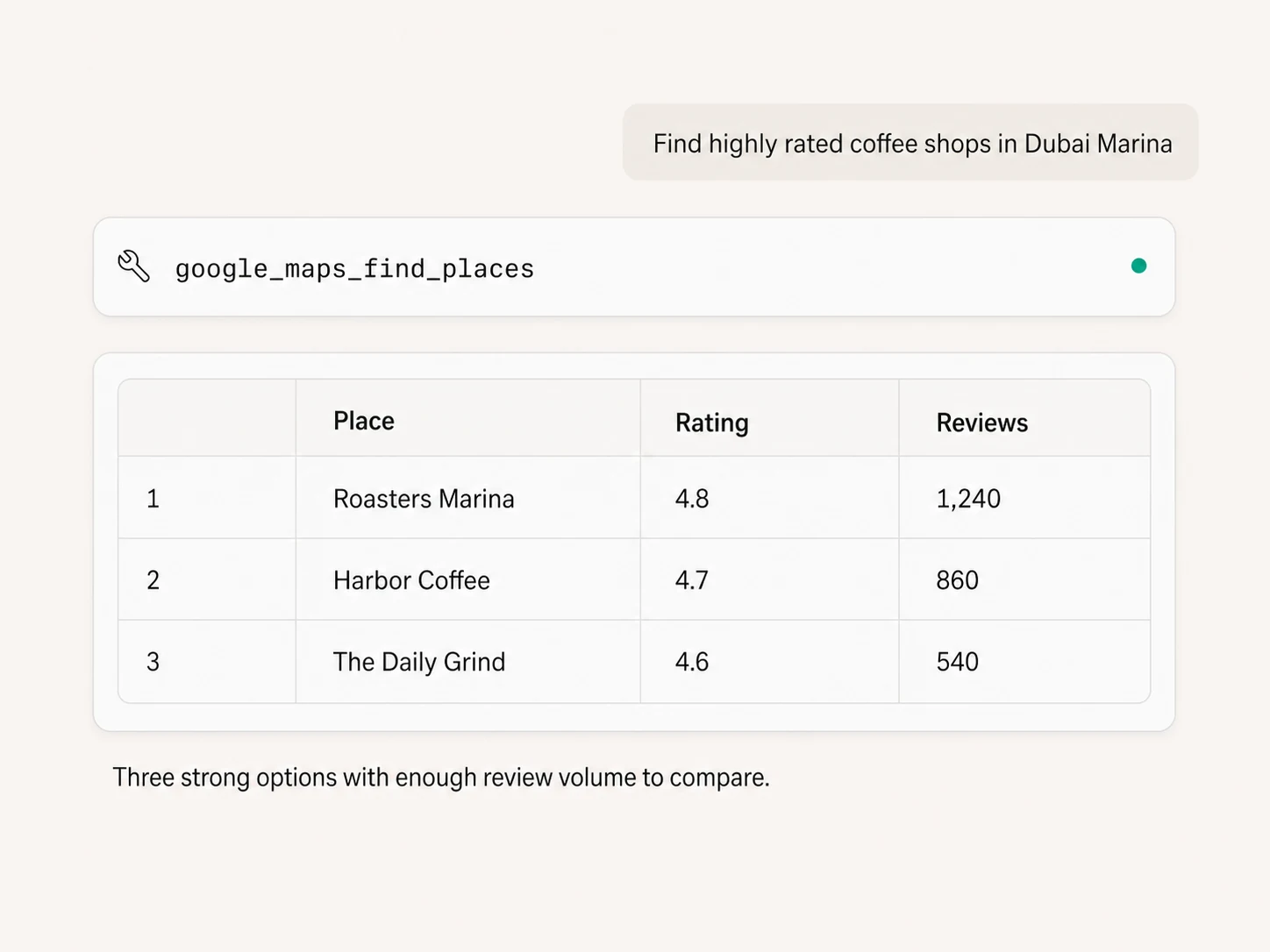
Find places in plain English
Search for businesses, attractions, services, or other places with a specific city or area, then bring the best matches directly into the conversation.
Filter the search
Bias results by country and language, restrict them to a place type, filter by price level, and retrieve up to about 60 places with pagination handled.
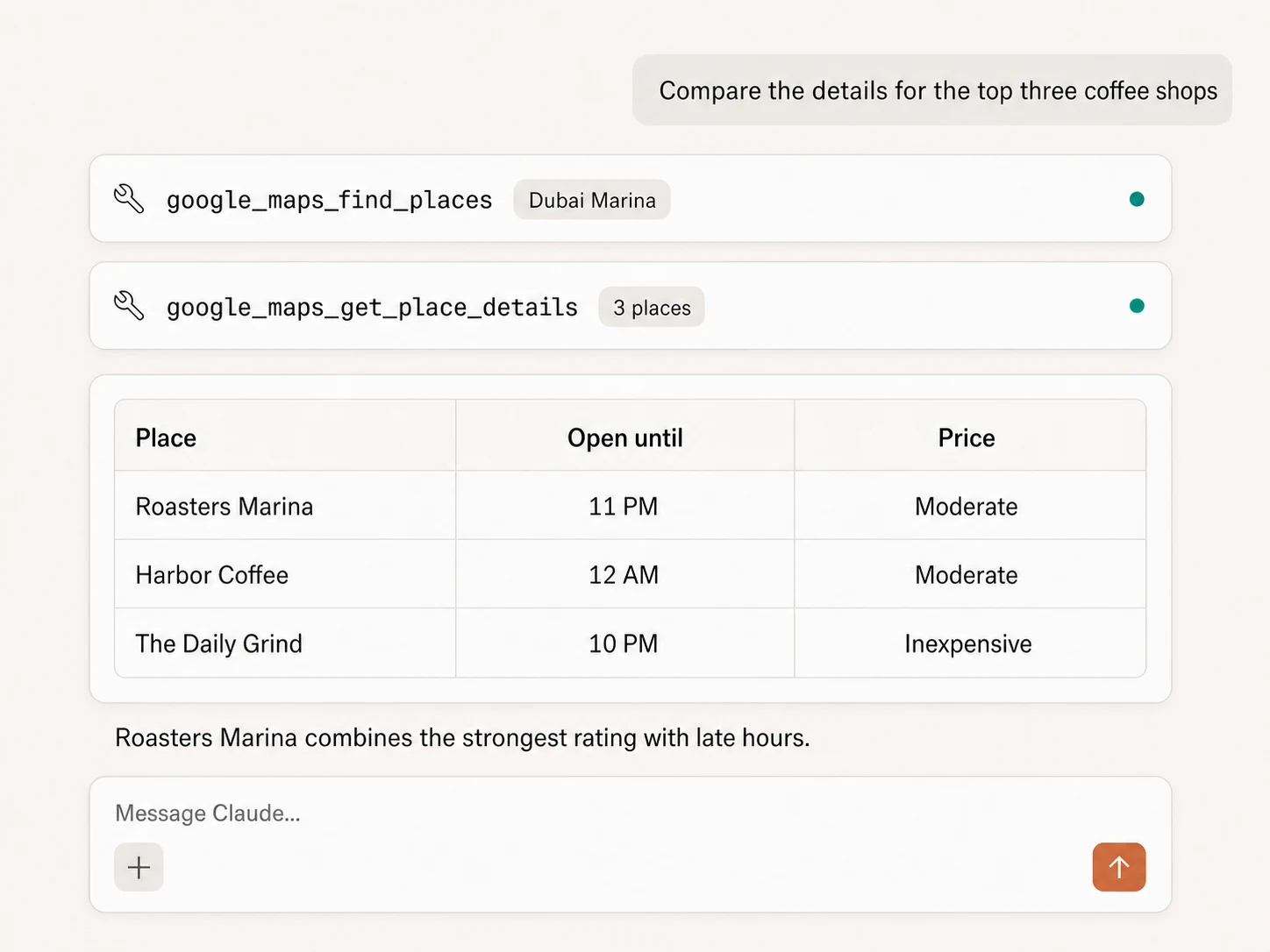
Inspect complete place details
Use a Place ID to retrieve address, coordinates, business status, category, rating, price, Maps URL, website, phone numbers, timezone, and available service options.
Compare practical details
Check regular and current opening hours, delivery or takeout availability, parking, payment, and accessibility fields when Google provides them.
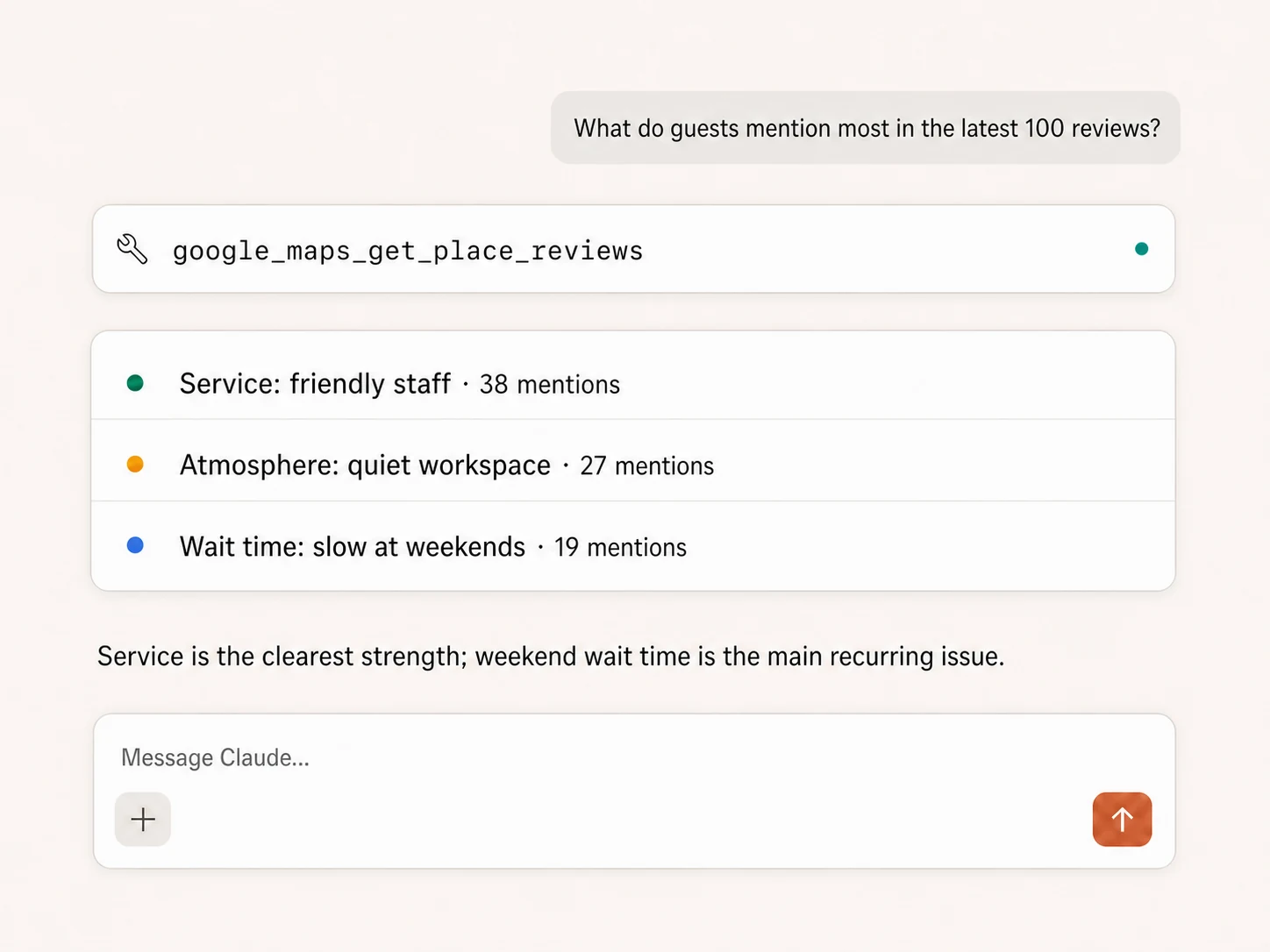
Retrieve up to 500 reviews
Pull reviews by Place ID and sort them by relevance, newest, highest rating, or lowest rating, with country and language context when needed.
Analyze recurring themes
Turn hundreds of reviews into quantified praise, complaints, customer language, service gaps, and comparison points instead of reading every review manually.
Use Google Maps in your favorite AI.
Plus your whole marketing stack
One MCP server. Public place research, owned location data, and the AI assistant you already use.





























Set up in minutes
Google Maps uses public place data, so there is no Google account or Maps connection to configure.
Markifact is available in the Claude connector directory:
Connect in Claude Open the listing and click Connect to add Markifact to Claude.
Connect your AI assistant
Choose Claude, ChatGPT, Cursor, or another MCP client and add Markifact's hosted endpoint.
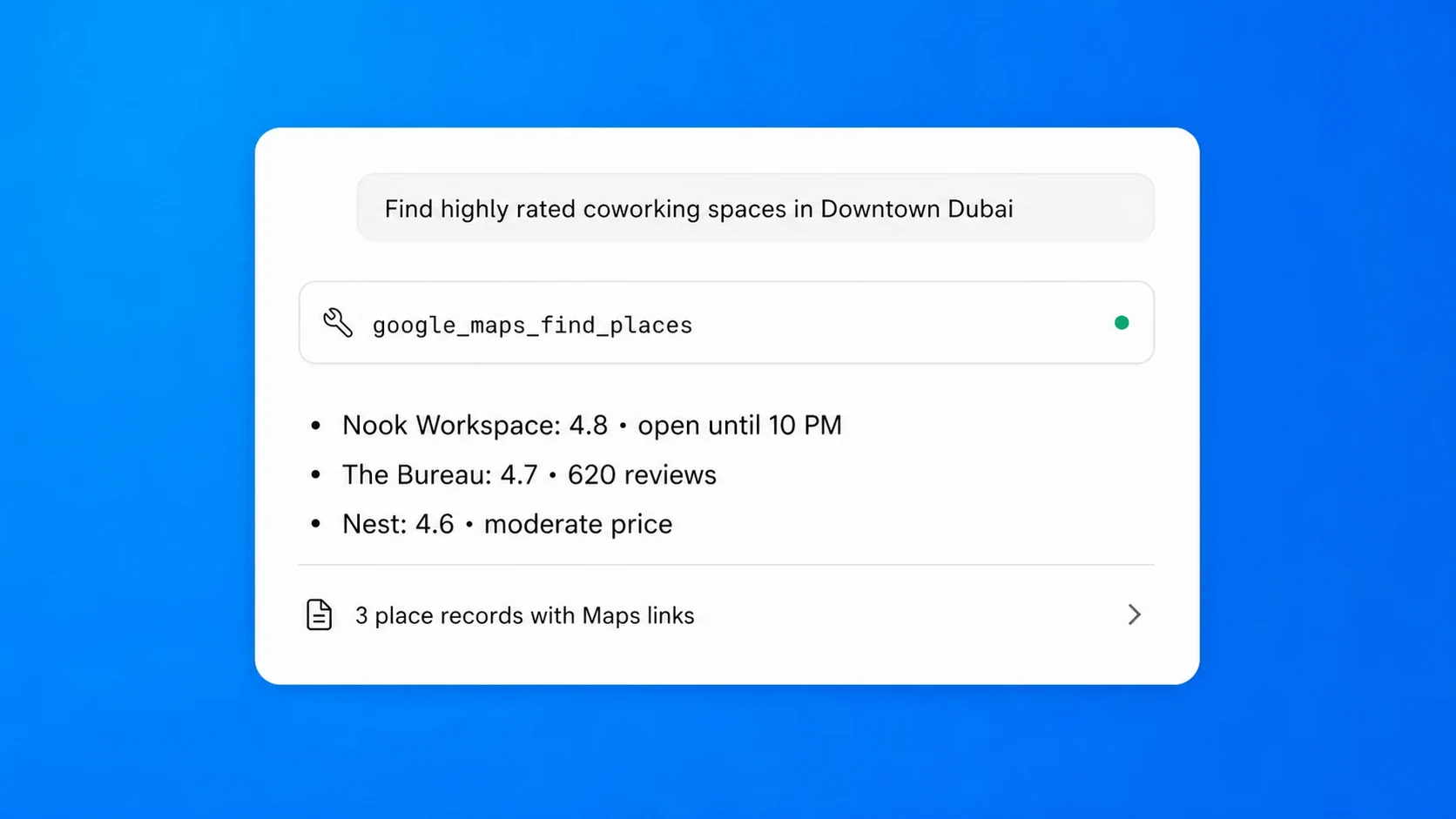
Start researching
Ask for a category and location, then add country, language, place type, price, details, or review filters when needed.
Google Maps MCP prompt examples
Find, inspect, analyze reviews, and activate the results from the MCP client you already use.
Build a focused list of places in any market.
> Find the 30 highest-rated independent coffee shops in Dubai Marina.
> Find coworking spaces in Downtown Dubai with moderate pricing.
> Search for Italian restaurants in London and return ratings, review counts, websites, and Maps links.
> Find dental clinics in Austin, Texas and restrict the results to the dentist place type.
What a session actually looks like
Maps research runs as read-only tools. If you turn the findings into a document, sheet, or message, that downstream write waits for approval.
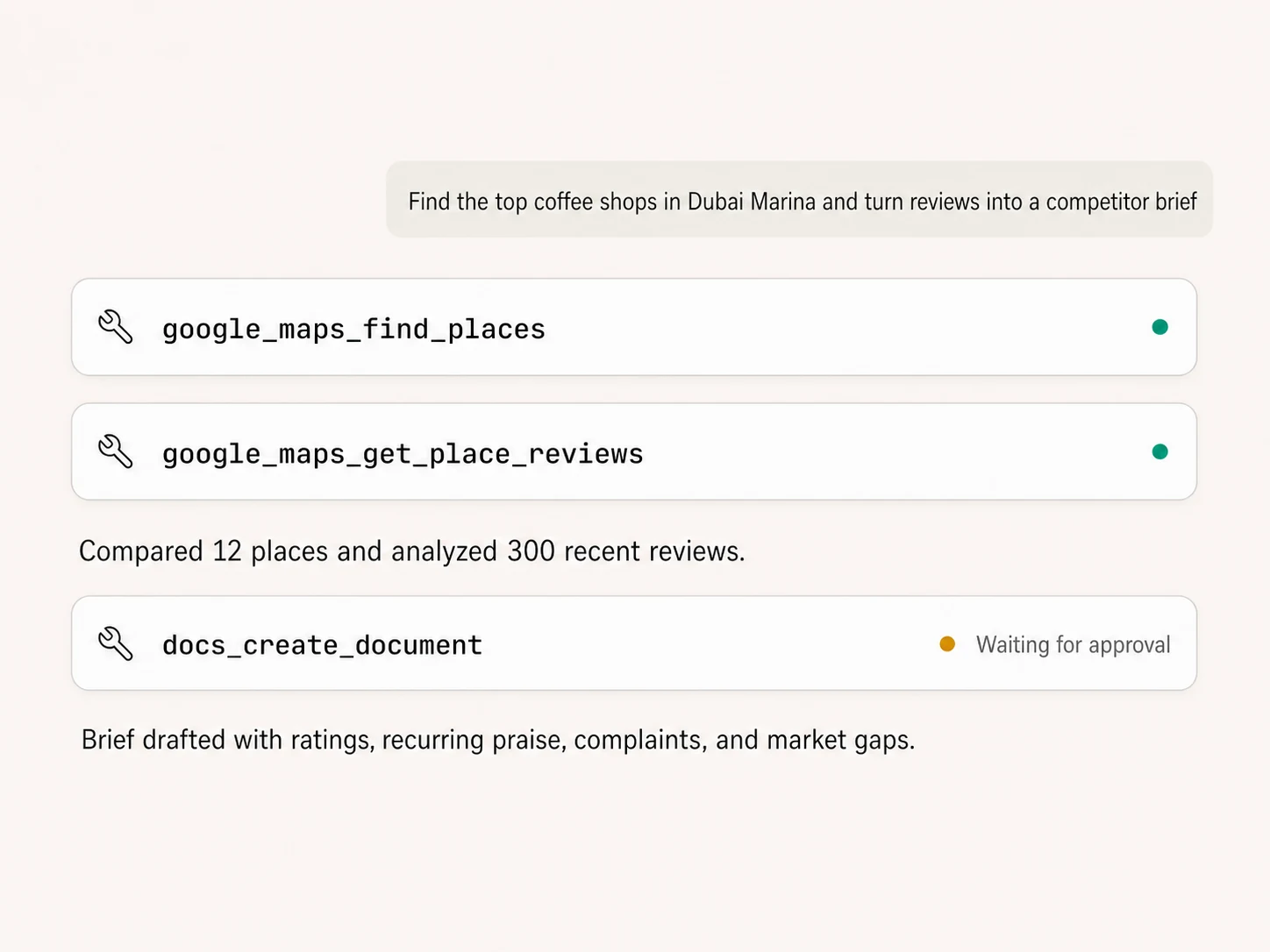
Example using google_maps_find_places, google_maps_get_place_reviews, and docs_create_document. Only the document write requires approval.
Which local research workflow is right for you?
Google Maps
Direct, visual, manual
Choose it if
- You need an occasional place lookup
- You want to browse the map and inspect listings yourself
Local SEO tools
Rank tracking and listing management
Choose it if
- You need grid rank history or citation monitoring
- You manage listings and reputation as a dedicated workflow
Markifact
Place and review research in chat
Choose it if
- You want structured Maps data inside Claude or ChatGPT
- You want hundreds of reviews summarized at once
- You want research connected to Docs, Sheets, Slack, and your marketing data
| Capability | Markifact MCP | Google Maps | Local SEO tools |
|---|---|---|---|
| Setup | Hosted MCP tools; no Google Maps account connection | Use Google Maps manually | Create an account in a separate product |
| Place search | Plain-English query with country, language, type, and price filters | Search visually on the map | Search features vary |
| Search result depth | Up to about 60 places with pagination handled | Browse results manually | Varies by plan |
| Place details | Hours, contact, status, category, rating, price, location, service options, and more | Visible listing details | Coverage varies |
| Review retrieval | Up to 500 reviews with four sort modes | Open and scroll reviews manually | Limits and history vary |
| Review analysis | Themes, counts, praise, complaints, and comparison in the MCP conversation | You analyze manually | Often includes reputation features |
| Historical local rankings | No | No project history | Often a core feature |
| From research to action | Combine with Business Profile, Docs, Sheets, Ads, and Slack | Copy findings into other tools | Exports and integrations vary |
More MCP servers
All MCP servers
Google Business Profile MCP
Use Business Profile inside MCP clients for multi-location reporting, post publishing, and public review replies with approval controls.

Google Search MCP
Retrieve live organic SERPs, compare markets and devices, query Google AI Mode with references, and turn search research into briefs.
Google Sheets MCP
Use Google Sheets inside MCP clients to read ranges, append or overwrite rows, create spreadsheets and tabs, build charts, and approve writes.
Google Docs MCP
Draft briefs and reports from MCP clients, written from live marketing data, with recurring docs that append instead of rewrite.
Frequently Asked Questions
Have a different question? Reach out to Markifact support team.
Start researching places and reviews in Claude
Find local businesses, compare practical details, analyze customer language, and turn the result into your next approved brief.