Connect Klaviyo to ChatGPT through the approved Markifact app, then use the same app in Codex with /apps when you want live campaign, flow, profile, and revenue data beside your files. If your work is limited to one Klaviyo account and needs native Klaviyo write tools, the official Klaviyo ChatGPT app is the more direct option.
This guide covers the managed Markifact route because it is designed for cross-channel marketing analysis. Markifact's Klaviyo connection is read-only today, so the workflow can inspect and compare data without changing Klaviyo campaigns.
The quick version
- Connect the correct Klaviyo account inside Markifact.
- Open the approved Markifact app listing in ChatGPT.
- Connect the app and complete Markifact authorization.
- Select Markifact from the ChatGPT composer.
- Confirm the Klaviyo account and run a read-only report.
- In Codex, type
/apps, choose Markifact, and insert it into your prompt. - Approve only the tools and data access required for the task.
Official Klaviyo app or Markifact?
Both are valid, but the better choice depends on the job.
| Route | Best for | Important boundary |
|---|---|---|
| Official Klaviyo ChatGPT app | One Klaviyo account and broader native Klaviyo tools | Review write permissions before using campaign actions |
| Approved Markifact app | Klaviyo beside ads, analytics, ecommerce, Sheets, or project files | Klaviyo access is currently read-only |
Klaviyo also documents a custom ChatGPT MCP setup for teams that manage several accounts. That route uses its hosted endpoint, https://mcp.klaviyo.com/mcp, through ChatGPT's developer-mode app flow.
Use Markifact when the question spans systems. Examples include comparing Klaviyo flow revenue with Meta Ads acquisition, checking Shopify orders against email campaigns, or saving an analysis beside a repository's reporting files. See the Klaviyo MCP page and Markifact MCP directory for the wider connection model.
Step 1: connect Klaviyo in Markifact
Create a Klaviyo connection in Markifact and complete OAuth using an authorized Klaviyo user. Confirm the exact brand or business unit before saving the connection.
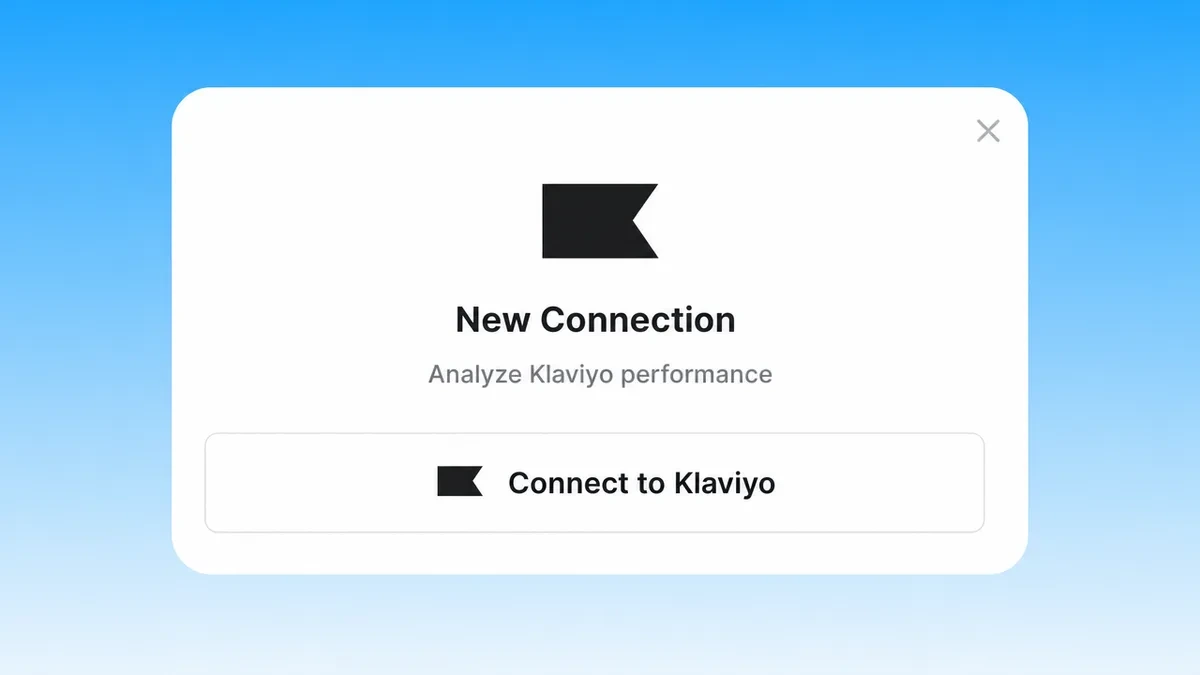
Markifact does not need your Klaviyo password. OAuth determines which account the connection can reach, and you can revoke that authorization through the normal account controls.
Step 2: connect the approved Markifact app in ChatGPT
Open the Markifact app listing while signed into the ChatGPT account you intend to use. Choose Connect, complete the Markifact sign-in, and select the intended workspace if prompted.
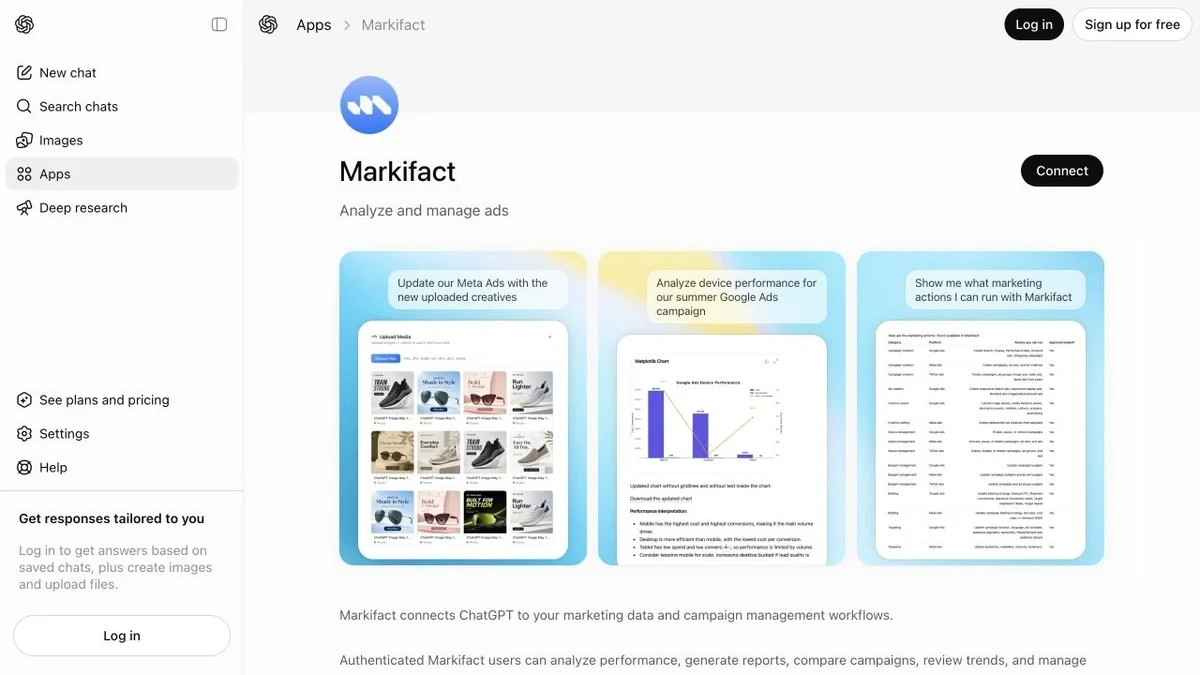
If a Business or Enterprise workspace restricts apps, an administrator may need to allow Markifact before you can connect it.
Step 3: add Markifact to the ChatGPT prompt
Open the tools or apps control in the composer and select Markifact. Name the Klaviyo account, date range, and reporting object in the prompt.
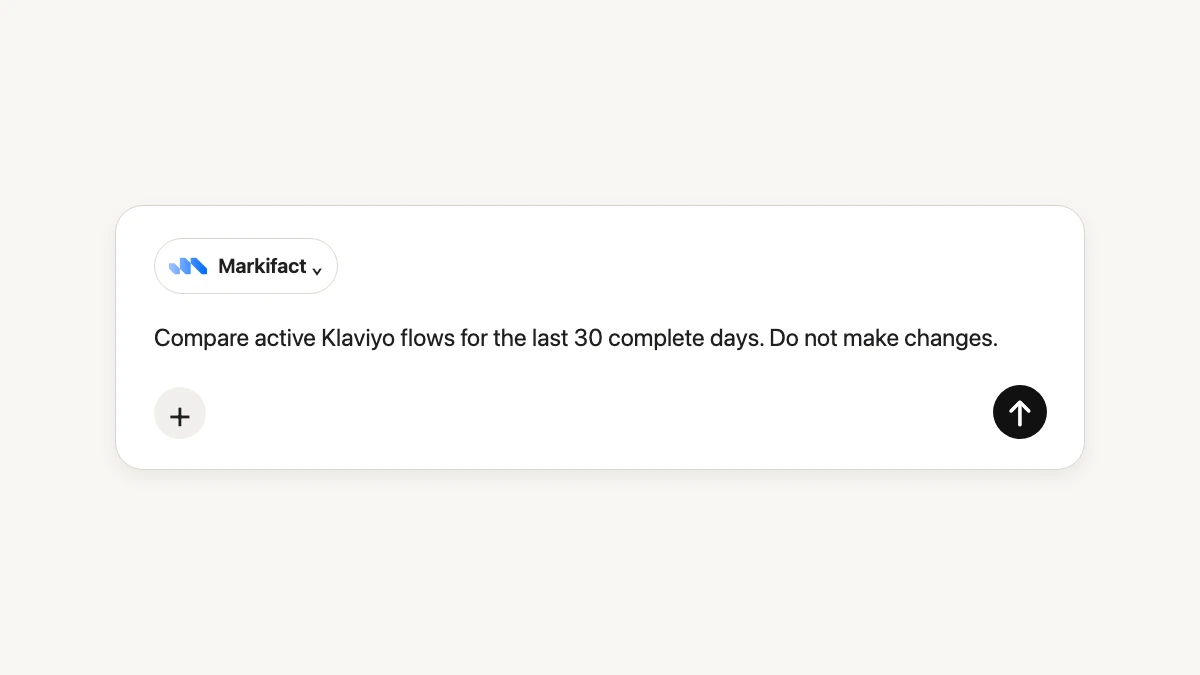
Use this identity check first:
Use Markifact to identify the Klaviyo account available in this chat.
Return the account name and any stable identifier you can retrieve.
If multiple accounts are available, stop and ask me to select one.
Do not make changes.
Step 4: run the first Klaviyo report
Once the account is confirmed, run a complete-period comparison:
Use Markifact to compare active Klaviyo flows for the last 30 complete days
with the previous 30. Show recipients, clicks, conversions, attributed revenue,
and revenue per recipient where available. Label missing fields. Do not make changes.
The app may use klaviyo_get_report. Other real read-only examples include klaviyo_list_campaigns, klaviyo_list_flows, klaviyo_list_profiles, and klaviyo_list_report_fields. These are operation examples, not an exhaustive list of Markifact's cross-platform tools.
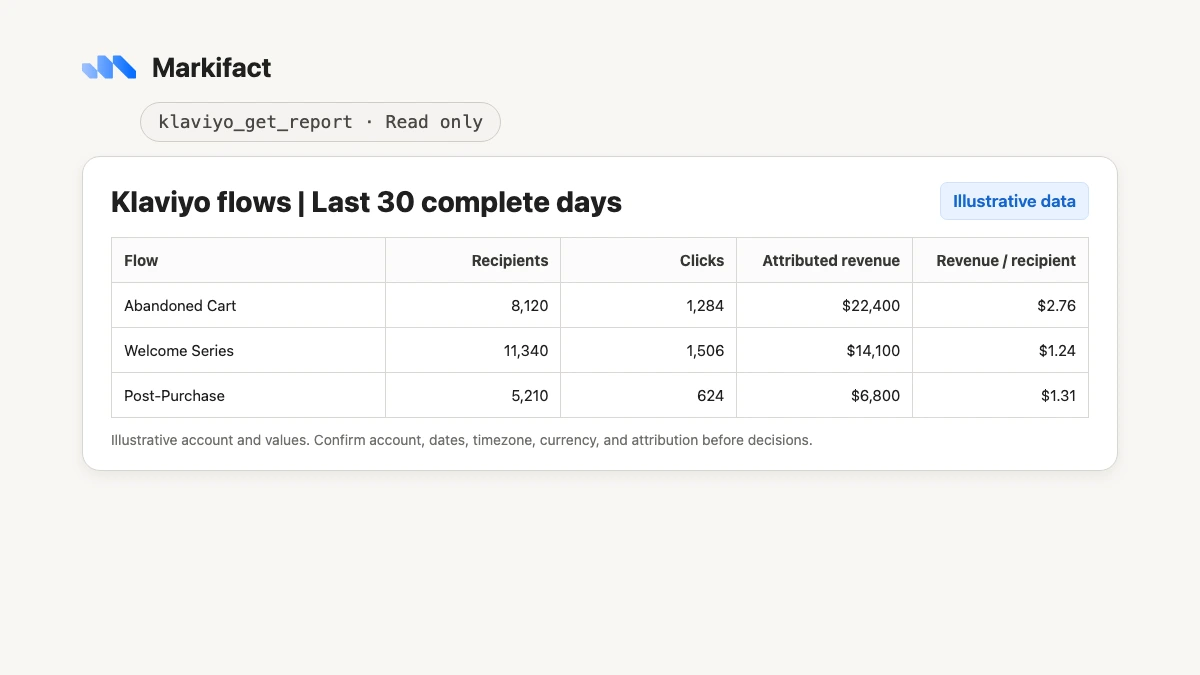
Check the account, exact dates, timezone, currency, message type, and attribution definition before acting on the result.
Use Klaviyo in Codex with /apps
Codex can use accessible ChatGPT apps directly. Type /apps, pick Markifact, and Codex inserts the app mention into the composer. Ask the task only after the app is attached.
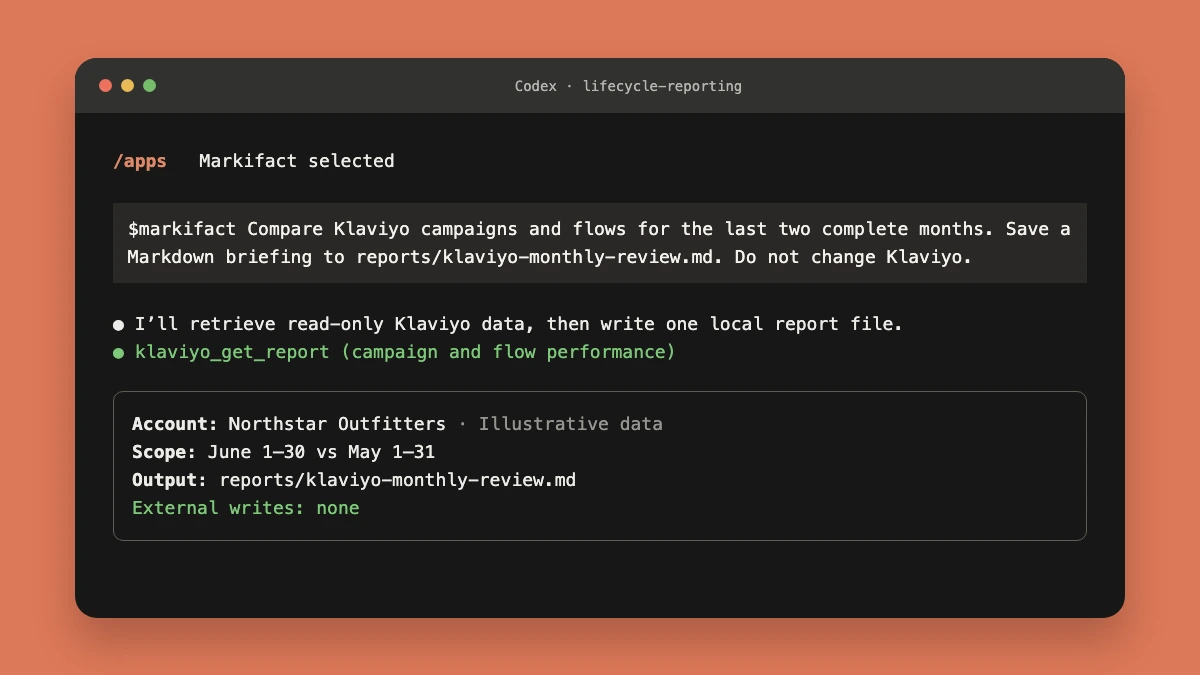
A useful Codex prompt is:
$markifact Pull the last two complete months of Klaviyo campaign and flow performance.
Write a Markdown briefing to reports/klaviyo-monthly-review.md with:
- account and date scope
- top campaigns and flows
- attributed revenue and revenue per recipient where available
- evidence-backed anomalies
- questions for the lifecycle team
Do not change Klaviyo. Do not modify any other files.
Codex has two permission surfaces in this workflow: the connected app controls what external data can be requested, while the Codex environment controls local file and command access. Review both instead of assuming that connecting the app grants unrestricted access.
Copy-paste Klaviyo prompts for ChatGPT
Find the best campaigns
Rank sent Klaviyo campaigns from the last complete quarter by attributed revenue.
Show recipients, unique click rate, conversion rate, and revenue per recipient where available.
Separate high-volume winners from efficient small campaigns. Do not make changes.
Audit active flows
List active Klaviyo flows. Compare their last 90 complete days by recipients,
attributed revenue, and revenue per recipient. Flag flows with material volume
and weak performance, and cite the data behind every flag.
Explain a weak month
Compare the last two complete calendar months in Klaviyo.
Decompose the attributed-revenue change across campaigns and flows.
Check volume, delivery, clicks, conversion, and revenue per recipient where available.
Distinguish evidence from hypotheses.
Compare paid and owned performance
Use Markifact to compare Meta Ads spend and platform-attributed purchase value
with Klaviyo campaign and flow revenue for the same complete 30-day periods.
Keep each platform's attribution separate. Identify timing relationships,
but do not add unlike revenue values into one ROAS metric.
Create a weekly briefing
Prepare a weekly Klaviyo briefing for the lifecycle team.
Include the exact account, dates, top campaign, top flow, biggest decline,
data-quality caveats, and three next questions. Do not make changes.
What the connection can and cannot do
Through Markifact, ChatGPT and Codex can:
- List Klaviyo campaigns, flows, and profiles.
- Run supported performance reports.
- Discover available report fields.
- Analyze results beside connected ads, analytics, ecommerce, or workspace data.
- Turn the analysis into text or local project files when the surrounding tool has permission.
Through Markifact, they cannot currently:
- Create or edit a Klaviyo campaign.
- Schedule or send Klaviyo messages.
- Change flows or account settings.
Klaviyo's official MCP has broader native coverage, including supported campaign creation. Teams that use it should review its OAuth permissions and consider the documented read-only=true option when writes are unnecessary.
Security and permissions
Use an individual authorized account, not shared credentials. Confirm the selected Klaviyo account at the beginning of a conversation and request the minimum detail needed for the task.
In ChatGPT, workspace administrators may control which apps members can connect. In Codex, the app must also be accessible and enabled, and local filesystem or command actions can trigger separate approvals. A connected marketing app does not automatically authorize every local or external action.
Troubleshooting
Markifact is missing from ChatGPT
Open the approved app listing while signed into the correct ChatGPT account. If the Connect control is unavailable, check workspace app policy with an administrator.
Klaviyo is connected but no account appears
Verify the saved Klaviyo OAuth connection in Markifact and the workspace selected during app authorization. Reconnect only after confirming which Klaviyo login has access.
Codex does not show Markifact in /apps
Confirm the app is accessible to your ChatGPT account and enabled in Codex. Then reopen /apps and select Markifact so the $markifact mention appears in the prompt.
The report is empty or incomplete
Confirm the account, complete dates, account timezone, campaign or flow status, and requested fields. Use klaviyo_list_report_fields rather than guessing a replacement metric.
Klaviyo revenue differs from Shopify or an ad platform
Align dates, currency, refunds, order status, and attribution definitions. Keep each source labeled. A difference is not automatically a tracking error.
A practical first workflow
- Confirm the exact Klaviyo account.
- Compare campaigns and flows over two complete periods.
- Rank results by both volume and revenue per recipient.
- Investigate the largest changes with evidence.
- Add Shopify or paid-media context without merging attribution models.
- Save a briefing in ChatGPT or a versioned project file in Codex.
For Claude users, the companion guide is How to Connect Klaviyo to Claude.
Frequently asked questions
Can ChatGPT connect to Klaviyo?
Yes. Use Klaviyo's official ChatGPT app for direct one-account work, or use the approved Markifact app for read-only Klaviyo reporting beside other marketing platforms.
Is there an official Klaviyo app for ChatGPT?
Yes. Klaviyo documents an official ChatGPT app as the simplest setup for one Klaviyo account.
Can Codex access Klaviyo?
Yes. If the Markifact app is accessible and enabled, type /apps in Codex, choose Markifact, and attach it to a prompt that requests Klaviyo data.
Can ChatGPT create Klaviyo campaigns?
Klaviyo's official MCP supports broader native tools, including supported campaign creation. Markifact's current Klaviyo connection is read-only and cannot create or edit campaigns.
Is the Markifact ChatGPT app read-only for Klaviyo?
Yes. Markifact's current Klaviyo operations cover reporting and discovery only. Other platforms connected through Markifact can have different permission and approval boundaries.
Do I need a Klaviyo API key?
Not for the OAuth setup described here. Authorize the Klaviyo account through the official app or Markifact connection rather than pasting a private credential into a chat.
Can ChatGPT compare Klaviyo with Meta Ads and Shopify?
Yes, through a cross-channel app such as Markifact. Keep each platform's attribution, revenue definition, dates, and currency explicit.