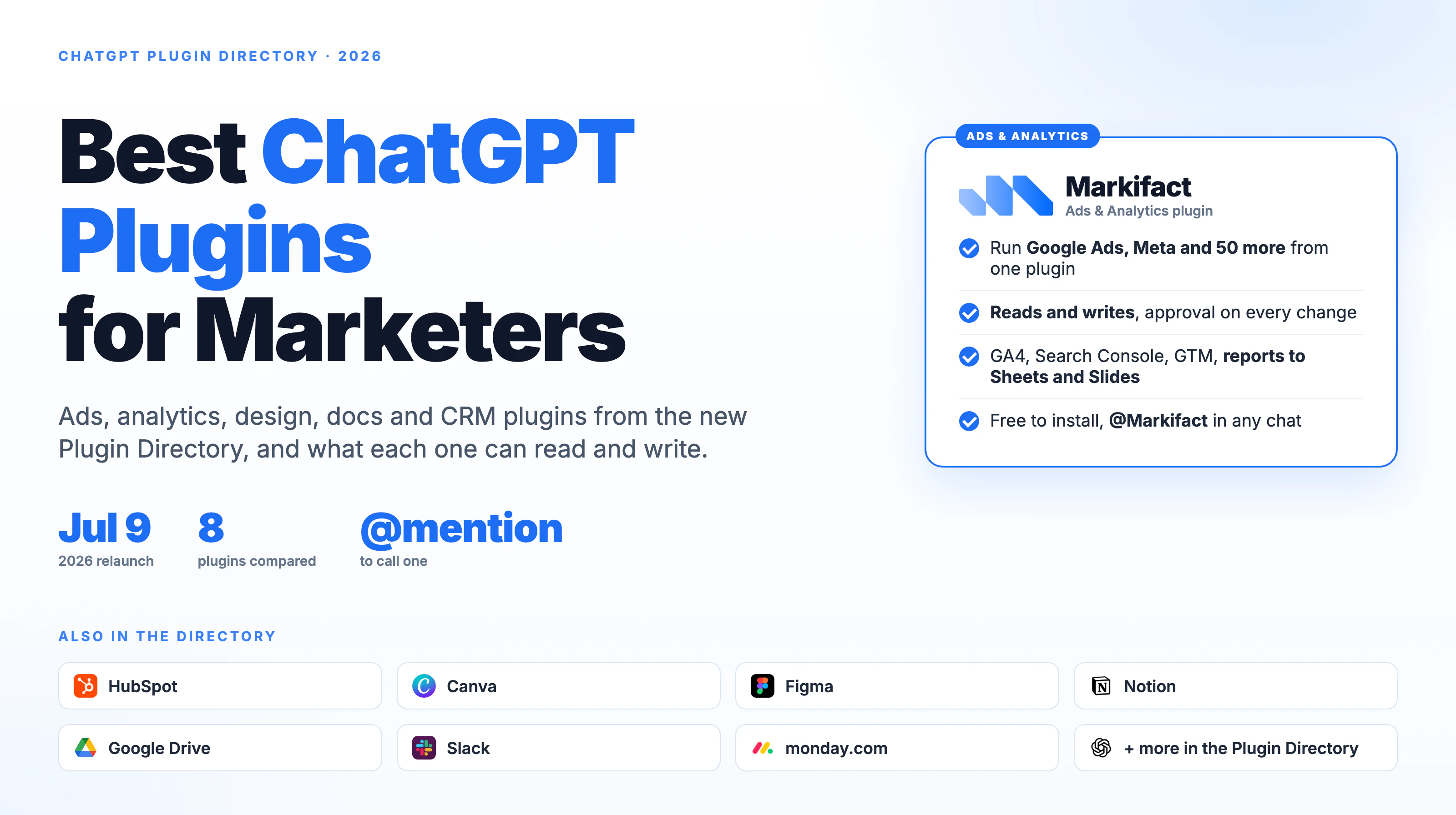
ChatGPT plugins are back, and this time they are not a beta. On July 9, 2026, OpenAI replaced the app directory with a Plugin Directory, and a plugin now means an installable package of skills and connected apps that ChatGPT can call by name in a conversation. For marketers, that turns ChatGPT from a writing assistant into something that can read your ad accounts, pull your analytics, draft in your design tool and post the result to Slack.
This guide covers what a ChatGPT plugin is in 2026, how to install one, and which plugins are worth a marketing team's time. It is written by the team behind Markifact, which publishes the ads and analytics plugin listed below. We say so up front, and we have kept every other entry to what the vendor's own listing says it does.
What is a ChatGPT plugin in 2026?
A ChatGPT plugin is a package you install from the Plugin Directory that gives ChatGPT new capabilities. OpenAI's help center says a plugin can include three things: skills that provide instructions and workflow guidance, connected apps that link external accounts, information and actions, and app templates that help administrators configure apps for a workspace. Some plugins include several apps. Others include only skills and never ask you to connect an account.
The connected-app part is what matters for marketing. When a plugin includes an app, ChatGPT can read data from that app and, where the app allows it, take actions inside it. That is the difference between ChatGPT telling you how to check a campaign's device split and ChatGPT reading the device split from your Google Ads account and answering with the numbers.
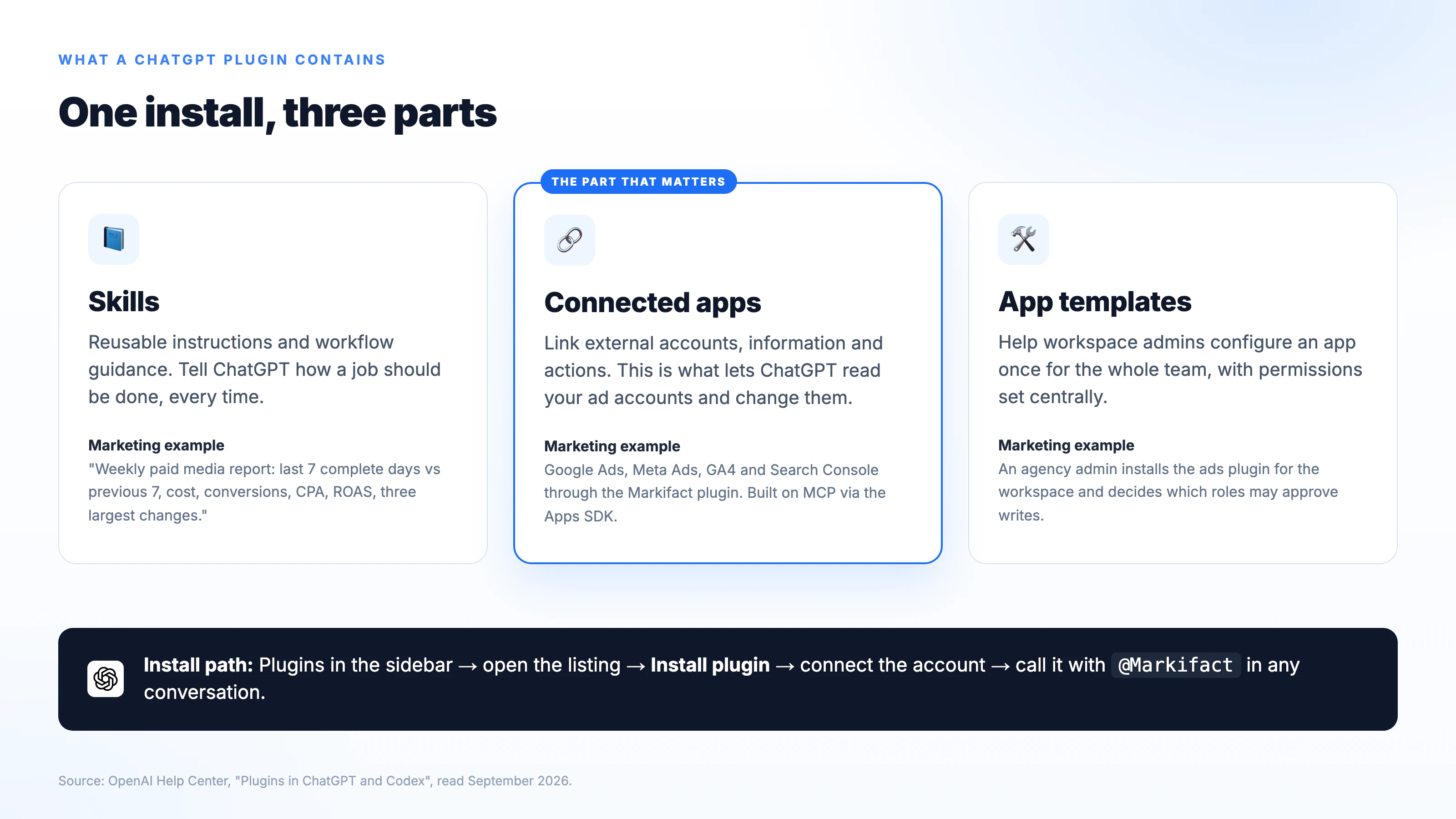
Under the hood, connected apps are built on the Model Context Protocol through OpenAI's Apps SDK, the same open standard that powers Claude connectors and MCP servers. If you have read about Google Ads MCP servers, a ChatGPT plugin is the ChatGPT-native way to install one.
This is the third thing OpenAI has called a plugin
The word has history, and most search results for "ChatGPT plugins" still describe a product that no longer exists.
| Era | What "plugin" meant | Status |
|---|---|---|
| March 2023 | Beta plugin store for Plus users, three plugins per chat, browsing and code interpreter | Retired in spring 2024 |
| Late 2023 to 2025 | Custom GPTs, then apps and connectors | GPTs being retired; apps folded into plugins |
| July 9, 2026 | Plugin Directory: skills plus connected apps plus templates, available in ChatGPT and Codex | Current |
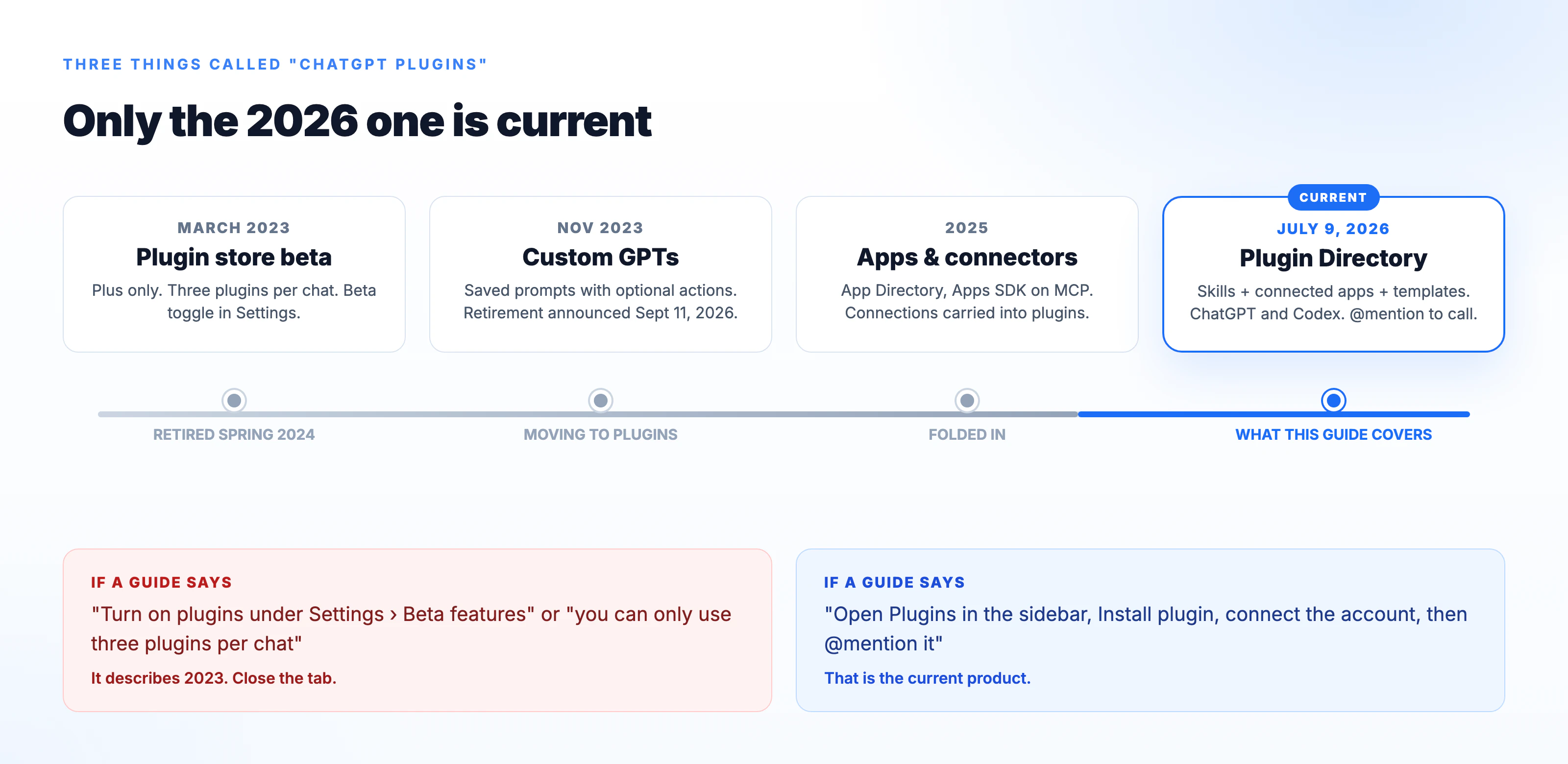
Two practical consequences. First, if a guide tells you to switch on plugins under Settings, Beta features, it is describing 2023 and you can close the tab. Second, OpenAI announced on September 11, 2026 that it plans to retire custom GPTs across plans with a migration path to plugins, so anything your team built as a GPT should be on your list to move.
How to install a ChatGPT plugin
The install flow is the same for every plugin in the directory.
- Open Plugins in the ChatGPT sidebar. The directory has two tabs, Plugins and Skills.
- Find the plugin you want and open its listing. Read the description, because that is where the vendor states what the plugin can read and write.
- Select Install plugin. If the plugin includes a connected app, ChatGPT sends you to that vendor to sign in and authorize the connection.
- Start a new conversation and call the plugin with an @ mention, for example
@Markifact, or pick it from the + menu under More.
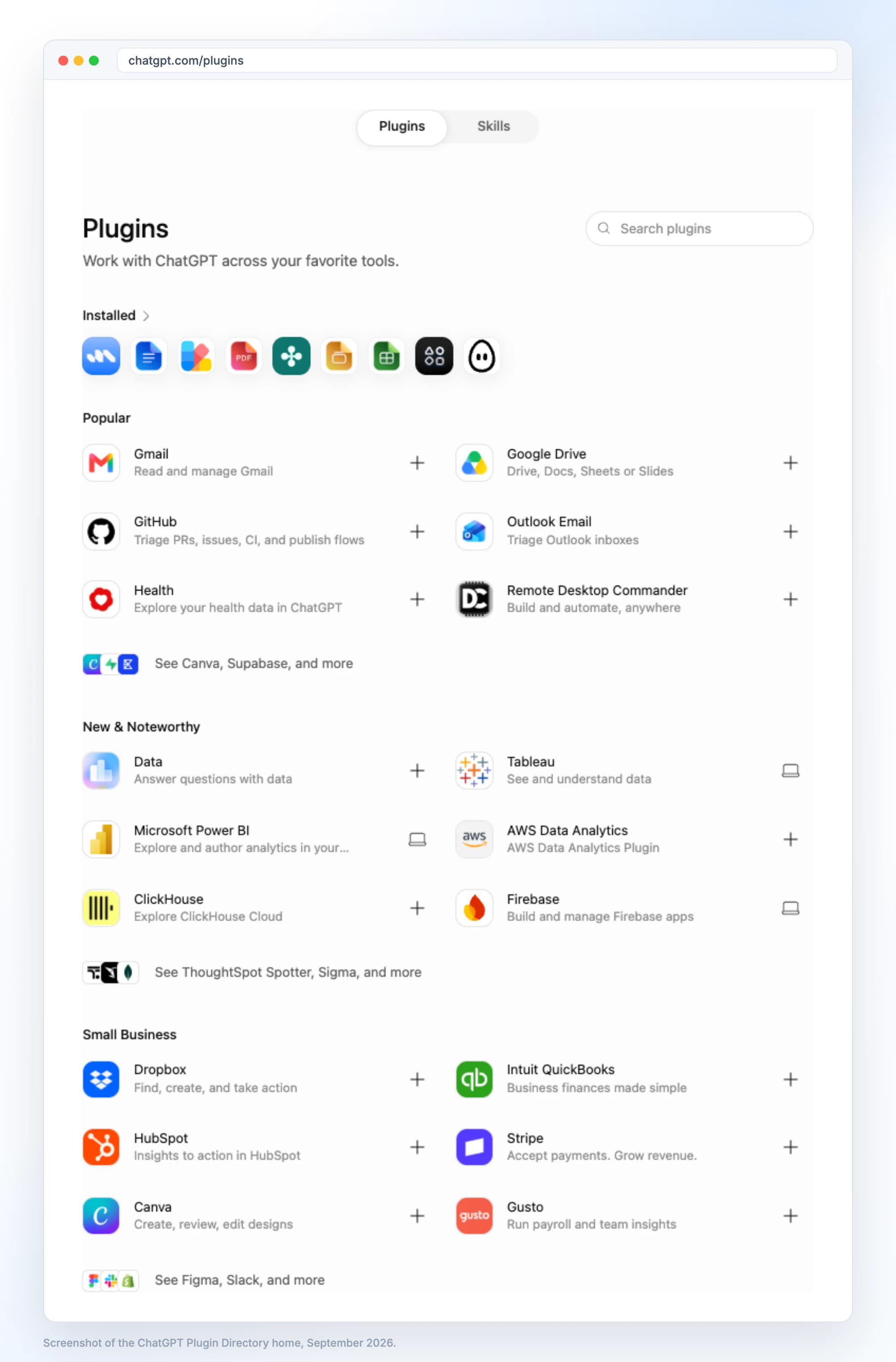
The directory home groups plugins into Popular (Gmail, Google Drive, GitHub, Outlook Email), New and Noteworthy (Tableau, Microsoft Power BI, ClickHouse, Firebase) and Small Business (Dropbox, QuickBooks, HubSpot, Stripe, Canva, Gusto), with Figma, Slack, Supabase and others behind the See more links. The search box finds anything that is not on the home page.
There is no three-plugin limit any more and no beta toggle. On a Business or Enterprise workspace, an admin controls which plugins can be installed from Workspace settings, Plugins, and manages each underlying app's permissions from there.
Which ChatGPT plans have plugins?
OpenAI's help center says the Plugin Directory is visible across ChatGPT plans, and its pricing page lists Plugins on Free, Go, Plus and Pro. Whether you can install or invoke a particular plugin depends on your plan, workspace settings, role, surface, region and what the included app is allowed to do. Some vendors gate write actions to Business and Enterprise workspaces. If a plugin's listing says it can create or change things and the option is missing for you, check the plan and the workspace admin settings before you assume the plugin is broken.
Best ChatGPT plugins for marketers
A marketing team does not need twenty plugins. It needs one for each job that currently forces a tab switch: the ad accounts, the analytics, the design tool, the documents, the CRM and the channel where the team talks. Here is the stack we would build from the current directory.
| Plugin | What it does for a marketer | Reads | Writes |
|---|---|---|---|
| Markifact - Ads & Analytics | Run Google Ads, Meta and 50 more platforms, plus GA4, Search Console and reporting into Sheets and Slides | Yes | Yes, with approval on every change |
| HubSpot | CRM insight and action: contacts, deals, pipeline questions | Yes | Vendor lists actions; plan dependent |
| Canva | Create, review and edit designs from a prompt | Yes | Yes |
| Figma | Create designs and diagrams, ship them to code | Yes | Yes |
| Notion | Search and draft in your docs and workflows | Yes | Yes |
| Google Drive | Find and read briefs, decks and spreadsheets | Yes | Read focused |
| Slack | Search channels, summarize threads, draft messages | Yes | Plan dependent |
| monday.com | Campaign boards, tasks and timelines | Yes | Yes |
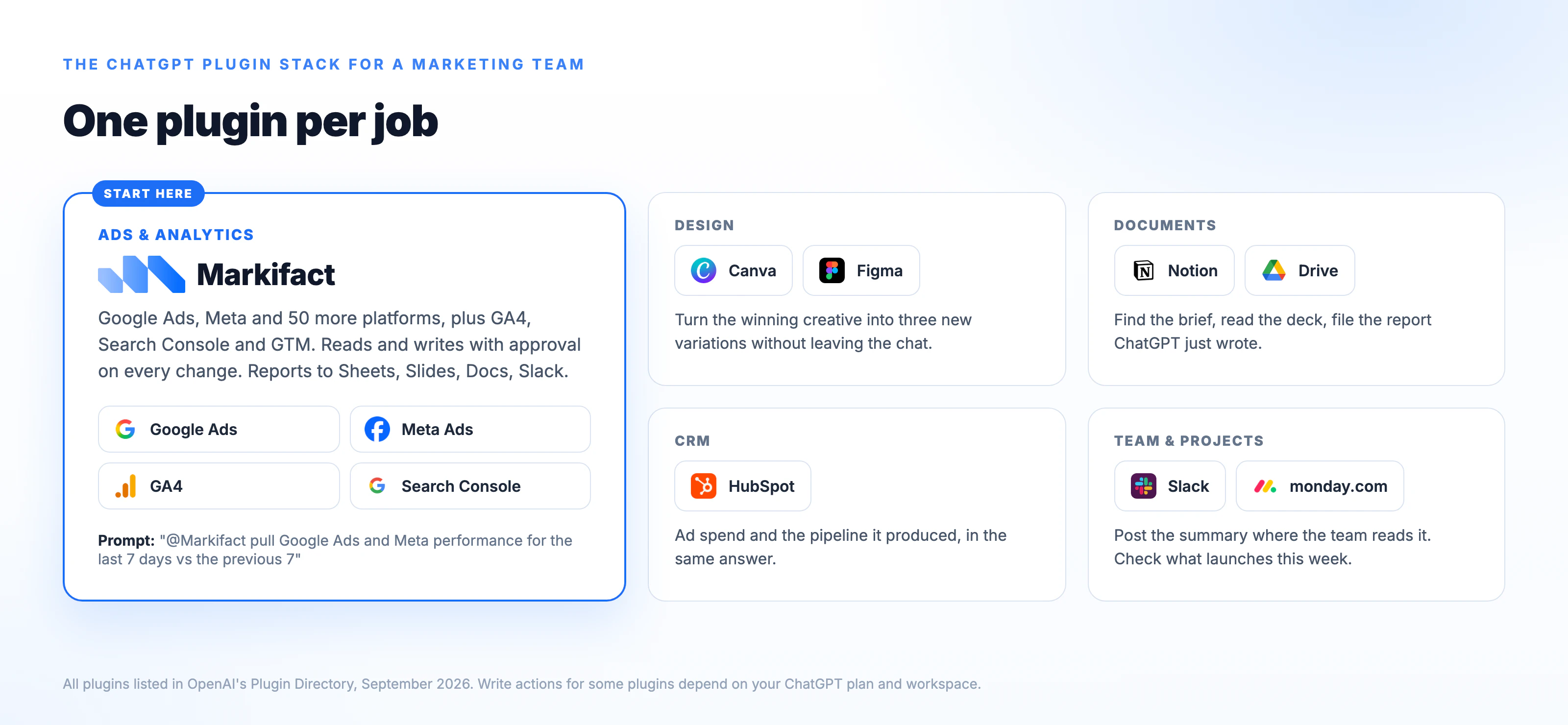
Ads and analytics: Markifact
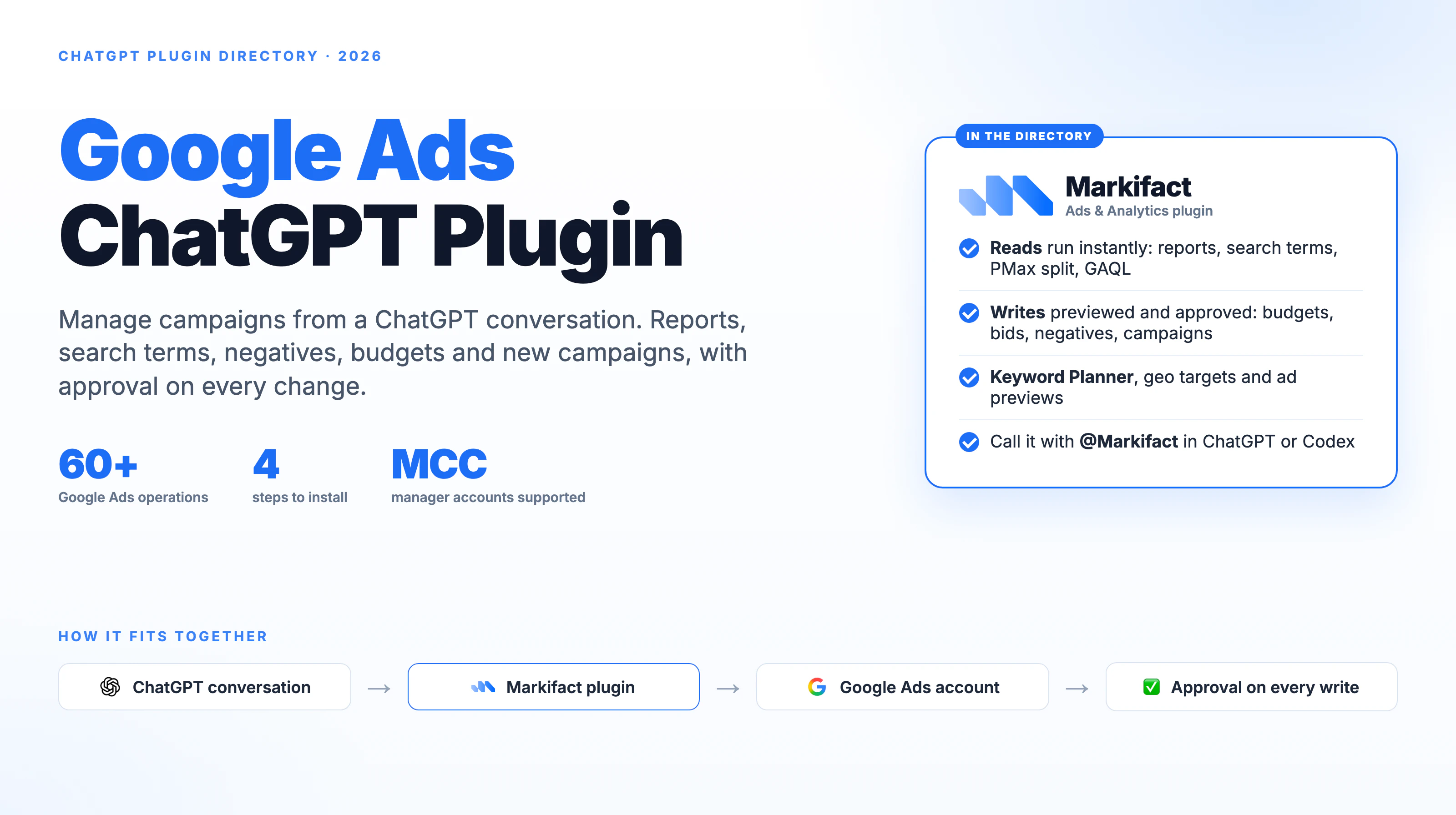
Markifact is listed in the ChatGPT Plugin Directory as Markifact - Ads & Analytics with the tagline "Run Google Ads, Meta + 50 More". Its listing describes it as "a marketing automation and advertising management connector for ChatGPT" built for "marketers, agencies, media buyers, PPC specialists, growth teams, and in-house marketing teams who need cross-channel reporting, paid media analysis, and campaign management without switching between ad dashboards."
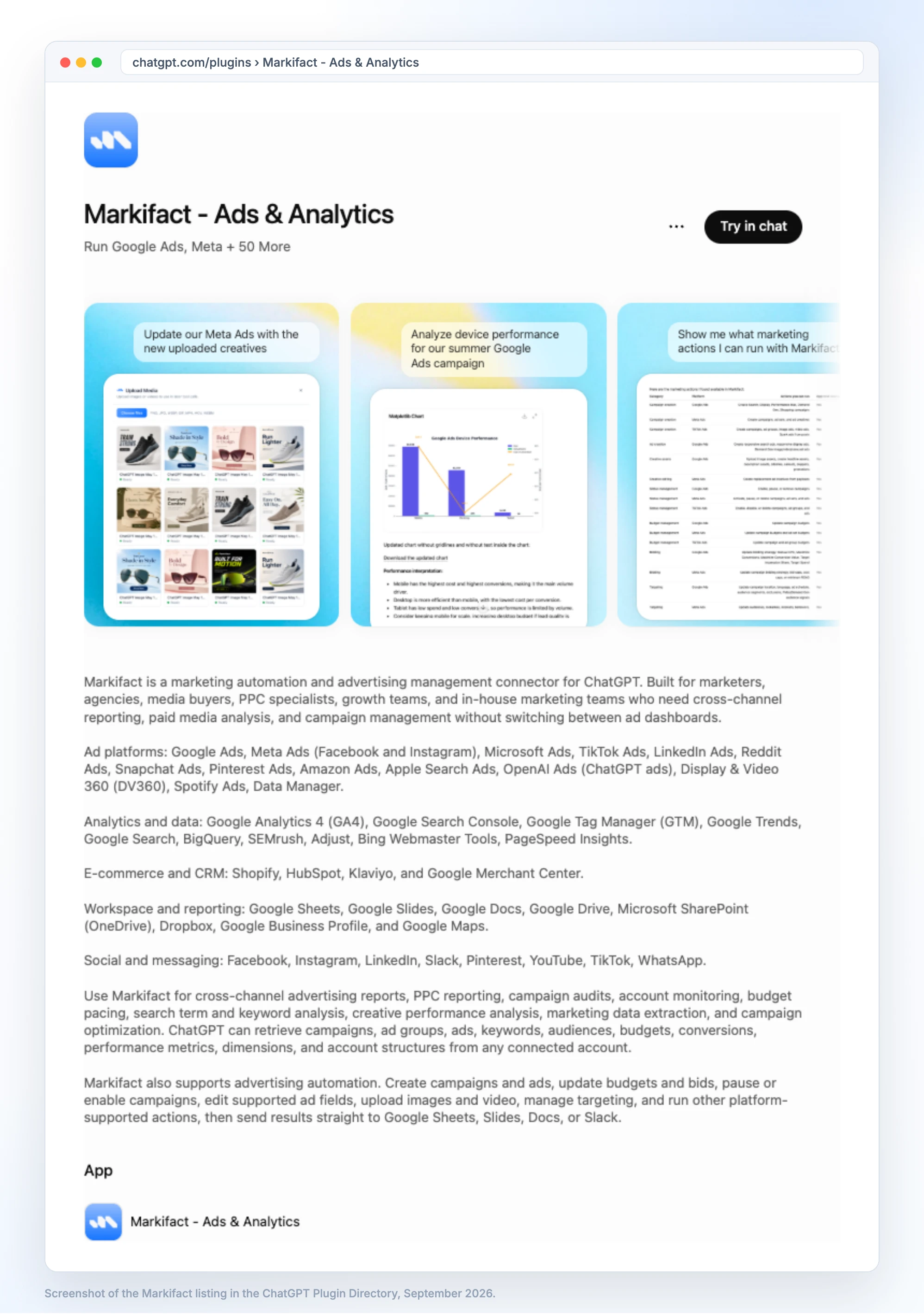
That description is accurate because we wrote it, so here is what it means in practice. You connect your ad and analytics accounts inside Markifact once, install the plugin, and ChatGPT can then run reads and writes across all of them in one conversation. Reads cover campaigns, ad groups, ads, keywords, audiences, budgets, conversions and performance metrics from any connected account. Writes cover creating campaigns and ads, updating budgets and bids, pausing or enabling campaigns, editing supported ad fields, uploading images and video, and managing targeting. Every write shows you exactly what will change and waits for your approval before it runs.
The plugin covers 14 ad platforms, including Google Ads, Meta Ads, Microsoft Ads, TikTok Ads, LinkedIn Ads, Reddit Ads, Snapchat Ads, Pinterest Ads, Amazon Ads, Apple Search Ads, OpenAI Ads and Display & Video 360. On the analytics side it covers GA4, Search Console, Google Tag Manager, Google Trends, BigQuery, Bing Webmaster Tools and PageSpeed Insights. Results can go straight to Google Sheets, Slides, Docs or Slack.
Three prompts from the listing show the range:
Analyze device performance for our summer Google Ads campaign
Update our Meta Ads with the new uploaded creatives
Show me what marketing actions I can run with Markifact
The plugin is free to install. It needs a Markifact account, and the account is what carries the platform connections and the approval log. A free account comes with 200 one-time credits to test it, and paid plans start at $79 a month on the pricing page.
Google Ads ChatGPT plugin
The Google Ads side is the deepest part of the plugin, with more than 60 dedicated operations covering reports, search terms, keywords, negatives, budgets, bids, campaign and ad group creation, and Performance Max. The full list is on the Google Ads MCP page. Manager accounts are supported, so an agency can query across clients from one connection. We wrote a separate guide to the Google Ads ChatGPT plugin, and a step-by-step on connecting Google Ads to ChatGPT.
Meta Ads ChatGPT plugin
For Meta, the plugin reads campaign, ad set and ad performance with breakdowns, and writes campaigns, ad sets, ads, creatives and audiences, including uploading the images and video ChatGPT then attaches to new ads. The operation list is on the Meta Ads MCP page. The walkthrough is in how to connect Meta Ads to ChatGPT.
Other ad platforms
The same install covers TikTok Ads, LinkedIn Ads and Reddit Ads, plus Microsoft, Pinterest, Snapchat, Amazon, Apple Search Ads, OpenAI Ads, Spotify Ads and DV360. Each guide follows the same pattern: connect the account in Markifact, install the plugin, run a read-only report first.
Analytics and SEO in ChatGPT
Ask ChatGPT for last month's channel performance from GA4, the queries that lost clicks in Search Console, the tags firing on a page in Google Tag Manager, or product disapprovals in Merchant Center. Because the same plugin holds the ad data, you can ask cross-channel questions in one prompt, such as which Google Ads campaigns drove sessions that GA4 attributes to organic.
Social publishing
The plugin also posts. Draft a caption in ChatGPT and publish it to Instagram, Facebook, TikTok or Pinterest, with the same approval step before anything goes live.
CRM: HubSpot
HubSpot's plugin is listed as "Insights to action in HubSpot". For a marketing team it answers the questions that usually mean opening a report: which contacts came from last month's campaign, what is in the pipeline from a given source, which deals are stalled. Pair it with the ads plugin and you can ask ChatGPT to line up ad spend against the deals that spend produced. HubSpot's write actions are among the ones that vary by ChatGPT plan, so check your workspace before you promise the team it can create records.
Design: Canva and Figma
Canva's listing reads "Create, review, edit designs", and that is the job: turn a brief into a first draft of a social post, a banner or a one-pager without leaving the chat, then edit it in Canva. Figma's listing reads "Create designs, ship to code", which is more useful for landing pages and diagrams than for ad creative. A practical pairing with the ads plugin: ask ChatGPT which creative is winning on Meta, then ask Canva for three variations of it.
Documents: Notion and Google Drive
Notion's plugin, "Notion docs and workflows", lets ChatGPT search your workspace and draft or update pages, which makes it the natural home for campaign briefs and the weekly report ChatGPT just produced. Google Drive covers the same ground for teams that live in Docs and Sheets: find the brief, read the deck, pull the numbers from the sheet. If your reporting already lands in Google Sheets and Slides through Markifact, Drive is where ChatGPT goes to read it back.
Team chat: Slack
Slack's plugin lets ChatGPT search channels, summarize a thread and draft a message. The marketing use is closing the loop: run the report, then post the summary where the team will see it. Markifact can send results to Slack directly, so you may not need both, but the Slack plugin is the one to install if you want ChatGPT reading what the team said, not only writing to them.
Project tracking: monday.com
monday.com's plugin reads and updates boards, which suits teams that run campaign calendars there. Ask what launches this week, then ask the ads plugin whether the campaigns for those launches are live and pacing.
Also worth a look: Tableau and Power BI
If your reporting lives in a BI tool, the directory's New and Noteworthy section lists Tableau and Microsoft Power BI plugins. They answer questions about dashboards you already publish. They do not connect to ad accounts directly, so most marketing teams pair one of them with the ads plugin rather than choosing between them.
What a marketing team can do once the plugins are installed
The value is not any single plugin. It is a prompt that crosses two of them.
@Markifact pull Google Ads and Meta Ads performance for the last 7 complete
days versus the previous 7. Include cost, conversions, CPA and ROAS.
Return a table, then the three largest changes with the figures behind each.
Do not make any changes.
@Markifact list active Meta ad sets with CPA above $80 over the last 14 days.
Then @Canva create two new image variations of the top-performing creative
in the same campaign.
@Markifact pull last month's GA4 sessions and conversions by channel, write a
five-line summary, and send it to the #marketing channel in Slack.
Three habits make these work. Name the date range and the metrics, ask for a read before you ask for a write, and end with whether changes are allowed.
Are ChatGPT plugins safe to use with ad accounts?
Safe enough, if you read the listing and understand who controls what. Three layers apply.
The plugin listing states what the app can read and write. OpenAI shows an OpenAI Verified badge on plugins it has reviewed for quality, reliability and usefulness. A badge is a good signal, but the listing text is where the permissions actually live.
Your ChatGPT plan and workspace decide whether the plugin can be installed and whether its write actions are enabled for your role.
The vendor's own approval model decides what happens when ChatGPT asks for a change. Markifact requires an approval on every write, so a prompt that says "pause the campaigns with CPA above $80" produces a list of the exact campaigns and waits. Nothing in the account changes until you confirm.
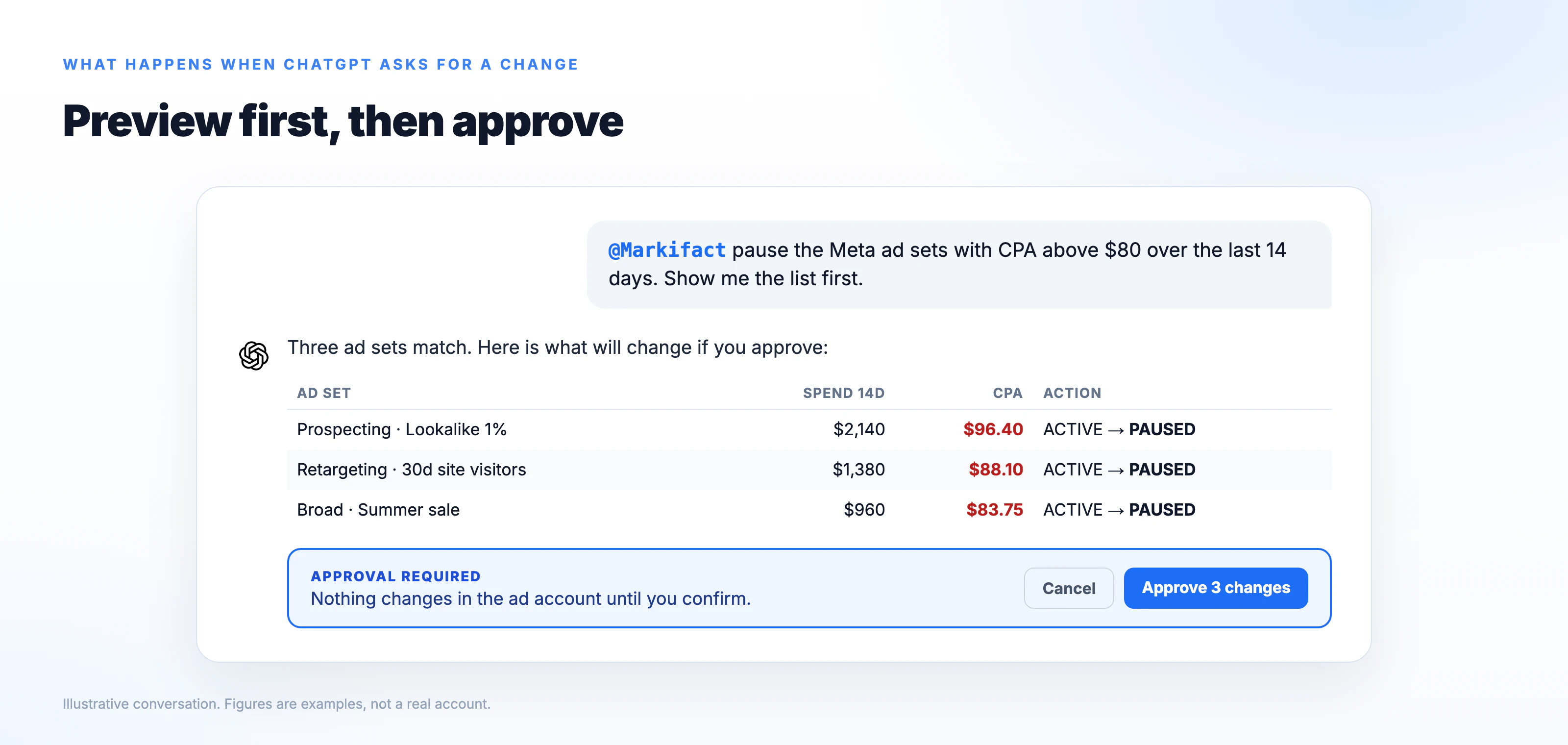
Start every new plugin with a read-only prompt, check that it picked the right account and currency, and only then allow writes.
ChatGPT plugins vs Claude connectors
Same idea, different host. Claude calls them connectors and lists them in its own directory; ChatGPT calls them plugins and lists them in the Plugin Directory. Both are built on MCP, so vendors such as Markifact ship the same capabilities to both. If your team uses Claude, the equivalent guide is Claude connectors for marketers. If the team is split, the same Markifact account and the same platform connections serve both.
Frequently asked questions
Are ChatGPT plugins free?
The Plugin Directory is visible on every ChatGPT plan, and OpenAI lists Plugins on Free, Go, Plus and Pro. Installing a plugin is free. The app behind it may need its own account, and some write actions are limited to Business and Enterprise workspaces depending on the vendor.
Is a ChatGPT plugin the same as a GPT?
No. A GPT was a saved prompt with optional actions. A plugin is a package of skills and connected apps that you install and call by @ mention. OpenAI has announced plans to retire custom GPTs and move them to plugins.
Is there a Google Ads ChatGPT plugin?
Yes. Markifact's plugin covers Google Ads with reads and writes, including manager accounts, and is listed in the Plugin Directory as Markifact - Ads & Analytics. Google's own Google Ads MCP server is a self-hosted developer project that needs your own Cloud project, not a directory listing you can install in a click.
Can a ChatGPT plugin change my campaigns?
Only if the plugin includes write actions and your plan and workspace allow them. In Markifact's case every change is previewed and waits for your approval, so ChatGPT cannot pause, launch or rebudget anything on its own.
Do plugins work in Codex?
Yes. OpenAI describes the Plugin Directory as the primary way to discover workflow capabilities across ChatGPT and Codex, and the Codex app merged into the ChatGPT desktop app on July 9, 2026.
What happened to the 2023 ChatGPT plugins?
OpenAI retired the original plugin beta in spring 2024 and replaced it with GPTs, then apps and connectors. The 2026 Plugin Directory is a new product that reuses the name. Guides that mention a beta toggle or a three-plugin limit describe the old one.
Which plugins to install first
Install the one that removes the most tab switching. For most marketing teams that is the ads and analytics plugin, because the ad accounts are where the numbers live and where the changes happen. Add the design tool second, the documents tool third, and the CRM when you want ad spend and pipeline in the same answer. Everything else can wait until a real prompt needs it.