Connect Klaviyo to Claude with Klaviyo's official connector for direct account work, or connect it through Markifact when you want Klaviyo data beside paid media, analytics, ecommerce, and reporting tools. This guide walks through the managed Markifact route, verifies the connection with a read-only report, and explains when the official Klaviyo connector is the better choice.
You will finish with a working Klaviyo connector in Claude, reusable prompts for campaigns and flows, and a clear boundary between reporting and account changes.
The quick version
- In Markifact, open Connections and connect Klaviyo with your authorized account.
- Open the approved Markifact connector in Claude and click Connect.
- Sign in to the same Markifact workspace and review the connection access.
- Enable Markifact in the Claude conversation.
- Ask Claude to confirm the exact account or property, then run a read-only report before requesting changes.
If you only need one Klaviyo account and want Klaviyo's broader native tool set, search for the listed Klaviyo connector inside Claude instead. Klaviyo recommends that path for a single account.
Choose the right Klaviyo connector
There are two useful routes, and they solve different problems.
| Route | Best for | Klaviyo coverage |
|---|---|---|
| Klaviyo's official Claude connector | One-account, Klaviyo-only work | Broad native tools, including supported campaign creation |
| Markifact connector | Cross-channel reporting and marketing analysis | Read-only Klaviyo campaigns, flows, profiles, and reports beside other connected platforms |
The official connector is not an inferior option. It is the most direct route when the entire job lives inside Klaviyo. Markifact becomes useful when the question crosses systems, such as comparing Meta Ads acquisition revenue with Klaviyo flow revenue, checking Shopify sales against campaign performance, or exporting a result to Google Sheets.
For a larger directory of marketing integrations, see the Markifact MCP hub and the guide to Claude connectors for marketers.
What the Markifact connection actually does
Claude does not receive your Klaviyo password. You authorize Klaviyo with OAuth inside Markifact, then Claude calls the remote Markifact MCP endpoint. The selected Markifact workspace and its connected account determine which Klaviyo data is available.
The connection path is:
Claude → Markifact MCP → authorized Klaviyo account
Markifact's Klaviyo tools are read-only today. Claude can retrieve and analyze campaign, flow, profile, and reporting data, but it cannot create or edit a Klaviyo campaign through this route.
Before you start
You need:
- A Klaviyo account you are permitted to analyze.
- A Markifact account and workspace.
- Claude access that supports connectors in your account or organization.
- Permission to add a connector, or an administrator who can add it for you.
- A clear account name and reporting window for the first test.
Do not connect a production account using a shared login. Use your own authorized identity so access can be reviewed and revoked normally.
Step 1: connect Klaviyo in Markifact
Open Markifact, create a new Klaviyo connection, and complete the Klaviyo OAuth flow. Choose the account you actually want to analyze rather than relying on a familiar display name.
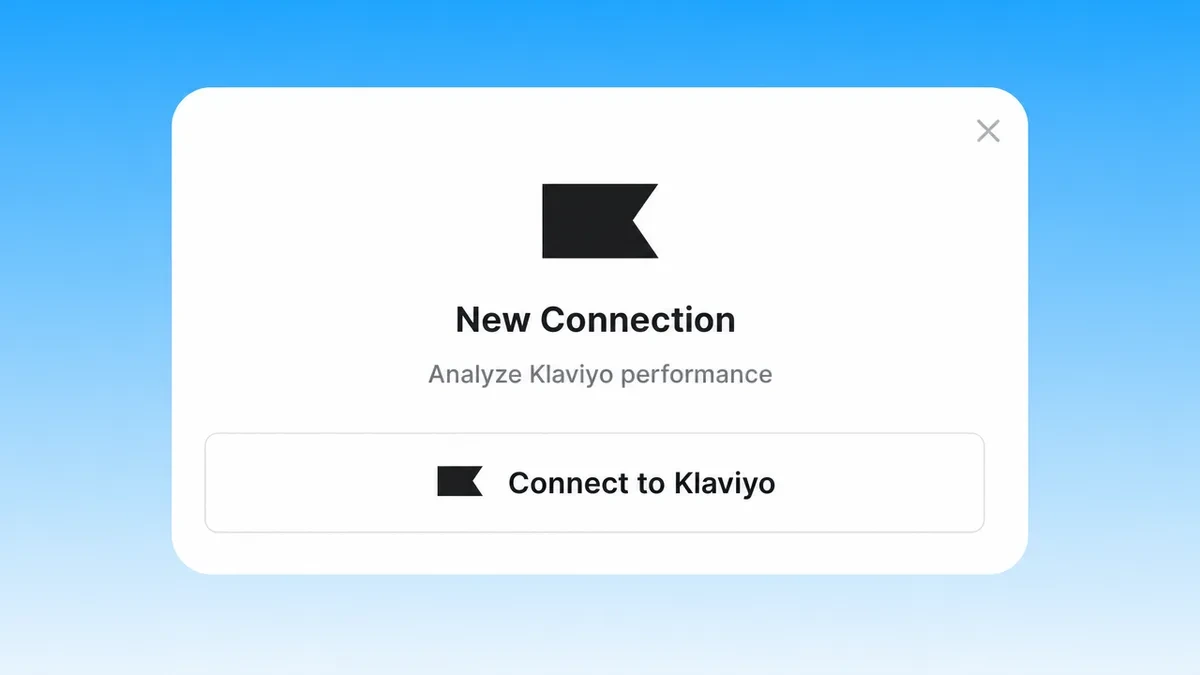
After authorization, give the connection a name that identifies the brand or business unit. This matters when one team manages several stores with similar account names.
2. Install Markifact from the Claude directory
Markifact is approved in Claude's connector directory. Open the Markifact listing and click Connect. Complete the Markifact sign-in, choose the intended workspace, and review the requested access. If prompted to choose an MCP server, select the one with the connections you want to use.
In a Claude conversation, open + > Connectors and enable Markifact. You do not need to add a custom connector or paste a server URL for this setup. If your organization manages connector access, an administrator may need to allow Markifact first.
Step 3: verify the account before analyzing it
Start with identity and scope, not a broad performance question:
Use Markifact to list the Klaviyo account available in this conversation.
Return the account name and any stable identifier you can retrieve.
Do not make changes. If more than one account is available, stop and ask me to choose.
This small check prevents a polished report from being produced for the wrong brand.
Step 4: run a read-only Klaviyo report
Use a complete period and name the object you want to analyze. For example:
Use Markifact to compare active Klaviyo flows for the last 30 complete days.
Show recipients, delivered messages, clicks, conversions, attributed revenue,
and revenue per recipient where those fields are available.
Label unavailable fields instead of estimating them. Do not make changes.
One real Markifact operation Claude may use is klaviyo_get_report. Other examples include klaviyo_list_campaigns, klaviyo_list_flows, klaviyo_list_profiles, and klaviyo_list_report_fields. These names are examples, not a complete list of every marketing tool available through the connection.
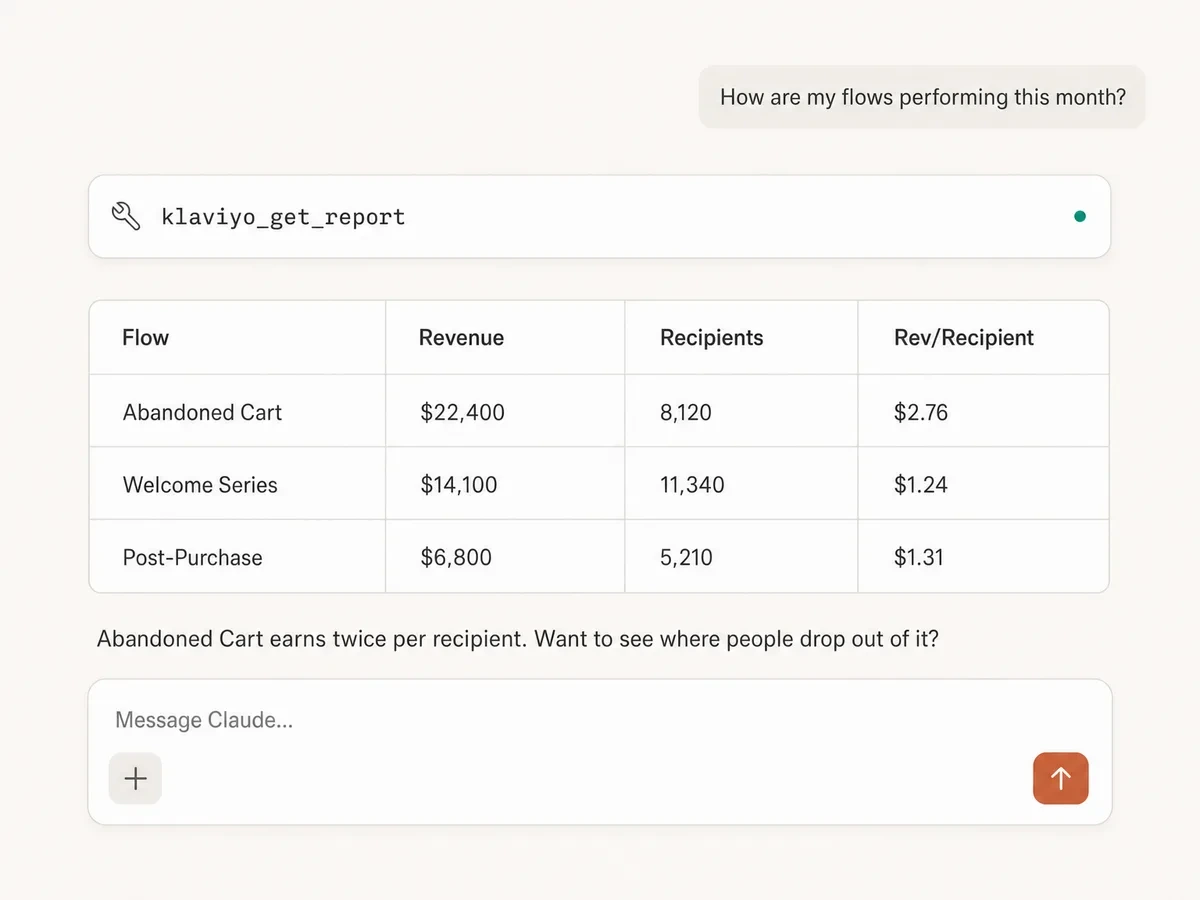
Treat attributed revenue as a platform-reported value, not universal truth. Confirm the reporting period, account timezone, attribution settings, message type, and whether the comparison uses campaigns, flows, or both.
Copy-paste prompts for Klaviyo in Claude
Campaign performance
Compare sent Klaviyo campaigns from the last 30 complete days.
Show recipients, delivery rate, unique click rate, conversion rate, attributed revenue,
and revenue per recipient where available. Separate evidence from recommendations.
Do not make changes.
Flow performance
List active Klaviyo flows and rank them by attributed revenue for the last 90 complete days.
Include recipients and revenue per recipient. Flag flows with meaningful volume but weak
conversion performance. Do not make changes.
Profile and list growth
Summarize Klaviyo profile growth by week for the last 12 complete weeks.
Show new profiles, suppressed profiles, and net change where available.
Call out unusual weeks, but do not invent causes.
Diagnose a revenue decline
Klaviyo attributed revenue declined last month. Compare the last two complete calendar months
across campaigns and flows. Decompose the change into audience volume, delivery, clicks,
conversion, and revenue per recipient where the data supports it.
Prepare an executive summary
Create a concise Klaviyo performance summary for the last complete month.
Use three sections: what changed, why it may have changed, and what to investigate next.
Cite the exact campaigns or flows behind each claim.
Compare Klaviyo with paid media
The cross-channel use case is the main reason to choose Markifact. Connect the relevant ad platform, then ask Claude to keep paid acquisition and owned-channel revenue separate before comparing trends.
Compare the last 30 complete days with the previous 30.
Show Meta Ads spend and platform-attributed purchase value beside Klaviyo campaign revenue
and Klaviyo flow revenue. Do not add unlike attribution values into one ROAS metric.
Explain the directional relationship and identify dates that need investigation.
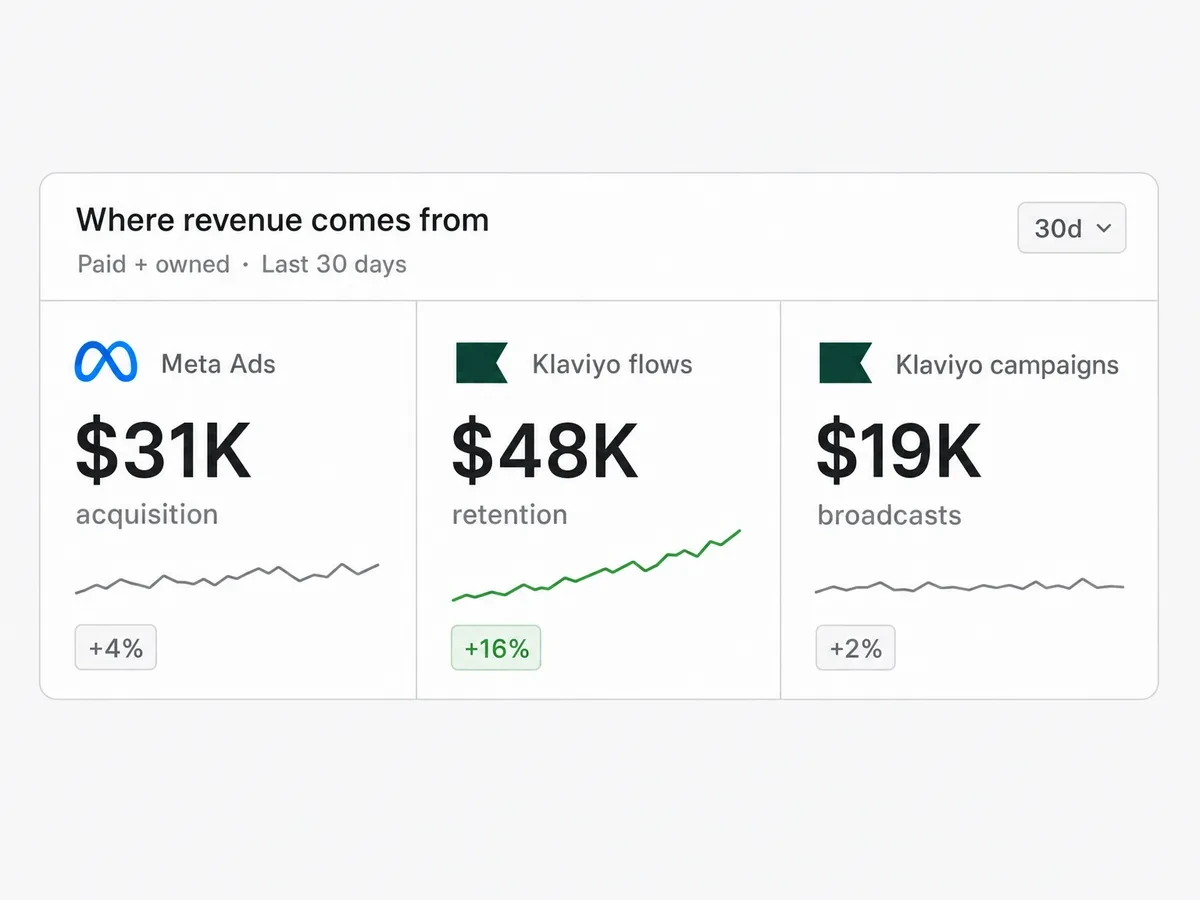
You can extend the same workflow with Meta Ads MCP, Shopify MCP, GA4, or Google Sheets. The goal is not to force incompatible numbers into one total. It is to inspect the customer journey with each source's definitions intact.
Security and the read-only boundary
OAuth lets you authorize access without pasting a Klaviyo password into Claude. The connector can only expose accounts and tools allowed by the authorized connection and the selected Markifact workspace.
For Markifact's Klaviyo connection:
- Reporting and discovery are read-only.
- Claude cannot create, edit, schedule, or send Klaviyo campaigns through this route.
- Account selection should be confirmed before any analysis.
- Outputs can still contain sensitive customer or revenue information, so only request the detail you need.
If you require native Klaviyo write tools, use Klaviyo's official MCP server and review its requested permissions. Klaviyo also documents a read-only=true URL option for teams that want to disable writes on the official connector.
Troubleshooting
Klaviyo does not appear in Markifact
Confirm that OAuth completed with a Klaviyo user who can access the intended account. Reconnect only after checking that the browser did not authorize a different Klaviyo login.
Claude does not show Markifact
Open Settings, then Connectors, and confirm that the Markifact connector is connected. Enable it for the current conversation. In a managed workspace, ask an owner whether members are allowed to use it.
The wrong Klaviyo account is selected
Stop the report, identify the correct account by a stable identifier, and select the intended Markifact connection. Do not combine brands merely because their display names look similar.
A requested metric is unavailable
Ask Claude to use klaviyo_list_report_fields and return the available fields for the requested report. Do not substitute a similar-sounding metric or calculate a rate from incompatible numbers.
Klaviyo and Shopify revenue do not match
Align dates, timezone, currency, attribution definition, order status, and refunds. Klaviyo attributed revenue and Shopify order revenue answer different questions.
A practical first workflow
- Confirm the Klaviyo account and reporting timezone.
- Compare campaign and flow revenue for the last two complete periods.
- Rank flows by revenue per recipient and volume.
- Inspect the biggest positive and negative changes.
- Compare the timing with paid acquisition or store revenue.
- Write recommendations that cite the exact campaign, flow, period, and metric.
Save this prompt as a weekly review only after the first run returns the correct account and fields.
Frequently asked questions
Can Claude connect to Klaviyo?
Yes. Use Klaviyo's listed Claude connector for direct one-account work, or connect Klaviyo through Markifact and install the approved Markifact connector for cross-channel reporting.
Is there an official Klaviyo connector for Claude?
Yes. Klaviyo provides an official hosted MCP server and a listed Claude connector. Klaviyo recommends the listed connector for one account.
Is the Klaviyo Claude connector the same as an MCP server?
The connector is the user-facing integration in Claude, while MCP is the protocol and server underneath it. Both the official Klaviyo connector and Markifact connector use remote MCP servers.
Can Claude create Klaviyo campaigns?
Klaviyo's official MCP supports broader tools, including supported campaign creation. Markifact's Klaviyo connection is read-only today and cannot create or edit Klaviyo campaigns.
Is it safe to connect Klaviyo to Claude?
Use OAuth, connect only authorized accounts, review the connector's permissions and tools, and start with read-only reporting. Treat customer, campaign, and revenue data as sensitive business information.
Do I need to build a local Klaviyo MCP server?
No. Klaviyo and Markifact both provide hosted remote MCP endpoints, so this setup does not require a local server.
Can Claude compare Klaviyo with Meta Ads or Shopify?
Yes, through a cross-channel connection such as Markifact. Keep each platform's attribution and revenue definition labeled rather than adding unlike values into one metric.