Anthropic released Claude Dashboards on October 8, 2026. Ask a question about your data in plain language, and Claude writes the query behind each chart, builds the dashboard, and keeps it current. The launch names data warehouses as the main source, but it also works with the apps you have connected to Claude. We tested that with the Markifact connector: one prompt, and Claude built a live Google Ads dashboard with the reports it pulled itself. This guide shows the setup, the prompt, what Claude did, and what came out.
Disclosure: Markifact publishes this blog and builds the connector. The screenshots are from our own Google Ads account; the account number and the keyword names were replaced, the numbers were not.
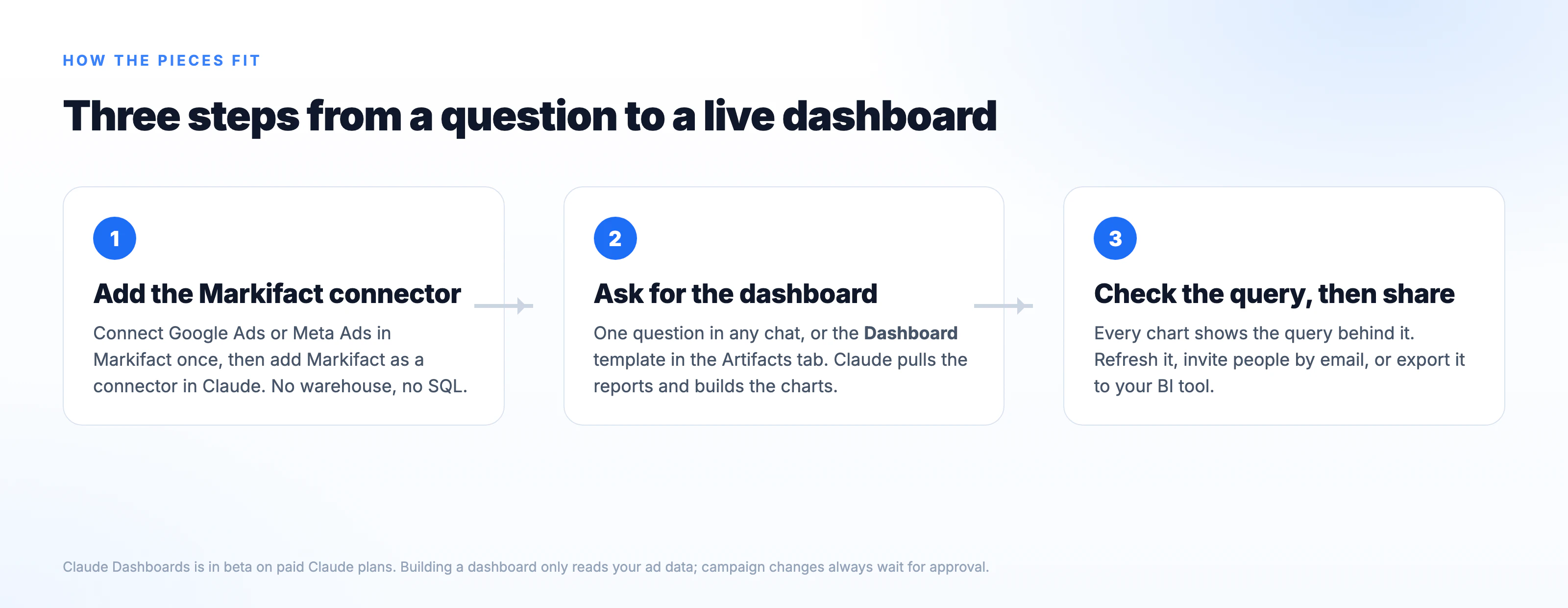
The whole process is three steps:
- Add the Markifact connector in Claude and connect your ad account.
- Ask for the dashboard in one prompt.
- Check the query behind a chart, then share.
What Claude Dashboards is
A dashboard is an artifact, like a Claude doc or deck, made from the Dashboard template. For each chart Claude writes a query, runs it against your data source, and shows the query and the time of the last refresh. You refine it in the chat ("add a filter for region", "make this weekly"), and it stays private until you share it.
Three facts to know before you start:
- Plans. Beta on Pro, Max, Team and Enterprise. On Enterprise it is off until an owner turns it on under Organization settings, Artifacts.
- Data sources. Anthropic names Amazon Redshift, BigQuery, ClickHouse, Databricks and Snowflake, plus "other apps you've connected to Claude". That second group is where ad connectors come in: no warehouse and no SQL needed.
- Hand-off. For deeper analysis a dashboard can be sent to Amplitude, Grafana, Hex, Mixpanel, Omni, Perplexity, PostHog or Sigma, with Looker, monday.com and Tableau announced as coming soon. Anthropic positions Dashboards for quick, exploratory questions, not as a replacement for a BI tool.
Dashboards count toward your plan's usage like any other chat.
Step 1: Add the Markifact connector
- Open the Markifact connector in Claude and click Connect. Sign in with your Markifact account, or create one; a free account is enough to start.
- In Markifact, connect Google Ads or Meta Ads under Connections. You authorize the ad platform here, not in Claude.
That is the whole setup. The connector gives Claude read access to reports, account lists and settings; anything that changes a campaign waits for your approval in Markifact, and a dashboard never needs it.
Step 2: Ask for the dashboard
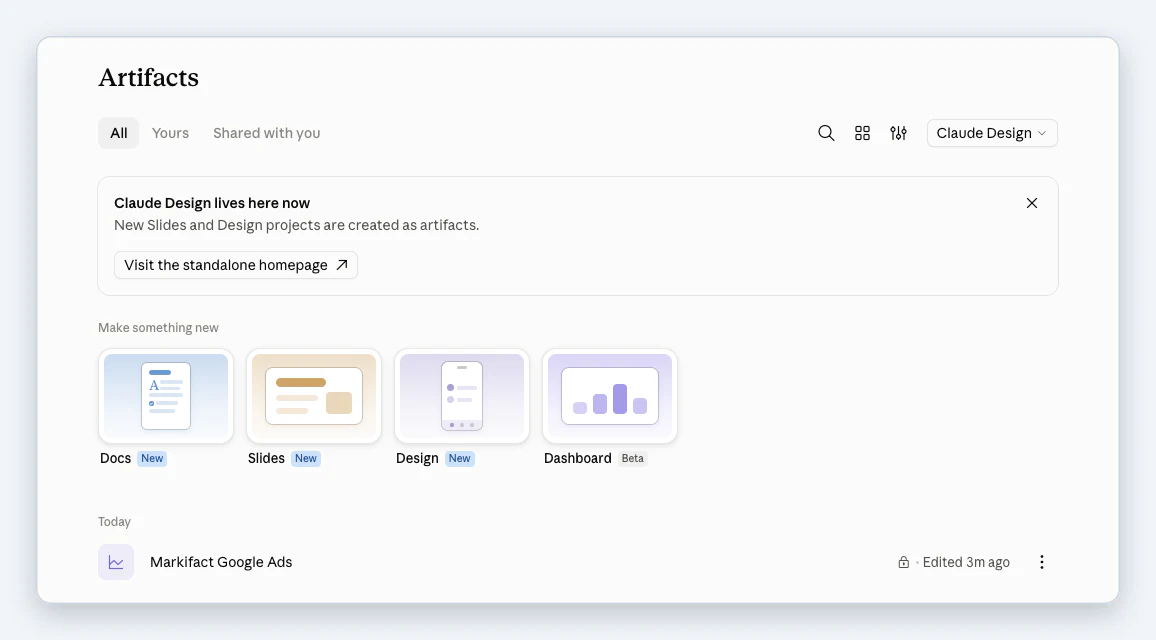
You can ask in any chat, or go to the Artifacts tab and pick the Dashboard template, marked Beta next to Docs, Slides and Design.
We typed this into a new chat, with the Markifact connector switched on:
Make a Dashboard artifact of our Google Ads performance for the Markifact
account, last 90 days, using the Markifact connector: spend, conversions
and cost per conversion by week, top campaigns by cost, and device split.
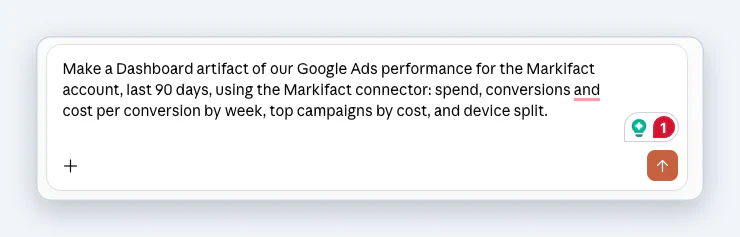
Two things make a prompt like this work. "Make a Dashboard artifact" tells Claude which template to use, so it does not answer with a text summary. And naming the connector and the account saves it a round of guessing.
What Claude did
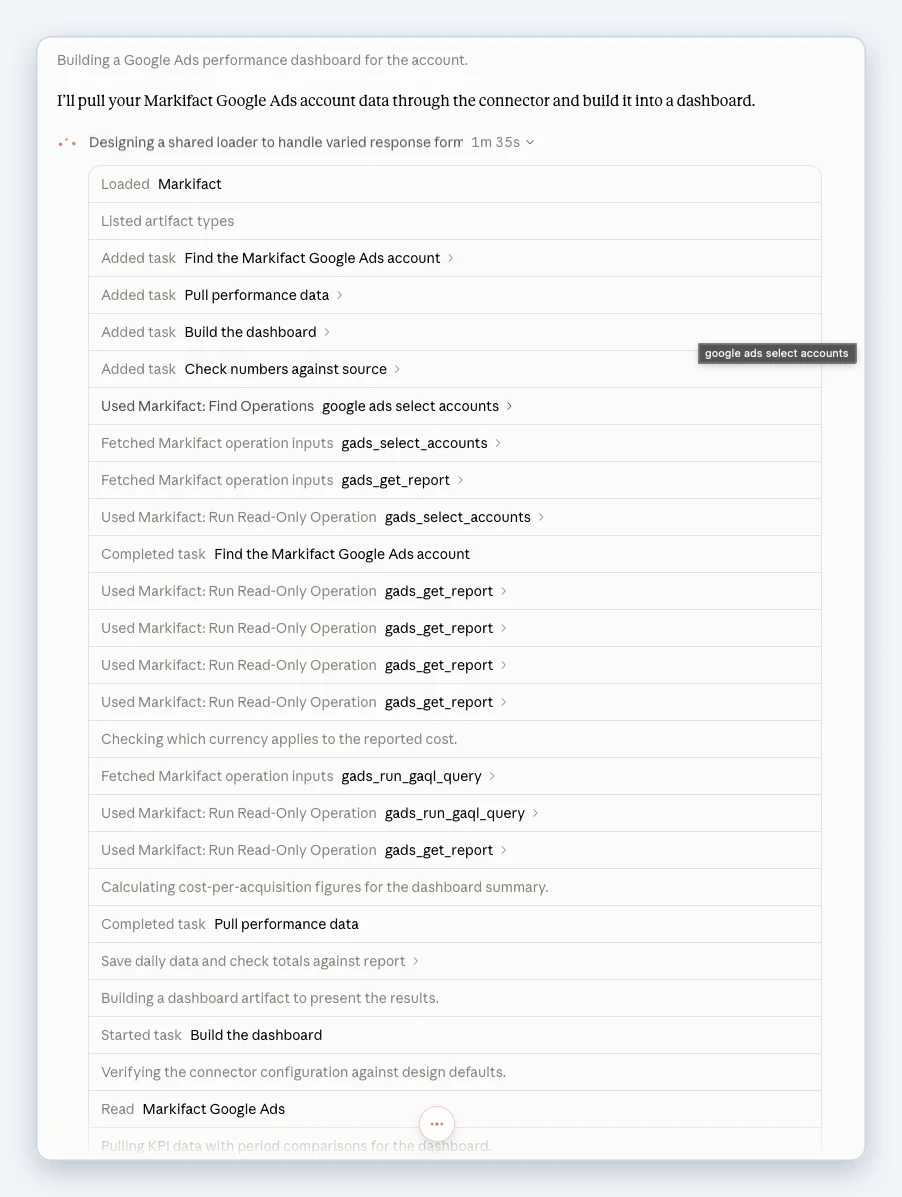
The run took a few minutes. The log in the chat shows every step, and it is worth reading once, because it is the same thing an analyst would do by hand:
- Found the Google Ads account through the connector.
- Pulled the performance report four times: totals for the last 30 days and the 30 before, the 90-day daily series, and the keyword breakdown.
- Ran a small query to check which currency the account reports in, so the cost figures carry the right unit.
- Saved the daily data and checked the totals against the report before building anything.
- Built the dashboard artifact, then verified its configuration and pulled the KPI comparisons into it.
The dashboard
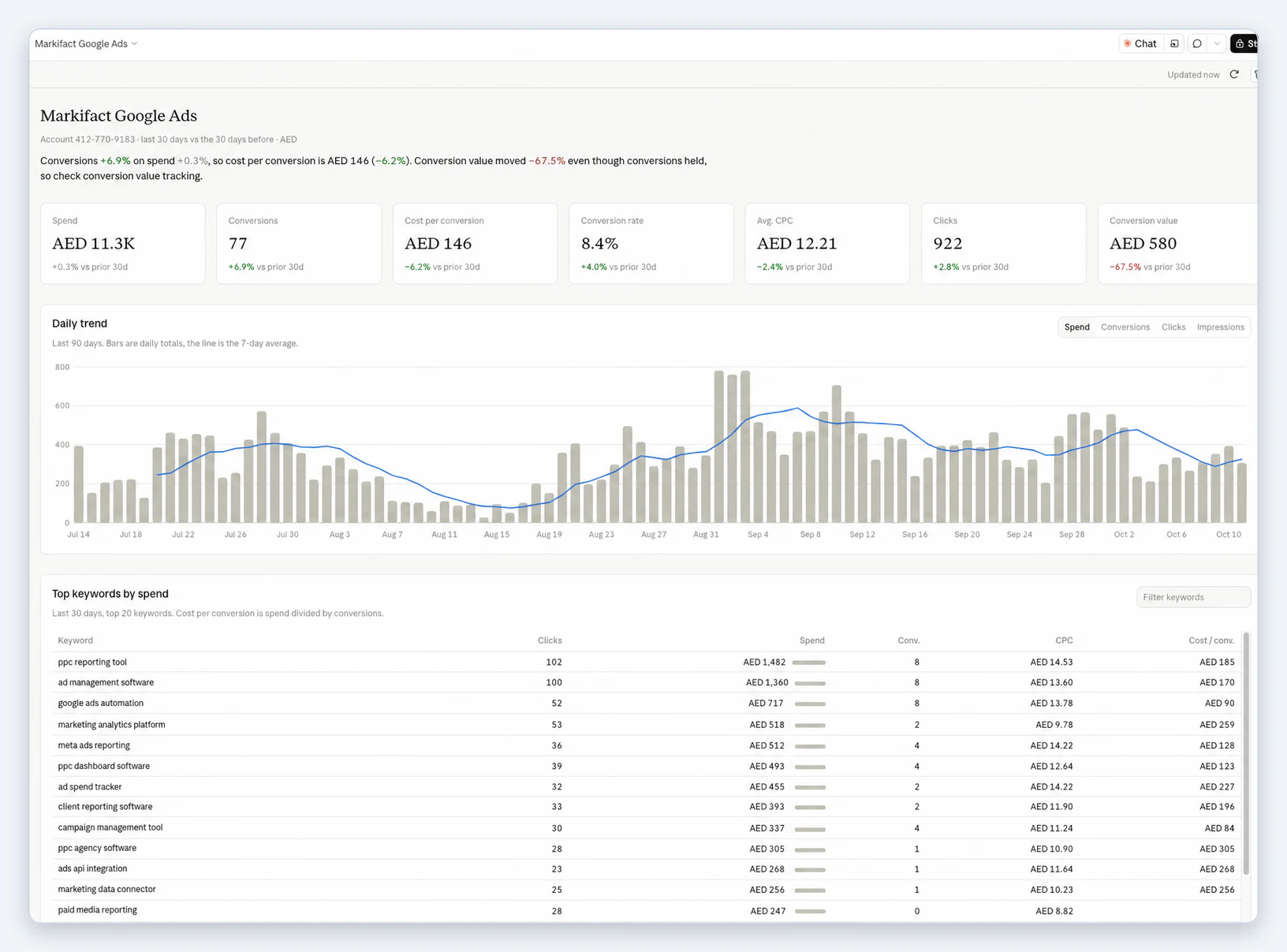
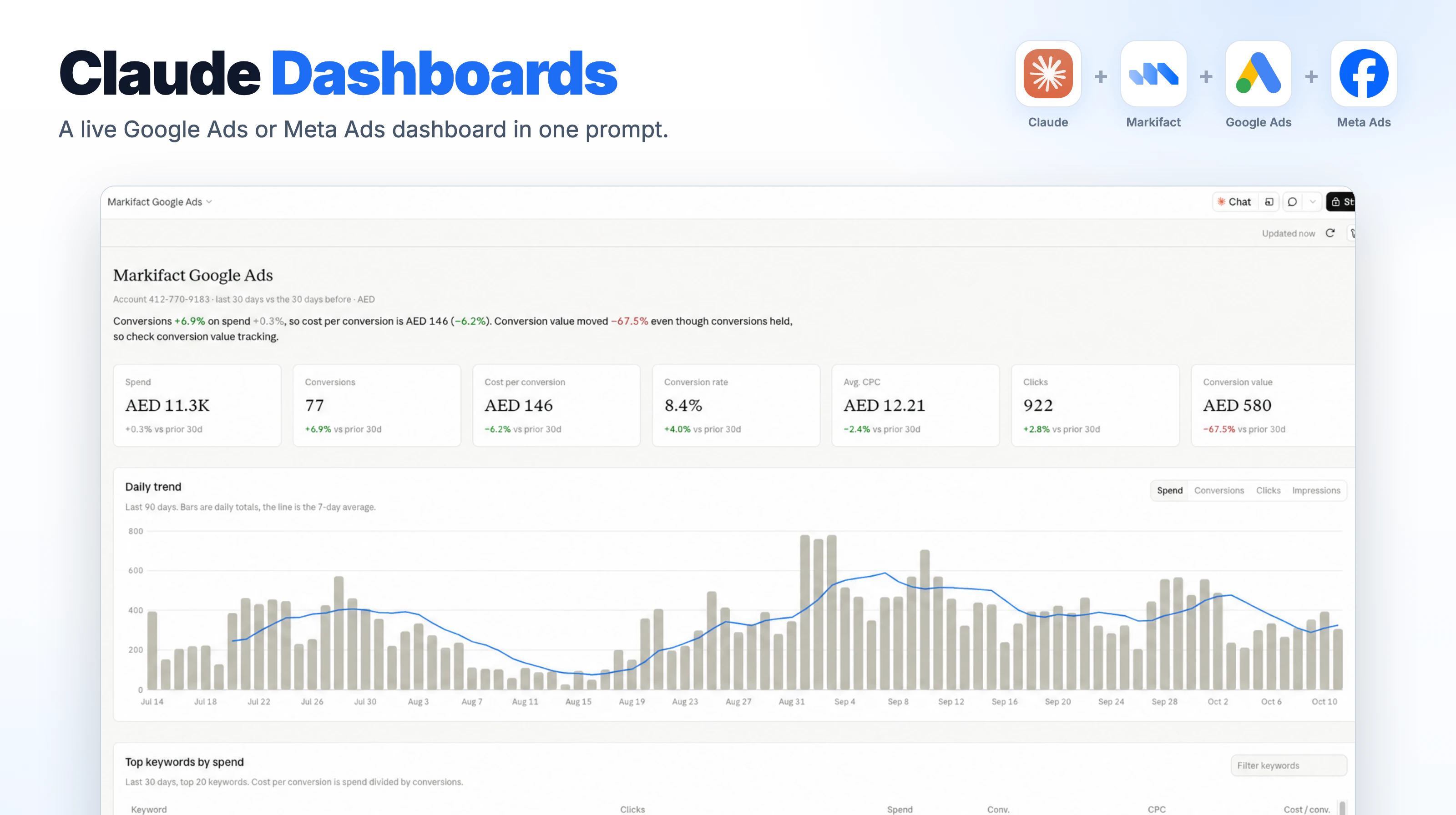
What came out, top to bottom:
- A one-line summary that reads like an analyst's note: conversions up 6.9% on flat spend, so cost per conversion is down 6.2%, and conversion value fell 67.5% while conversions held, so check conversion value tracking. That last clause is the kind of thing a dashboard usually leaves you to spot.
- Seven KPI tiles, each with the change against the prior 30 days: spend, conversions, cost per conversion, conversion rate, average CPC, clicks and conversion value, all in the account currency.
- A 90-day daily trend with bars for daily totals and a line for the 7-day average, and a toggle between spend, conversions, clicks and impressions.
- A top keywords table for the last 30 days with clicks, spend, conversions, CPC and cost per conversion, a spend bar in each row and a filter box.
Above the dashboard sits "Updated now" with a refresh button, and the database icon on the right opens the data behind each chart. Click a number to see the query that produced it, or ask Claude to explain it.
Step 3: Check the query, refresh, share
Before a dashboard goes to anyone else, open one chart's query and confirm it counts what you meant. If it does not, say so in the chat ("count only purchase conversions", "exclude brand campaigns") and Claude rewrites it.
Refresh is a button at the top of the dashboard. Each chart shows when its data was last refreshed, so a stale number is visible rather than silent.
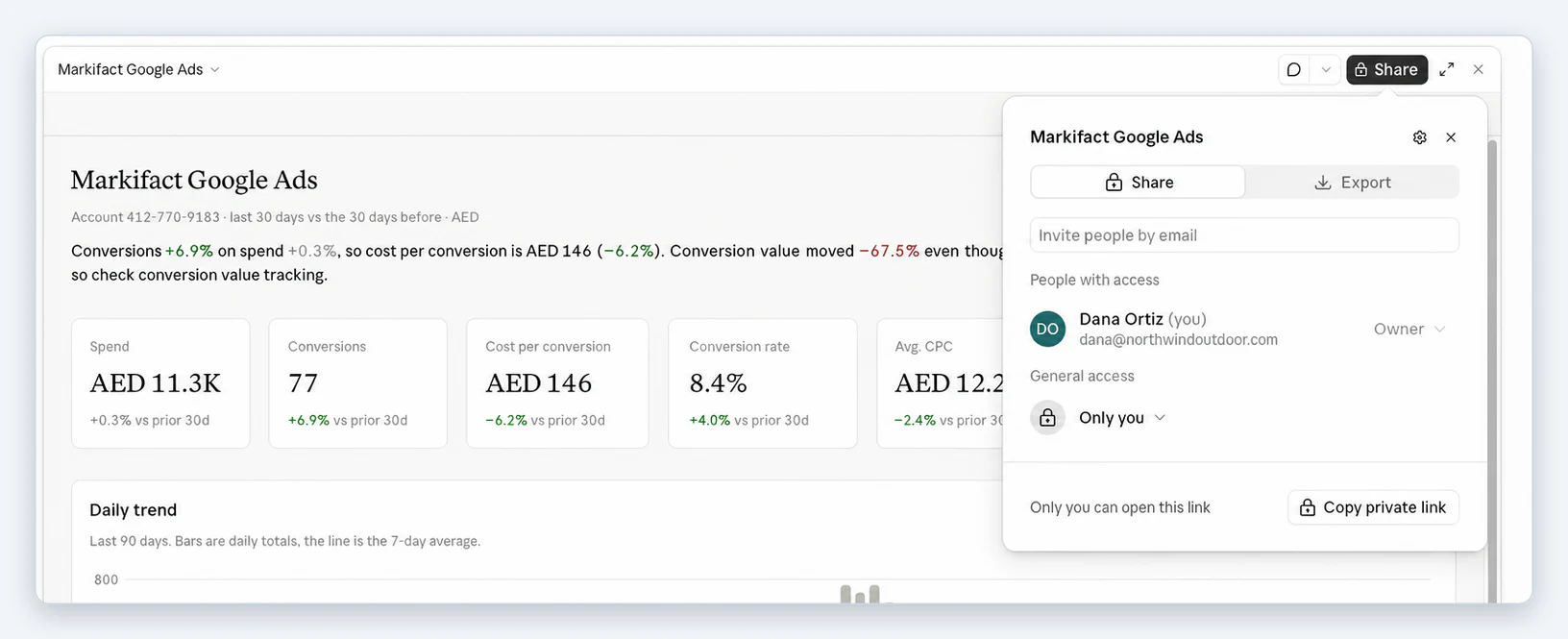
Sharing starts private. Click Share to invite people by email, change general access, or copy a private link. The Export tab is where the hand-off to a BI tool lives.
The same prompt for Meta Ads
Connect Meta Ads in Markifact and change the platform in the prompt:
Make a Dashboard artifact of our Meta Ads performance for ad account
[account name], last 90 days, using the Markifact connector: spend, results,
cost per result and ROAS by week, top campaigns by spend, and a placement
split.
Name the result you optimize for (purchases, leads, add to carts) so the cost per result tile is the one you report, and ask for placements (Feed, Reels, Stories, Audience Network) if you want the dashboard to show where the money went.
Prompts that work for ads dashboards
Every prompt that works names the account, the period, the comparison, the metrics and the breakdowns. Six we use:
Weekly pacing against a monthly budget
Make a Dashboard artifact for [account] using the Markifact connector:
month-to-date spend against a $12,000 monthly budget, projected month-end
spend at the current daily rate, and spend by campaign. Refresh daily.
Search terms wasting budget
Make a Dashboard artifact of search terms for [account], last 30 days, using
the Markifact connector: terms with spend and zero conversions, sorted by
spend, with the campaign and ad group they came from.
Device and hour of day
Make a Dashboard artifact for [account], last 30 days, using the Markifact
connector: cost per conversion by device, and conversions by hour of day
for the top device.
Google Ads and Meta Ads side by side
Make a Dashboard artifact for last month using the Markifact connector: one
row of KPIs for Google Ads, one for Meta Ads, blended cost per conversion,
and a daily spend chart for both.
Refine the one you have
Add a filter for campaign, change the trend to weekly, and add a tile for
conversion value per click.
Explain a number
Show me the query behind cost per conversion and explain in two sentences
how it was calculated.
Dashboard, deck or scheduled report?
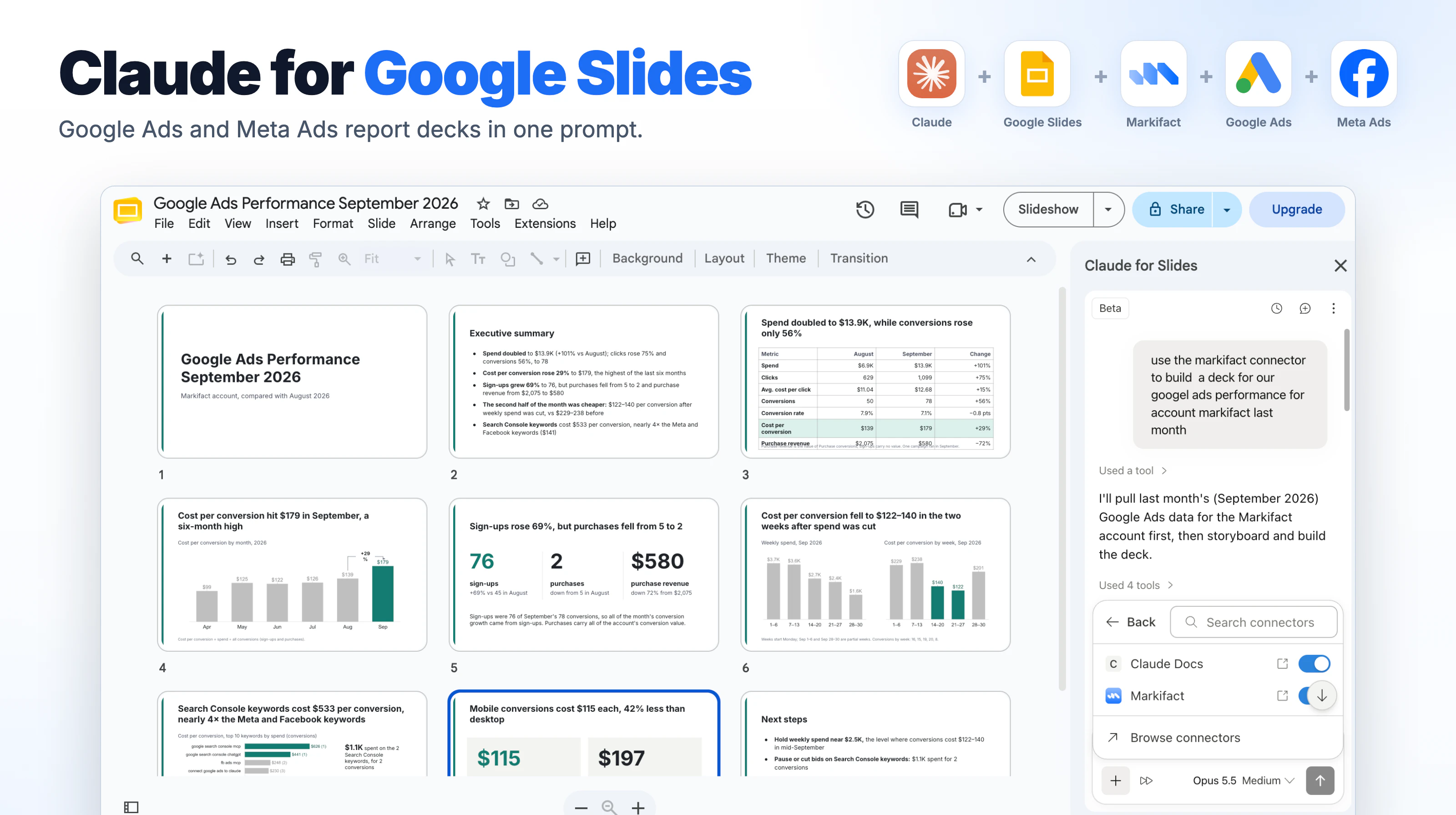
Use a dashboard when you are exploring: the question changes as you look, and you want the query under every number. Use Claude for Google Slides when the output is a deck someone presents. Use a scheduled Markifact workflow when the same report has to land every month without anyone at the keyboard, such as the Google Ads monthly slides or Meta Ads monthly slides templates.
If your team already keeps ad data in a warehouse, the other route works too: the Meta Ads to BigQuery pipeline template fills a table on a schedule, and Claude Dashboards can sit on that table through the BigQuery connector.
Pricing
Claude Dashboards has no separate price; it needs a paid Claude plan and counts against its usage. Markifact comes with a free account and 200 one-time credits to test the connector. Paid plans start at $79 a month for one seat with unlimited ad accounts, and the same account serves Claude, ChatGPT and Codex. Details are on the pricing page.
Frequently asked questions
What is Claude Dashboards?
A beta feature of Claude, released October 8, 2026, that turns a plain-language question into a dashboard artifact. Claude writes a query for each chart, runs it against a connected data source, shows the query, and refreshes the data. It is available on Pro, Max, Team and Enterprise plans.
Can Claude build a Google Ads dashboard?
Yes. Connect Google Ads in Markifact, add Markifact as a connector in Claude, and ask for a Dashboard artifact of the account. In our test Claude pulled the reports itself, checked the account currency, verified its totals and built the dashboard in one run.
Does it need a data warehouse?
No. Anthropic lists warehouses such as BigQuery and Snowflake as the main sources, but Dashboards also works with other apps connected to Claude. An ad connector is enough; the warehouse route is an option when your data already lives there.
Does the dashboard update by itself?
Each chart shows when its data was last refreshed, and the dashboard has a refresh button. Anthropic says Claude keeps the dashboard current as the data changes; treat the timestamp on the chart as the source of truth for how fresh a number is.
Can Claude change my campaigns from a dashboard?
No. Building a dashboard uses read operations only. Any change to a campaign, budget or bid goes through a separate write operation that waits for your approval in Markifact.
Can I share the dashboard with a client?
Yes. Dashboards start private. The Share dialog lets you invite people by email, change general access, and copy a link. On Team and Enterprise plans, sharing outside the organization depends on your admin's settings.
Which BI tools can it export to?
Amplitude, Grafana, Hex, Mixpanel, Omni, Perplexity, PostHog and Sigma at launch, with Looker, monday.com and Tableau announced as coming soon.
Is Claude Dashboards free?
The feature has no separate price, but it is not on the Free plan. It is in beta on Pro, Max, Team and Enterprise, and usage counts against the plan's limits.