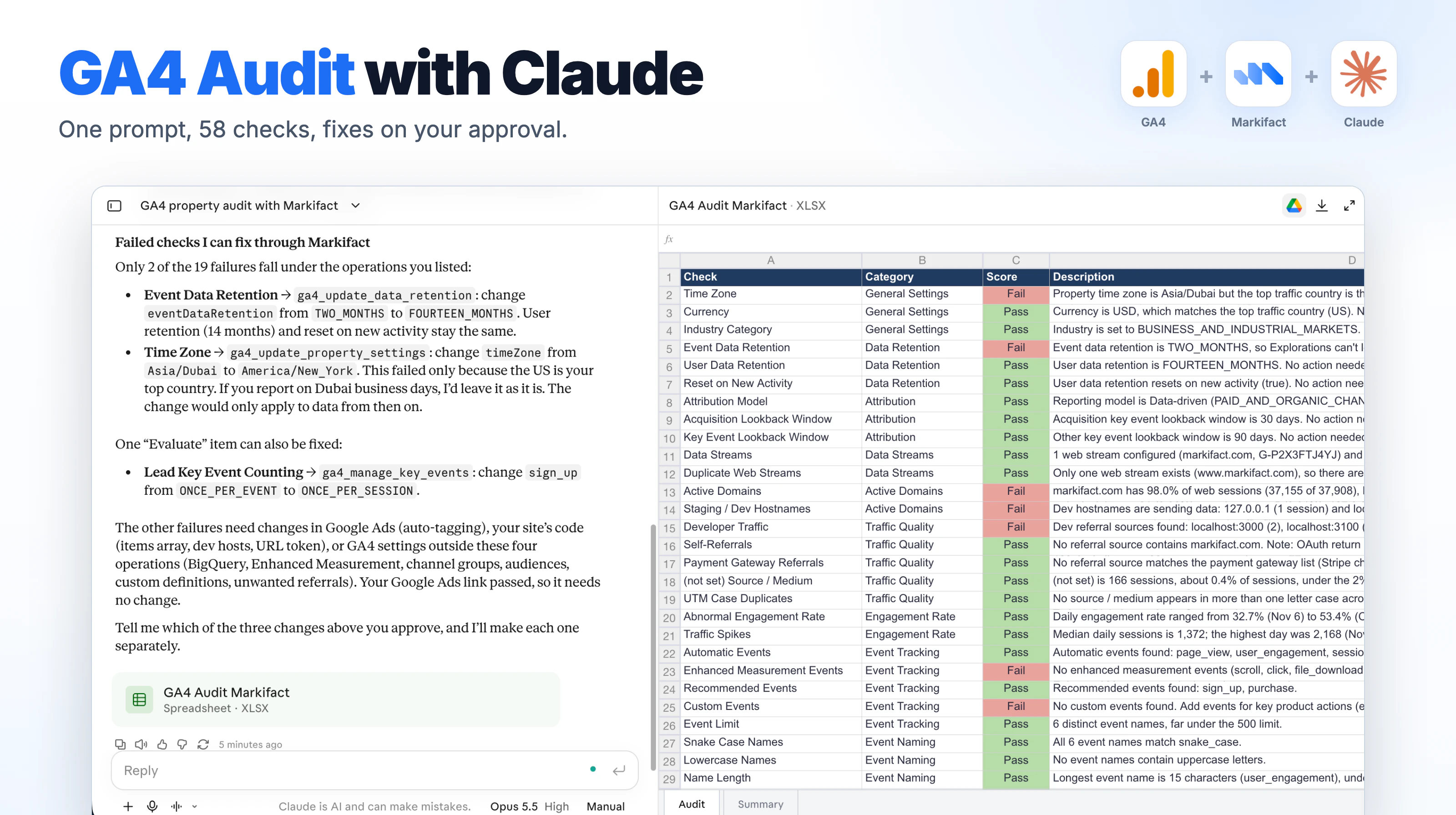
To audit GA4 with Claude, connect Markifact from Claude's connector directory, connect GA4 to Markifact, and paste the prompt below. Claude runs 99+ checks on your property, scores each one Pass, Evaluate, or Fail, gives you an Excel file, and offers to fix the settings it can change. It changes nothing until you approve.
Key takeaways
- One prompt does the whole audit. There is no template to fill in and nothing to install.
- 99+ checks across 18 areas: settings, retention, attribution, streams, domains, traffic quality, events, key events, ecommerce, integrations, audiences, custom definitions, personal data in URLs and annotations.
- The audit is read-only. Fixes run only after you approve each one.
- A run uses about 30 Markifact credits, and the free account comes with 200.
Disclosure: Markifact publishes this blog and builds the GA4 connector used here. The results below come from a real run on our own GA4 property.
The whole process is four steps:
- Connect Claude to Markifact.
- Connect GA4 to Markifact.
- Copy and run the audit prompt.
- Review the results and approve fixes.
Step 1: Connect Claude to Markifact
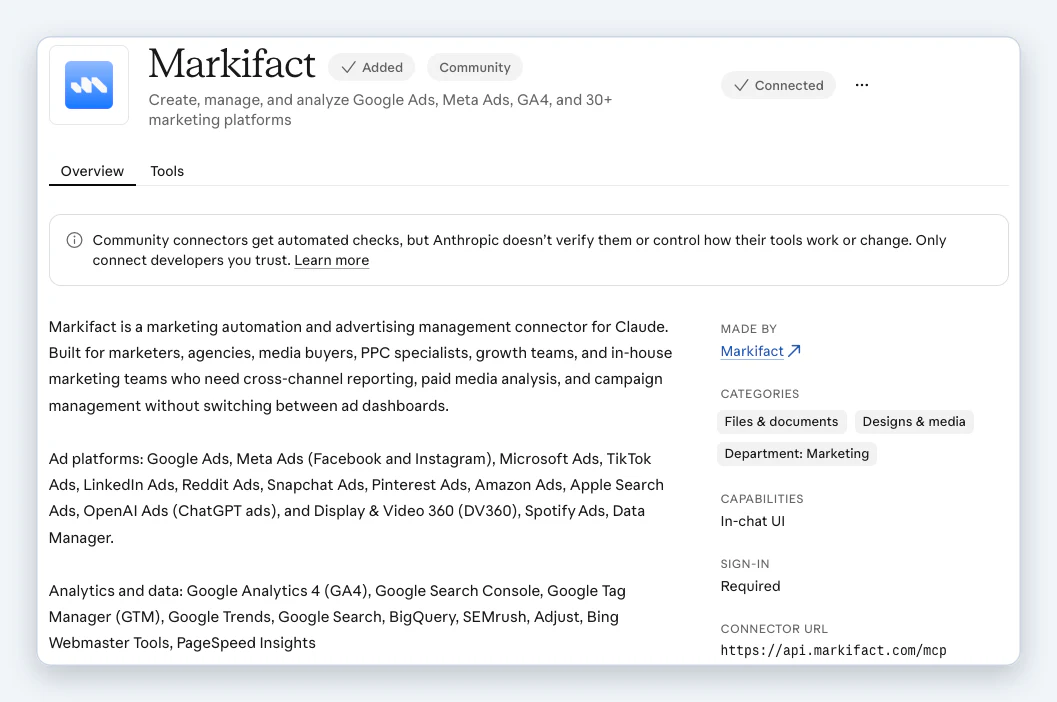
Open Markifact in Claude's connector directory, click Connect and sign in to Markifact. That's it.
Step 2: Connect GA4 to Markifact
- In Markifact, open Connections, choose Google Analytics and click Connect.
- Sign in with the Google account that has access to the property you want to audit, and allow every permission on the Google screen.
The connection can read and edit GA4, so Claude can also apply fixes after the audit. A few things to know:
| You want to | You need |
|---|---|
| Run the audit only | Viewer role on the GA4 property |
| Let Claude apply fixes | Editor or Administrator role on the property |
| Fix a GA4 connection made before October 2026 | Reconnect it once. Older connections only have read access |
Step 3: Copy and run the audit prompt
- Open a new chat in Claude and check that the Markifact connector is on.
- Copy the prompt below, paste it and send it.
Run a full GA4 audit on one property using Markifact. This is read-only: do not change any settings during the audit.

## Setup
1. Call `ga4_select_accounts` with `selection_mode: "all"` to list my GA4 properties. If there is more than one, ask me which property to audit. Use that one property for every call below.
2. Use the last 30 days (`date_range.preset: "LAST_30_DAYS"`) for every report unless I give you a different range.
3. For every operation, call `get_operation_inputs` first and pass only fields from its schema.
4. Settings come from `ga4_get_property_settings` with the `setting_type` named in each section. Reports come from `ga4_get_report`.
5. In `ga4_get_report`, a filter field must also be one of the report's dimensions or metrics. Every report below already includes the fields it filters on. If a field name is rejected, look it up with `ga4_list_report_fields` and use the current name.

## Scoring
Give every check exactly one score:
- **Pass**: meets best practice
- **Evaluate**: partly right, needs a human look
- **Fail**: broken or missing

Each description is one or two short sentences: what you found (with the actual values) and what to do about it.

---

## 1. General settings
Fetch: `setting_type: "property_details"`. Report: metrics `sessions`, dimensions `countryId`, filter `countryId NOT_EQUALS (not set)`, order `sessions DESC`, limit 1 (top traffic country).

- **Time Zone**: Pass if the property time zone is a valid time zone for the top traffic country. Fail if it isn't, or if the time zone or top country is missing.
- **Currency**: Pass if the property currency is a currency used in the top traffic country. Fail otherwise, or if either value is missing.
- **Industry Category**: Fail if empty or `INDUSTRY_CATEGORY_UNSPECIFIED`, otherwise Pass.

## 2. Data retention
Fetch: `setting_type: "data_retention"`.

- **Event Data Retention**: Fail if `TWO_MONTHS` or unspecified (it can be raised to 14 months), otherwise Pass.
- **User Data Retention**: Pass only if `FOURTEEN_MONTHS`, otherwise Fail.
- **Reset on New Activity**: Pass if user data retention resets on new activity, otherwise Evaluate.

## 3. Attribution
Fetch: `setting_type: "attribution"`.

- **Attribution Model**: Fail if the reporting model is a rule-based model (last click, first click, linear, time decay, position based) and recommend Data-driven. Otherwise Pass.
- **Acquisition Lookback Window**: Pass if 30 days, otherwise Fail.
- **Key Event Lookback Window**: Pass if 90 days, otherwise Fail.

## 4. Data streams
Fetch: `setting_type: "data_streams"`. Report: metrics `sessions`, dimensions `streamId`, `platform`.

- **Data Streams**: a stream is active if it appears in the report with sessions above 0. Pass if every configured stream is active. Evaluate if some are inactive, and list them as candidates to fix or remove. Fail if no streams exist or none are active.
- **Duplicate Web Streams**: compare the website URL of every web stream (ignore `https://`, `www.` and trailing slashes). Fail if two web streams use the same URL, and list them. Otherwise Pass.

## 5. Active domains
Report: metrics `sessions`, dimensions `hostName`, `platform`, filter `platform EQUALS web`, order `sessions DESC`.

- **Active Domains**: group hostnames by root domain (`shop.example.com` → `example.com`). Pass if the top domain has 99% or more of web sessions. Otherwise Fail, and list the other domains with their session share.
- **Staging / Dev Hostnames**: using the same report, Fail if any hostname contains `staging`, `dev.`, `test.`, `localhost` or `127.0.0.1`, and list them with sessions. Otherwise Pass.

## 6. Traffic quality
Report: metrics `sessions`, dimensions `sessionSource`, `sessionMedium`, filter `sessionMedium EQUALS referral`. Use the top domain from section 5 as the site domain. Compare sources in lowercase.

- **Developer Traffic**: Fail if any referral source is an IP address, contains `localhost`, or contains `tagassistant.google.com`. Otherwise Pass.
- **Self-Referrals**: Fail if any referral source contains the site domain. Otherwise Pass. If no site domain was found, Pass and say the check was skipped.
- **Payment Gateway Referrals**: Fail if any referral source contains one of: `api.checkout.com`, `pay.shoppay.com`, `api.paystack.co`, `pay.google.com`, `stripe.com`, `paypal.com`, `klarnapayments.com`, `api.razorpay.com`, `skrill.com`, `braintreegateway.com`, `authorize.net`, `payu.in`, `squareup.com`, `payza.com`, `payoneer.com`, `arcot.com`, `paypage`, `ngenius-payments.com`, `wibmo.com`, `mashreq`, `targobank`, `mycardplace`, `securesuite`, `touchtechpayments`, `pluscard`, `bankcard`, `postpay`, `paygate`, `otp.gps`, `3dsecure`, `tabby`, `payfort`. Otherwise Pass.

Second report: metrics `sessions`, dimensions `sessionSourceMedium`, order `sessions DESC`.

- **(not set) Source / Medium**: Fail if `(not set)` is 2% or more of sessions, otherwise Pass. Include the share.
- **UTM Case Duplicates**: Evaluate if any source / medium appears in more than one letter case (for example `Facebook / cpc` and `facebook / cpc`), and list the pairs. Otherwise Pass.

## 7. Engagement rate
Report: metrics `engagementRate`, dimensions `date`, order `date ASC`.

- **Abnormal Engagement Rate**: treat 0 to 1 values as percentages. Fail if any day is 90% or higher, or 10% or lower (a sign of duplicate tags or broken tracking). Fail if there's no data. Otherwise Pass.

Second report: metrics `sessions`, dimensions `date`, order `date ASC`.

- **Traffic Spikes**: Evaluate if any day has more than 3x the median daily sessions (often bot or spam traffic), and list those dates. Otherwise Pass.

## 8. Event tracking
Report: metrics `eventCount`, dimensions `eventName`, order `eventCount DESC`. Reuse this report for sections 9 and 10.

Sort each distinct event into one group:
- **Automatic**: `page_view`, `session_start`, `first_visit`, `user_engagement`, `screen_view`, `first_open`, `app_update`, `app_remove`, `os_update`, `in_app_purchase`, `error`, `notification_open`, `notification_receive`, `notification_dismiss`, `notification_foreground`, `ad_click`, `ad_exposure`, `ad_query`, `ad_reward`, `adunit_exposure`, `app_clear_data`, `app_exception`, `app_store_refund`, `app_store_subscription_cancel`, `app_store_subscription_convert`, `app_store_subscription_renew`, `dynamic_link_app_open`, `firebase_campaign`, `message_action`, `message_dismiss`, `message_impression`
- **Enhanced measurement**: `scroll`, `click`, `view_search_results`, `video_start`, `video_progress`, `video_complete`, `file_download`, `form_start`, `form_submit`
- **Recommended**: `add_payment_info`, `add_shipping_info`, `add_to_cart`, `add_to_wishlist`, `begin_checkout`, `generate_lead`, `purchase`, `refund`, `remove_from_cart`, `select_item`, `select_promotion`, `view_cart`, `view_item`, `view_item_list`, `view_promotion`, `ad_impression`, `login`, `search`, `select_content`, `share`, `sign_up`, `join_group`, `tutorial_begin`, `tutorial_complete`, `earn_virtual_currency`, `spend_virtual_currency`, `level_start`, `level_end`, `level_up`, `post_score`, `unlock_achievement`
- **Custom**: anything else

Checks: **Automatic Events**, **Enhanced Measurement Events**, **Recommended Events**, **Custom Events**. Pass if the group has at least one event, otherwise Fail. In each description, list up to 5 example events found.

- **Event Limit**: count distinct event names. Pass if under 400, Evaluate if 400 to 499, Fail if 500 or more (Google's limit for standard properties).

## 9. Event naming
Use the distinct event names from section 8.

- **Snake Case Names**: Fail if any name doesn't match `^[a-z0-9]+(?:_[a-z0-9]+)*$`. Otherwise Pass.
- **Lowercase Names**: Fail if any name has uppercase letters. Otherwise Pass.
- **Name Length**: Fail if any name is over 40 characters. Otherwise Pass.
- **Naming Overview**: Pass only if all three naming checks pass. Otherwise Fail.

List the offending names in each failed description.

## 10. Key events
Fetch: `setting_type: "key_events"`. Report: metrics `eventCount`, `eventValue`, dimensions `eventName`, `isKeyEvent` (older properties may call it `isConversionEvent`), filter `isKeyEvent EQUALS true`, order `eventCount DESC`.

- **Key Events Configured**: Fail if 0, Evaluate if 1 or 2, Pass if 3 or more.
- **Key Events Active**: Fail if none are configured. Evaluate if some configured key events had no events in the period, and list them. Otherwise Pass.
- **Key Event Values**: Fail if no key events are active. Evaluate if any active key event has a total value of 0. Otherwise Pass.
- **Purchase as Key Event**: if `purchase` appears in the section 8 events report, Pass if it's a configured key event, otherwise Fail. If there's no `purchase` event, Pass and say it doesn't apply.
- **Test Events as Key Events**: Fail if any configured key event name contains `test`, `debug` or `demo`. Otherwise Pass.
- **Lead Key Event Counting**: lead-type key events are `generate_lead`, `sign_up`, `form_submit`, and any key event name containing `lead`, `form` or `contact`. Evaluate if any of them counts every event instead of once per session, and list them (this inflates lead counts and the data Smart Bidding learns from). If there are none, Pass and say it doesn't apply. Otherwise Pass.

## 11. Site search
Report: metrics `eventCount`, dimensions `eventName`, filter `eventName EQUALS view_search_results`.

- **Internal Site Search**: Pass if any rows come back, otherwise Fail.

## 12. Channel groups
Report: metrics `sessions`, dimensions `sessionDefaultChannelGroup`, order `sessions DESC`. Fetch: `setting_type: "channel_groups"`.

- **Direct Traffic Share**: Fail if Direct is 15% or more of sessions, otherwise Pass. Include the share.
- **Unassigned Traffic Share**: Fail if Unassigned is 1% or more of sessions, otherwise Pass. Include the share.
- **Custom Channel Groups**: Pass if at least one channel group isn't system defined, otherwise Fail.

## 13. Ecommerce
Reports:
1. metrics `transactions`, `purchaseRevenue`
2. metrics `transactions`, dimensions `transactionId`, order `transactions DESC`

- **Transactions Tracked**: Pass if total transactions are above 0, otherwise Fail.
- **Transactions Without IDs**: Fail if there are no transactions, or if any have transactionId `(not set)`. Otherwise Pass.
- **Duplicate Transactions**: Fail if any transactionId other than `(not set)` has more than 1 transaction, and list up to 5. Otherwise Pass.
- **Purchase Revenue**: Pass if revenue is above 0, otherwise Fail.
- **Item Data in Purchases**: third report, metrics `itemsPurchased`. If transactions are above 0 and items purchased is 0, Fail (the `items` array isn't being sent). If there are no transactions, Pass and say it doesn't apply. Otherwise Pass.

If the property has no ecommerce at all, still score these checks but say in each description that they only matter for ecommerce sites.

## 14. Integrations
Fetch: `setting_type: "google_ads_links"` and `setting_type: "bigquery_links"`.

- **Google Ads Link**: Pass if at least one link exists, otherwise Fail.
- **BigQuery Link**: Pass if at least one link exists, otherwise Fail.
- **Ads Personalization on Link**: Pass if every Google Ads link has ads personalization enabled. Fail if any link has it off (GA4 audiences can't be used for remarketing in Google Ads). If there are no links, Fail and refer to the Google Ads Link check.
- **Google Ads Traffic Matching**: report: metrics `sessions`, dimensions `sessionSourceMedium`, `sessionGoogleAdsAccountName`, filter `sessionSourceMedium EQUALS google / cpc`. Fail if 5% or more of these sessions have `(not set)` as the Google Ads account (a sign that auto-tagging or the GCLID is broken), and include the share. If there's no `google / cpc` traffic, Pass and say it doesn't apply. Otherwise Pass.
- **Firebase Link**: only applies if section 4 found Android or iOS streams. Fetch `setting_type: "firebase_links"`. Fail if there are app streams but no Firebase link. If there are no app streams, Pass and say it doesn't apply. Otherwise Pass.

## 15. Audiences
Fetch: `setting_type: "audiences"`. Classify by name: `All Users` and `Purchasers` are automatic, names containing `likely` are predictive, everything else is manual.

- **Automatic Audiences**, **Manual Audiences**, **Predictive Audiences**: Pass if the group has at least one audience, otherwise Fail.

## 16. Custom definitions
Fetch: `setting_type: "custom_metrics"` and `setting_type: "custom_dimensions"`.

- **Custom Metrics**: Pass if any exist, otherwise Fail.
- **Custom Dimensions**: Pass if any exist, otherwise Fail.
- **Custom Dimension Quota**: count custom dimensions by scope. Evaluate if event-scoped dimensions are at 40 or more (limit 50) or user-scoped are at 20 or more (limit 25). Otherwise Pass. Include the counts.

## 17. Page data quality
Reports:
1. metrics `sessions`, dimensions `pageLocation`, filter `pageLocation REGEXP_MATCH .*(@|%40|email=|e-mail=|phone=|tel=).*`
2. metrics `sessions`, dimensions `landingPage`, order `sessions DESC`

- **PII in URLs**: Fail if report 1 returns any rows (sending personal data to GA4 breaks Google's policies). Show up to 3 example URLs with the personal data masked. Otherwise Pass.
- **(not set) Landing Pages**: Fail if `(not set)` is 5% or more of sessions in report 2, otherwise Pass. Include the share.

## 18. Annotations
Fetch: `setting_type: "reporting_annotations"`.

- **Annotations**: Pass if any annotations exist. Otherwise Evaluate (annotations help explain tracking changes and traffic shifts later).

---

## Output
1. Build one table with 58 rows, in the order above, with these columns: **Check | Category | Score | Description**. Category is the section name (for example "Data Retention").
2. Create a downloadable Excel file named `GA4 Audit - [property name].xlsx` with two tabs:
   - **Audit**: the 58-row table. Bold header row, frozen header, wrapped Description column. Color the Score cells: Pass light green (#B7DCAA), Evaluate light yellow (#FDE69C), Fail light red (#E9A39D).
   - **Summary**: property name and ID, the date range, the total Pass, Evaluate and Fail counts, and the 5 most important fixes in order of impact.
   If you can't create files in this chat, show the table in the chat instead so I can copy it.
3. In the chat, give a short summary: total Pass, Evaluate and Fail, then the 5 most important fixes in order of impact.
4. Then list which failed checks you can fix for me through Markifact, each with the exact change you would make:
   - data retention → `ga4_update_data_retention`
   - time zone, currency, industry, attribution model or lookback windows → `ga4_update_property_settings`
   - key events → `ga4_manage_key_events`
   - Google Ads link → `ga4_manage_google_ads_links`

   Don't make any of these changes until I approve each one.
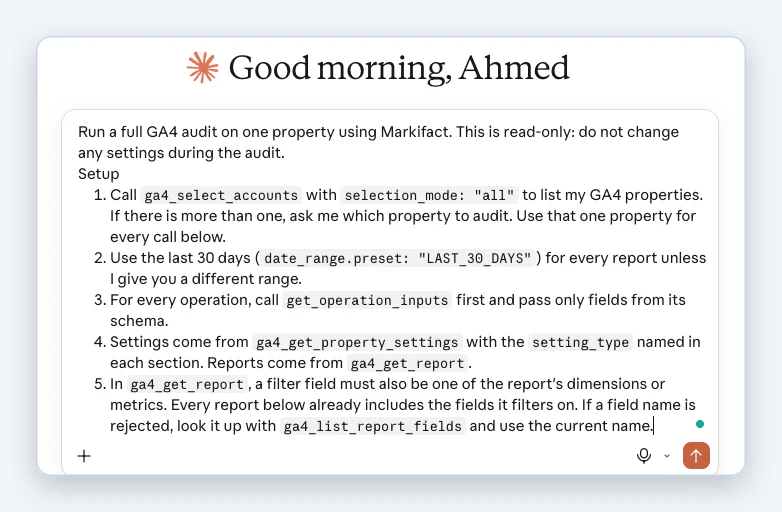
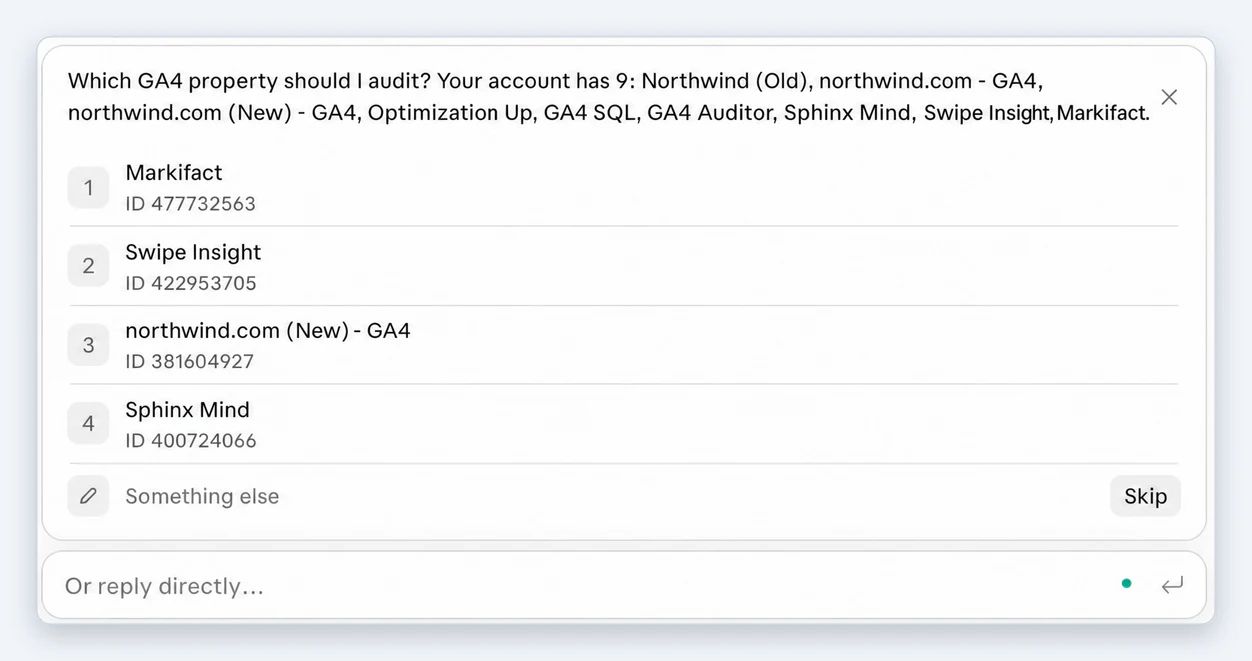
- If your Google account sees more than one property, Claude asks which one to audit. Pick it from the list.
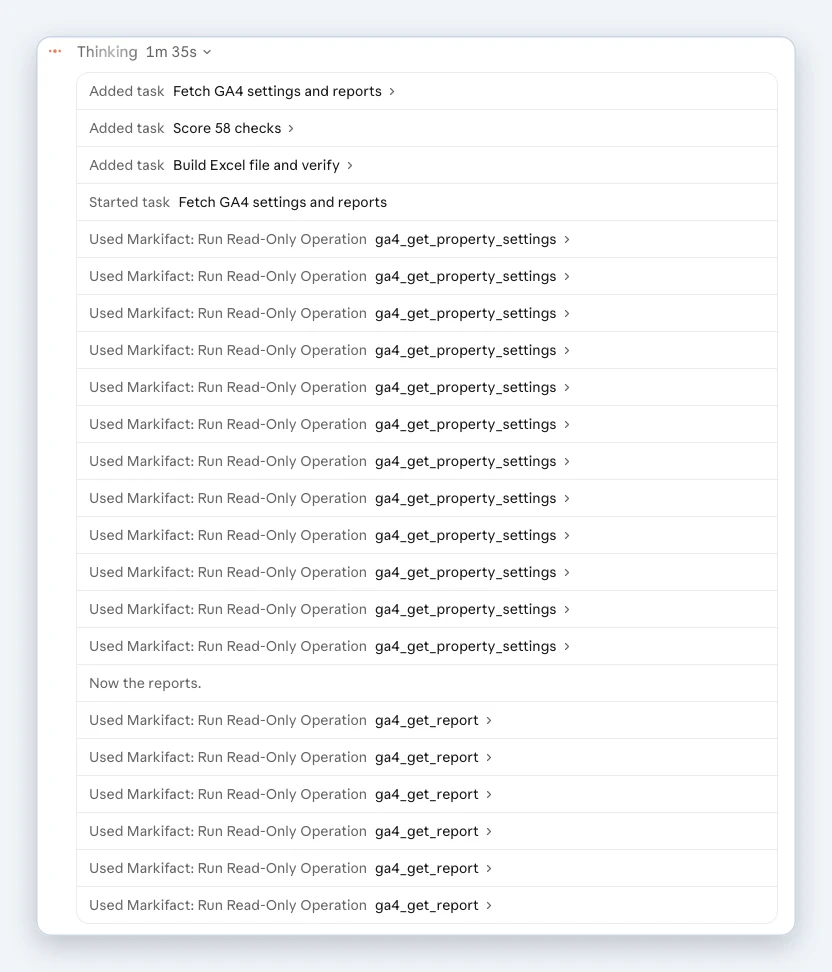
- Claude splits the job into three tasks: fetch the GA4 settings and reports, score the 58 checks, then build and verify the Excel file. Every call it makes is a read-only Markifact operation.
What Claude found on our own GA4 property
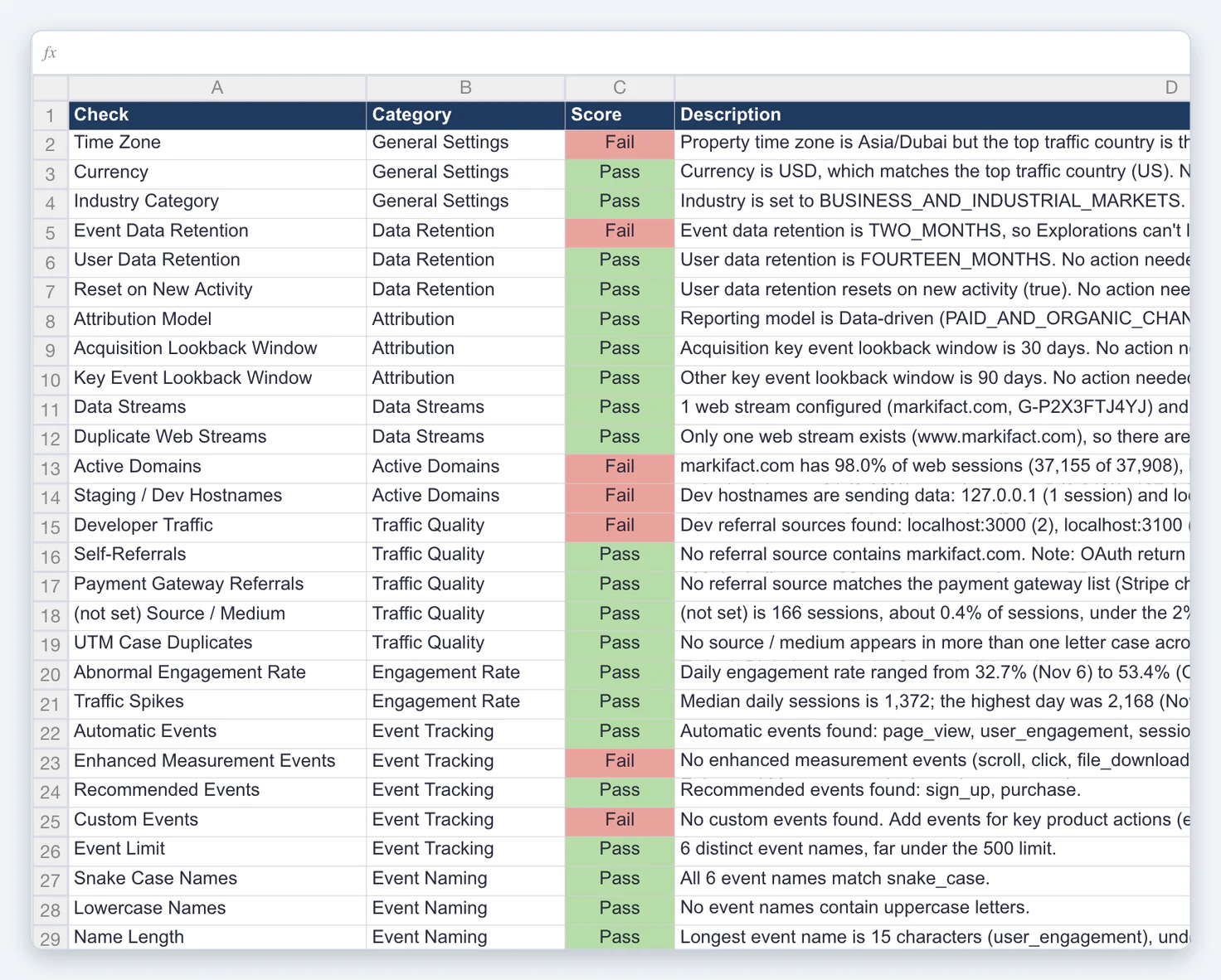
We ran the prompt on Markifact's own GA4 property for the last 30 days. 19 of the 58 checks failed. Some of them we would not have spotted ourselves:
| Check | What Claude found |
|---|---|
| Event Data Retention | Set to two months, so Explorations can't look further back |
| Staging / Dev Hostnames | Sessions from 127.0.0.1 and localhost are counted in the property |
| Developer Traffic | Referrals from localhost:3000 and localhost:3100 |
| Active Domains | markifact.com has 98.0% of web sessions (37,155 of 37,908), just under the 99% bar |
| Enhanced Measurement Events | No scroll, click or file_download events in the period |
| Time Zone | The property is on Asia/Dubai while the top traffic country is the US |
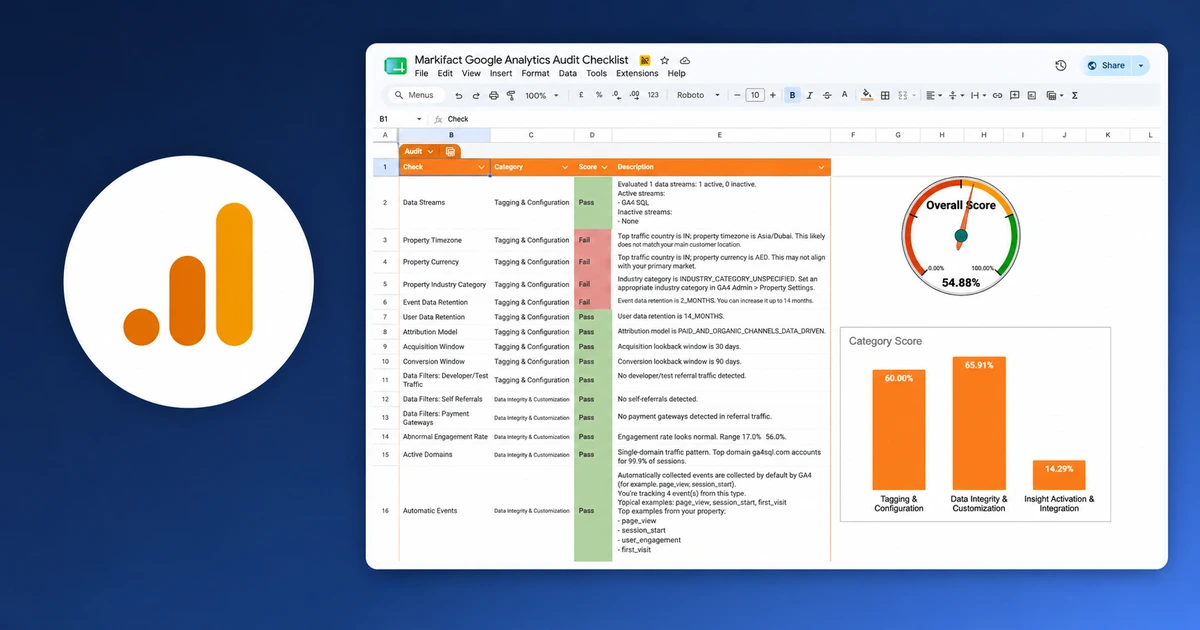
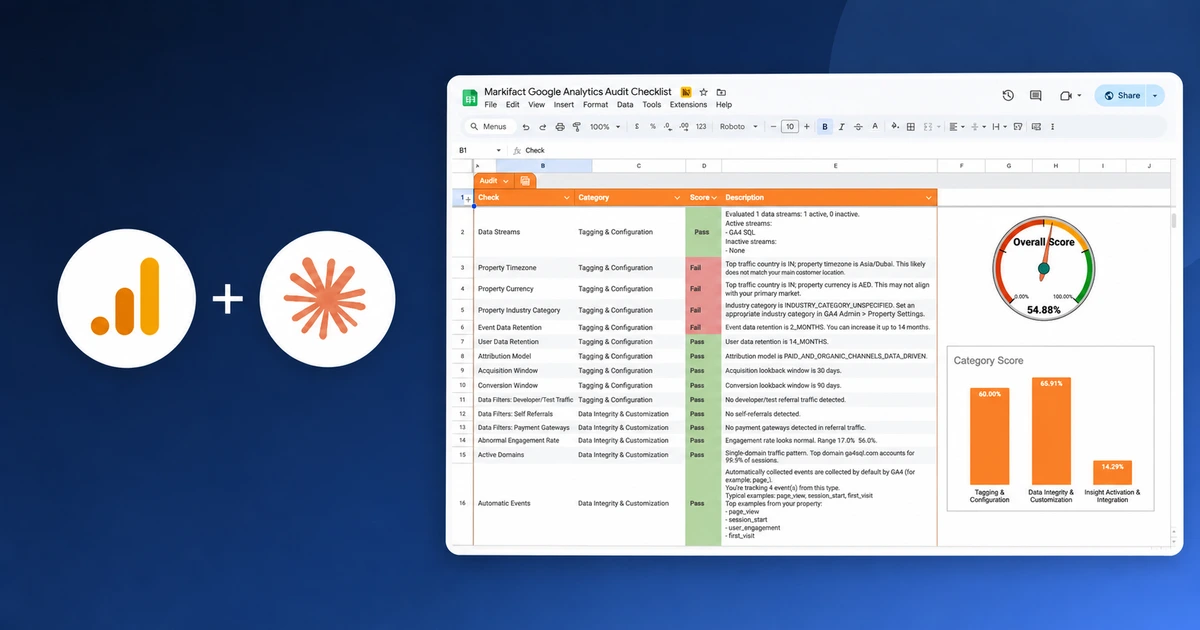
Claude delivered the results as an Excel file with two tabs. Audit holds all 58 checks with their score and the actual values. Summary holds the totals and the five fixes with the most impact.
Step 4: Review the results and approve fixes
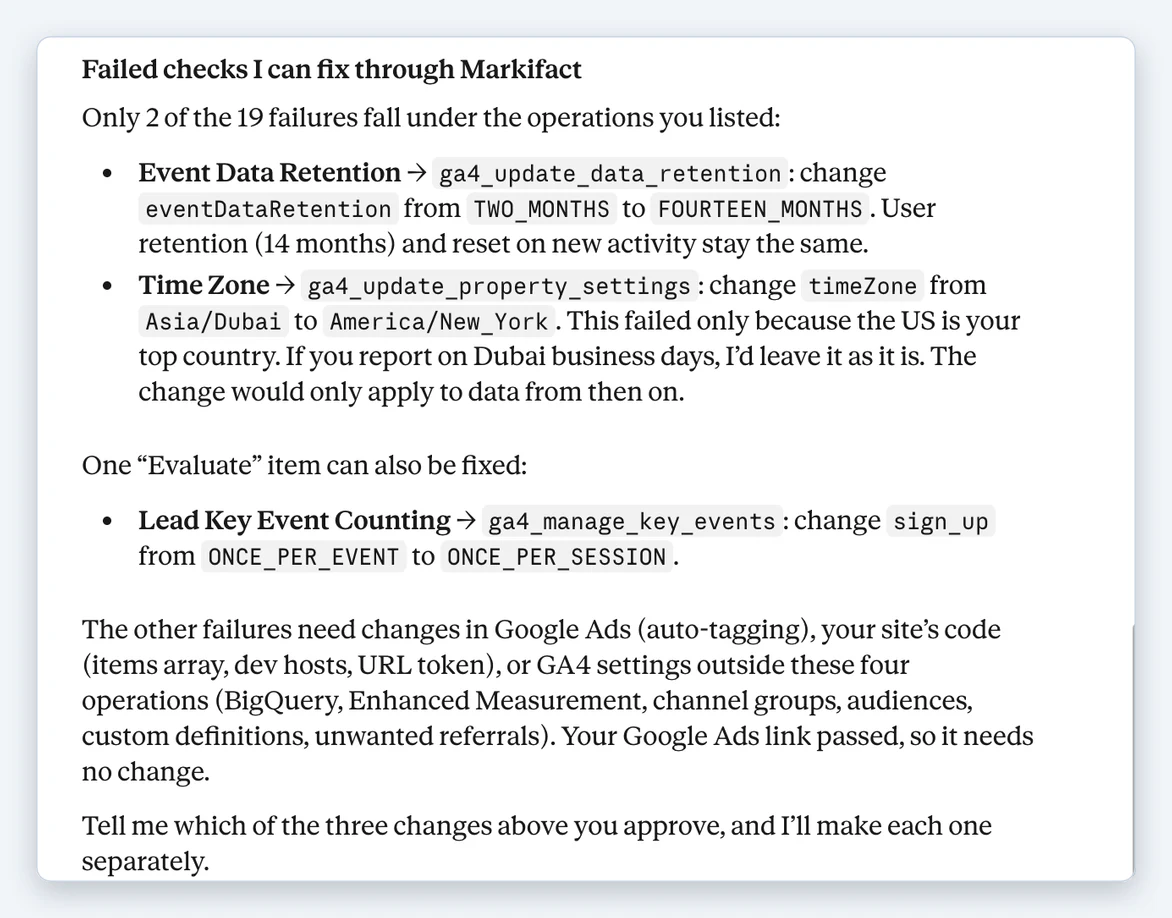
After the summary, Claude lists the failed checks it can fix through Markifact, with the exact change for each one. On our property it offered three:
- Event Data Retention: change from two months to 14 months.
- Time Zone: change from Asia/Dubai to America/New_York. Claude added that we should keep Dubai if we report on Dubai business days, and that the change only applies to data from then on.
- Lead Key Event Counting: count
sign_uponce per session instead of once per event.
Reply with the changes you approve, for example:
Approve the Event Data Retention change. Leave the time zone as it is.
Claude makes only the approved changes, one at a time, and confirms each one.
Some failures can't be fixed in GA4 settings: dev traffic, a missing items array or a broken URL token need a change on your site or in Google Tag Manager. Claude says which ones those are. The prompt only lists four fix operations, but Markifact can also change enhanced measurement, custom dimensions and metrics, channel groups, audiences and BigQuery links, so you can ask for those in the same chat.
Watch the setup
This video shows Markifact and GA4 working together in Claude:
For more detail on the connection, see How to Connect GA4 to Claude.
Run it again
- Every month, to catch new dev hosts, spam spikes and broken tags early.
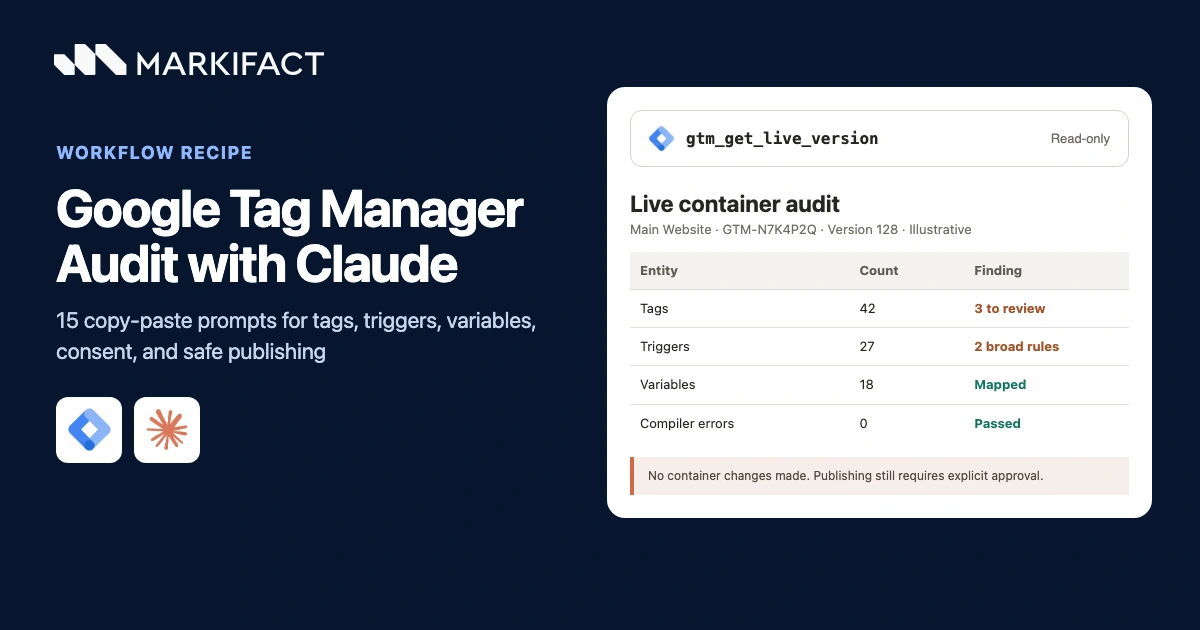
- After a site or tracking change, such as a redesign, a new checkout or a GTM publish. Pair it with our Google Tag Manager audit in Claude.
- For each client. Agencies can run the same prompt on every property the connected Google account can see.
Prefer a fixed checklist your team fills in? The Google Analytics audit checklist covers the same areas as a reusable template.
Pricing
A full audit uses about 30 Markifact credits: one per settings read and one per report. Listing your properties is free. The free Markifact account has 200 one-time credits, enough for several audits. Paid plans start at $79 a month for one seat. Details are on the pricing page.
Frequently asked questions
Can Claude audit GA4?
Yes. Connect Markifact from Claude's connector directory, connect GA4 to Markifact, and paste the audit prompt. Claude reads your property settings and reports through Markifact, scores 58 checks and returns an Excel file.
Will the audit change my GA4 settings?
No. The prompt makes the audit read-only. Claude only proposes changes at the end, and makes each one after you approve it.
What can Claude fix after the audit?
Settings that live in GA4: data retention, time zone, currency, industry, attribution model, lookback windows, key events and Google Ads links. Through Markifact it can also change enhanced measurement, custom dimensions and metrics, channel groups, audiences and BigQuery links. Problems on your site, such as dev traffic or missing ecommerce data, need a change to your code or Google Tag Manager.
Which GA4 role do I need?
Viewer is enough for the audit. To let Claude apply fixes, the Google account connected to Markifact needs the Editor or Administrator role on the property.
How many credits does a GA4 audit use?
About 30 Markifact credits per property, one for each settings read and report. The free account includes 200 one-time credits.
Can I audit several GA4 properties?
Yes, one at a time. Run the prompt again in a new chat and pick the next property. Agencies can audit every client property their Google account can see.
Does it work for ecommerce and app properties?
Yes. The ecommerce checks look at transactions, transaction ids, revenue and item data. If the property has Android or iOS streams, Claude also checks the Firebase link.