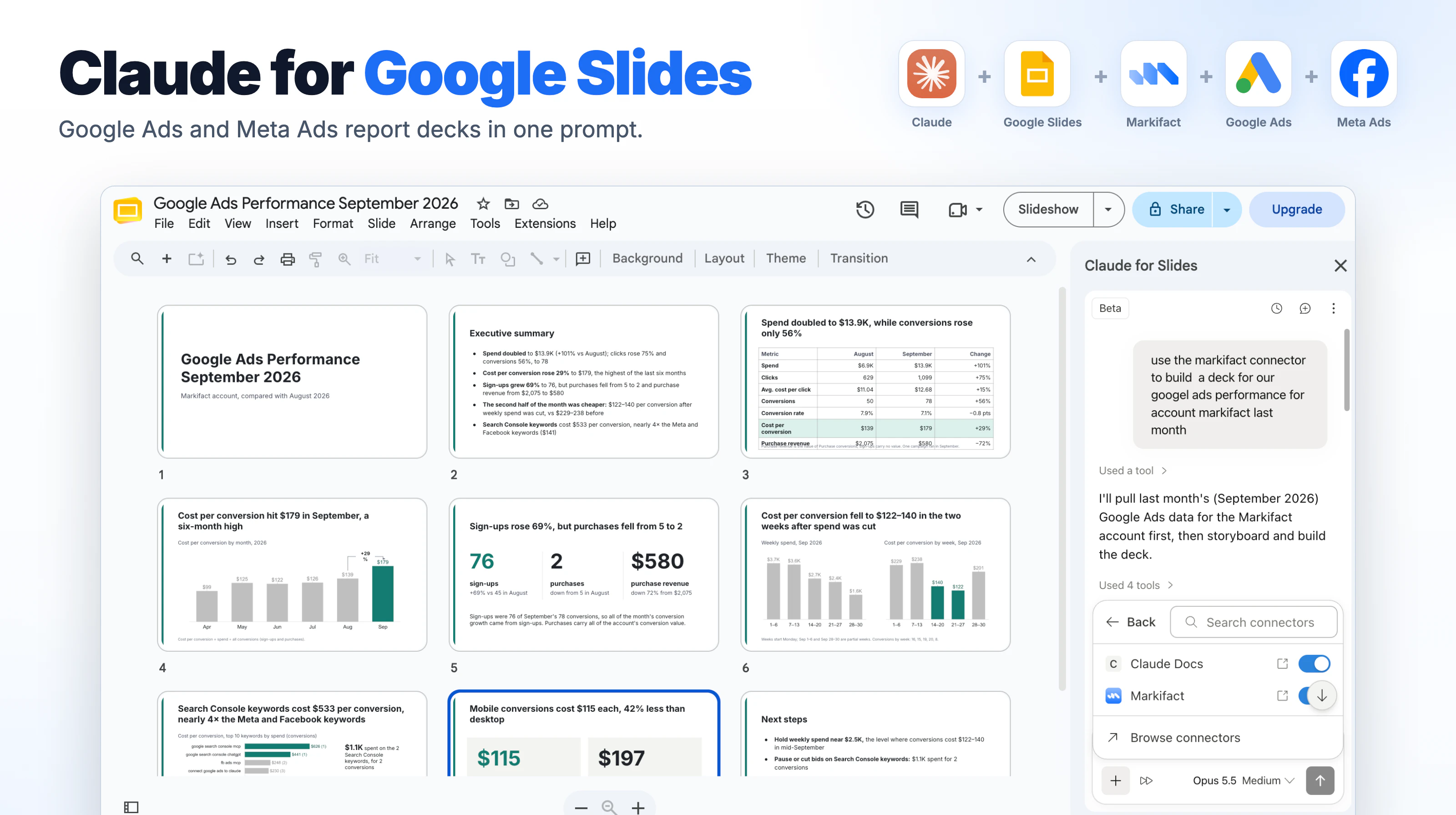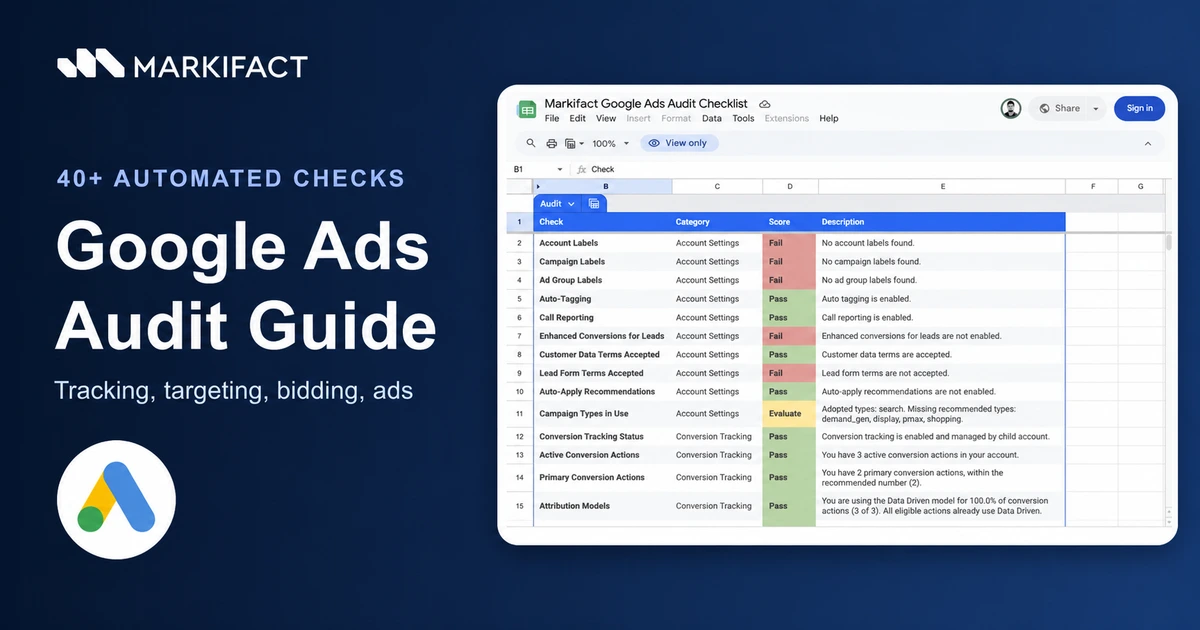
A Google Ads audit is a structured review of account settings, conversion tracking, targeting, bidding, keywords, ads, and assets against the business's actual goals. The fastest reliable approach is to automate the evidence collection, then have a person validate every failed or ambiguous check before changing the account. This guide shows how to run Markifact's 40+ check workflow, read the Google Sheets output, and turn the findings into a controlled remediation plan.
What a complete Google Ads audit should cover
A useful audit must look beyond last month's CPA. Performance can move because of tracking, account structure, search-term quality, bidding, budgets, targeting, ads, landing pages, or a recent account change.
I divide the review into five layers:
- Account settings: labels, auto-tagging, call reporting, terms, campaign types, and recommendation controls.
- Conversion tracking: active and primary conversion actions, attribution, enhanced conversions, and the relationship between tracking and bidding.
- Targeting and bidding: keywords, match types, negative keywords, locations, languages, audiences, exclusions, Quality Score, and bid strategies.
- Ads and assets: ad strength, disapprovals, sitelinks, callouts, destinations, and coverage.
- Performance and governance: spend concentration, delivery constraints, change history, ownership, evidence, and approval.
The Markifact Google Ads Audit Checklist automates more than 40 checks and writes the results into a supplied Google Sheet. It does not make account changes. It gives you a repeatable evidence layer so you can decide what deserves investigation.
How the automated Google Ads audit works
The setup is intentionally simple:
- Open the Google Ads Audit Checklist template.
- Click Use Template and open the workflow instructions.
- Make a copy of the supplied Google Sheets template.
- Select your copied spreadsheet in the workflow.
- Connect Google Ads and select the correct customer account.
- Run the workflow.
- Review every Pass, Fail, and Evaluate row.
- Validate material findings in Google Ads, analytics, the website, and the approved measurement plan.
Do not replace the supplied Sheet with a blank spreadsheet. The template contains the required structure for the audit output.
For agencies, create a dated copy for each audit. Preserving the original evidence makes it much easier to explain what changed between onboarding, quarterly reviews, and later remediation work.
How to read the audit sheet
The real output uses four columns:
- Check: the reviewer-friendly test name
- Category: the area of the account being reviewed
- Score: Pass, Fail, or Evaluate
- Description: the retrieved evidence and the reason for the result
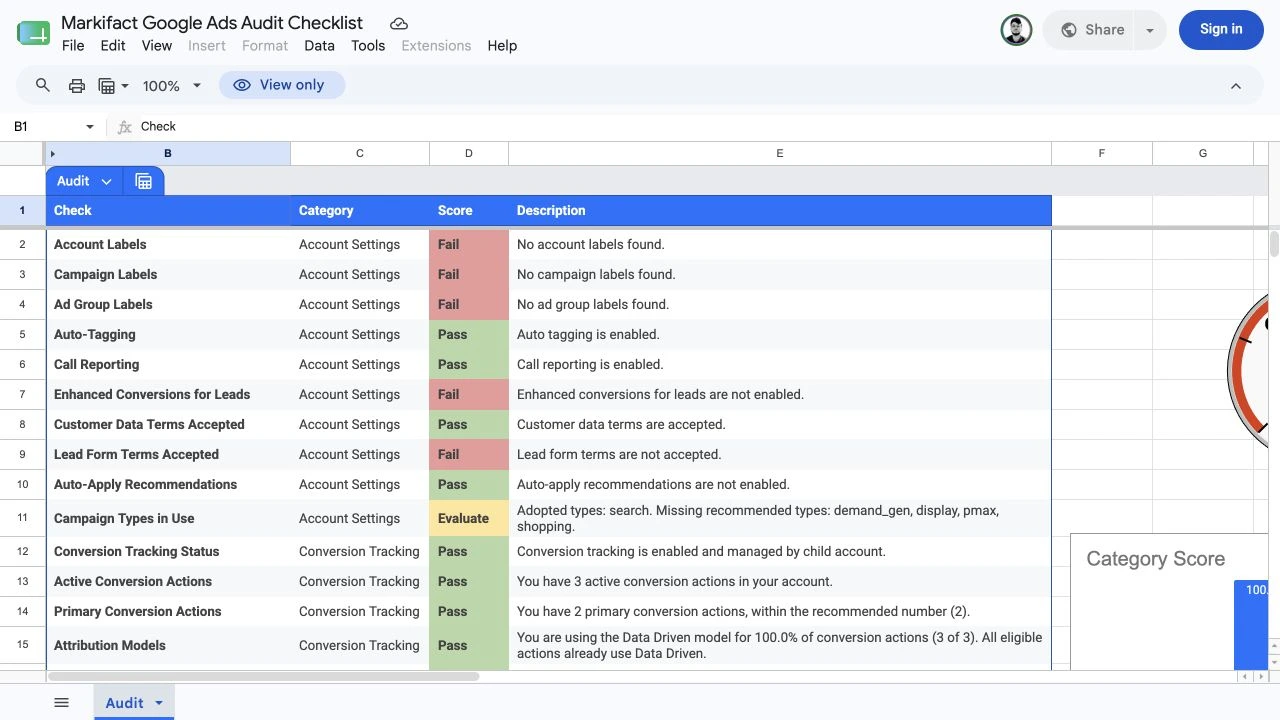
A Pass means the workflow found evidence that satisfied that rule. It does not prove that the entire implementation is correct.
A Fail means the row needs review. It is not an instruction to change the account.
Evaluate means the correct answer depends on business context, account maturity, campaign intent, or a person reviewing the evidence.
This distinction matters. For example, an account can pass the auto-tagging check while still having broken landing-page redirects. A location setting can fail a conservative rule while being completely intentional for a travel campaign.
Step 1: define the business scope
Record the scope before looking at scores. Otherwise, the auditor ends up judging every account against the same generic configuration.
Copy this into the audit ticket:
Google Ads audit scope

Business:
Google Ads customer name:
Customer ID:
Website or app:
Primary market(s):
Audit date range:
Primary campaign types:
Primary business outcome:
Approved primary conversion actions:
Target CPA or target ROAS:
Monthly spend range:
Required location strategy:
Required language strategy:
Required brand-safety controls:
Paid media owner:
Analytics owner:
Technical owner:
Privacy owner:
Final approver:

Rules:
- Missing evidence is not a pass.
- A failed check requires validation before a change.
- No campaign, budget, bid, keyword, audience, ad, asset, conversion, or account-setting change is authorized by this audit.
The customer ID and conversion definition are especially important. A technically clean account can still optimize toward the wrong business event.
Step 2: audit account settings
Start with account-wide configuration because it affects every campaign beneath it.
Labels and naming
The sheet checks account, campaign, and ad-group labels. Labels are not a performance requirement, but they make portfolio reviews, experiments, ownership, and automation easier to control.
Treat missing labels as a governance opportunity. Define what the label will represent before creating it. Useful examples include market, product line, funnel stage, campaign owner, reporting group, experiment status, and margin tier.
Auto-tagging
Google Ads auto-tagging adds the Google Click Identifier, or GCLID, to clicked URLs. Google documents it as part of website conversion tracking, Analytics data imports, cost reporting, and offline conversion workflows.
The audit should confirm that auto-tagging is enabled where the measurement design expects it. Then test the real landing-page path:
- Does the GCLID survive redirects?
- Does the final page load normally?
- Do consent controls behave as approved?
- Do analytics and CRM systems retain the identifiers they need?
- Are cross-domain journeys configured correctly?
An enabled setting is only the first piece of evidence.
Call reporting and data terms
Confirm whether call reporting is relevant to the business and whether the account has accepted the terms required by the features it uses. Do not enable a feature merely to clear a checklist row. Record the business use case, data owner, and privacy review first.
Auto-apply recommendations
Google allows advertisers to select recommendation types that can be applied automatically. The setting can save time, but it should never be treated as a blanket best practice.
Review:
- Which recommendation types are enabled
- Who approved them
- When they were enabled
- What was applied recently
- Whether the changes align with the campaign strategy
- Whether any recommendation needs to be disabled
Google's optimization score is an estimate based on account statistics, settings, status, available recommendations, and recommendation history. It is an input to the review, not the business objective.
Step 3: audit conversion tracking
Conversion tracking affects reporting and automated bidding, so tracking findings deserve the most careful validation.
Conversion status and active actions
Confirm that the active conversion actions belong to the audited business and still receive expected events. Then separate actions used for optimization from actions used only for observation.
For each important conversion action, record:
- Name and ID
- Source
- Primary or secondary status
- Category
- Value setting
- Counting method
- Attribution model
- Recent activity
- Campaign goals using the action
- Technical owner
Do not judge the account by the number of active actions alone. Two carefully governed purchase actions can be healthier than twelve duplicated or ambiguous goals.
Primary conversion actions
The primary set should match the business outcome used for bidding. A lead-generation account may need a qualified-lead or offline-sale action rather than a basic form submission. An ecommerce account may optimize toward purchase value while keeping add-to-cart as observation-only.
The audit can surface the configuration. A human must confirm whether it represents the real commercial goal.
Enhanced conversions
Google describes enhanced conversions as a way to supplement existing tags with hashed first-party conversion data and improve measurement accuracy.
If the sheet flags enhanced conversions, verify:
- Whether the feature is relevant to the conversion source
- Whether the approved user-provided data is available
- Whether consent and privacy requirements are satisfied
- Whether the tag, Google Tag Manager, Data Manager, or API implementation is healthy
- Whether diagnostics show recent issues
- Whether the reported event matches the intended conversion action
Do not switch it on simply to turn a red cell green.
Attribution
Record the attribution model used by each eligible conversion action and confirm that stakeholders understand how it affects reporting. Changing attribution can change the distribution of reported credit without creating more real conversions.
When comparing periods, document any attribution or conversion-definition changes alongside the performance data.
Step 4: audit targeting, keywords, and bidding
This section often produces the longest remediation list because it combines account controls with ongoing traffic quality.
Keyword match types
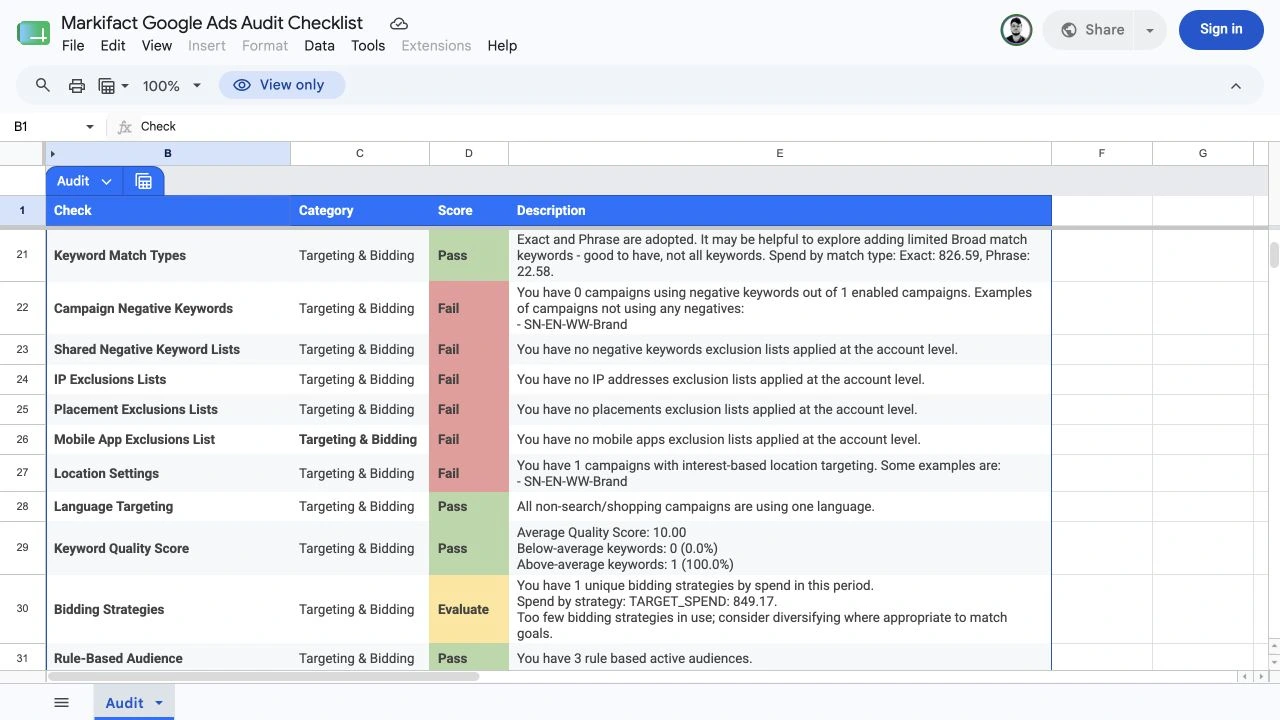
Google Ads uses broad, phrase, and exact match types. The right mix depends on bidding, conversion quality, search-term evidence, budgets, campaign intent, and the account's ability to absorb discovery.
Review match types together with:
- Search terms
- Conversion quality
- Cost and conversion volume
- Negative-keyword coverage
- Bid strategy
- Landing-page relevance
- Brand and non-brand separation
Do not label broad match wrong by default. Do not add it everywhere because the account has too little variety. The sheet result is the beginning of the review.
Search terms and negative keywords
Negative keywords help exclude searches that do not belong in the campaign. The checklist can show whether campaigns and shared lists use them, but the count does not prove quality.
For every proposed negative, record:
- Search term
- Campaign and ad group
- Spend, clicks, and conversions
- Commercial relevance
- Proposed match type
- Whether the exclusion belongs at ad-group, campaign, list, or account level
- Possible valid searches that could be blocked
- Approver
Never add a negative keyword only because it has zero conversions. Low volume, conversion lag, broken tracking, a weak landing page, or an expensive sales cycle can produce the same pattern.
Exclusion lists
Review IP, placement, mobile-app, and other exclusion lists against the account's real risks. A missing list can be intentional. A stale list can also block useful inventory.
For agencies, assign an owner and review date to shared controls. An exclusion copied across clients without context is not governance.
Location settings
Google's default location option can include people in, regularly in, or interested in a targeted place. Presence-only targeting is available when the business needs tighter geographic control.
Interest-based targeting is not automatically an error. Compare it with:
- Where the business can sell or serve
- Whether travelers or remote buyers are valuable
- Shipping and legal restrictions
- Campaign type
- Location-specific creative
- Geographic performance
Google also notes that location targeting uses multiple signals and is not guaranteed to be perfectly accurate. Review the location report rather than assuming the setting tells the whole story.
Languages and audiences
Language settings should match the campaign's creative, landing pages, and market strategy. Broad language coverage can be valid for multilingual audiences. Narrow language targeting can be required when the experience exists in only one language.
Audience checks should distinguish observation from targeting. Record whether an audience narrows delivery, adds reporting context, supports remarketing, or acts as an exclusion.
Quality Score
Use Quality Score as a diagnostic signal, not the account KPI. Inspect expected click-through rate, ad relevance, and landing-page experience alongside actual conversion economics.
A high Quality Score does not rescue a keyword that attracts the wrong customers. A lower score can still be acceptable for a strategically important, competitive query.
Bidding strategies
Review bid strategy by campaign objective, conversion volume, value quality, budget, and constraints. Diversity is not a goal by itself. Several campaigns can correctly use the same strategy when they share similar economics.
Before recommending a bid change, record:
- Current strategy
- Current target
- Eligible conversion actions
- Recent conversion volume
- Budget status
- Learning or recent changes
- Proposed strategy and target
- Expected benefit
- Risk and rollback trigger
Bid changes are account writes and require separate approval.
Step 5: audit ads and assets
The final visible section of the sheet checks whether active campaigns have usable ads and supporting assets.
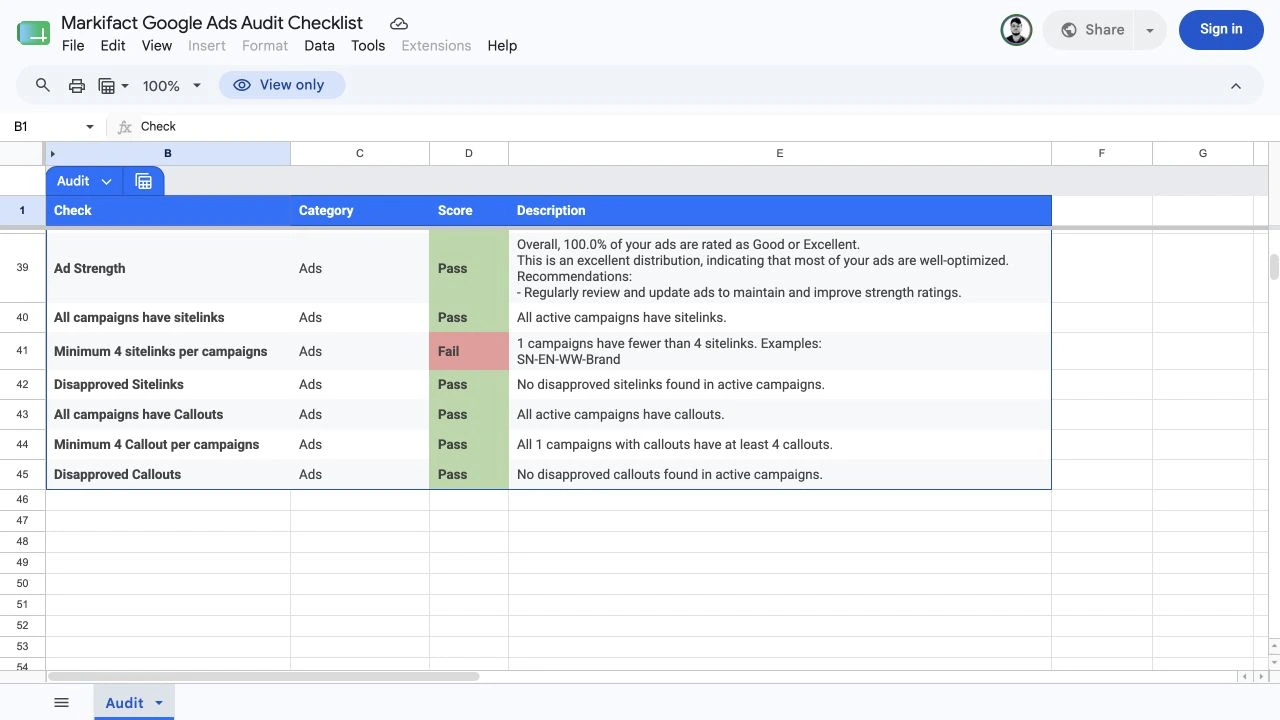
Ad strength
Ad strength can help identify missing or repetitive assets, but it is not a substitute for conversion performance, brand accuracy, or experiment design.
Review:
- Asset variety
- Repeated headlines
- Pinned assets and the reason for pinning
- Offer and message alignment
- Final URL
- Mobile experience
- Conversion rate
- Search-term relevance
Do not rewrite a compliant, high-performing ad only to improve a diagnostic label.
Sitelinks and callouts
Confirm that active campaigns have enough relevant, approved assets for their intent. Then test every destination.
Each sitelink should:
- Lead to a working, relevant page
- Match the campaign market and language
- Preserve approved tracking
- Avoid duplicate destinations without a reason
- Use accurate copy
- Comply with the current offer
Callouts should add specific value rather than repeat the same generic claim.
Disapprovals
Separate disapproved ads and assets from items that are under review, paused, scheduled, or affected by an upstream campaign status.
For every disapproval, record the policy reason, affected entity, destination, business impact, owner, and appeal or replacement decision. Never change the ad before preserving the rejected version and the evidence.
Step 6: prioritize findings
Do not work from the sheet from top to bottom. Rank findings by impact, confidence, reversibility, and ownership.
| Priority | Meaning | Example |
|---|---|---|
| P0 | Severe active measurement, policy, or delivery risk | Wrong conversion action, broken destination, prohibited data |
| P1 | Material performance or tracking issue | Important conversion not recording, broad irrelevant spend, critical disapproval |
| P2 | Structural or optimization limitation | Weak negative coverage, unsuitable location option, missing assets |
| P3 | Governance improvement | Labels, naming, ownership, documentation |
Use this remediation record:
Google Ads audit finding

Check:
Category:
Current score:
Customer ID:
Campaign or entity IDs:
Observed evidence:
Why it matters:
Business context:
Validation performed:
Priority:
Recommended action:
Expected impact:
Risk:
Rollback plan:
Owner:
Approver:
Status:
If the evidence is incomplete, the next action should be another read or a technical test, not a live account change.
Step 7: prepare changes without applying them
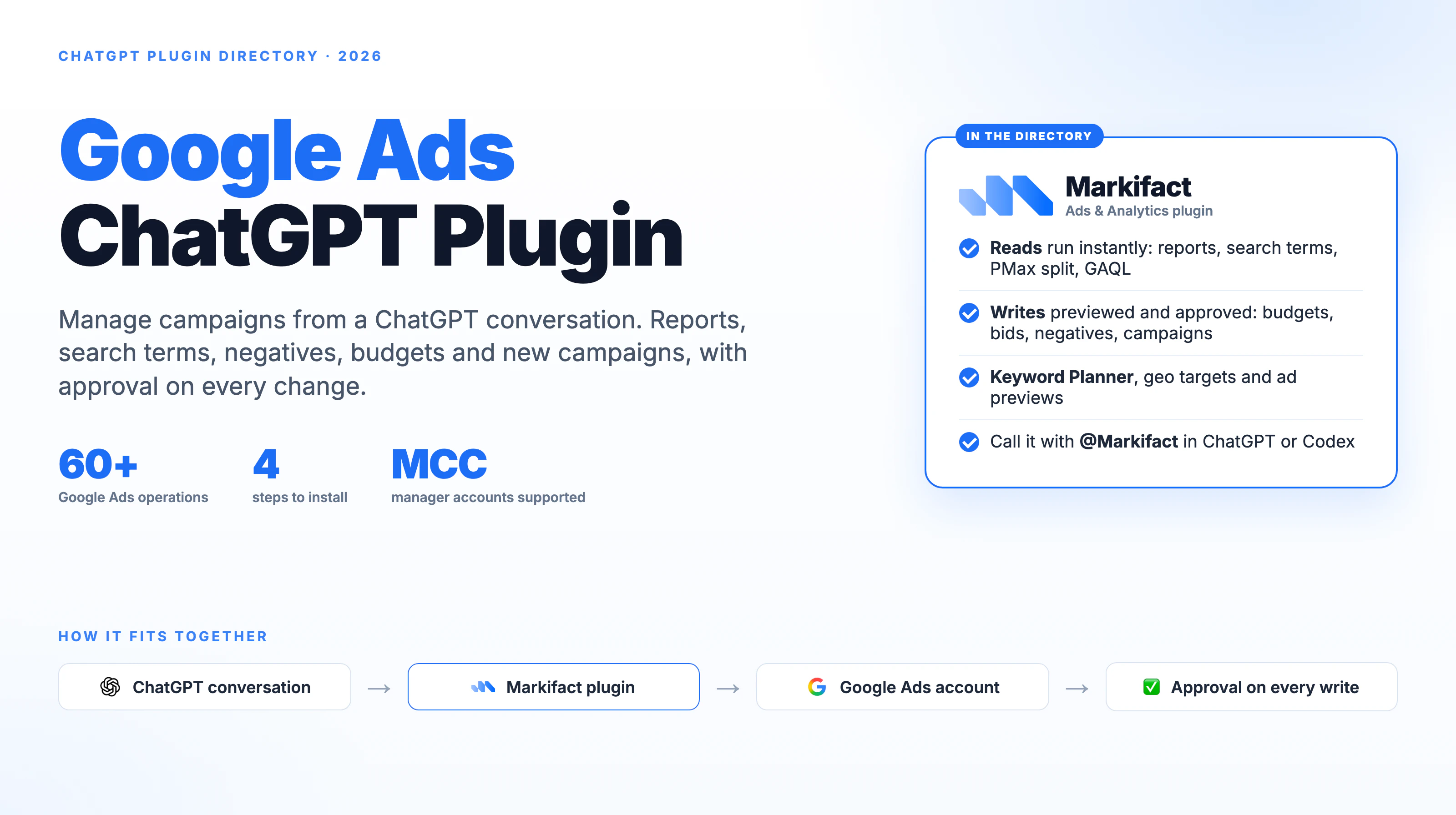
Markifact can connect Google Ads to Claude, ChatGPT, Codex, and other MCP clients through the Google Ads MCP. That is useful when you want to investigate a failed row with live reports or prepare a proposed change.
Use this copy-paste prompt after the audit:
Review this Google Ads audit finding against the stated business scope.

Separate:
1. Observed evidence
2. Missing evidence
3. Possible explanations
4. Recommended next read-only checks
5. One proposed remediation, if the evidence supports it

For any proposed Google Ads change, show the customer ID, entity name,
entity ID, current value, proposed value, expected effect, risk, and
rollback plan. Do not execute or approve any write.
The prompt is deliberately read-only. If you later decide to make a change, approve the exact operation, account, entities, and values separately.
For a faster recurring review, use the 15-minute Google Ads audit in Claude. That article covers weekly performance triage. This guide covers the deeper structural checklist.
How often should you audit Google Ads?
Use different cadences for different scopes:
- Weekly: performance movement, search terms, disapprovals, budgets, and major change history
- Monthly: conversion health, targeting, negative lists, ads, assets, and landing pages
- Quarterly: full account structure, goals, bidding architecture, governance, and stakeholder sign-off
- Before scaling: tracking, conversion definitions, budgets, locations, policy, and destination readiness
- After taking over an account: complete evidence capture before making material changes
Run a focused audit after a site migration, consent change, CRM change, conversion rebuild, major market expansion, or account restructure.
What this audit does not prove
The checklist makes the review consistent, but it cannot answer every business question.
It does not prove that:
- Every conversion event fires correctly through every user journey
- Every reported lead is qualified
- A recommendation will improve profit
- A Pass is a permanent state
- A Fail requires an immediate fix
- A particular bid strategy is best
- A location or language setting is wrong without business context
- The landing page is persuasive
- The account's incrementality or attribution is correct
Use the audit to find where evidence is strong, weak, missing, or contradictory. Then assign the next validation to the right owner.
Google Ads audit checklist
Before closing the review, confirm that you have:
- Verified the customer ID, market, currency, dates, and business objective
- Confirmed the primary conversion actions used for optimization
- Reviewed auto-tagging and real landing-page redirects
- Checked enhanced conversions and measurement diagnostics where relevant
- Reviewed campaign types, labels, and recommendation controls
- Compared match types with search-term quality
- Reviewed negative keywords and shared exclusion lists
- Checked locations, languages, audiences, and placement controls
- Reviewed Quality Score only as a diagnostic
- Evaluated bid strategies against conversion volume and economics
- Tested ads, destinations, sitelinks, and callouts
- Recorded disapprovals and ownership
- Prioritized findings by impact and confidence
- Preserved the original evidence
- Kept every account write behind explicit approval
The automated Google Ads audit template handles the evidence collection and structured scoring. Your job is to validate what the evidence means for this account.
Frequently asked questions
What is a Google Ads audit?
A Google Ads audit is a structured review of account settings, conversion tracking, targeting, keywords, bidding, ads, assets, performance, and governance against the business's goals.
How many checks does the Markifact Google Ads audit run?
The template runs more than 40 automated checks and writes the results to the supplied Google Sheet.
Does the audit change my Google Ads account?
No. The checklist retrieves evidence and writes the findings to Google Sheets. Any proposed Google Ads change should be reviewed and approved separately.
What do Pass, Fail, and Evaluate mean?
Pass means the rule found evidence that met its configured condition. Fail means the result needs investigation. Evaluate means the correct judgment depends on business context or human review.
Is a failed check always a problem?
No. A failed rule can reflect an intentional configuration, incomplete evidence, or an account-specific exception. Validate it before making a change.
Should I apply every Google Ads recommendation?
No. Review the recommendation, projected effect, business fit, risks, and recent account history before applying or auto-applying it.
How often should I run a Google Ads audit?
Run focused checks weekly or monthly and a full structural audit quarterly, before scaling, after major tracking changes, or when taking over an account.
Can agencies use the audit for client onboarding?
Yes. Keep a dated copy of the Sheet, document the approved scope, and turn validated findings into an owner and approval-based remediation plan.