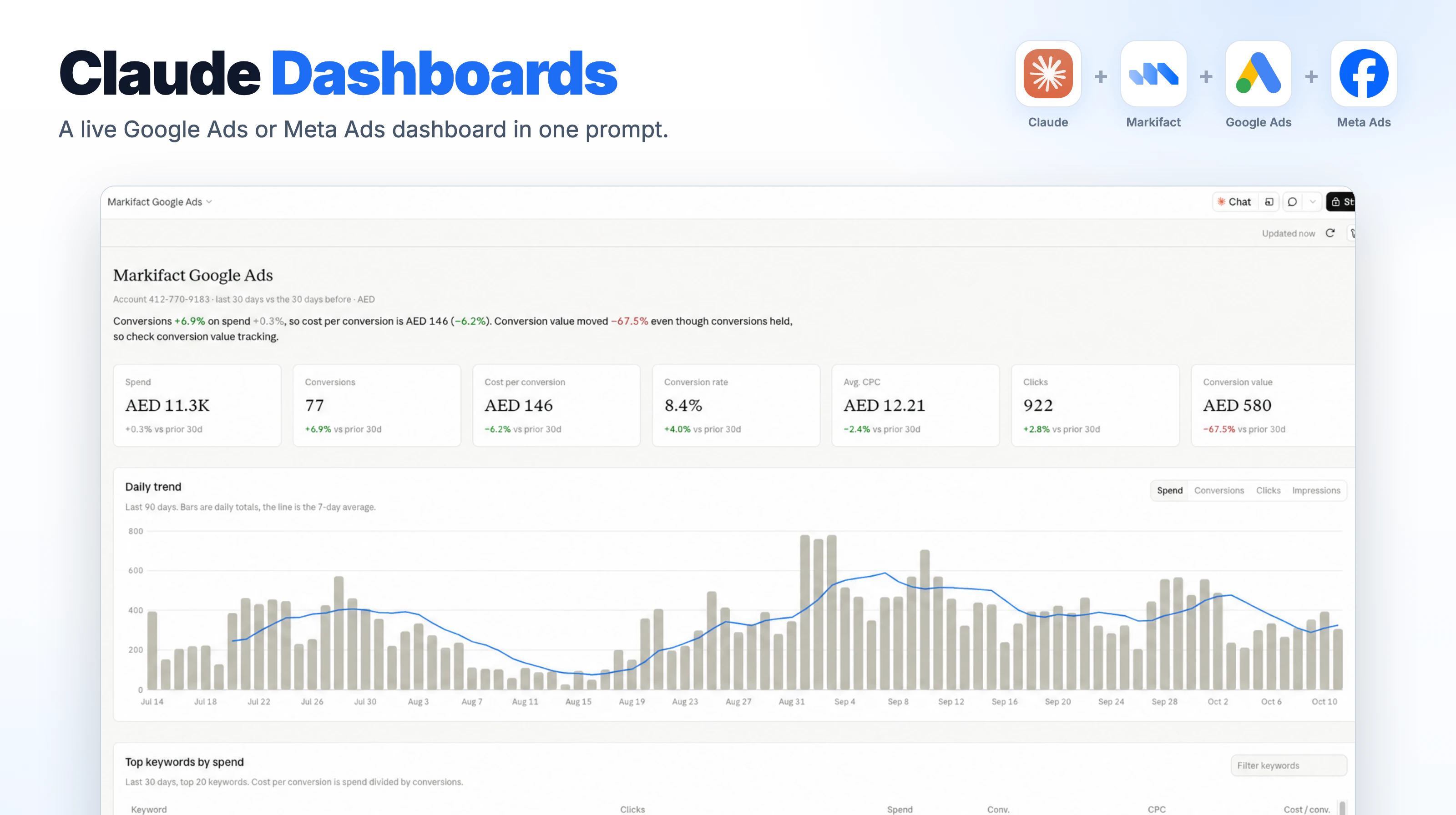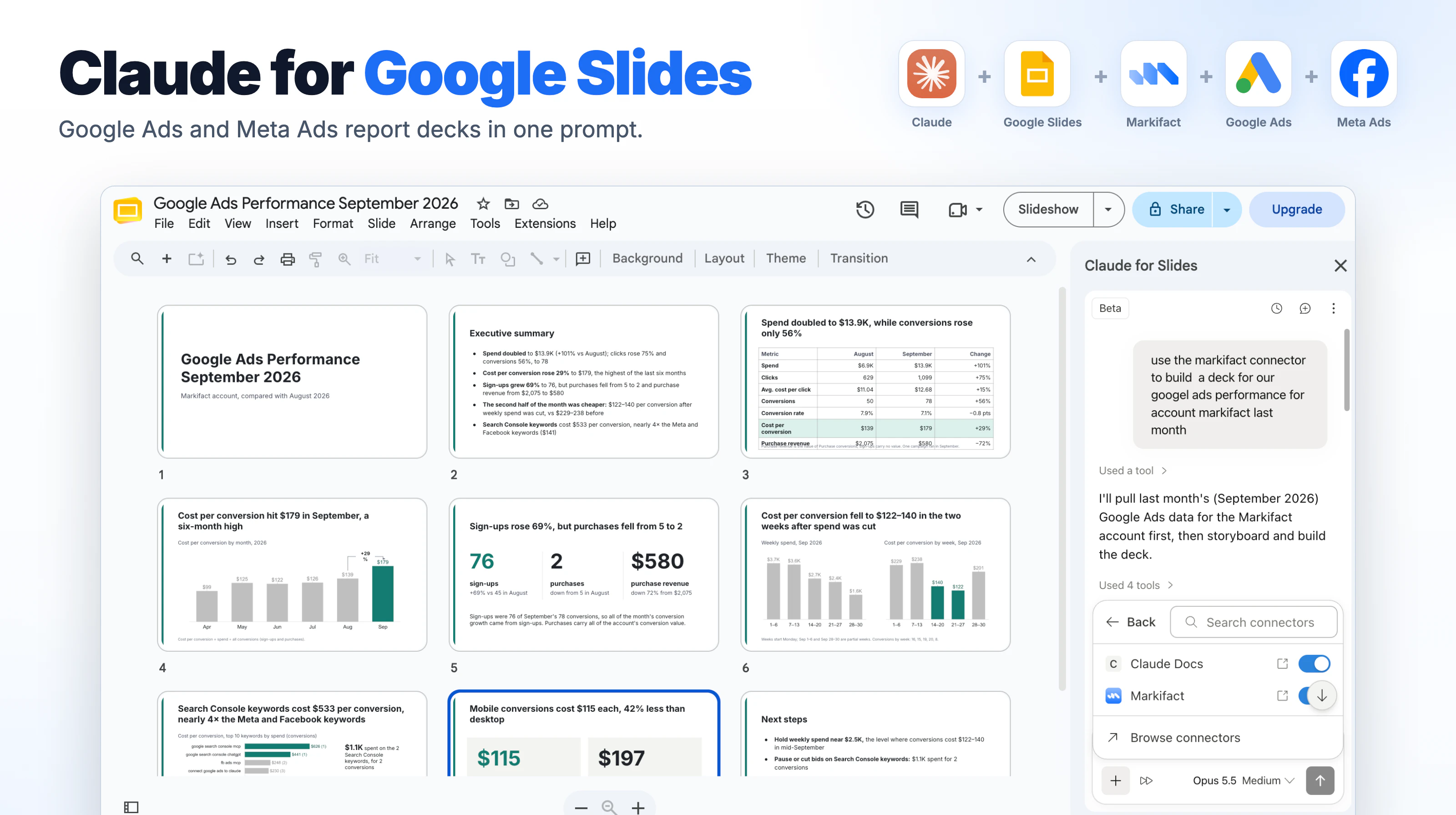
You can audit Google Ads in Claude in about 15 minutes by using Markifact to compare recent performance, inspect conversion signals, find questionable search-term spend, review account changes, and build a prioritized action queue. This is a weekly triage routine for an account that is already connected, not a substitute for a full structural audit. The goal is to find what changed, what needs attention, and what can safely wait. Claude can prepare fixes, but every live Google Ads write through Markifact remains behind approval.
What this 15-minute Google Ads audit covers
A weekly audit should answer five questions:
- Am I looking at the right account, dates, currency, and conversion definition?
- Which campaigns changed enough to deserve attention?
- Are search terms spending money on demand we do not want?
- Did a recent account change help explain the movement?
- What should we fix now, investigate, or simply watch?
That scope is intentionally narrow. Fifteen minutes is not enough to inspect every campaign setting, bidding model, keyword, audience, ad, asset, landing page, feed, conversion action, and Performance Max signal. Use the Google Ads Audit Checklist when you need the deeper version. That Markifact workflow runs more than 40 automated checks and produces a structured Google Sheets report.
This article is the lighter weekly layer. It is designed to catch movement and obvious risk before they compound.
Before the clock starts
Google Ads must already be connected to Markifact, and Markifact must already be available in Claude. If it is not, use the Google Ads MCP and Claude setup guide first.
Choose one customer account for the audit. You also need to know the business outcome that matters, such as qualified leads, purchases, subscriptions, or revenue. Know the target CPA or target ROAS you use to judge performance as well, since the search-term review later uses that account target to set its thresholds. Claude cannot decide whether a search term is commercially relevant if it does not know what the business sells.
The normal reporting operation is gads_get_report. It supports campaign, ad-group, keyword, search-term, and other reports with custom metrics, dimensions, filters, dates, comparisons, and sorting. If a requested field is unclear, Claude should call gads_list_report_fields instead of guessing it.
These operation names are examples, not the limit of Markifact's Google Ads support. The Google Ads MCP page covers the broader read and write surface.
The 15-minute schedule
| Time | Check | Output |
|---|---|---|
| 0 to 2 minutes | Account and measurement scope | Verified customer, dates, currency, timezone, and conversion definition |
| 2 to 6 minutes | Campaign comparison | Largest changes in cost, conversions, CPA, ROAS, and delivery |
| 6 to 10 minutes | Search-term review | Relevant winners, questionable spend, and candidate negatives |
| 10 to 12 minutes | Recent account changes | Changes that may explain the performance movement |
| 12 to 15 minutes | Action queue | Fix now, investigate, and watch, with no automatic writes |
The timings assume the connection works and you are reviewing one account. A large agency account or a tracking problem deserves more time.
Minute 0 to 2: lock the account and measurement scope
Do not start with “audit my account.” That leaves too much room for Claude to choose the wrong account, date range, conversion field, or success metric.
Start with this:
Use Markifact and my connected Google Ads account.

Before analyzing performance, state the customer name, customer ID,
currency, timezone, and the exact two date ranges you will compare:
the last 7 complete days and the previous 7 complete days.

Identify which primary conversion actions or goals feed the Conversions
column for the campaigns in scope. Tell me if recent conversion data may
still be incomplete. Do not make any changes.
The conversion definition matters. Google says primary conversion actions included in the selected goals appear in the Conversions column and can be used by automated bidding. Secondary actions are observation-only. A week that looks strong on all conversions may look very different when the report is limited to the action the business actually values. Google's account-default conversion goal documentation explains this relationship.
Recent data also needs a warning label. Google says clicks, impressions, and cost generally refresh quickly, while search terms, impression share, and some conversion data take longer. Conversion lag can make a recent CPA look worse and ROAS look lower before later conversions arrive. Check Google's data freshness guidance before treating yesterday's figures as final.
If the account uses a long sales cycle, compare the weeks but avoid making a bid or budget decision from the newest conversion total alone.
Minute 2 to 6: compare campaign performance
Now run the performance pass. Ask for the numbers, the changes, and the limits of the data in the same request.
Call gads_get_report for the selected Google Ads customer.

Compare the last 7 complete days with the previous 7 complete days at
campaign level. Include campaign name, campaign ID, status, cost,
impressions, clicks, CTR, conversions, conversion value, CPA, ROAS,
and search impression share or budget-loss metrics where available.

Return one comparison table sorted by cost. Then list the five largest
material changes. Separate observed facts from possible explanations.
Show the figures behind every finding. Flag unavailable or potentially
incomplete metrics instead of estimating them. Do not make changes.
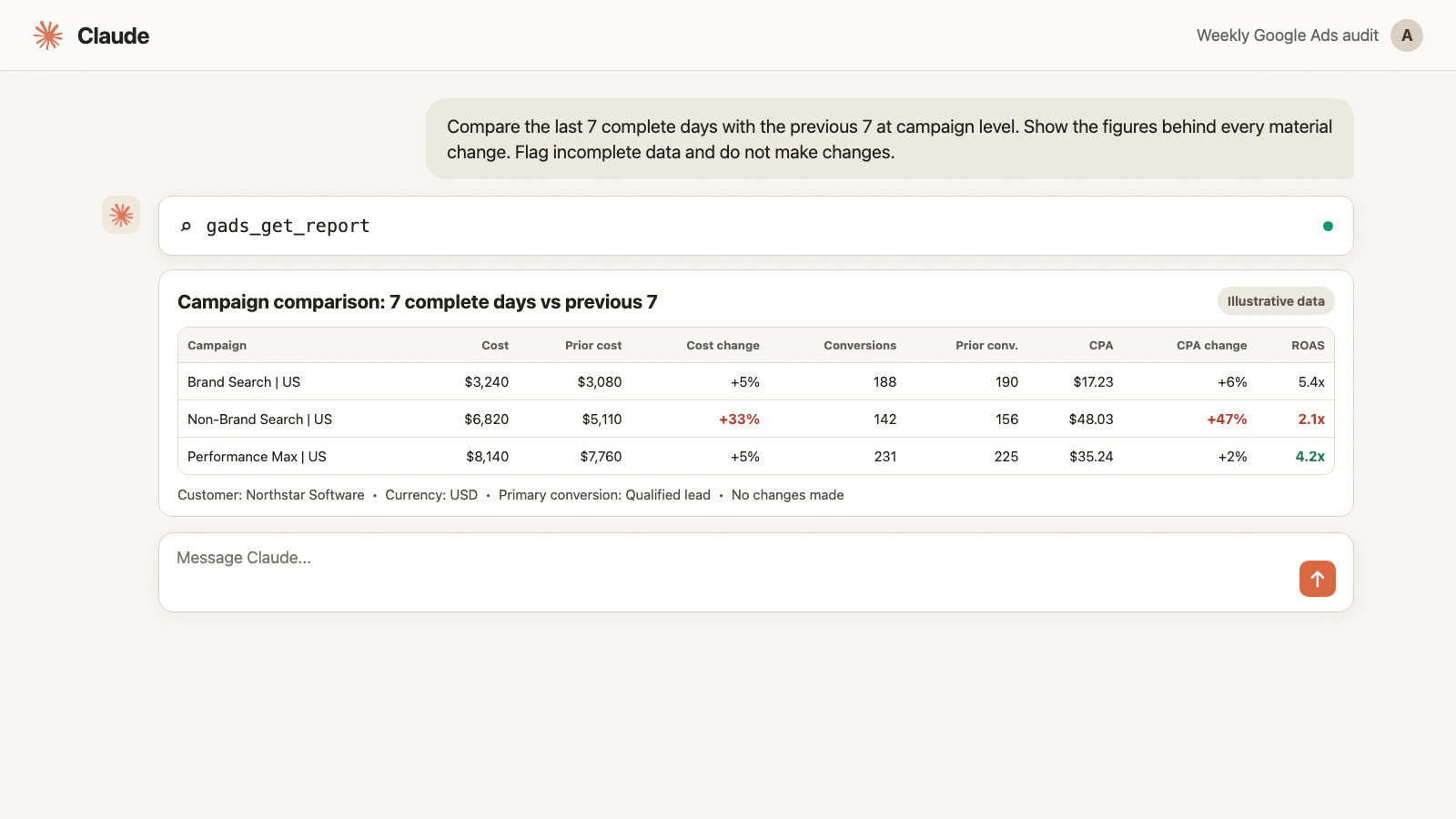
The figures in the image are illustrative. Your audit uses the data from the connected Google Ads customer.
Do not rank campaigns by percentage change alone. A campaign moving from one conversion to two has grown 100%, but it may matter less than a mature campaign whose CPA rose 20% on substantial spend. Claude should prioritize a combination of financial impact, size of change, and confidence in the data.
The best output has three layers:
- Observed: cost increased by $1,800 while conversions remained flat.
- Possible explanation: a budget or bid change may have expanded into weaker traffic.
- Next check: inspect search terms, change history, conversion lag, and impression share before changing the budget.
That separation stops a plausible story from being presented as a verified cause.
Minute 6 to 10: find search-term waste
Search terms are where a short weekly audit can find immediate value, especially in Search and Shopping campaigns. Google describes the search terms report as the view of queries that triggered ads and recommends using it to find relevant opportunities and irrelevant terms that may become negatives.
The report is not a complete transcript of every query. Google can omit low-volume terms for privacy, while search-term insights may group them into themes. Treat the available rows as evidence, not the entire universe of demand.
Use a threshold that is meaningful for the account:
Use gads_get_report to review search terms for the last 30 complete days.

Show campaign, ad group, search term, cost, clicks, conversions,
conversion value, CPA, and ROAS where available. Flag terms that spent
at least $100 with zero primary conversions, plus terms with CPA at least
50% above the account target.

Group the results into:
1. Clearly relevant but underperforming
2. Possibly irrelevant and needs business review
3. Strong terms that may deserve dedicated keyword coverage

Do not add negative keywords. Explain why each term is in its group.
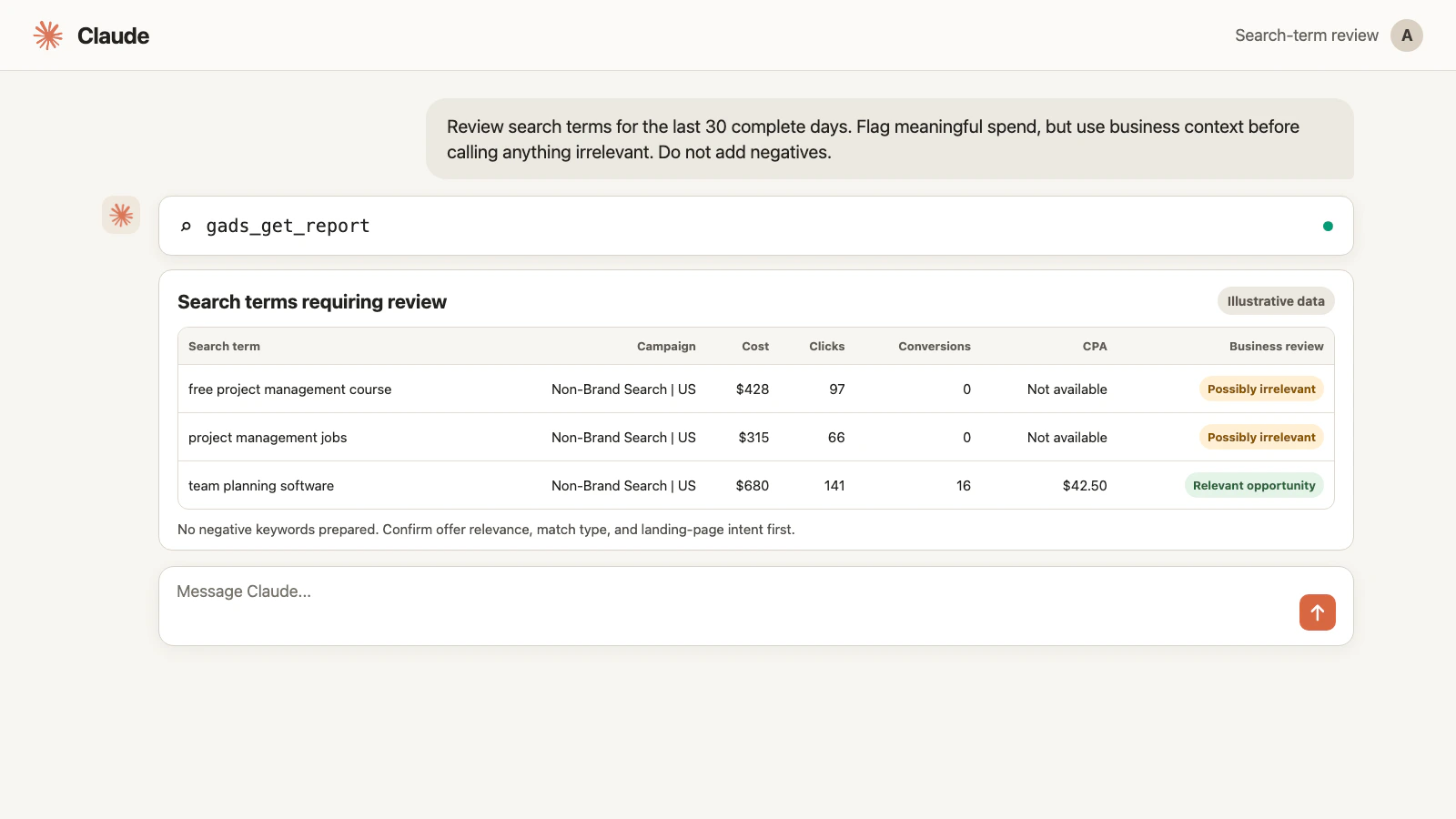
Replace the $100 and 50% thresholds with amounts that fit the account. A $100 threshold is meaningless if the normal CPA is $500, and far too high if the account sells a low-cost product.
Most importantly, zero conversions does not automatically mean irrelevant. A high-intent term can have no recorded conversions because of low volume, lag, a weak landing page, or broken measurement. Claude should propose a negative only when the query is commercially wrong for the business, not merely expensive.
Minute 10 to 12: explain changes before blaming performance
Performance often moves because someone changed the account. Markifact exposes gads_get_account_history as a read example for reviewing recent activity.
Use gads_get_account_history for this Google Ads customer.

Show changes made during the two comparison periods. Prioritize budget,
bidding, status, keyword, targeting, ad, asset, and conversion changes.
For each relevant change, include the timestamp, entity name, entity ID,
change type, and available old and new values.

Place the changes beside the campaign performance shifts from this audit.
Label relationships as timing correlations unless the data proves causation.
Do not undo or modify anything.
Google Ads Change History can show account changes from the previous two years in the interface and map edits against performance. The API's Change Event resource is narrower and requires a date filter within the past 30 days. Google also notes that Change Event may not include every change visible in the web interface. Use Google's Change History documentation when you need to reconcile a missing entry.
If cost rose on the same day as a budget increase, that timing matters. It still does not prove the budget change caused lower-quality traffic. Search terms, impression share, bidding, seasonality, and conversion lag may still be involved.
Minute 12 to 15: build the action queue
Finish by forcing every finding into one of three buckets:
- Fix now: high-confidence, reversible problem with meaningful impact
- Investigate: important signal that needs another report or business input
- Watch: movement that is real but not yet large or reliable enough to act on
Ask Claude to rank the queue by expected financial impact, confidence, and reversibility. A candidate negative keyword may be high-confidence and easy to reverse. A bidding-strategy change is broader and deserves more evidence.
Use this prompt:
Turn the verified findings from this audit into an action queue.

For each item show the account, entity name, entity ID, evidence,
estimated financial impact, confidence, reversibility, and next step.
Use three sections: Fix now, Investigate, and Watch.

Do not apply anything. If one Fix now item is suitable for a Markifact
write, prepare only that single action and show the full current-versus-
proposed diff. Wait for my approval of the exact operation and values.
The reusable weekly Google Ads audit prompt
Once you trust the workflow, use this master prompt each week:
Use Markifact to run my weekly Google Ads audit for one customer account.

1. Confirm the customer name, customer ID, currency, timezone, primary
   conversion definition, last 7 complete days, and previous 7 days.
2. Use gads_get_report to compare campaign performance with cost,
   impressions, clicks, CTR, conversions, conversion value, CPA, ROAS,
   and impression-share or budget-loss metrics where available.
3. Use gads_get_report to review the last 30 complete days of search terms.
   Use my business context before labeling any term irrelevant.
4. Use gads_get_account_history to show changes that overlap with major
   performance movement.
5. Return Fix now, Investigate, and Watch queues ranked by impact,
   confidence, and reversibility.

Show the figures behind every conclusion. Separate facts from hypotheses.
Flag conversion lag, unavailable fields, and incomplete data. If the exact
report field is unclear, use gads_list_report_fields instead of guessing.
Do not make any account changes.
For an advanced field or resource that gads_get_report does not cover, Markifact also exposes gads_run_gaql_query. Claude can use gads_search_gaql_resources when the valid GAQL resource or field compatibility is unclear. These are examples rather than an exhaustive catalog.
Developers who live in the terminal can run the same weekly audit through Claude Code, including as part of a scheduled workflow; the Google Ads MCP in Claude Code guide covers that setup.
GAQL monetary fields containing _micros are raw micros. Divide them by 1,000,000 before displaying them or using the value in a focused write. For example, gads_update_campaign_budget accepts a readable amount in the account currency, not micros.
How to review a proposed fix
Suppose the strongest finding is a set of clearly irrelevant search terms. Claude can prepare gads_add_negative_keywords_to_campaigns or an ad-group-level equivalent. Both are approval-gated write examples.
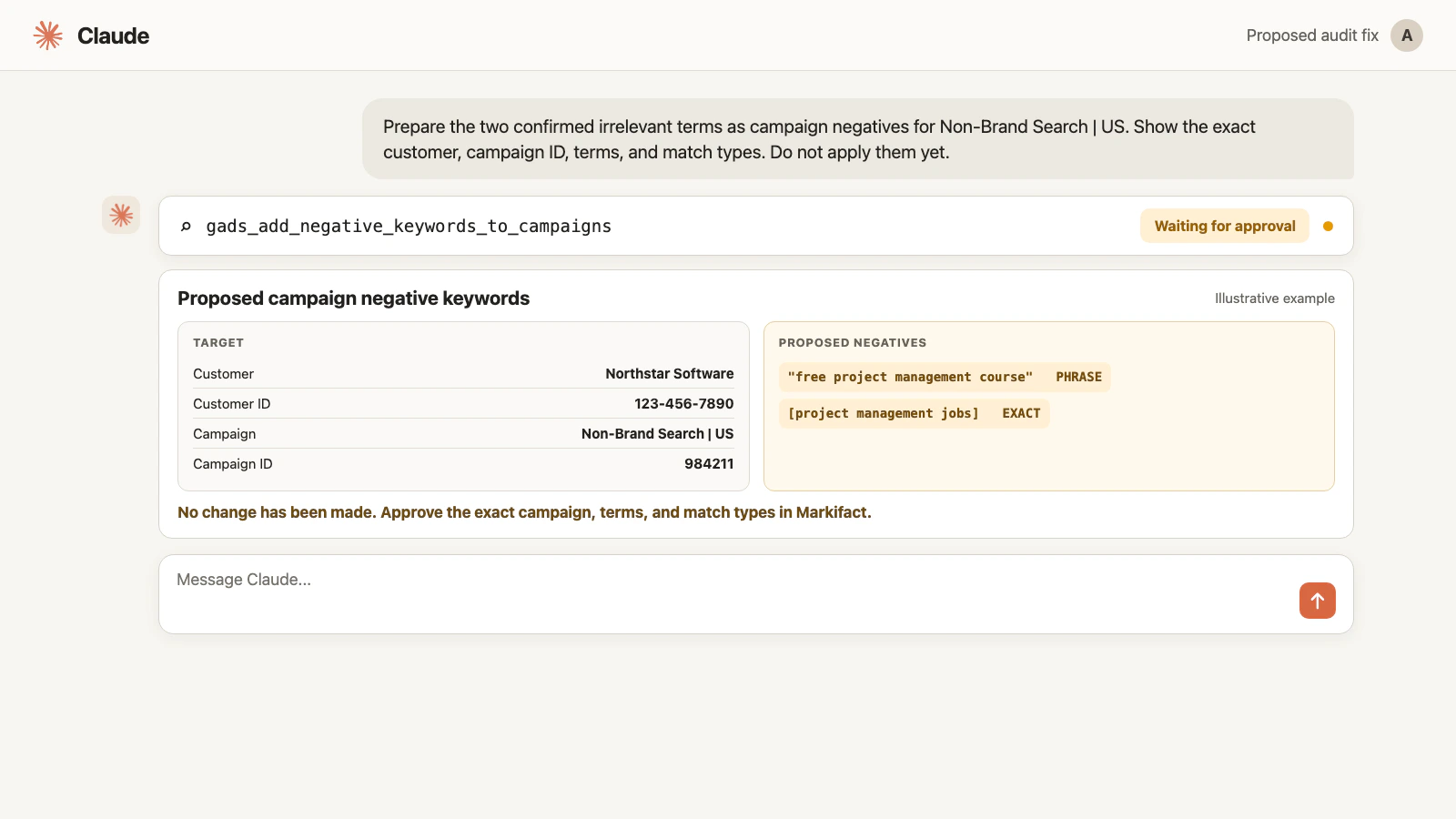
Waiting for approval means the account has not changed. Before approving, check:
- The Markifact workspace and Google Ads customer ID
- The campaign or ad-group name and ID
- Every proposed negative term and match type
- The business reason for excluding it
- Whether a shared negative list already covers it
- The expected effect and rollback path
The same rule applies to a budget proposal through gads_update_campaign_budget or a status proposal through gads_update_campaign_status. These operations are examples, not an inclusive list. Markifact supports the wider Google Ads API surface, and every write remains behind approval.
What not to do in a weekly audit
Do not chase incomplete conversion data
If the most recent days are inside the normal conversion window, record the movement and revisit it. Do not force a conclusion because the meeting ends in 15 minutes.
Do not treat “limited by budget” as an instruction
A campaign can be limited by budget and still have poor marginal economics. Check conversion quality, CPA or ROAS, search terms, impression share, and the value of additional volume before increasing spend.
Do not apply every Google recommendation
Google recommendations are dynamic suggestions based on account settings, performance, trends, and available features. Optimization score can help organize a review, but it is not the business objective. Inspect the projected impact and commercial fit before applying anything. Google's optimization score documentation explains how the score changes as recommendations are applied or dismissed.
Do not use Quality Score as the weekly KPI
Google calls Quality Score a diagnostic tool, not a KPI. Use its components to investigate ad relevance, expected CTR, and landing-page experience, but prioritize actual business results and meaningful delivery constraints. See Google's Quality Score optimization guidance.
Do not turn triage into account reconstruction
If the audit uncovers a broad tracking, feed, campaign-structure, or landing-page problem, move it into a separate investigation. The weekly workflow should produce a clear queue, not redesign the entire account inside one conversation.
Weekly Google Ads audit checklist
Use this seven-point version every week:
- Confirm the customer ID, currency, timezone, and complete date ranges.
- Confirm which primary conversions define CPA and ROAS.
- Compare campaign performance with the previous equivalent period.
- Review meaningful search-term spend with business context.
- Check recent account changes before assigning a cause.
- Separate facts, hypotheses, and next checks.
- Approve at most one clearly scoped account change at a time.
That rhythm is fast enough to repeat and strict enough to catch the most expensive mistakes early.
Frequently asked questions
Can Claude audit Google Ads?
Yes. With Google Ads connected through Markifact, Claude can pull campaign, ad-group, keyword, search-term, conversion, and account-history data, analyze the results, and prepare approval-gated fixes.
Is 15 minutes enough for a Google Ads audit?
Fifteen minutes is enough for weekly triage when the account is already connected and scoped. It is not enough for a complete structural, tracking, creative, feed, and landing-page audit. Use the full Markifact audit template for that deeper review.
What date range should I use for a weekly Google Ads audit?
Compare the last seven complete days with the previous seven complete days, then use a longer window such as 30 complete days for lower-volume search terms. Always account for conversion lag and delayed metrics.
Which metrics belong in a weekly Google Ads audit?
Start with cost, impressions, clicks, CTR, primary conversions, conversion value, CPA, and ROAS. Add impression-share, budget-loss, or other delivery metrics when they are available and relevant to the campaign type.
Can Claude find wasted Google Ads search-term spend?
Yes. Claude can use gads_get_report to identify expensive or weak search terms. Performance alone does not prove irrelevance, so review business intent before adding a term as a negative.
Can Claude change Google Ads after the audit?
Claude can prepare Google Ads changes through Markifact, including negative keywords, budgets, and statuses. Every write operation requires approval, and a proposal marked Waiting for approval has not changed the account.
Does a campaign limited by budget always need more budget?
No. The status signals constrained delivery, not profitable incremental demand. Review conversion quality, marginal CPA or ROAS, search terms, impression share, and conversion lag before increasing spend.
How often should I run the full Google Ads audit template?
Run a deeper audit when inheriting an account, before major scaling, after tracking or site changes, when unexplained performance problems persist, and on a regular monthly or quarterly schedule.