Google's official Google Ads MCP is the best fit if you want a free, Google-maintained reporting server and are comfortable managing the technical setup yourself. It is still read-only, while alternatives such as Markifact add hosted authentication, broader marketing context, and approval-gated changes. I tested the current installations and tool schemas, then ran the reporting workflow through a live Markifact connection to show where each option genuinely fits.
The verdict
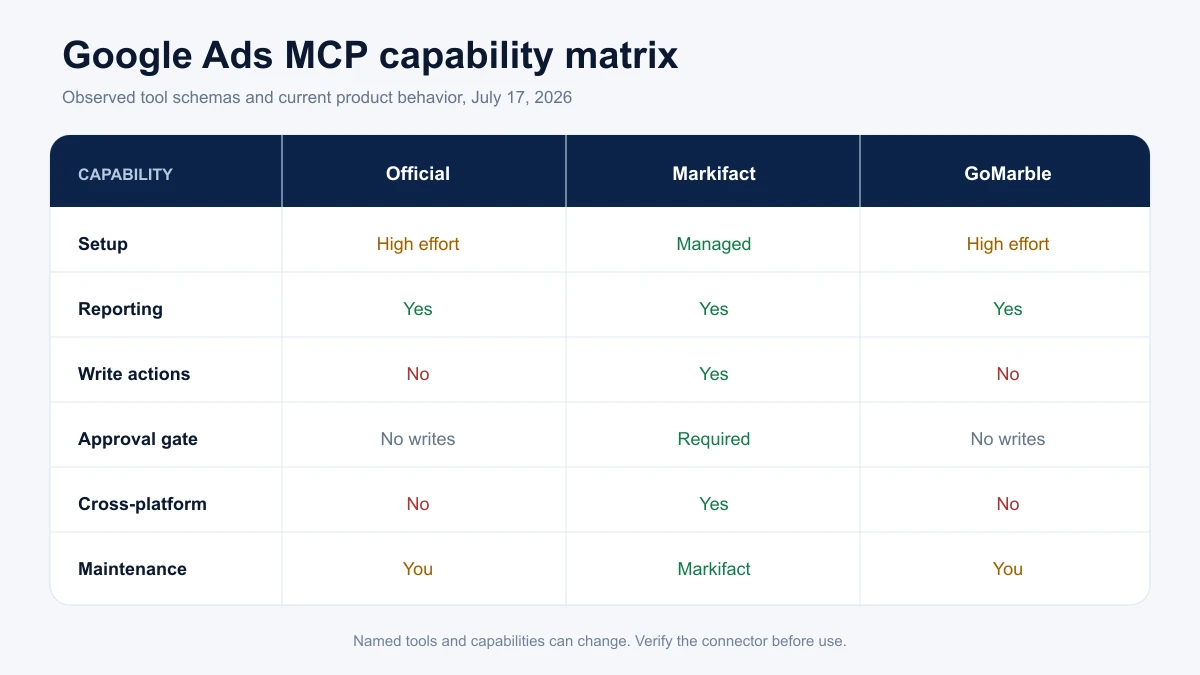
| Server | Setup effort | Read Google Ads | Write to Google Ads | Approval safety | Cross-platform | Maintenance | Cost |
|---|---|---|---|---|---|---|---|
| Google's official Google Ads MCP | High | Yes | No | No writes exposed | Google Ads only | You maintain the runtime and credentials | Free, self-hosted |
| Markifact | Low | Yes | Yes | Every write waits for approval | Ads, analytics, ecommerce, and work tools | Managed by Markifact | Paid managed service |
| GoMarble community server | High | Yes | No | No writes exposed | Google Ads only | You review and maintain community code | Free, self-hosted |
The short answer is simple. Choose Google's official server for first-party, read-only reporting. Choose Markifact's Google Ads MCP when you want reporting and controlled execution without maintaining a local server. Consider GoMarble only if its narrower GAQL and Keyword Planner surface is exactly what you need and you are comfortable owning the code.
What I actually tested
The word "tested" needs a clear boundary here.
On July 17, 2026, I cloned Google's official repository and GoMarble's public community repository into clean temporary environments. Both installed successfully. I loaded each FastMCP server and inspected the tool names, input schemas, and safety annotations exposed to an MCP client.
I did not run either self-hosted server against a live Google Ads account. Both correctly stopped at their credential boundary because the test environment did not have a Google Ads developer token and OAuth or Application Default Credentials configured. Any account-level behavior I attribute to those servers comes from their current code and official documentation, not a fabricated live result.
Markifact was tested through a connected Google Ads account. I ran a campaign report, discovered the supported search-term fields, and pulled a search-term report. I also inspected the live schemas for two write examples, gads_add_negative_keywords_to_campaigns and gads_update_campaign_budget. I deliberately did not approve or execute a real account change.
The figures below use the fictional account Northstar Fitness and are labeled Illustrative data. They show the verified tool shape without exposing private account data.
Google's official Google Ads MCP up close
Google open-sourced its official Google Ads MCP server on October 7, 2025. Google's launch post described it as read-only, and the current server remains read-only in the tool schema I inspected.
The clean installation exposed exactly three namespaced tools with readOnlyHint: true:
customers_list_accessible_customerslists directly accessible customer IDs.metadata_get_resource_metadatareturns selectable, filterable, and sortable fields for a Google Ads resource.search_searchqueries a resource using selected fields, conditions, ordering, and a limit.
The repository documentation presents the shorter underlying names without namespace prefixes. The current default configuration mounts the customer, metadata, and search namespaces, so the names an MCP client sees are namespaced. You can customize that behavior in tools_config.yaml.
The server also exposes resources for the Google Ads discovery document, metrics, segments, and release notes. That is a sensible design for an agent building valid reporting queries because it can inspect the API surface instead of guessing fields.
What setup involves
The official server is free, but free does not mean zero setup. The current path requires:
- Python 3.10 or newer and
pipxor another isolated Python runner. - A Google Cloud project with the Google Ads API enabled.
- A Google Ads developer token with sufficient access for the accounts you want to query.
- Application Default Credentials, a Google Ads client configuration, or the documented FastMCP OAuth proxy setup.
- An MCP client configuration pointing to the local process or your hosted HTTP endpoint.
For a developer who already has a Cloud project and approved token, that is reasonable. For a media buyer who only wants to ask why CPA rose last week, it is a substantial amount of infrastructure to own.
The Google Ads MCP in Claude Code guide covers the developer setup path in more depth.
Where the official server stops
The official server can report on campaign, keyword, search-term, conversion, asset, and other Google Ads API resources through its general search tool. It cannot add a negative keyword, change a campaign budget, pause an ad, or create a campaign because the current schema exposes no mutation tool.
That is not a hidden defect. It is a deliberate boundary. If your requirement is "let Claude analyze my account but never change it," read-only is an advantage.
The community option: GoMarble
I selected GoMarble's community Google Ads MCP because it was publicly clonable, had meaningful community adoption, and provided a clear tool surface. The clean install exposed three tools:
list_accountsrun_gaqlrun_keyword_planner
This is a useful combination for account discovery, raw GAQL reporting, and keyword research. It does not expose a write operation or an approval workflow.
There are two cautions. First, the discovered tools did not include MCP read-only or destructive safety annotations. The implementation is read-only based on the current code, but the schema does not communicate that as clearly as Google's official server. Second, the latest commit in the cloned main branch was dated December 17, 2025. A technical team can still use and fork it, but should review dependencies, Google Ads API versions, credential storage, and maintenance activity before relying on it.
The same three tasks through each option
The practical difference becomes obvious when you give every server the same job.
Task 1: compare campaign performance
The request:
Compare active campaigns for the last 30 complete days. Return impressions, clicks, cost, conversions, CPA, conversion value, and ROAS. Sort by cost and flag material outliers, but do not recommend a change until you state the conversion definition and account currency.
Google's official server: This fits its intended job. The agent can use metadata_get_resource_metadata to validate campaign fields, then call search_search. The schema supports resource, field, condition, ordering, and limit inputs. I verified that path in the installed server, but did not execute it against an account.
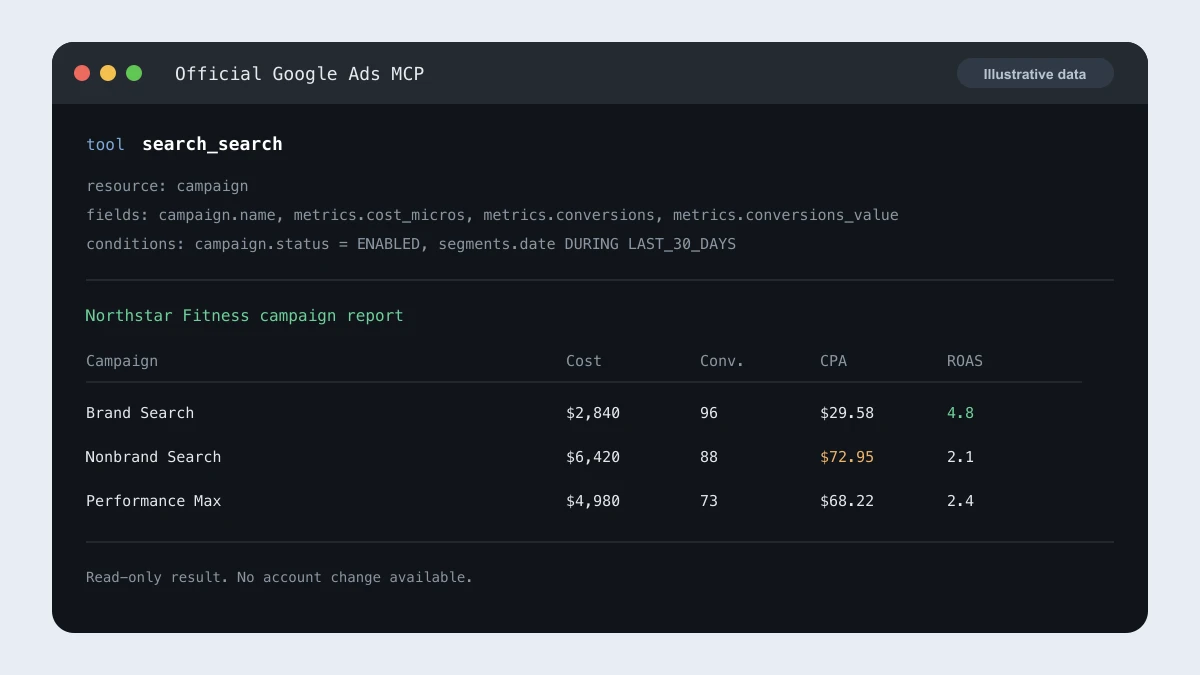
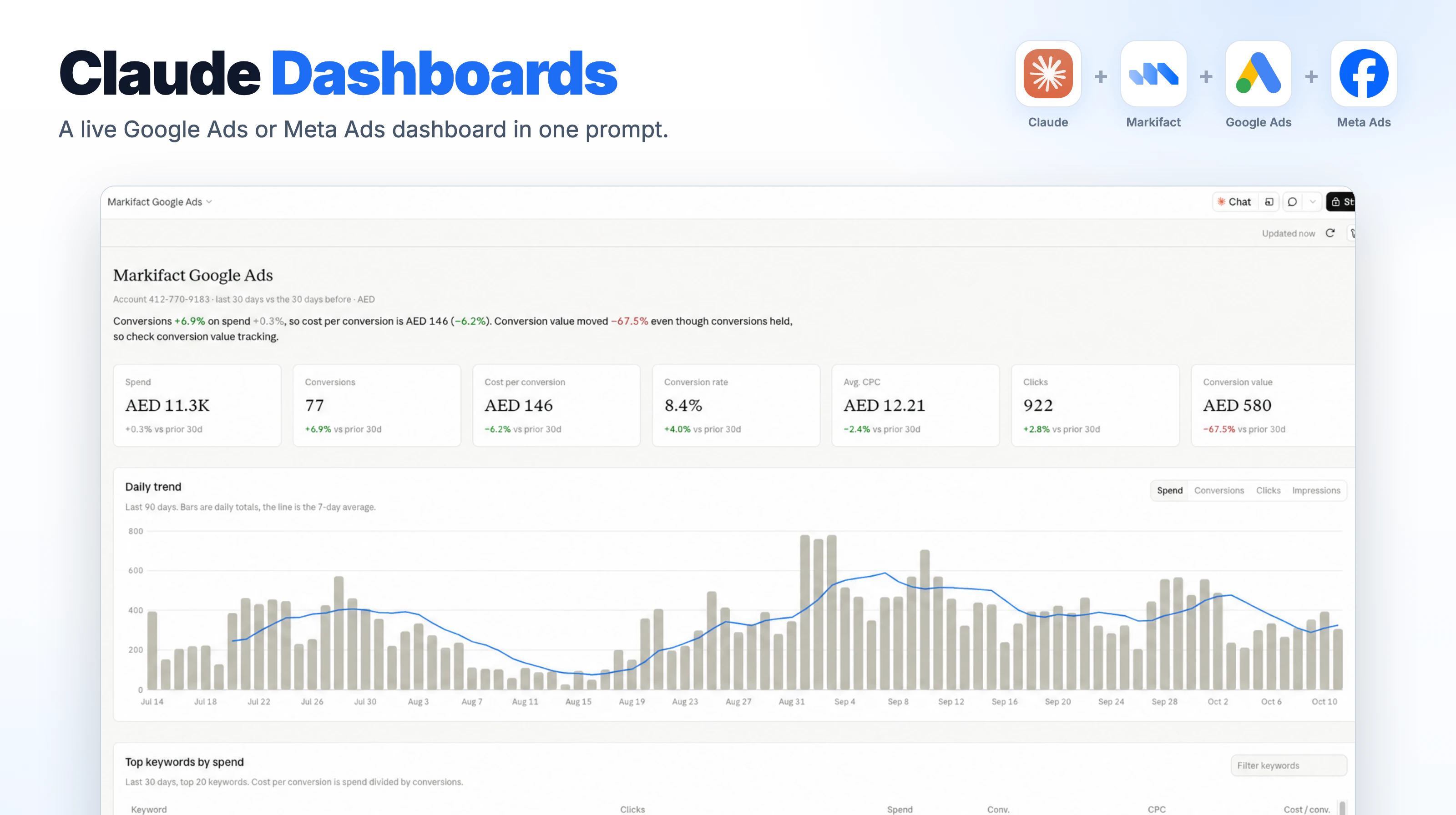
Markifact: I ran this as a real read through gads_get_report. The operation returned campaign rows with impressions, clicks, cost, conversions, and ROAS from the connected account. Markifact handles the saved OAuth connection and manager-account routing, so the user selects the customer account instead of configuring a local developer token.
GoMarble: The same result can be requested through run_gaql, but the agent needs to construct the raw GAQL query. The tool schema supports the customer ID, query, and optional manager ID. I verified that schema locally, but did not run it against an account.
Task 2: identify wasteful search terms
The request:
Pull search terms for the last 30 complete days with campaign, search term, impressions, clicks, cost, conversions, and CPA. Highlight high-spend terms with no conversions, but separate poor performance from business irrelevance. Do not add negatives yet.
Google's official server: The general search tool can query search_term_view after metadata discovery. It can surface the evidence, but it cannot apply the fix.
Markifact: I used gads_list_report_fields to verify the searchTerm dimension, then ran gads_get_report with campaign, search term, impressions, clicks, cost, and conversions. The report returned real rows. Those operation names are examples, not the full limit of the Google Ads integration.
GoMarble: run_gaql can query the search-term view. It is flexible, but the user owns the query construction, field compatibility, and credential setup.
Task 3: apply the fix
The request:
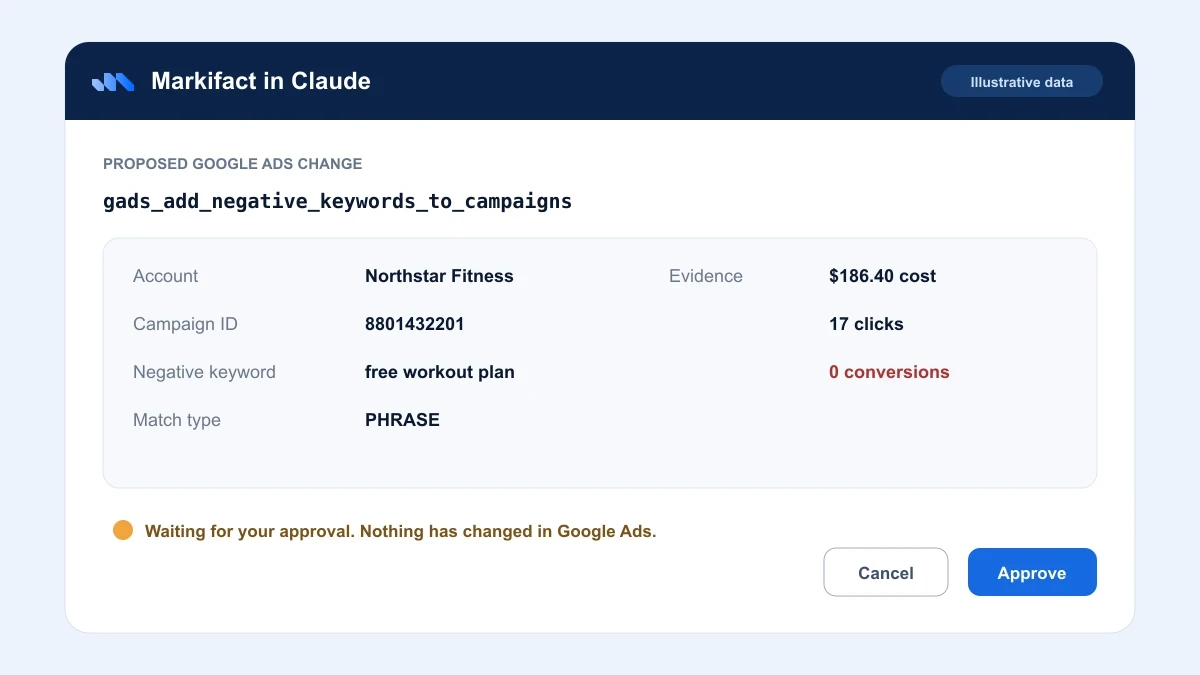
Prepare the confirmed irrelevant terms as campaign-level phrase-match negatives. Show the campaign ID, keyword text, match type, and evidence. Do not make the change until I approve the exact payload.
Google's official server: It cannot complete this task. The current tool list contains no mutation operation.
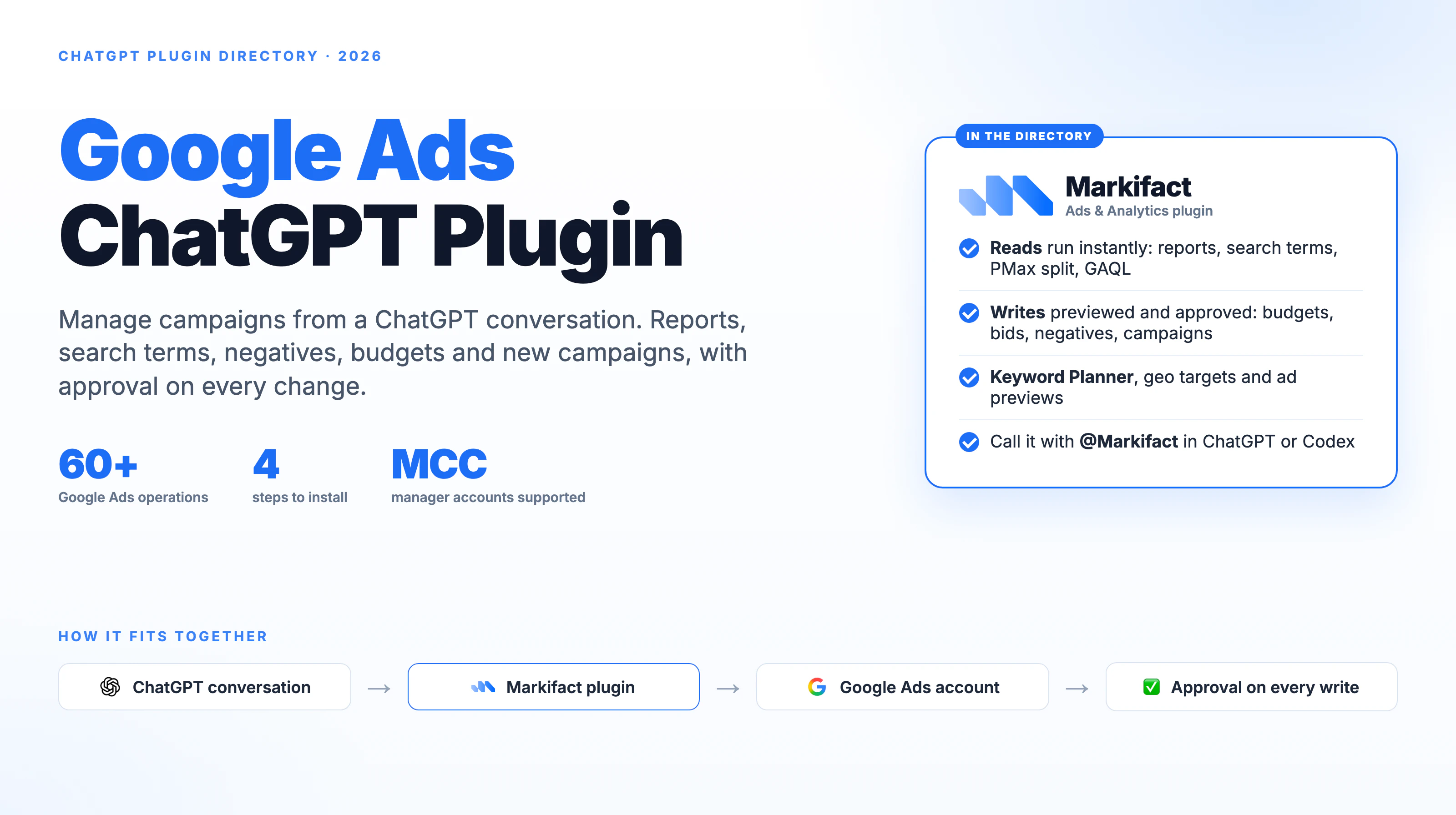
Markifact: The live operation catalog includes gads_add_negative_keywords_to_campaigns as an approval-gated write. Its inspected schema requires the account and update type, then accepts campaign ID, keyword, and match type for a single update or structured fields for bulk work. gads_update_campaign_budget is another approval-gated example. Markifact can prepare the action, but the write must wait for explicit approval.
GoMarble: It cannot complete this task because its current server exposes no write tool.
This is the main decision boundary. Reporting-only servers can find the problem. An execution layer needs an explicit write surface and a safety model for what happens next.
Which Google Ads MCP should you choose?
Choose Google's official server if
- You want first-party, free, read-only Google Ads reporting.
- Your developers already manage a Cloud project, developer token, credentials, and local or hosted services.
- Preventing all account changes at the connector level is a requirement.
- You prefer a small tool surface backed by Google Ads metadata and discovery resources.
Choose Markifact if
- You want a hosted connection without creating your own Google Ads developer token or MCP service.
- You manage multiple clients and want account selection handled inside the workflow.
- You need reporting plus campaign, budget, keyword, ad, asset, and targeting actions.
- You want every write held for approval before it reaches Google Ads.
- You want Google Ads next to Meta Ads, TikTok Ads, GA4, Sheets, Slack, and the rest of the marketing stack.
For the wider platform picture, see The State of Advertising MCPs in 2026.
Choose GoMarble if
- You specifically want a simple community GAQL and Keyword Planner server.
- You are comfortable reviewing Python code and maintaining credentials locally.
- You accept the repository's older recent activity and will own dependency and API upgrades.
- You do not need write operations.
Run the official server and Markifact together if
The options are not mutually exclusive. An MCP client can connect to more than one server. A team can keep Google's official server for an independently maintained read-only path and use Markifact only when it needs hosted account routing, cross-platform analysis, or an approval-gated action.
If you do this, name the connectors clearly and tell the assistant which one to use. Similar tool descriptions across two servers can otherwise create unnecessary ambiguity.
A practical selection prompt
Copy this into Claude or another MCP client after connecting the server you want to evaluate:
Inspect the connected Google Ads MCP before using it. List its available tools and identify which are read-only, which can write, and which require approval. Then explain the credential model, who maintains the server, and whether it supports platforms beyond Google Ads. Do not access account data or make changes until I confirm the account and date range.
That prompt forces the assistant to inspect the real connector instead of relying on a remembered product description.
Frequently asked questions
Is there an official Google Ads MCP?
Yes. Google open-sourced the official Google Ads MCP server in October 2025. As tested on July 17, 2026, its current schema exposes three read-only tools for account discovery, resource metadata, and Google Ads search queries.
Is Google's official Google Ads MCP free?
Yes, the server is open source under the Apache 2.0 license. You still provide the Google Cloud project, Google Ads developer token, credentials, runtime, hosting if needed, and ongoing maintenance.
Can the official Google Ads MCP make changes?
No. The current tool schema I tested is read-only and exposes no mutation tool. It can retrieve reporting data and diagnostics, but it cannot add negative keywords, change budgets, pause campaigns, or create ads.
Can I use Google's official server and Markifact at the same time?
Yes. MCP clients can connect to multiple servers. Use clear connector names and tell the assistant which server should handle each task, especially when both expose Google Ads reporting tools.
Does the official Google Ads MCP work in Claude Code?
Yes. Google's repository documents the standard MCP server configuration pattern for Claude Code and other MCP clients. You still need to configure the Google Ads developer token and credentials required by the server.