
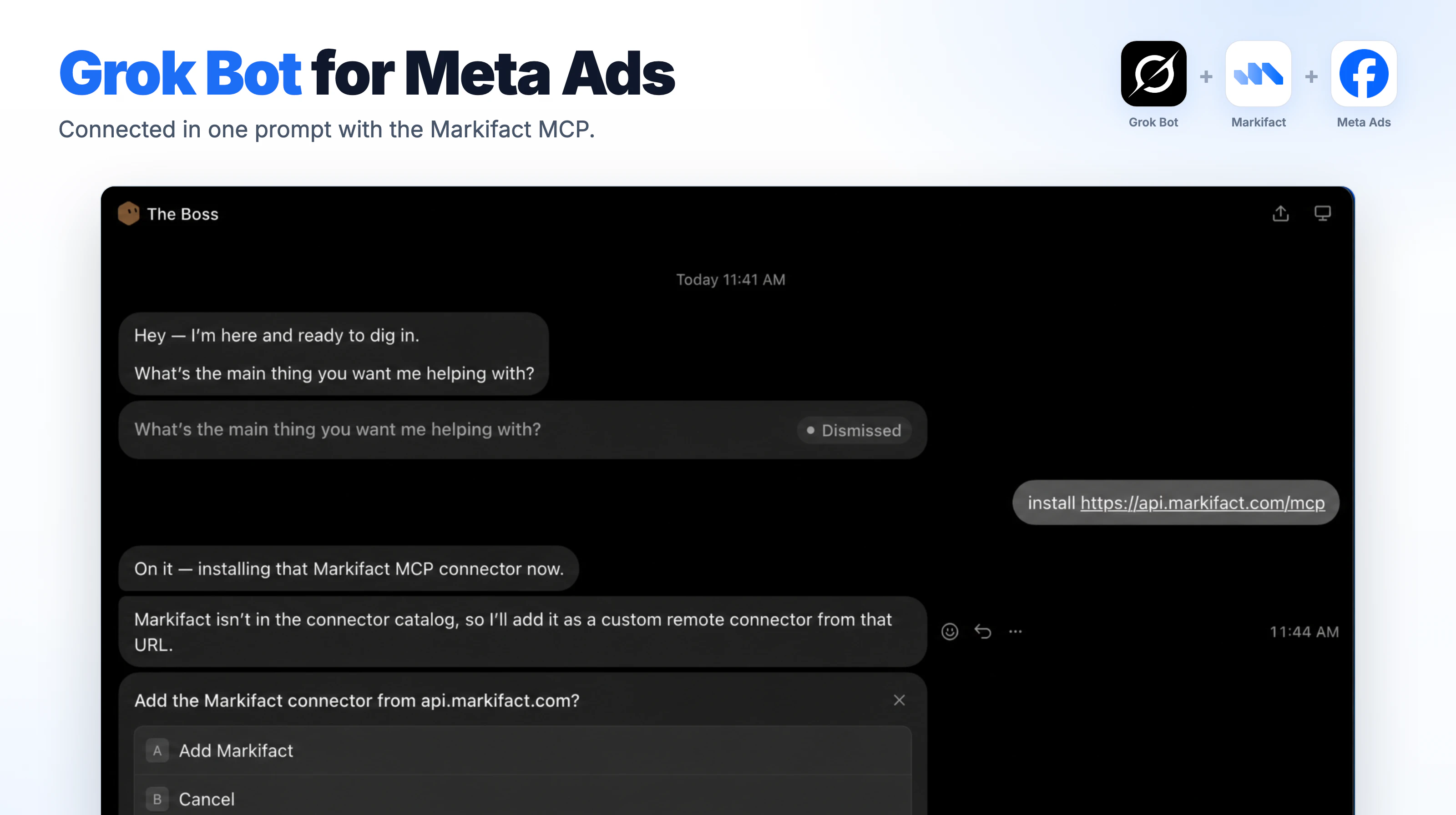
To connect Meta Ads to Grok Bot, send your bot one message, install https://api.markifact.com/mcp, approve the connector, and sign in to Markifact. From then on your bot can report on your Facebook and Instagram ads and build campaigns, with every change waiting for your OK.
Key takeaways
- Grok Bot adds Markifact as a custom remote connector by itself. There is no config file and no developer setup.
- You connect Meta Ads once in Markifact, and the bot sees every ad account you authorize.
- A dedicated Meta Ads bot can run reports, spot tired creatives and build campaigns, ad sets and ads.
- The bot asks before anything is written to your ad account, and new campaigns are created paused.
Disclosure: Markifact publishes this blog and builds the connector. The screenshots come from our video below, with account names and ids replaced.
The whole setup is three steps:
- Ask Grok Bot to install the Markifact MCP.
- Sign in and connect Meta Ads.
- Create a Meta Ads bot and give it a job.
What Grok Bot is
Grok Bot is xAI's always-on AI agent, in early beta since August 11, 2026. Each bot runs on a cloud computer of its own, signs in to the tools you give it, and keeps working when you close the app. You can run several bots side by side, give each one a role, and let them message each other.
It runs as a desktop app for macOS and Windows and on iPhone. Access comes with SuperGrok Heavy, Cursor Ultra or Cursor Teams Premium.
Grok Bot can reach your tools in two ways: by clicking through websites like a person, or through connectors (MCP servers). For Meta Ads, a connector is the reliable route. Markifact's Meta Ads MCP calls the Meta Marketing API directly instead of clicking through Ads Manager.
Step 1: Ask Grok Bot to install the Markifact MCP
- Open Grok Bot and pick any bot.
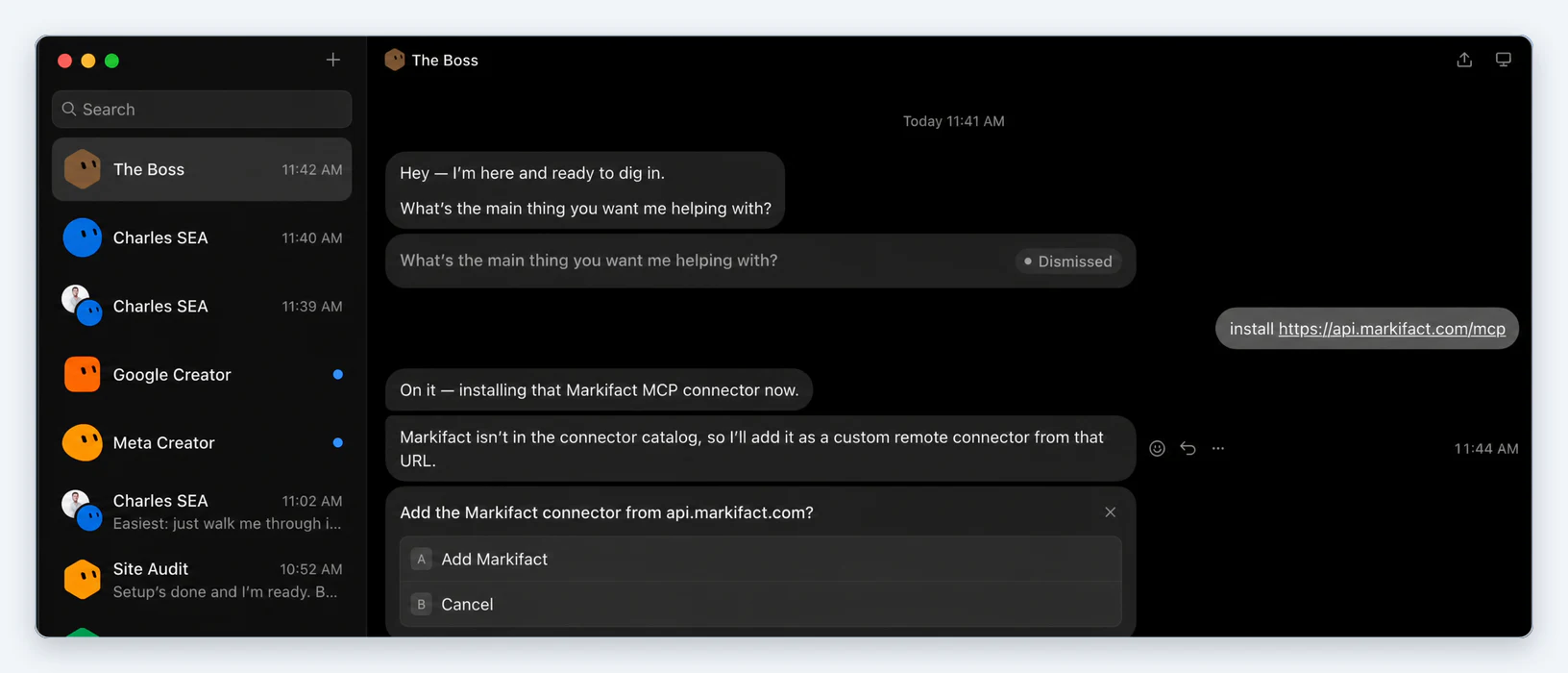
- Send this message:
install https://api.markifact.com/mcp
- The bot replies that Markifact is not in its connector catalog yet and offers to add it as a custom remote connector. Click Add Markifact.
Step 2: Sign in and connect Meta Ads
- Grok Bot opens the Markifact sign-in. Log in, or create a free account, and approve the access request.
- In Markifact, connect Meta Ads under Connections. Facebook asks which businesses, ad accounts and Pages to share; select every one the bot should work with. You authorize Meta here, once, not inside Grok Bot.
- Back in Grok Bot, the bot confirms the connection and lists the accounts it can see.

If another bot later asks you to sign in to Markifact, approve it the same way.
Step 3: Create a Meta Ads bot and give it a job
Grok Bot works best with one bot per job. In our setup, a Meta Creator bot builds Meta campaigns and a coordinator bot hands it tasks.
- Click + at the top of the sidebar to create a bot.
- In Settings, give it a Name and a Description that says what it is responsible for. The description works like a job brief, for example: "You manage Meta Ads for [brand]. You build campaigns, review performance weekly and never turn anything on without approval."
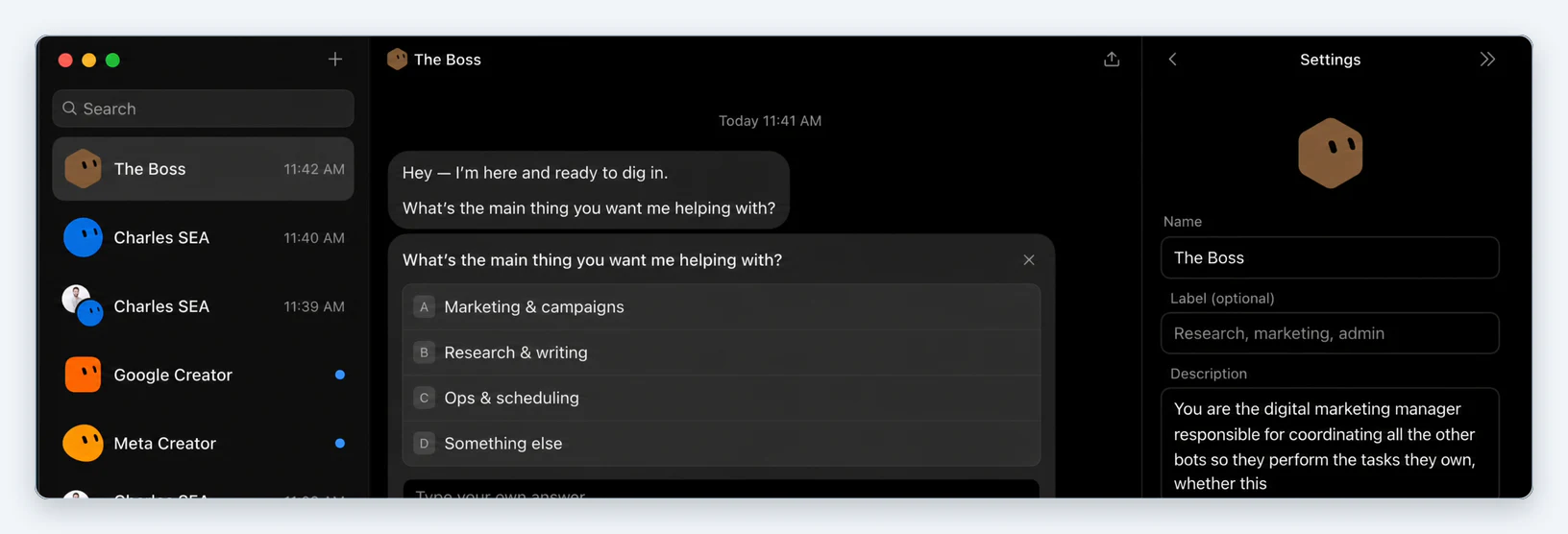
- Give the bot a task. We attached the course image and asked for a traffic campaign:
Create a Meta campaign in ad account [account name or ID] for
[product], landing page [URL]. Use the attached image, write the
ad copy yourself, set the budget to [amount] per day and create
everything paused.
What the bot built
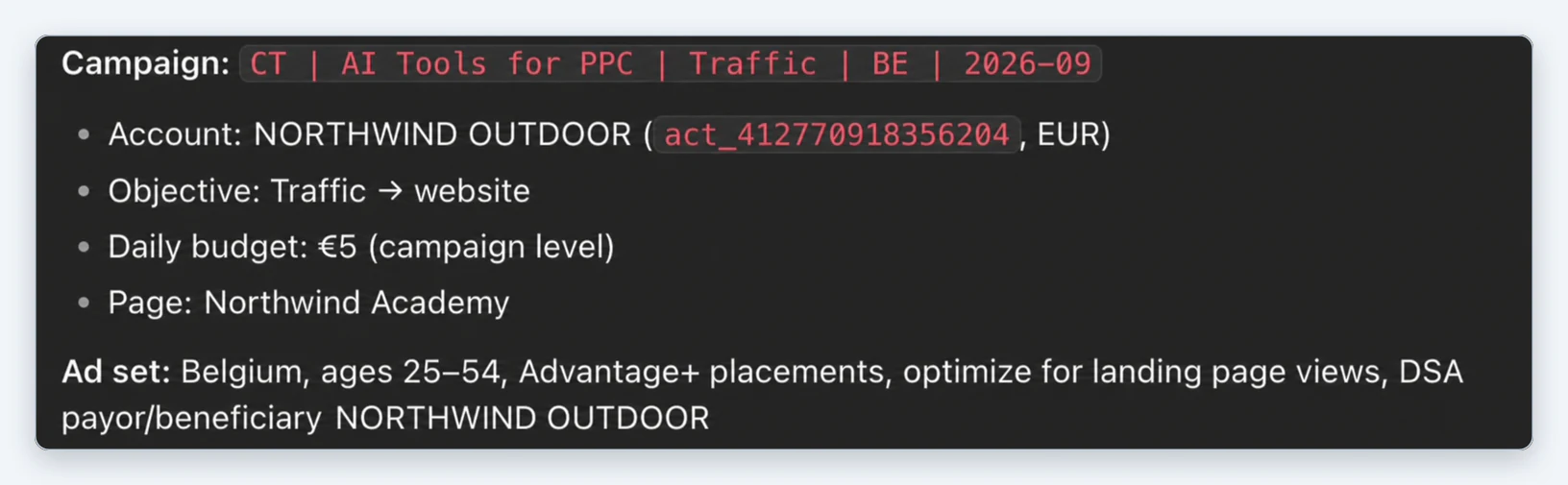
The Meta Ads bot planned the whole structure before touching the account: the campaign with its objective and budget, the Facebook Page, and an ad set with location, age range, placements and optimization goal.
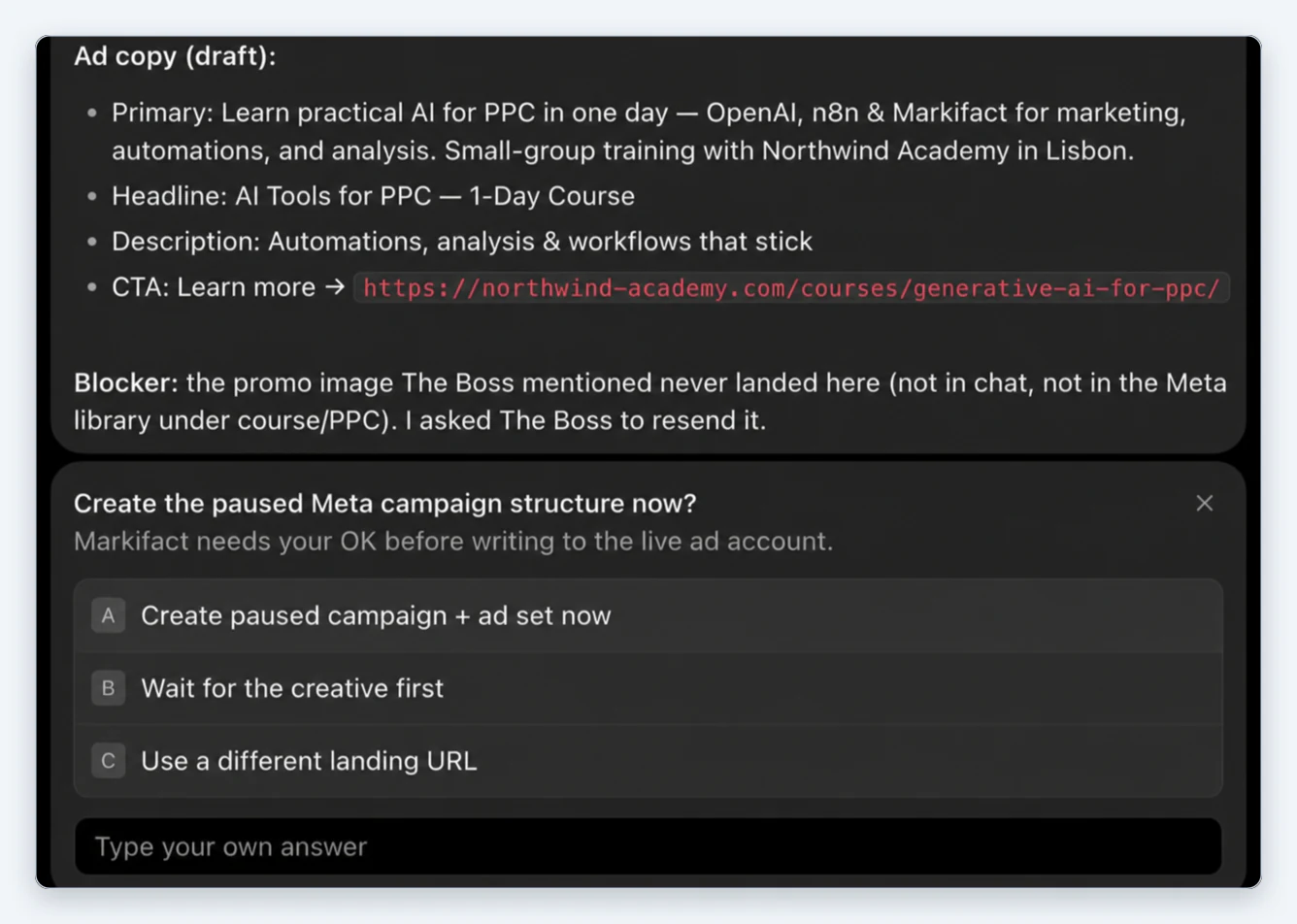
It then drafted the ad copy and asked: "Create the paused Meta campaign structure now? Markifact needs your OK before writing to the live ad account."
After we approved, the bot uploaded the image, created the campaign, ad set and ad, and reported back with all three ids.
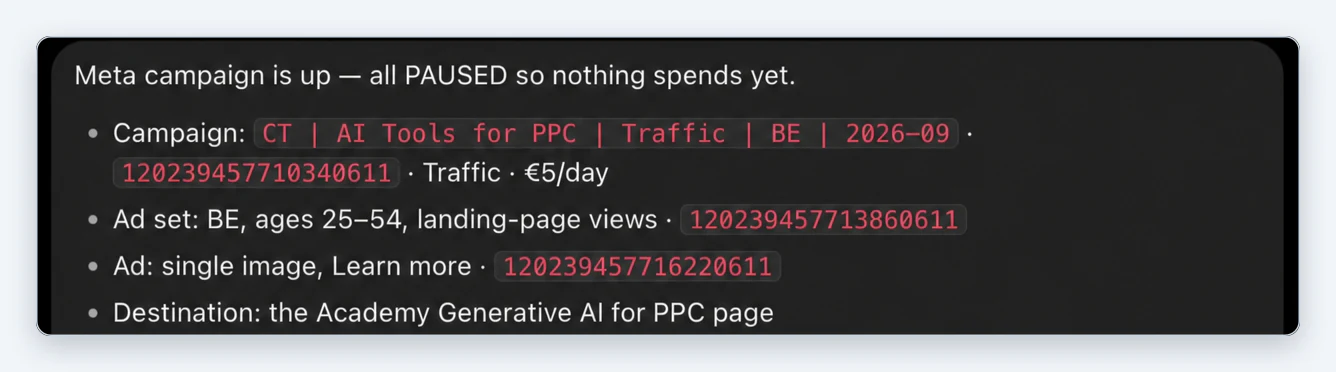
We then opened Ads Manager. The campaign, targeting, image and landing page were all there as described.
Prompts to try next
Weekly performance check
Pull last week's Meta Ads performance for [account] by campaign,
compared with the week before. Flag any campaign where cost per
result rose more than 20% and tell me why.
Creative fatigue
Find ads in [account] where frequency is above 3 and CTR fell over
the last 14 days. Show spend, frequency and CTR for each, then
suggest which to pause.
Placement and audience breakdown
Break down the last 30 days of [campaign] by placement, age and
gender. Tell me which segments drive purchases at the lowest cost
and which spend without results.
Budget shift
Compare cost per purchase across the ad sets in [campaign] for the
last 7 days. Suggest how to move budget toward the best ones, and
wait for my OK before changing anything.
What Markifact gives Grok Bot
- Reporting: campaign, ad set and ad reports with breakdowns by age, gender, placement, country and more, plus period comparisons.
- Management: budgets, bids, statuses, schedules and targeting for campaigns and ad sets.
- Creation: campaigns, ad sets, image, video and carousel ads, bulk ad uploads and lead forms.
- Research: the Meta Ad Library, to see what competitors are running.
- Approval on every write. Reads run straight away; anything that changes the account waits for your confirmation.
The same connection also covers Google Ads and 50+ other platforms; the Google Ads version of this guide uses the same setup. The same Markifact account also works in Claude and ChatGPT.
Pricing
Markifact has a free account with 200 one-time credits to test the connector. Paid plans start at $79 a month for one seat with unlimited ad accounts. Details are on the pricing page. Grok Bot itself comes with SuperGrok Heavy, Cursor Ultra or Cursor Teams Premium.
Frequently asked questions
Can Grok Bot run Facebook ads?
Yes, through an MCP connector. Install the Markifact MCP in Grok Bot, connect Meta Ads in Markifact, and the bot can report on Facebook and Instagram campaigns and create or change them with your approval.
How do I add an MCP server to Grok Bot?
Send any bot a message with install and the server's URL, for example install https://api.markifact.com/mcp. Grok Bot adds it as a custom remote connector and asks you to confirm, then you sign in to the service.
Can Grok Bot create Meta ad campaigns?
Yes. In our test the bot planned and built a Traffic campaign, an ad set with location, age and placement settings, and a single image ad with its own copy, all created paused.
Will Grok Bot change my ads without asking?
No. Markifact asks for confirmation before any write to your ad account, and new campaigns are created paused, so nothing spends until you turn it on.
Can it work with several ad accounts or clients?
Yes. Every ad account you select when connecting Meta in Markifact is available to the bot. Name the account in your prompt when you have several.
Does this work in regular Grok chat too?
xAI's documentation says grok.com supports custom MCP connectors under Connectors, New Connector, Custom, using the same server URL. Our test above was in Grok Bot.